- Age rating4+
- CategoryBusiness
- DeveloperYogesh Bhardwaj
- LanguagesEnglish
- Size6.0 MB
Links to the official App Store page
Download.org hosts no file of CallSync – Call Organizer. The button opens its official App Store page, published by Yogesh Bhardwaj. Listing last checked on Nov 14, 2026.
Screenshots


About
CallSync keeps your business calls organised, so nothing a customer said gets lost.
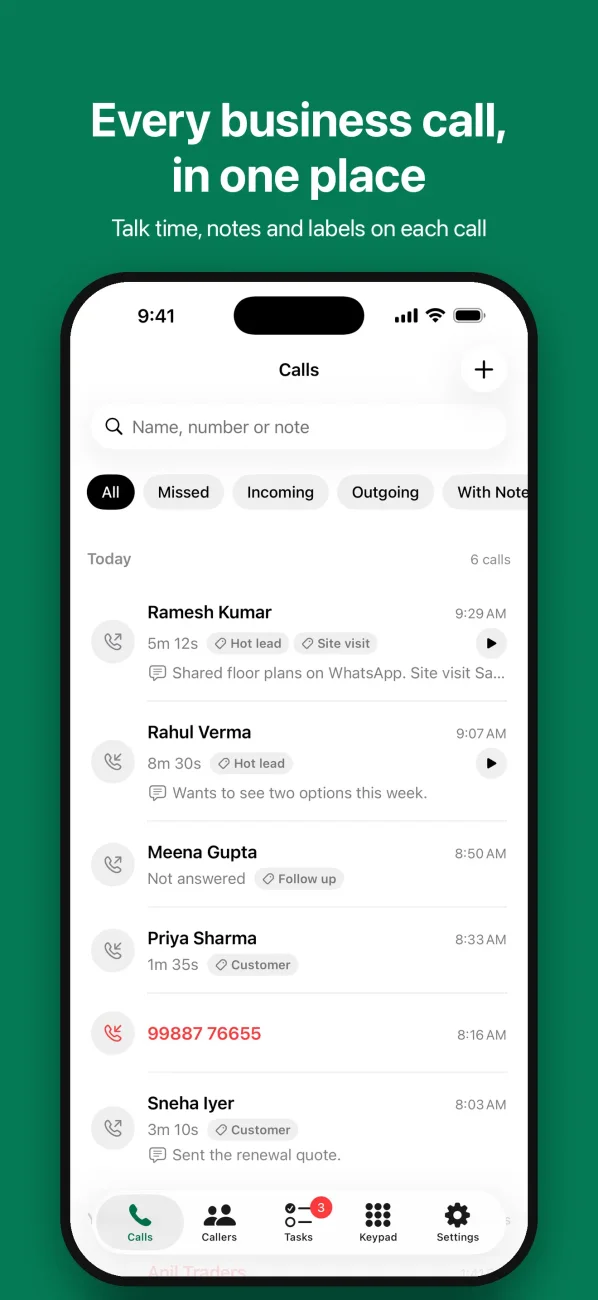
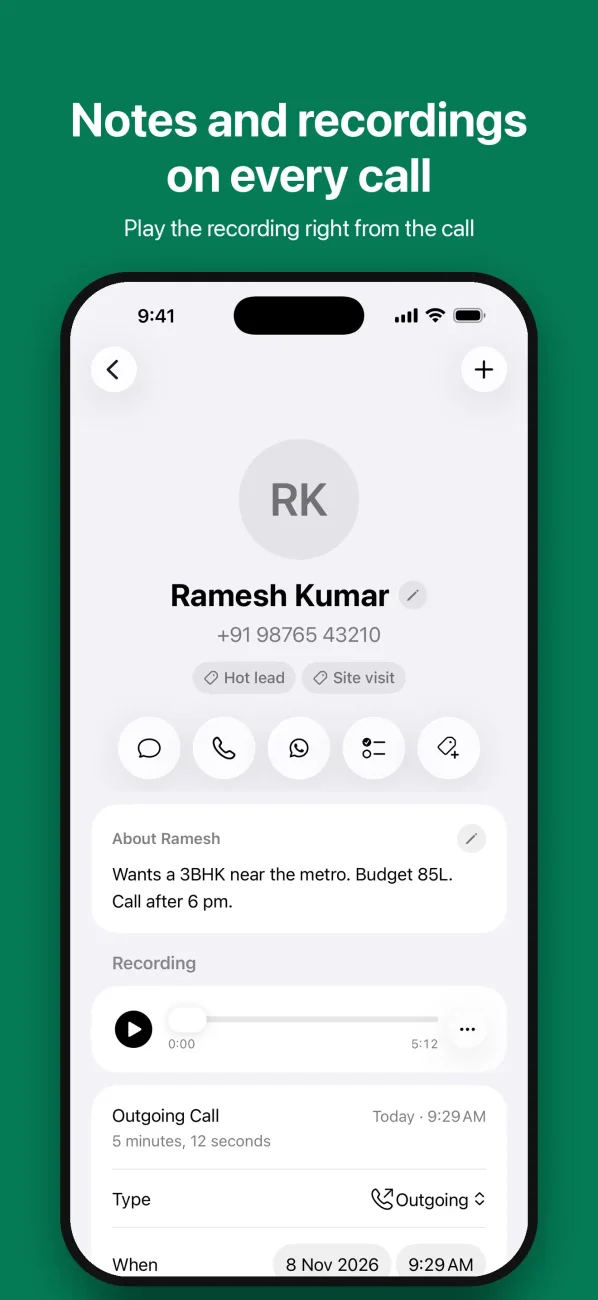
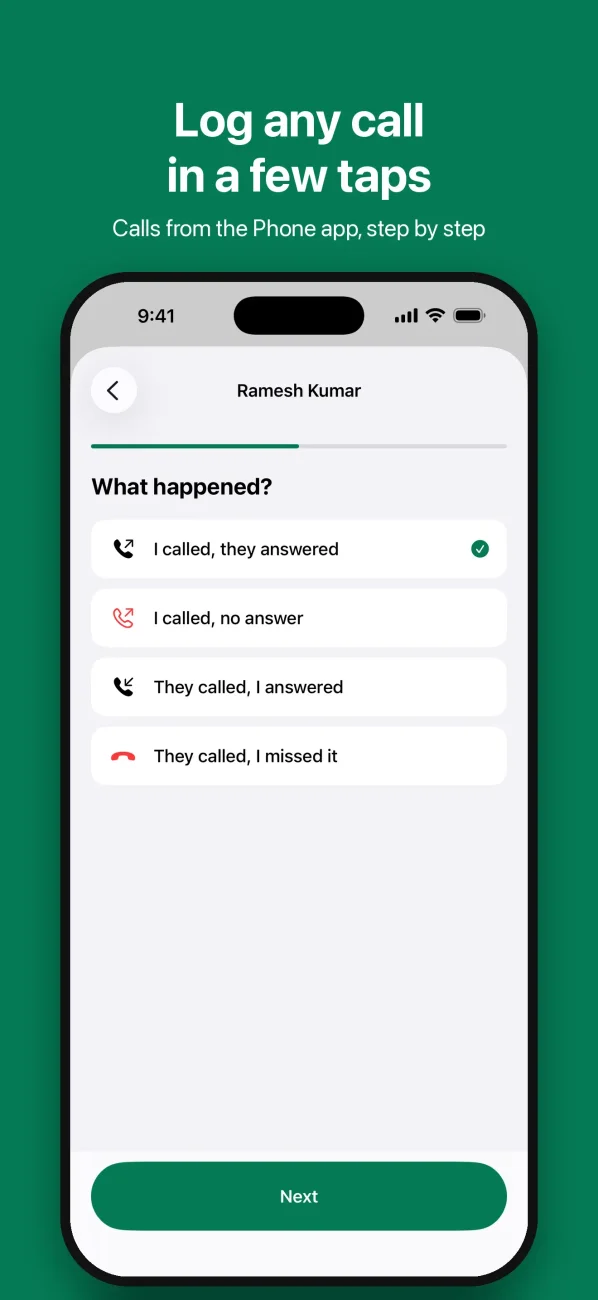
Call from CallSync and the call is logged for you with its talk time. Calls made from the Phone app take a few taps to add. Every call can have a note, and every caller keeps a note and labels such as Hot lead, Customer or Vendor.
CALLS
• A clean log of every business call, day by day
• Filter by missed, incoming, outgoing, with notes or recorded
• Search by name, number, note or label
• Play a call's recording right from the list
CALLERS
• Everyone you deal with, A to Z, with their labels and note
• Call, message or WhatsApp in one tap
• See a caller's full call history
RECORDINGS
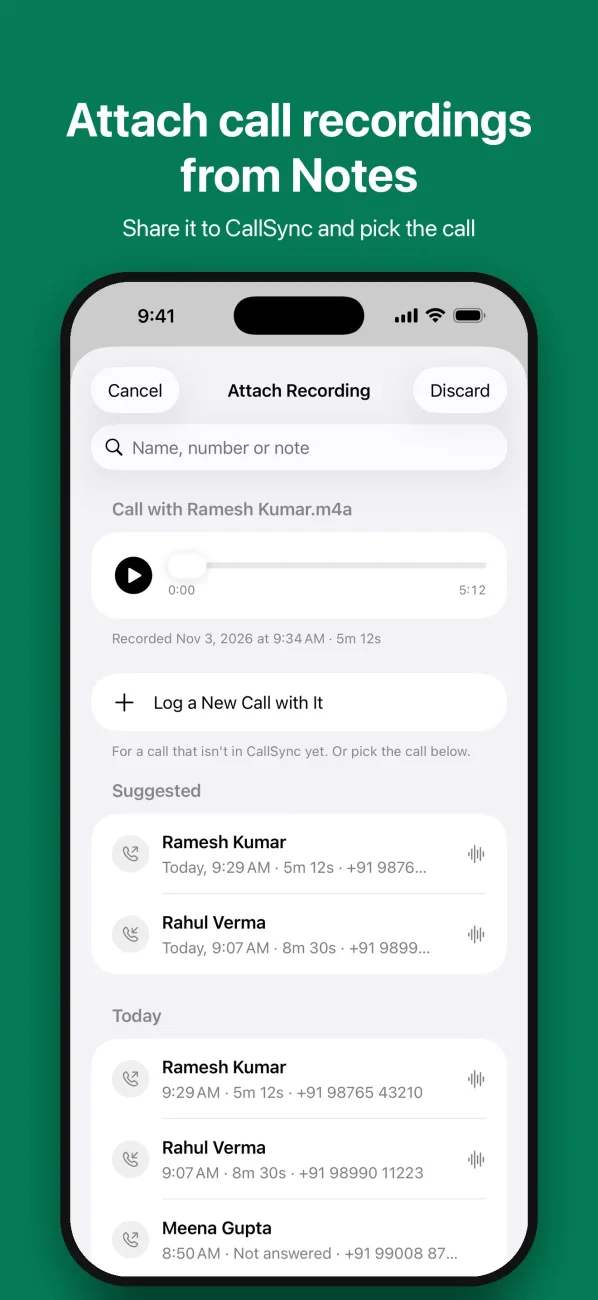
• iPhone can record calls in the Phone app (iOS 18.1 and later); the recording is saved in Notes
• Share it to CallSync from Notes or Files and pick the call
• Replace, share or delete a recording from the call
CALLER ID
• Incoming calls from callers saved in CallSync show their name and label, even when they're not in your iPhone's contacts
FOR TEAMS
• Link CallSync to your business with a code from your manager
• Your calls, notes and recordings appear on your team's CallSync dashboard, and your team's callers and notes come to your iPhone
ALSO
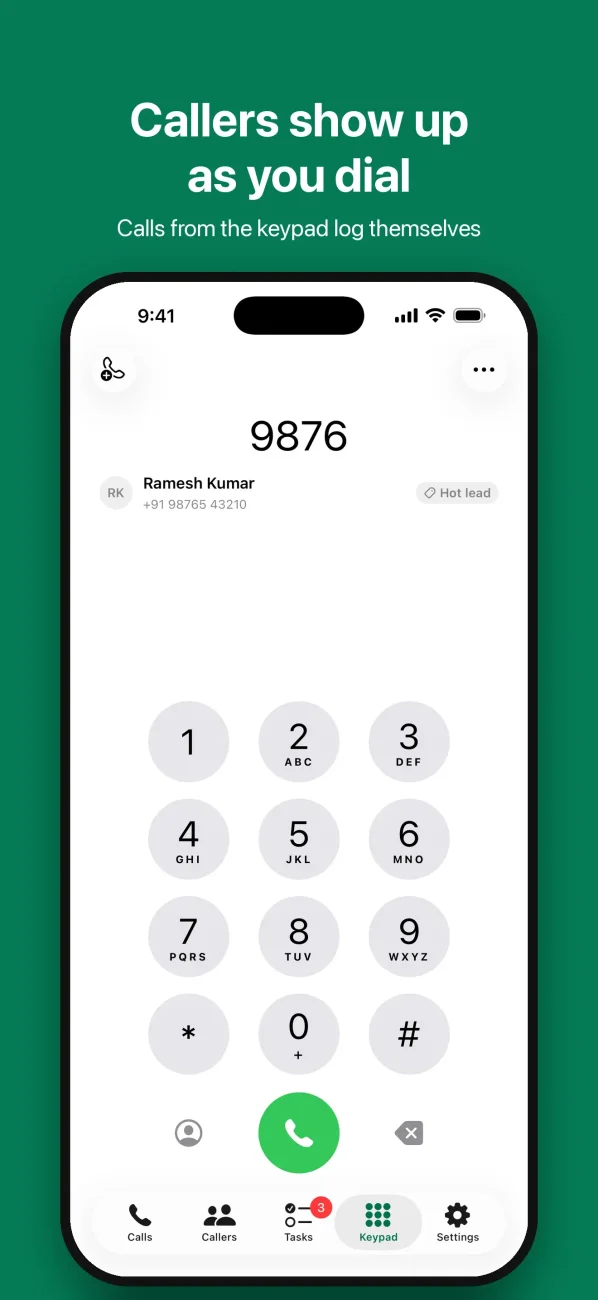
• A keypad that finds callers as you type
• Export your calls, callers and recordings as spreadsheets in a ZIP file
• Works without an account: everything stays on your iPhone until you link
iPhone apps can't read the call history or record calls themselves. CallSync logs calls placed from the app on its own and lets you add the rest.
What’s new
Version 1.1 · Nov 11, 2026
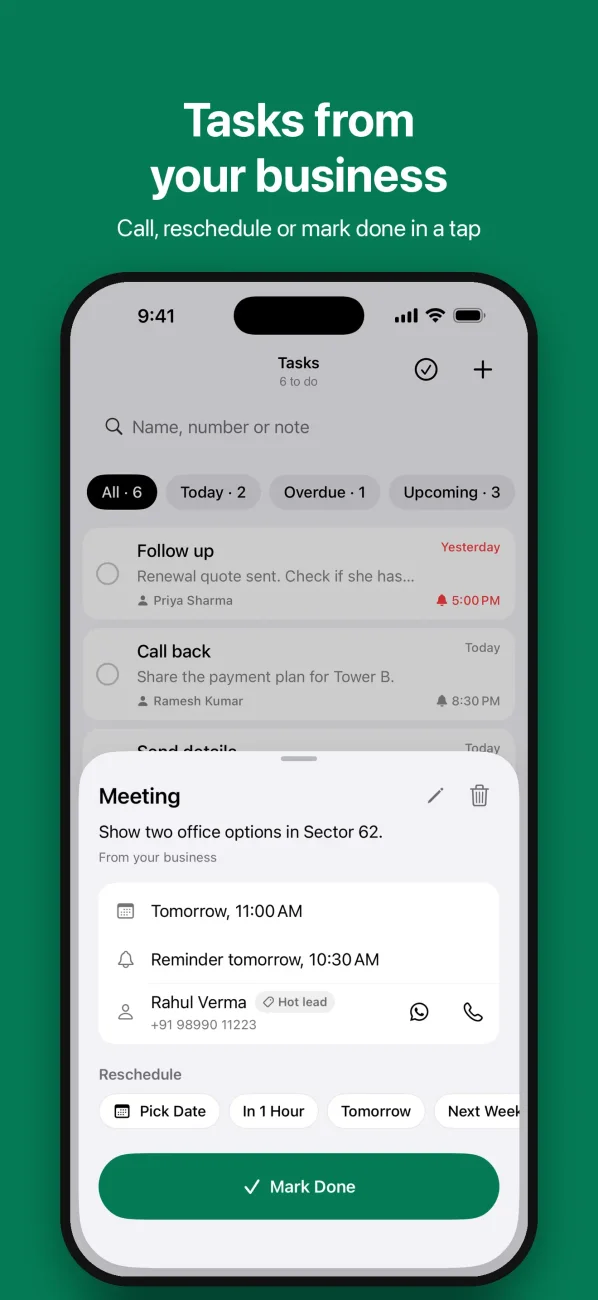
Tasks, now on iPhone:
• See the follow-ups your business assigns you on the dashboard, and add your own from the Tasks tab or a caller's page.
• Get reminded on time, with Mark Done, Snooze and Call right on the notification, even when CallSync is closed.
• On iOS 26, turn on Ring Like an Alarm in Settings → Task Reminders to have reminders ring full screen.
Also fixes and improvements.
App privacy
What Yogesh Bhardwaj declares on the App Store about how this app handles data.
-
Data linked to you
May be collected and linked to your identity.
- Location
- Contact info
- Contacts
- User content
- Identifiers
- Usage data
- Other data
Privacy practices may vary, for example with the features you use or your age.
Information
- Seller
- Yogesh Bhardwaj
- Category
- Business
- Version
- 1.1
- Updated
- Nov 11, 2026
- Released
- Nov 3, 2026
- Size
- 6.0 MB
- Requires
- iOS 17.0 or later
- Age rating
- 4+
- Price
- Free
- Languages
- English
- Copyright
- © 2026 CallSync
You might also like
-
 SentellaAI call screening & alerts
-
 SteadyRec: Voice Memo RecorderTranscribe Audio to Text
-
 Supafone Phone Call TranslatorLive AI Captions & Coaching
-
 33terinterview? invisible
-
 Oraina CardsDigital Business Cards
-
 CSV架電 – 営業電話リストと顧客管理Business
-
 FieldTraceProductivity
-
 FougitoBusiness
-
 TwingoThe Ticket Management App
-
 App for Google Calendar: horaPlanner, Reminder & Schedule