Calorie Camera: Macro Tracker
Food Log for Diet & Bulking
Designed for iPhone, iPad
In-app purchases
- Age rating4+
- CategoryHealth & Fitness
- DeveloperTaiki Kira
- LanguagesJapanese+ 4 more
- Size22.8 MB
Links to the official App Store page
Download.org hosts no file of Calorie Camera: Macro Tracker. The button opens its official App Store page, published by Taiki Kira. Listing last checked on Nov 14, 2026.
Screenshots
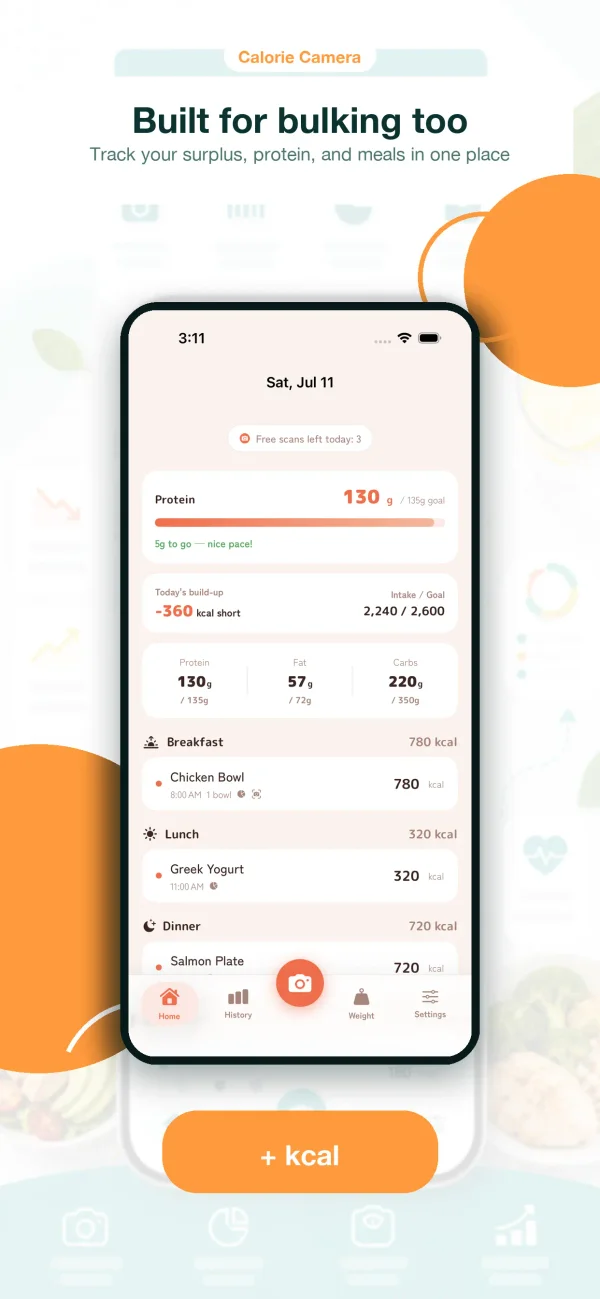
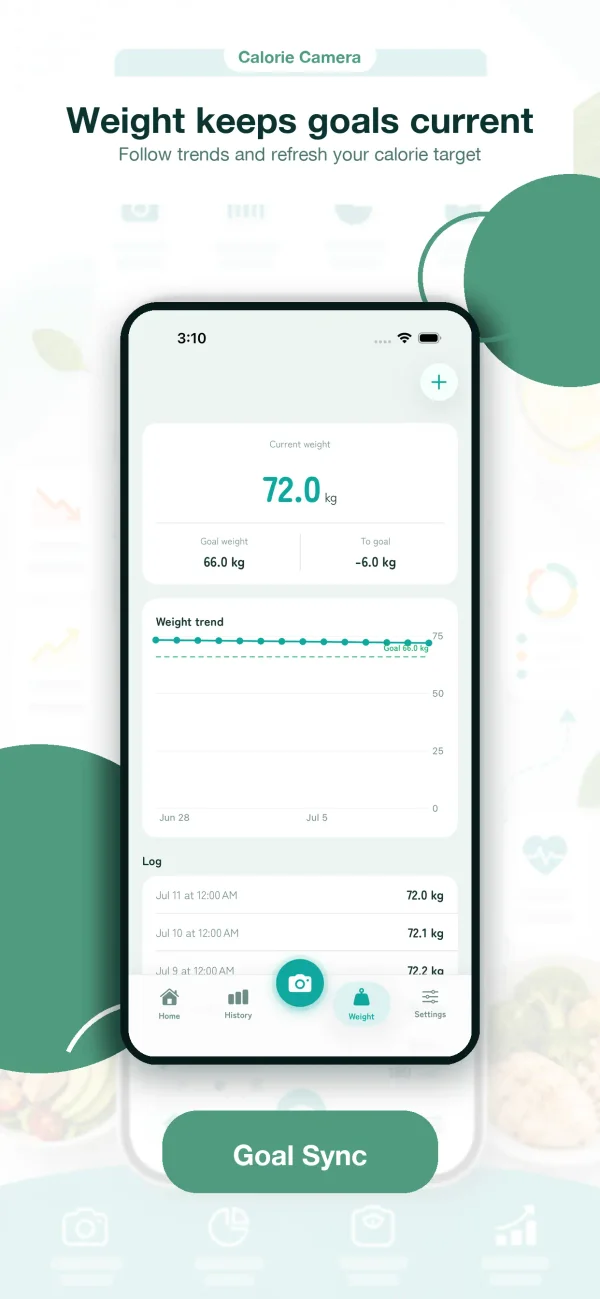
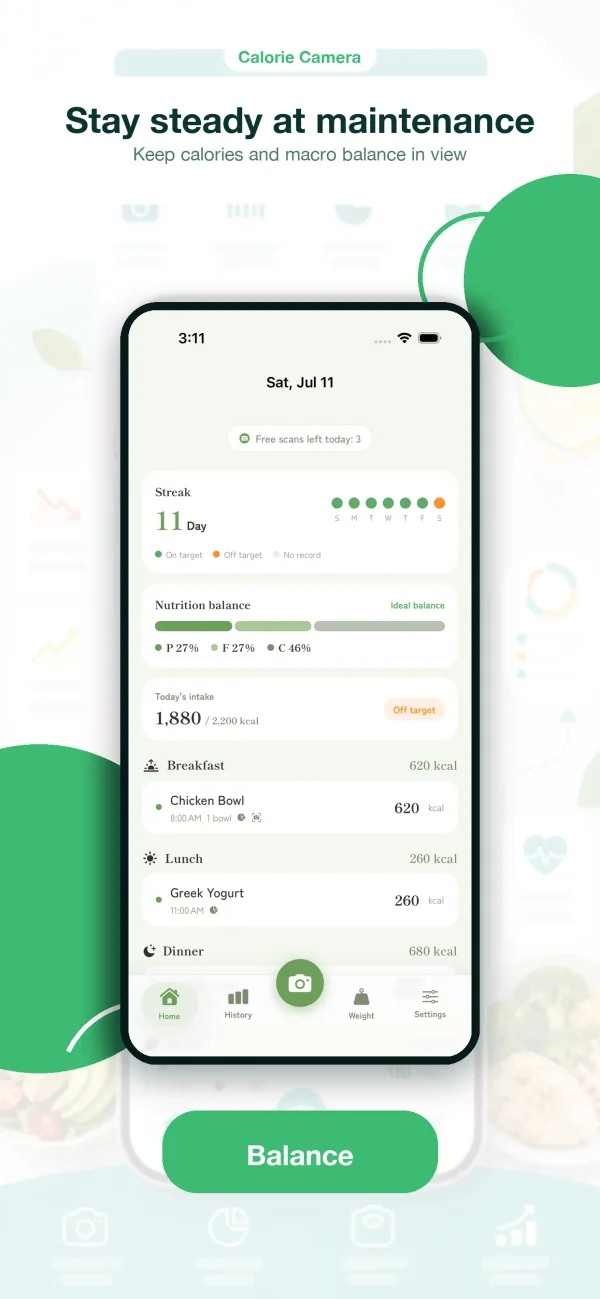
About
LOG MEALS WITH LESS TYPING
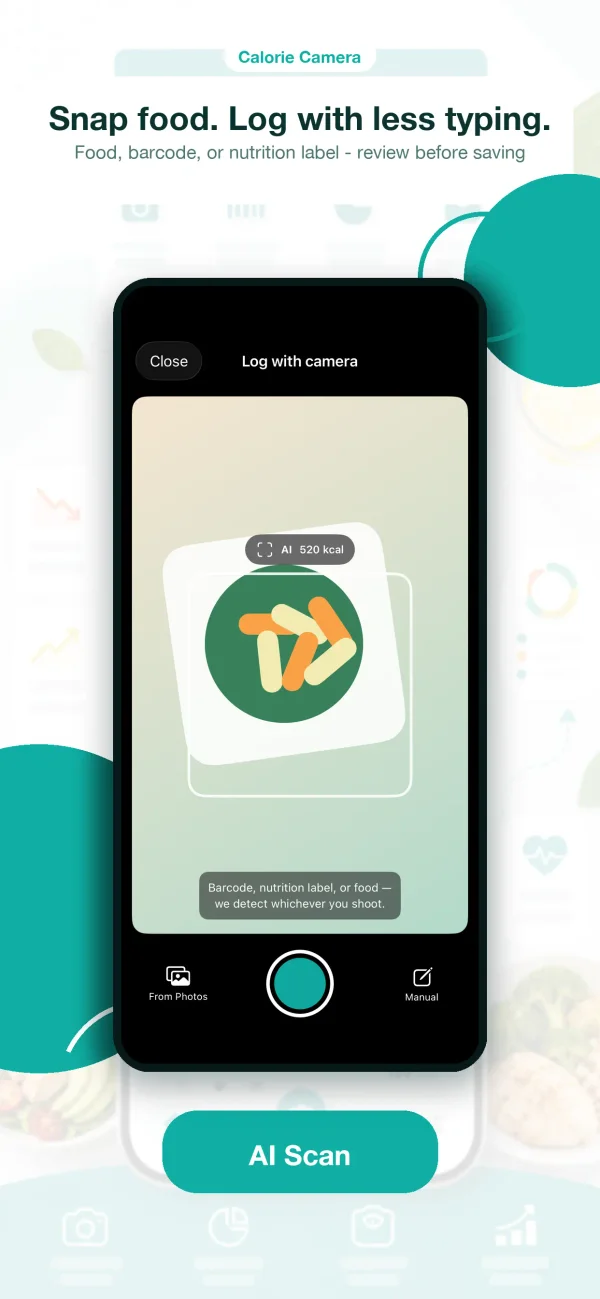
Calorie Camera turns your camera into a fast calorie and macro tracker. Photograph food, scan a barcode, or read a nutrition label, then review the result before adding it to your meal log.
MADE FOR YOUR GOAL
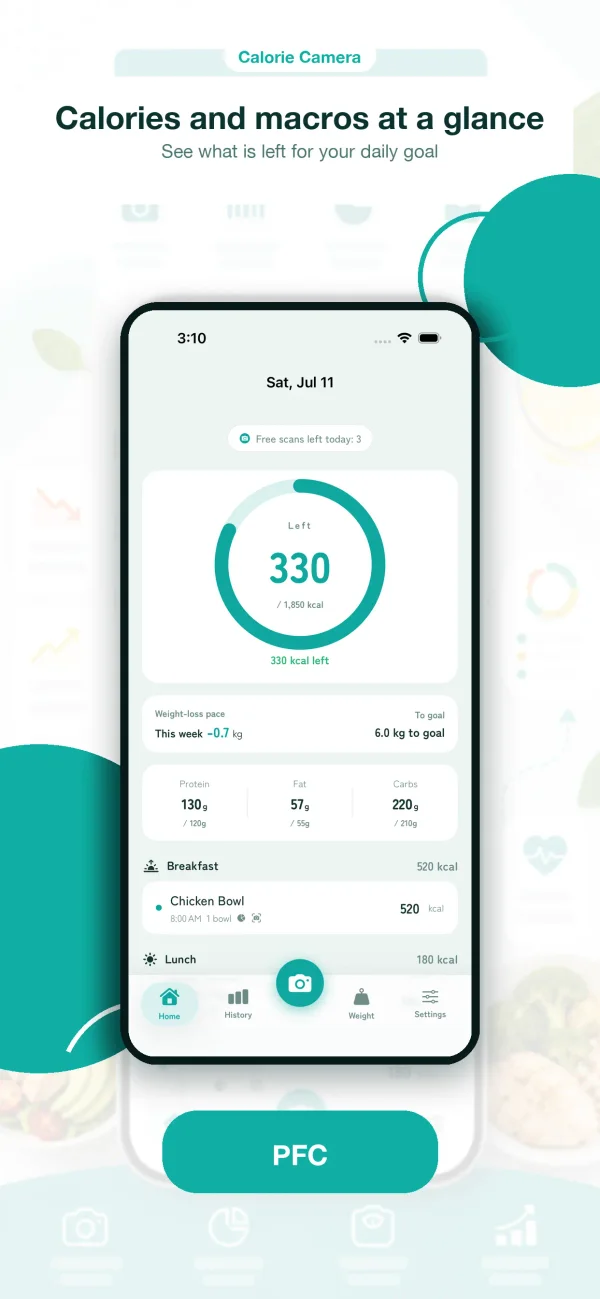
Choose dieting, bulking, or maintenance. Your home view adapts to the goal you select, so remaining calories, protein, fat, carbs, and meal progress stay easy to read.
FAST, FLEXIBLE LOGGING
• Recognize foods on device and review suggested matches
• Look up packaged foods by barcode with Open Food Facts
• Read calories and nutrients from nutrition labels
• Add foods manually or from the built-in food list
• Re-log recent and frequently eaten meals in a tap
• Save scanned products for faster use next time
SEE THE FULL PICTURE
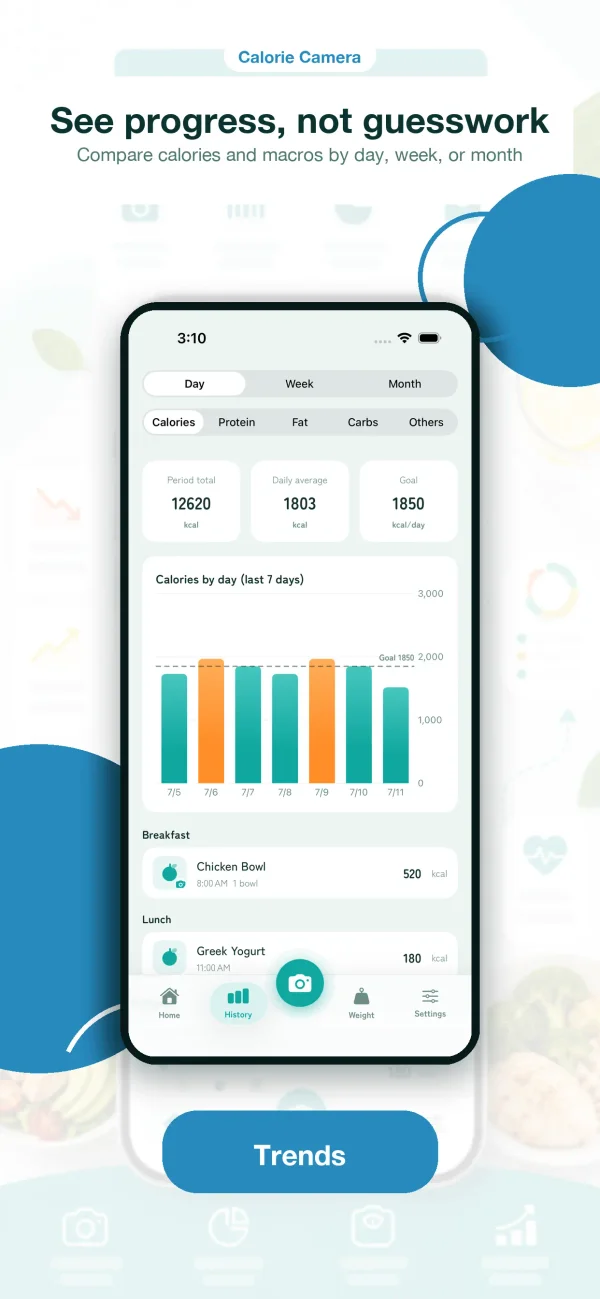
• Compare calories and macros by day, week, or month
• Track weight trends and update your calorie goal
• Review protein, fat, carbs, salt, fiber, and more
• Optionally sync supported nutrition data with Apple Health and import weight data you allow
PRIVACY BY DESIGN
Food photos and nutrition labels are processed on your device for recognition. Images are not uploaded to our servers. Barcode lookup sends only the barcode number to Open Food Facts. Meal records, weight, and goals stay on your device. No account or ads are required. Optional usage analytics is off by default and can be changed in Settings; meal content and HealthKit data are never sent. Google Analytics retains event-level data for 2 months and user-level data for 14 months; new activity resets the user-data retention period. Standard aggregate reports do not all expire on those dates.
FREE TO START
Save up to three camera scans per day for free. An optional monthly Premium subscription unlocks unlimited camera and nutrition-label scans. Retakes and reviewing results do not use the free allowance; a scan counts only when you save it.
Results and calorie goals are estimates for general wellness. Check product labels when exact values matter. Calorie Camera does not provide medical advice.
Terms of Use (Standard Apple EULA): https://www.apple.com/legal/internet-services/itunes/dev/stdeula/
What’s new
Version 1.0.2 · Sep 26, 2026
Added optional, off-by-default usage sharing to help improve setup and meal logging. You can change it any time in Settings.
App privacy
What Taiki Kira declares on the App Store about how this app handles data.
-
Data linked to you
May be collected and linked to your identity.
- Purchases
- Location
- Identifiers
- Usage data
Privacy practices may vary, for example with the features you use or your age.
Information
- Seller
- Taiki Kira
- Category
- Health & Fitness
- Version
- 1.0.2
- Updated
- Sep 26, 2026
- Released
- Jul 18, 2026
- Size
- 22.8 MB
- Requires
- iOS 17.0 or later
- Age rating
- 4+
- In-app purchases
- Yes
- Languages
- Japanese, Simplified Chinese, Traditional Chinese, English, Korean
- Copyright
- © 2026 Taiki Kira
You might also like
-
 食事記録とカロリー計算 タベカロHealth & Fitness
-
 ハラログ|シンプル食事管理撮るだけのシンプルなカロリー計算
-
 Kairo - カロリー管理Health & Fitness
-
 GRITORY|食事・筋トレ記録Health & Fitness
-
 FUELSHOT: Youth Athlete FuelEating enough? Prove it daily
-
 ミールとフィットHealth & Fitness
-
 マイ栄養ナビ - 栄養計算・食事記録Health & Fitness
-
 カロリーバッジ|ダイエット・カロリー計算・食事記録Health & Fitness
-
 カロリーバンクHealth & Fitness
-
 SelfCareNoteHealth & Fitness