
Calvance Calculator
Linked math, units & currency
Designed for iPhone, iPad, iPod touch
Free · In-app purchases
- Age rating4+
- CategoryUtilities
- DeveloperGuanghan Zhumang Science and Technology Co., Ltd.
- LanguagesEnglish+ 10 more
- Size52.7 MB
Links to the official App Store page
Download.org hosts no file of Calvance Calculator. The button opens its official App Store page, published by Guanghan Zhumang Science and Technology Co., Ltd. Listing last checked on Nov 13, 2026.
Screenshots
About
Calvance is a canvas calculator that keeps every step of your calculations together, so you can see how the numbers connect, make changes, and pick up where you left off.
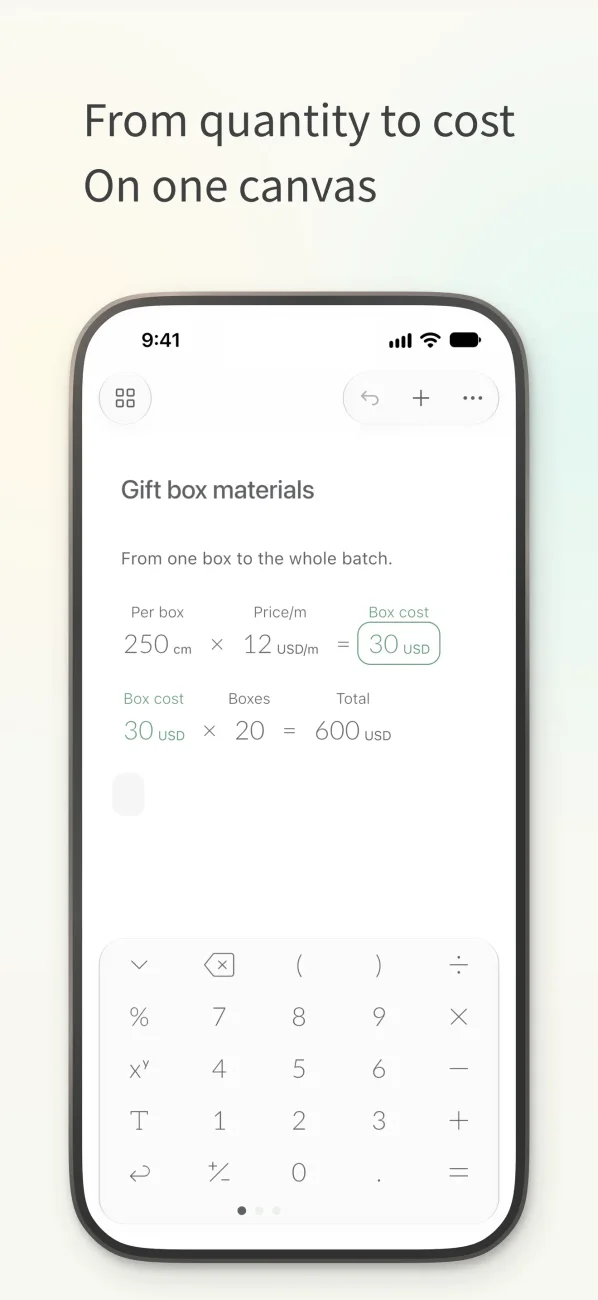
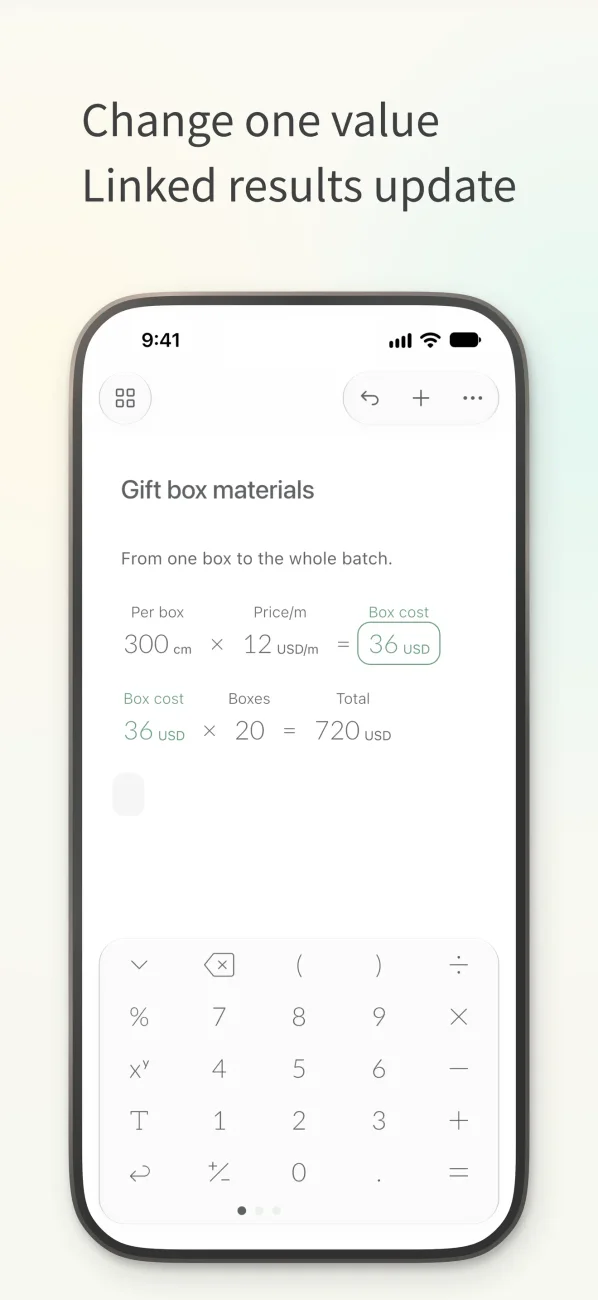
Arrange formulas, numbers, and notes freely on a canvas. Use the result of one calculation in the next. Change an input and linked results update, without starting over. From material quotes and cost estimates to budgets across currencies, keep both the calculations and the thinking behind them.
Change the inputs, not the whole plan
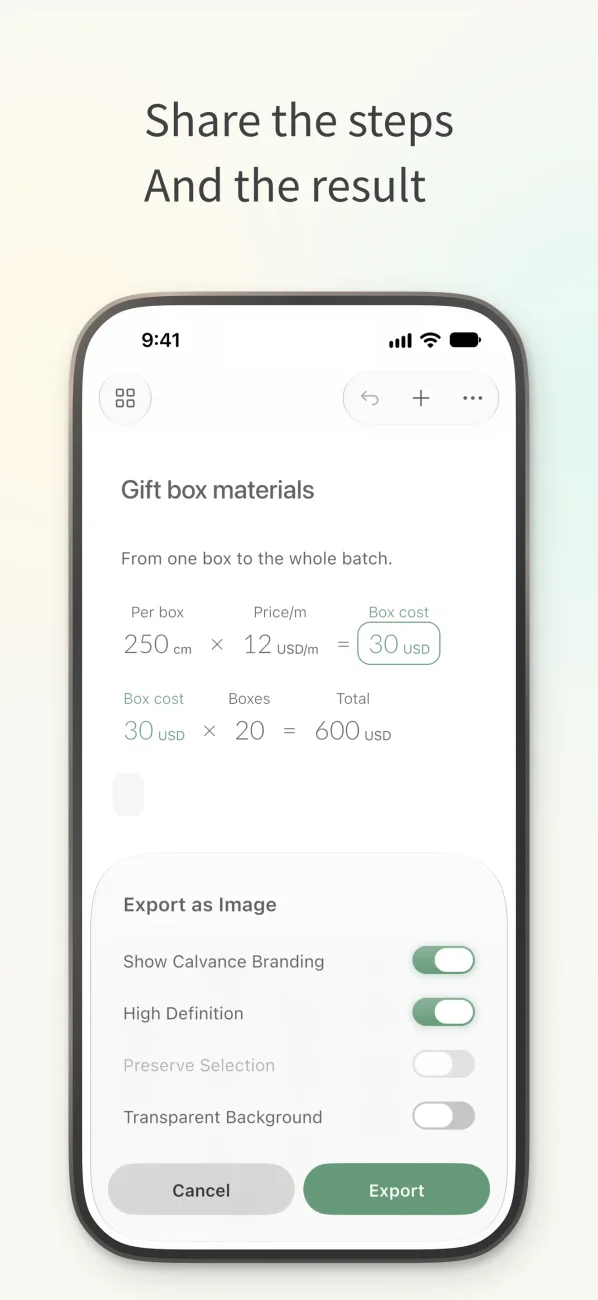
Build a material quote with quantities, unit prices, and expenses on one canvas. Change a quantity and the linked costs and total update. When it’s time to revise the quote, your formulas and notes are still there.
Connect formulas and adjust quantities, prices, or other assumptions to compare alternatives using the same calculations.
See every step and remember why
• Arrange formulas freely to see earlier and later steps together.
• Label numbers so you know what each value represents.
• Add notes about your assumptions, purpose, and methods, so your work still makes sense when you return.
• Your calculations save automatically, ready for you to continue.
Calculate with units and currencies
Use length, weight, time, and currencies directly in your formulas, including compound units such as price per meter or cost per hour. Calculate costs from quantities and unit prices, with the meaning of each input and result clearly shown.
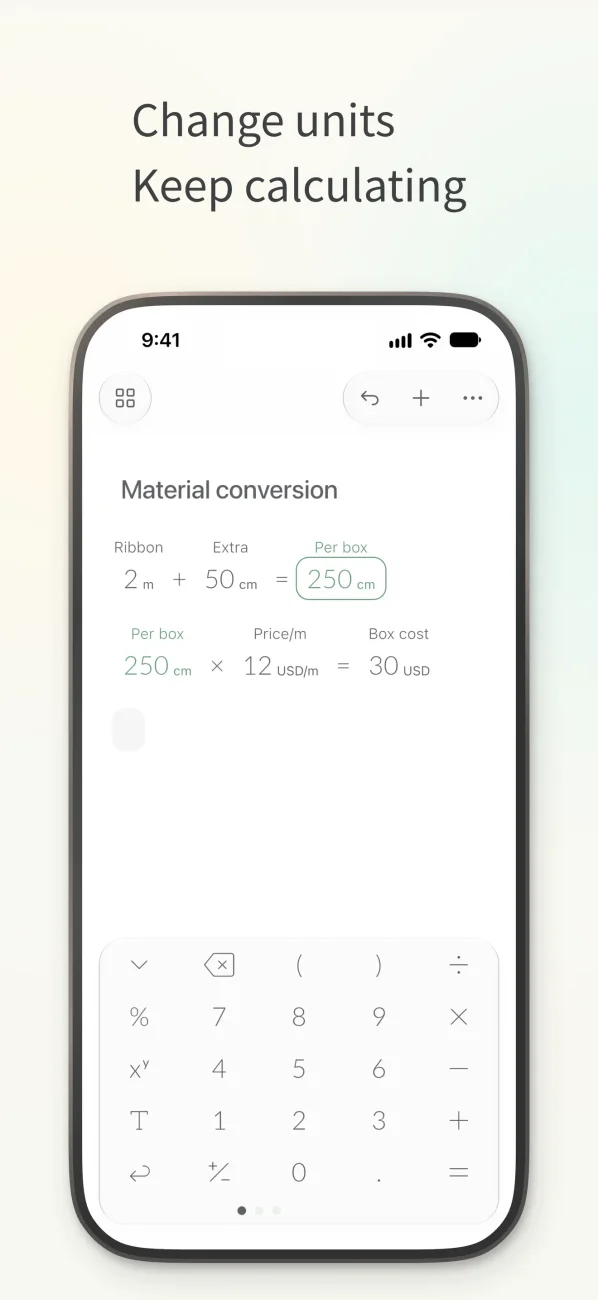
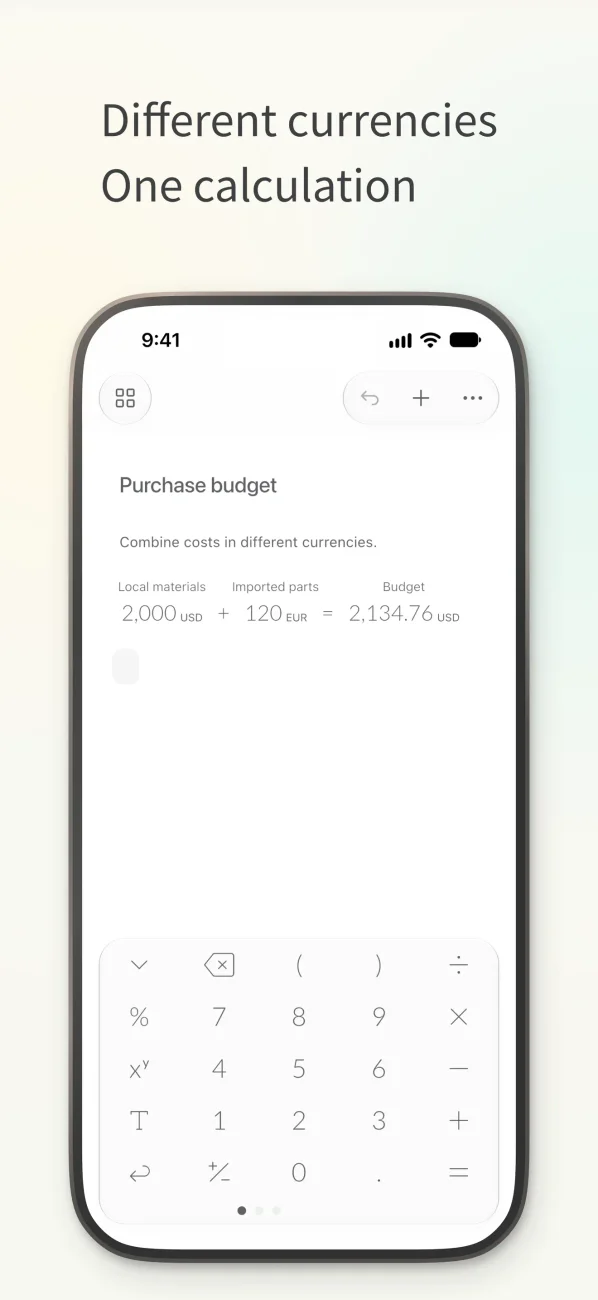
Convert compatible units and calculate across currencies. Use converted results in the next formula, working from material quantities to costs and on to the total budget without handling conversions separately.
Each canvas keeps its own reference exchange rates until you choose to update them. Return to a budget and continue using the same rates. Rates are for reference calculations, not live trading quotes.
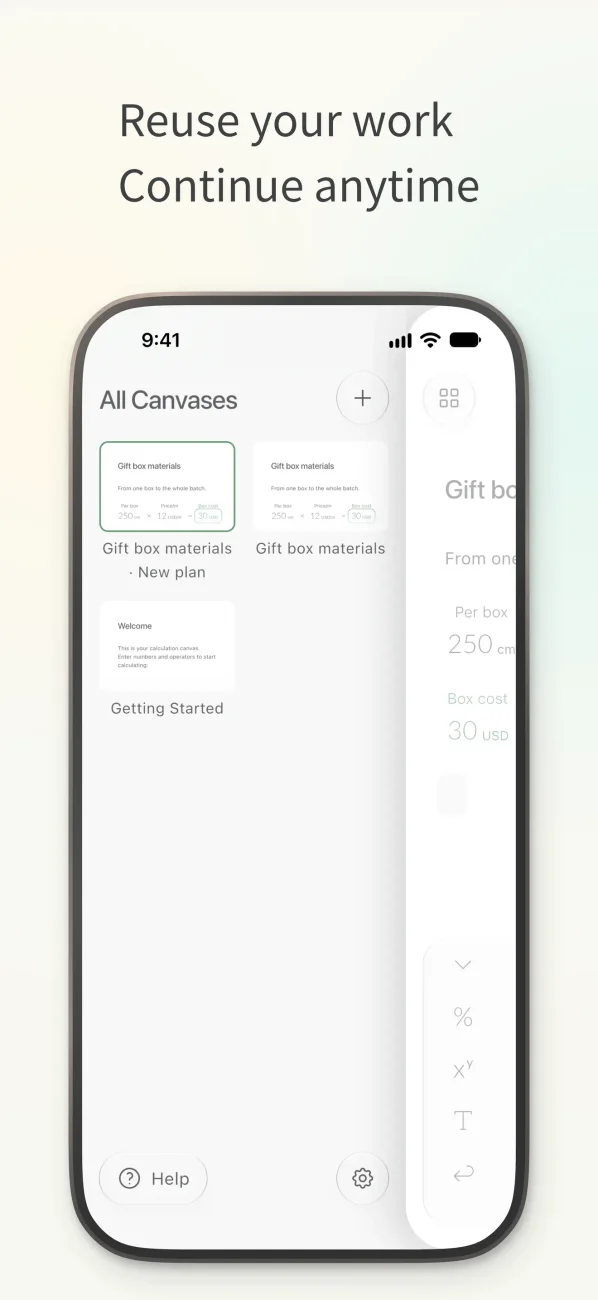
Reuse your work next time
Start with a template or duplicate an existing canvas to use a familiar approach for a new task. Adjust the inputs without rebuilding your formulas.
Organize projects on separate canvases. Export an image to share the steps along with the result, or export a canvas file to save or share the full calculation.
Calculate your way
• Follow your system’s number format or choose your own decimal and grouping separators, with support for Indian digit grouping and adjustable decimal places in results.
• Work with an external keyboard, dark mode, and a Liquid Glass interface.
• With Premium, sync your canvases across devices and continue on another device.
Start free, upgrade when needed
Core canvas calculation features are free.
Local Pro and Local Unlimited are one-time purchases. Premium is a subscription that includes cross-device canvas sync.
Assigning units or currencies to numbers requires Local Pro, Local Unlimited, or Premium.
Calculations you can continue.
Terms of Use: https://www.apple.com/legal/internet-services/itunes/dev/stdeula/
What’s new
Version 1.17.0 · Nov 11, 2026
New
• Set the default angle unit for new canvases, or switch any canvas between degrees and radians from its menu. Affected formulas recalculate automatically.
• When you first open an older canvas without a saved angle mode, trigonometric results may change for inputs without an explicit angle unit. If your calculations used radians, select Radians in the canvas menu.
Improvements
• Refined the appearance and behavior of Liquid Glass controls.
• Improved progress messages and feedback when restoring purchases.
• Updated the app description on the About screen.
Fixes
• Fixed an issue that could show an error after a successful sign-in.
App privacy
What Guanghan Zhumang Science and Technology Co., Ltd. declares on the App Store about how this app handles data.
-
Data not linked to you
May be collected but is not linked to your identity.
- Usage data
Privacy practices may vary, for example with the features you use or your age.
Information
- Seller
- Guanghan Zhumang Science and Technology Co., Ltd.
- Category
- Utilities
- Version
- 1.17.0
- Updated
- Nov 11, 2026
- Released
- Jan 8, 2025
- Size
- 52.7 MB
- Requires
- iOS 15.0 or later
- Age rating
- 4+
- Price
- Free
- In-app purchases
- Yes
- Languages
- English, French, German, Italian, Japanese, Korean, Portuguese, Russian, Simplified Chinese, Spanish, Traditional Chinese
- Copyright
- © 2026 Zhumang
You might also like
-
 FlexiCalc Editable CalculatorLoans, Interest, Live Formulas
-
 Caldy - Visual CalculatorEditable Calculation Sheets
-
 明白计算器Utilities
-
 CalcList: Tape & Math NotesBudget, Discount, Tax & Total
-
 Calculator: History & PercentScientific, Fractions & Units
-
 电商计算器:投放成本利润Utilities
-
 PROG_CALCprogrammable calculator
-
 简算Utilities
-
 Calculator - Visual MathUnderstand math visually.
-
 Time VisTrack time flow at a glance