- Age rating4+
- CategoryNavigation
- DeveloperOXiGENATOR LLC
- LanguagesEnglish+ 10 more
- Size11.2 MB
Links to the official App Store page
Download.org hosts no file of CamCarDer. The button opens its official App Store page, published by OXiGENATOR LLC. Listing last checked on Nov 12, 2026.
Screenshots


About
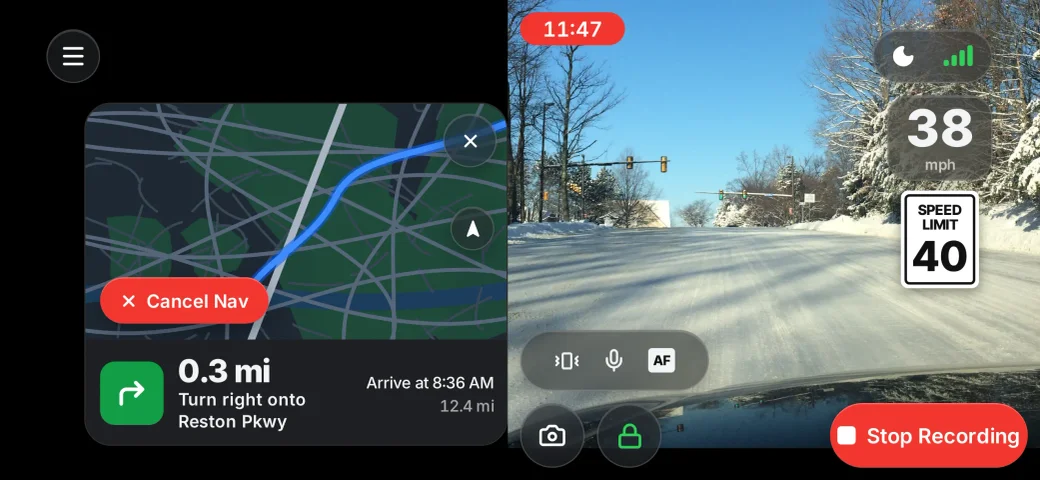
Turn your iPhone into a smart dashcam. CamCarDer (say "Cam-Car-Der") records every drive in sharp video with GPS location and speed, reads speed limit signs, guides you turn by turn, and keeps the clips that matter safe. Mount your iPhone on the dash, tap Start Recording, and drive.
Why drivers choose CamCarDer:
• Proof when you need it. After a fender bender, show your insurer exactly what happened: video stamped with date, time, speed and a live map of where you were.
• Catch the unexpected. Wildlife, wild drivers, a meteor across the sky: if it happens on the road, you have it.
• Built for the car. A dark, glanceable interface designed to be read at a glance, day or night.
ALL-NEW DESIGN
A completely redesigned app with a modern glass look. Big, clear speed numbers, a real-looking speed limit sign, one-tap controls and a dark interface that's easy on the eyes at night.
SPEED LIMIT SIGN DETECTION
• Reads speed limit signs while you record, right on your iPhone
• Works in the US and Canada (rectangular signs) and in Europe and the UK (round red-ring signs)
• Picks the right sign type and units automatically from your location, with nothing to set up
• Shows the current limit on screen and warns you, with an optional voice alert, when you go over
NAVIGATION WHILE YOU RECORD
• Turn-by-turn directions on a floating map card
• Clear arrows, distance to the next turn and arrival time
• Hide the map and the next turn stays visible in a compact banner
RECORDING
• Four quality levels from Low to Ultra, with optional audio and image stabilization
• Records with front and back cameras at once on supported iPhones
• Automatic clips of 1 or 5 minutes
• GPS location, speed and g-force recorded with every frame
• Take photo snapshots without stopping the recording
• Protect important clips with one tap so they're never deleted
• Optional automatic recycling keeps only your latest clips (5 to 500)
• Option to start recording as soon as the app opens, or from a Home Screen quick action
• Dim the screen to reduce heat and save power
HISTORY AND PLAYBACK
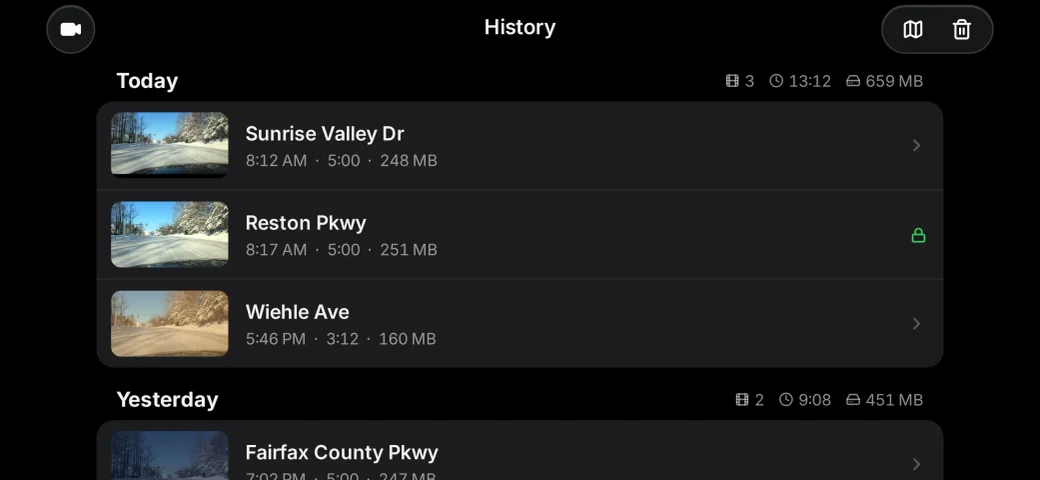
• Every drive organized by day, with thumbnails, place names and daily totals
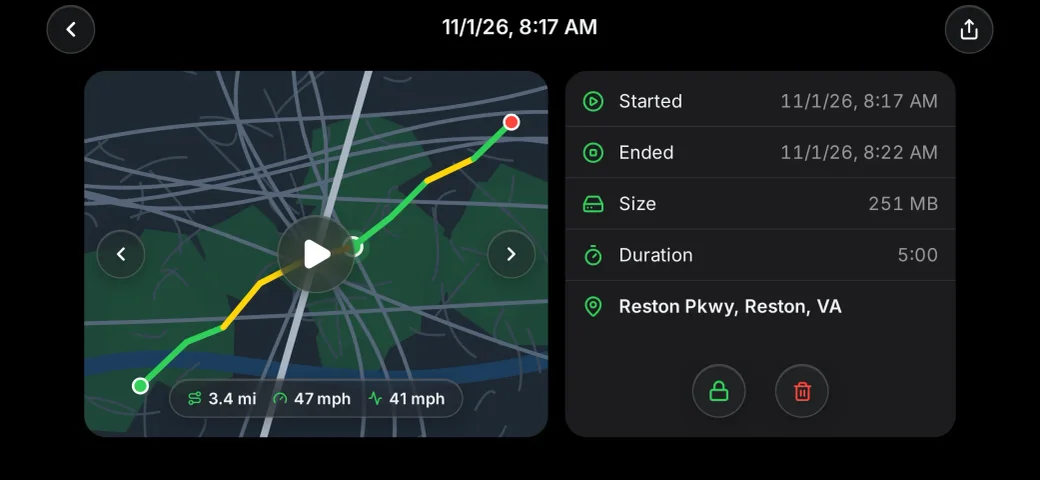
• Ride details with your route colored by speed, distance, top speed and average speed
• Browse all your drives on an interactive map
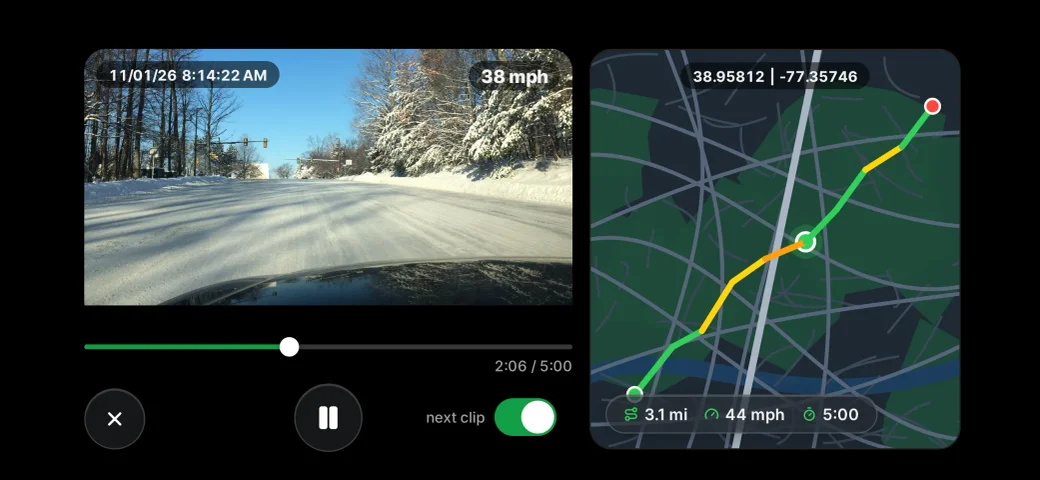
• Play back video next to a map that follows your position, with speed and coordinates
• Export to Photos with date, time, speed and an animated map built into the video
GOOD TO KNOW
• Continuous GPS use drains the battery quickly. We recommend keeping your iPhone connected to power while recording. Details: https://oxigenator.com/products/camcarder/
• If a call comes in or you switch apps, CamCarDer saves the current clip. Start a new one with a tap, or let the app resume recording automatically when you return.
• Speed limit detection is a driving aid. Always follow the actual road signs and traffic laws.
What’s new
Version 5.0.2 · Nov 10, 2026
Speed sign recognition improved significantly. Position of front camera's image on back camera's is improved. Live Action now allow to display some information in CarPlay monitor while camera is recording (full CarPlay integration is coming soon). Stability improvements and minor interface fixes.
App privacy
What OXiGENATOR LLC declares on the App Store about how this app handles data.
-
Data not linked to you
May be collected but is not linked to your identity.
- Location
- Usage data
- Diagnostics
Privacy practices may vary, for example with the features you use or your age.
Information
- Seller
- OXiGENATOR LLC
- Category
- Navigation
- Version
- 5.0.2
- Updated
- Nov 10, 2026
- Released
- May 25, 2015
- Size
- 11.2 MB
- Requires
- iOS 15.6 or later
- Age rating
- 4+
- Price
- $14.99
- Languages
- English, French, German, Italian, Japanese, Korean, Portuguese, Russian, Simplified Chinese, Spanish, Traditional Chinese
- Copyright
- © 2015, 2026 OXiGENATOR LLC
You might also like
-
 Car Camera DVR. PROHD Dashcam video recorder
-
 DriveCamXNavigation
-
 Aviation Altimeter ProThe Altimeter for Pilots
-
 Taxiappz DriverTravel
-
 TaxiappzTravel
-
 Hawk: Dashcam & Drive RecorderIncident Lock & iCloud Backup
-
 TripREC Dash CamLoop recording with GPS route
-
 Auto Guard TrackingNavigation
-
 DashMap: Smart Dash CamIn-Car Navigation & 4K Video
-
 Inverness Travel GuideMap, River Walks & Your Day