
Camera Port - Background FTP
Background FTP & PTP server
Designed for iPhone, iPad, Mac, iPod touch
Free · In-app purchases
- Age rating4+
- CategoryPhoto & Video
- DeveloperJiangsu Mingbin Jingzhi Technology Co., Ltd
- LanguagesEnglish+ 6 more
- Size14.7 MB
Links to the official App Store page
Download.org hosts no file of Camera Port - Background FTP. The button opens its official App Store page, published by Jiangsu Mingbin Jingzhi Technology Co., Ltd. Listing last checked on Nov 21, 2026.
Screenshots
About
CameraPort - Professional Camera Image Receiver
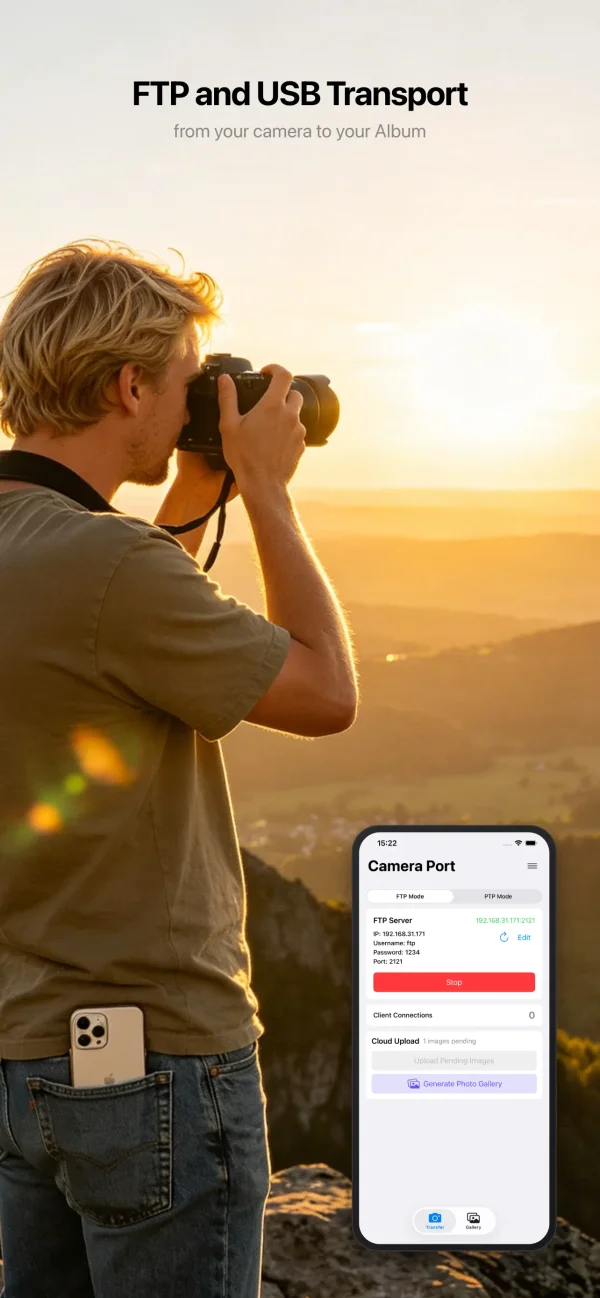
Never miss a shot. CameraPort turns your iPhone or iPad into an always-on image receiving station — capturing photos from your camera the moment you shoot, then backing them up to the cloud automatically.
---
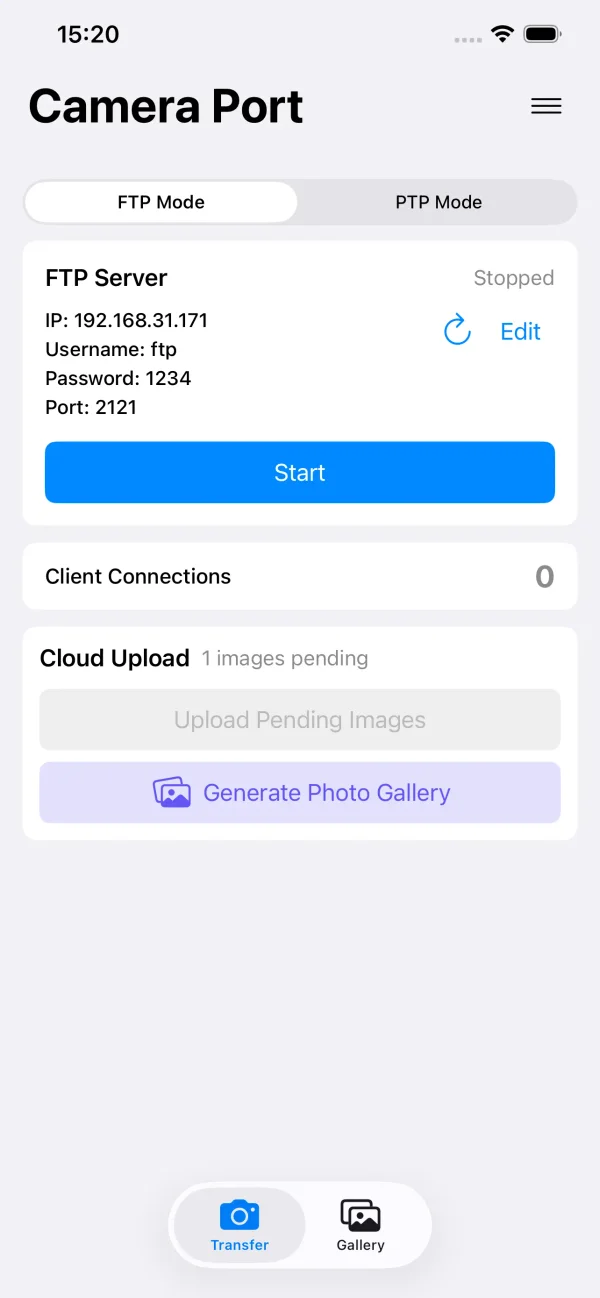
FTP Server Mode
- Your device becomes an FTP server your camera connects to
- Receives images wirelessly the instant you shoot
- Supports all cameras with FTP/WLAN transfer capability
- Runs continuously in the background, even with the screen locked(Pro only)
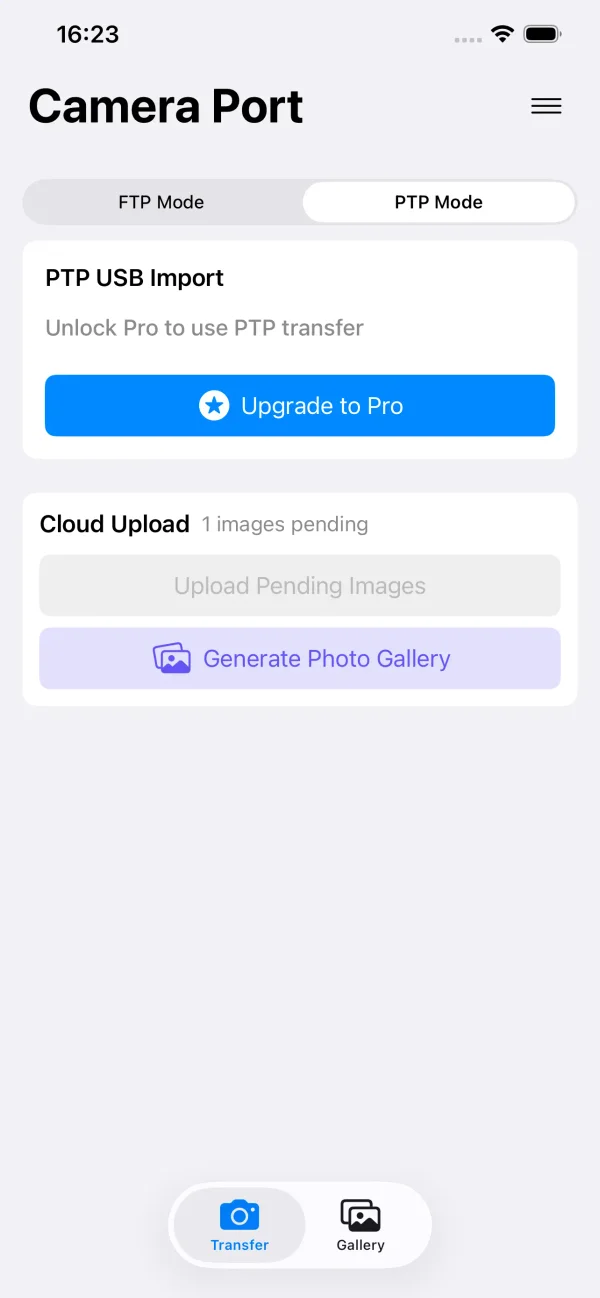
PTP USB Direct Import
- Connect any camera directly via USB for instant import
- Faster and more reliable than wireless transfer
- Smart duplicate detection — never import the same photo twice
- Ideal for studio sessions and on-location shooting
- Works in the background while you do other things
Automatic Cloud Backup
- Photos upload to Google Drive automatically after import
- Albums created and organized for you (CameraPort folder)
- Upload history tracking with manual override option
- Access your entire photo archive from any device
Smart & Reliable
- EXIF-based duplicate detection across all import modes
- Supports 20+ camera models and RAW formats (CR2, CR3, NEF, ARW, DNG...)
- Automatic photo library saving
- Professional-grade stability for high-volume shooting
---
Pro Subscription
Unlock the full CameraPort experience:
- PTP USB direct import
- Unlimited automatic cloud backup
- Runs continuously in the background, even with the screen locked
---
Perfect For
Photographers, studios, event shooters, and content creators who need a reliable, hands-free pipeline from camera to cloud.
---
Privacy & Security
All images stay on your device. Cloud uploads go directly to your own Google Drive — no third-party servers.
- Purchase Agreement: https://www.mbjztech.cn/camera-port-in-app-purchase-agreement
- Terms of Service: https://www.mbjztech.cn/terms-of-service
- Privacy Policy: https://www.mbjztech.cn/privacy-policy
What’s new
Version 1.3.12 · Nov 19, 2026
Added photo sharing and star ratings.
App privacy
What Jiangsu Mingbin Jingzhi Technology Co., Ltd declares on the App Store about how this app handles data.
-
Data not linked to you
May be collected but is not linked to your identity.
- Identifiers
- Usage data
- Diagnostics
Privacy practices may vary, for example with the features you use or your age.
Information
- Seller
- Jiangsu Mingbin Jingzhi Technology Co., Ltd
- Category
- Photo & Video
- Version
- 1.3.12
- Updated
- Nov 19, 2026
- Released
- Feb 5, 2026
- Size
- 14.7 MB
- Requires
- iOS 16 or later
- Age rating
- 4+
- Price
- Free
- In-app purchases
- Yes
- Languages
- English, German, Japanese, Korean, Russian, Simplified Chinese, Spanish
- Copyright
- © MBJZTech 2026
You might also like
-
 SnapGuruShoot better, every time
-
 AI Timestamp CameraSmart GPS & Time Watermarks
-
 Portrait | Photo FrameDigital Photo Frame
-
 AiCutO Editor – Reverse VideoFast Smart Video Editor
-
 Photos Slim-Photo Cleaner&MapPhoto Vault,Video Compressor
-
 CutPicCapture Video Frames as Images
-
 Cheese - Say Cheese!Voice Activated Camera App
-
 Cut´n Convert PNGEasy remove photo backgrounds
-
 CheapRetouchRemove People & Objects Easily
-
 SubStamp –Transcribe&TranslateBurn subtitles into any video