
Camlens - Live Camera
Remote Preview, Better Shots
Designed for iPhone, iPod touch
Free · In-app purchases
- Age rating4+
- CategoryPhoto & Video
- Developer永峰 金
- LanguagesEnglish+ 17 more
- Size7.2 MB
Links to the official App Store page
Download.org hosts no file of Camlens - Live Camera. The button opens its official App Store page, published by 永峰 金. Listing last checked on Nov 27, 2026.
Screenshots
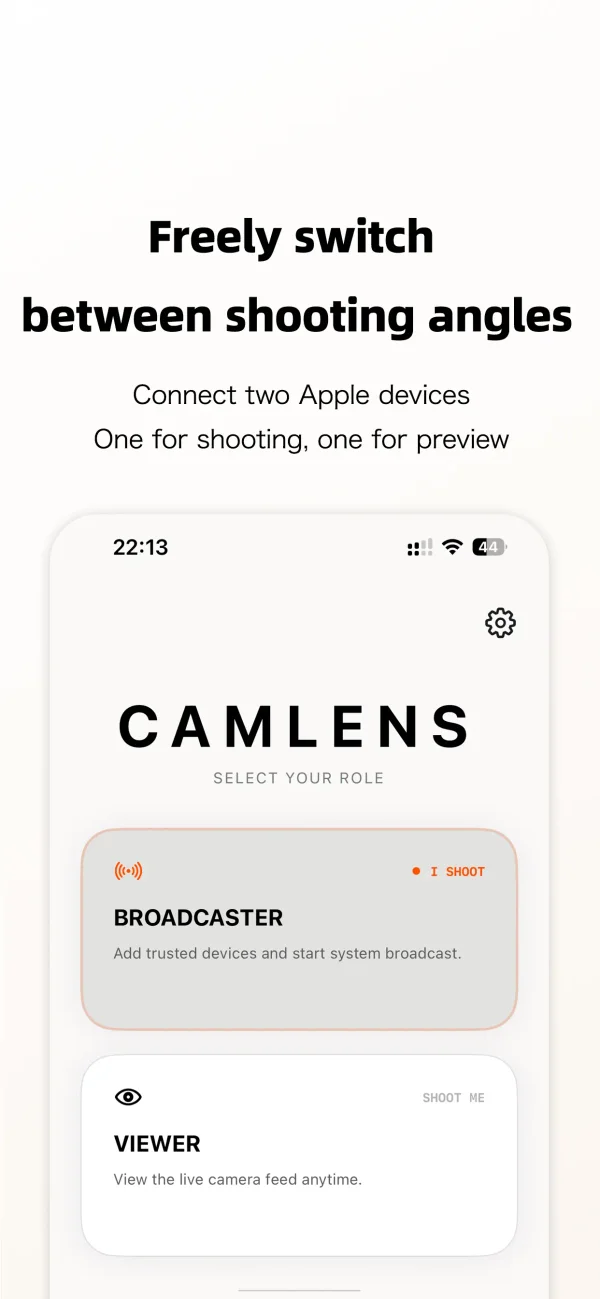


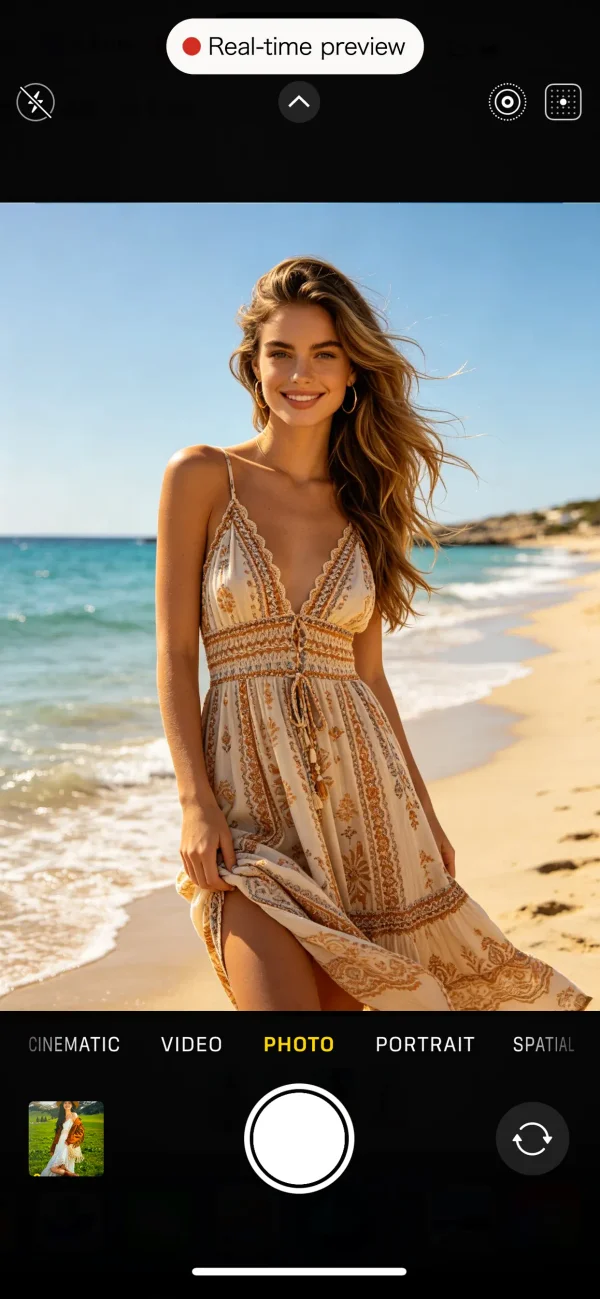
About
Camlens connects two Apple devices: one to shoot, one to preview. Use the rear camera's full quality to capture, while seeing the exact framing, angle, and composition in real time on the other device — adjust your pose and expression on the fly, and never discover a bad shot after the fact.
Why Camlens: Two Devices, Better Shots
• Live viewfinder sync — see exactly what the camera sees, in real time • Direct on-the-fly guidance — adjust expression, posture, angle, and framing at any moment • Shoot smarter — stop over-shooting and guessing; every frame gets closer to what you envisioned • Built for every moment — couples, friends, travel, street photography, everyday life
Works Anywhere. No Internet Required.
Fully local connection — no Wi-Fi hotspot, no mobile data, no cloud. Whether you're on a beach, a mountain top, or a flight, as long as both devices are with you, Camlens works. Zero data usage. Your perfect travel photography companion.
Simple Setup. Ready in Seconds.
• No account registration, no complicated pairing • Open the app, enter the connection code, and you're connected in seconds • Less setup time. More shooting time.
Multiple Quality Modes
• Choose from Smooth / Balanced / Clear quality presets • Switch flexibly based on your device performance and shooting needs
Secure by Design
• All video is transmitted locally via peer-to-peer encrypted connection — never through a cloud server • No personal data collected. Nothing uploaded. • First-time connection requires a verification code — only devices you trust can view your feed
Upgrade to Pro. Unlock the Full Experience.
• HD quality mode • Unlimited daily sessions • No time limit on shooting and preview • The complete Camlens experience
Requirements
Both devices need Wi-Fi and Bluetooth enabled for discovery and connection (no internet required).
Download now and unlock your real-time photography partner.
【Camlens Pro Subscription】
• Camlens Pro offers a monthly subscription plan. A one-time lifetime purchase option is also available, which is not an auto-renewing subscription.
• Payment will be charged to your Apple ID account at confirmation of purchase.
• Subscriptions automatically renew unless auto-renewal is turned off at least 24 hours before the end of the current period.
• Your account will be charged for renewal within 24 hours prior to the end of the current subscription period, at the confirmed renewal price.
• You can manage your subscription and turn off auto-renewal at any time in your Apple ID account settings after purchase.
Terms of Use: https://public-files-1258633217.cos.ap-nanjing.myqcloud.com/camlens_terms_en.html
Privacy Policy: https://public-files-1258633217.cos.ap-nanjing.myqcloud.com/camlens_privacy_en.html
Disclaimer: Camlens is an independent real-time camera preview app. It is not affiliated with, authorized by, or endorsed by Apple or any third-party organization.
What’s new
Version 1.6 · Jun 24, 2026
1. Fixed auto-reconnect after background disconnect.
2. Smoother interaction feedback.
App privacy
What 永峰 金 declares on the App Store about how this app handles data.
-
Data not collected
The developer does not collect any data from this app.
Privacy practices may vary, for example with the features you use or your age.
Information
- Seller
- 永峰 金
- Category
- Photo & Video
- Version
- 1.6
- Updated
- Jun 24, 2026
- Released
- Apr 20, 2026
- Size
- 7.2 MB
- Requires
- iOS 15.6 or later
- Age rating
- 4+
- Price
- Free
- In-app purchases
- Yes
- Languages
- English, Arabic, French, German, Indonesian, Italian, Japanese, Korean, Polish, Portuguese, Russian, Simplified Chinese + 6 more
- Copyright
- © 2026 Camlens Inc.
You might also like
-
 TwinShot : Remote twin camPairing Capture Mode
-
 MyTwinLens: Remote CameraLive Photo & Video Vlog Angle
-
 OneSnap!Capture together in sync
-
 Shared CameraLive Phone Camera over Wi-Fi
-
 RCamera: Dual Phone CameraSelfies & Guided Photos
-
 WinkU - Dual Phone CameraRemote Selfies & Live Preview
-
 Rika: Remote Camera & ShutterSelfie remote for group photos
-
 totte - Watch & Shoot CameraSelf timer & remote shutter
-
 SayCheese - Camera RemoteTwo iPhones, Wireless Shutter
-
 Camira GoShare Camera & Remote Control