
CamScan: PDF Document Scanner
Scan to PDF, no watermark
Designed for iPhone, iPad
Free · In-app purchases
- Age rating4+
- CategoryUtilities
- DeveloperDevbox
- LanguagesEnglish+ 10 more
- Size16.7 MB
Links to the official App Store page
Download.org hosts no file of CamScan: PDF Document Scanner. The button opens its official App Store page, published by Devbox. Listing last checked on Nov 20, 2026.
Screenshots
About
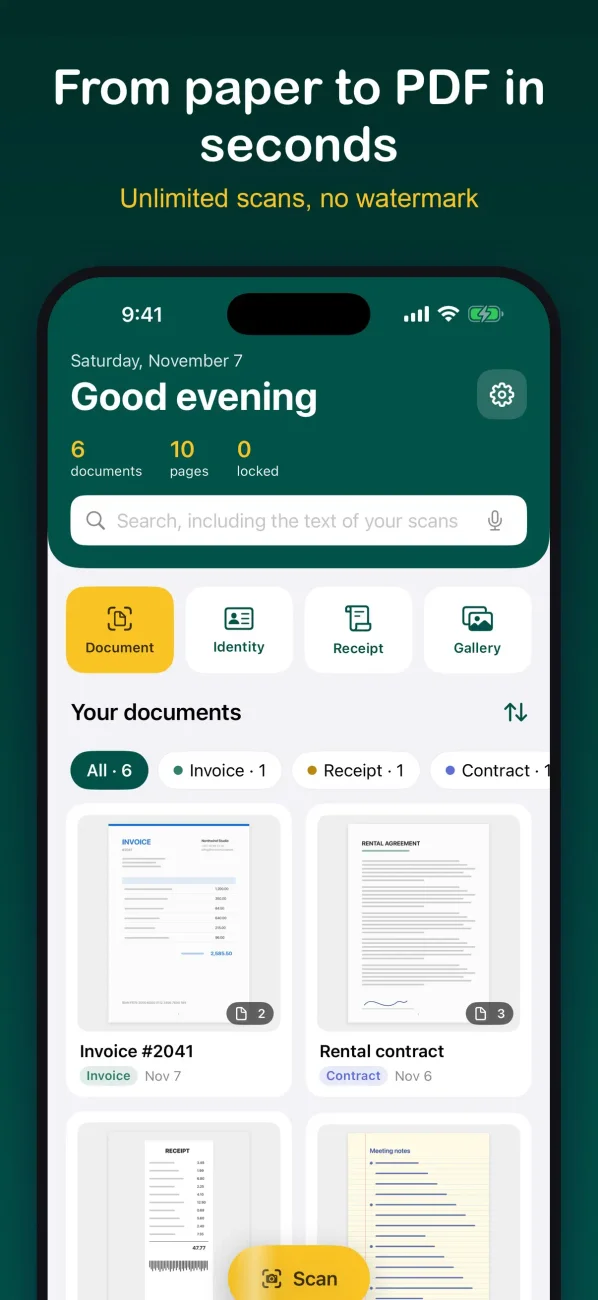
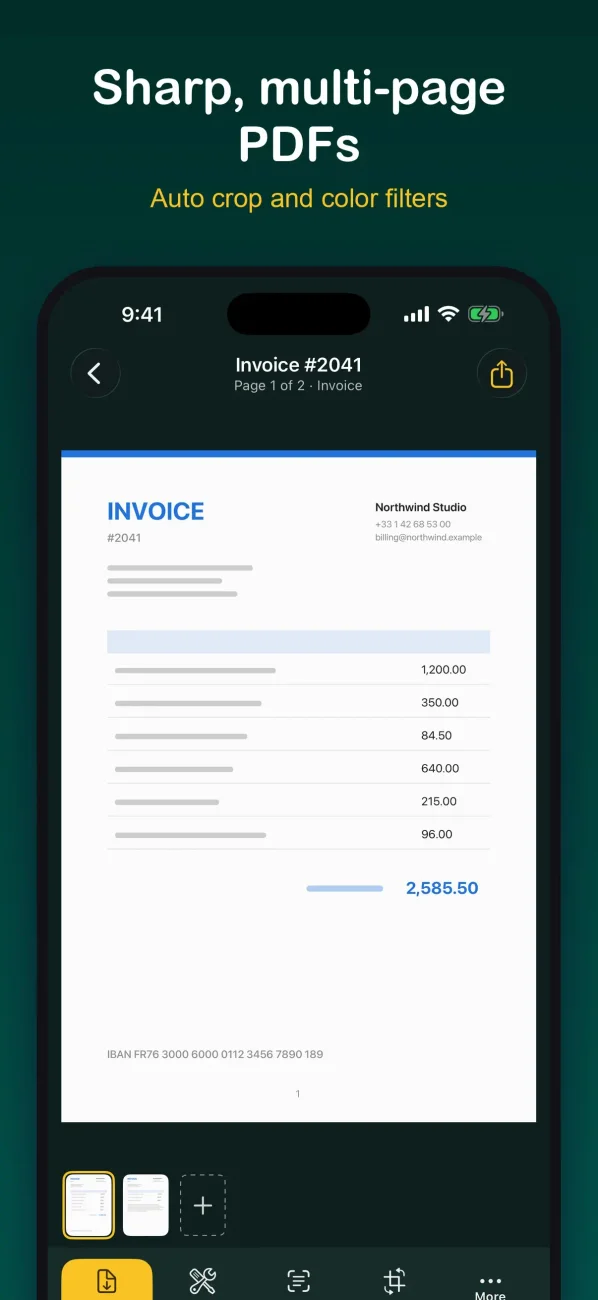
Turn paper into sharp PDFs in seconds. CamScan finds the edges of the page, straightens it and saves a clean PDF, with no watermark and no limit on the number of scans.
SCAN ANYTHING
• Documents, contracts, invoices, notes and letters
• ID cards: front and back on one page
• Long receipts and book pages
• Automatic edge detection, perspective correction and color filters
FIND YOUR DOCUMENTS
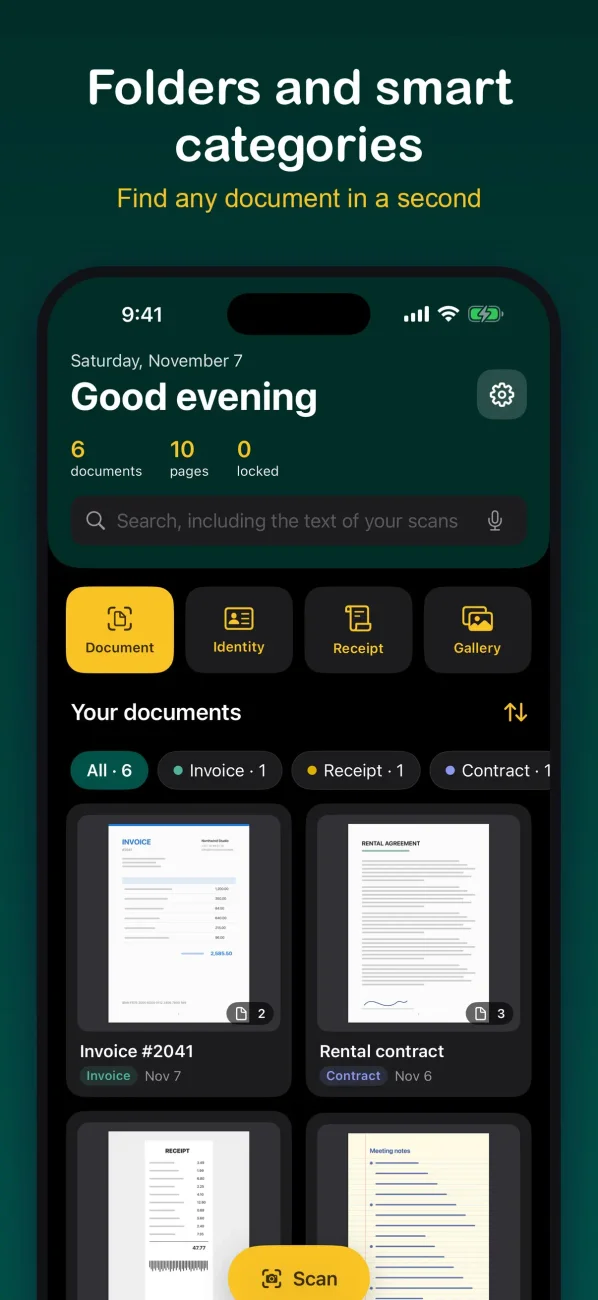
• Folders, automatic categories (invoice, receipt, ID, contract) and sorting
• Search by name or by the text inside your scans
• Voice search
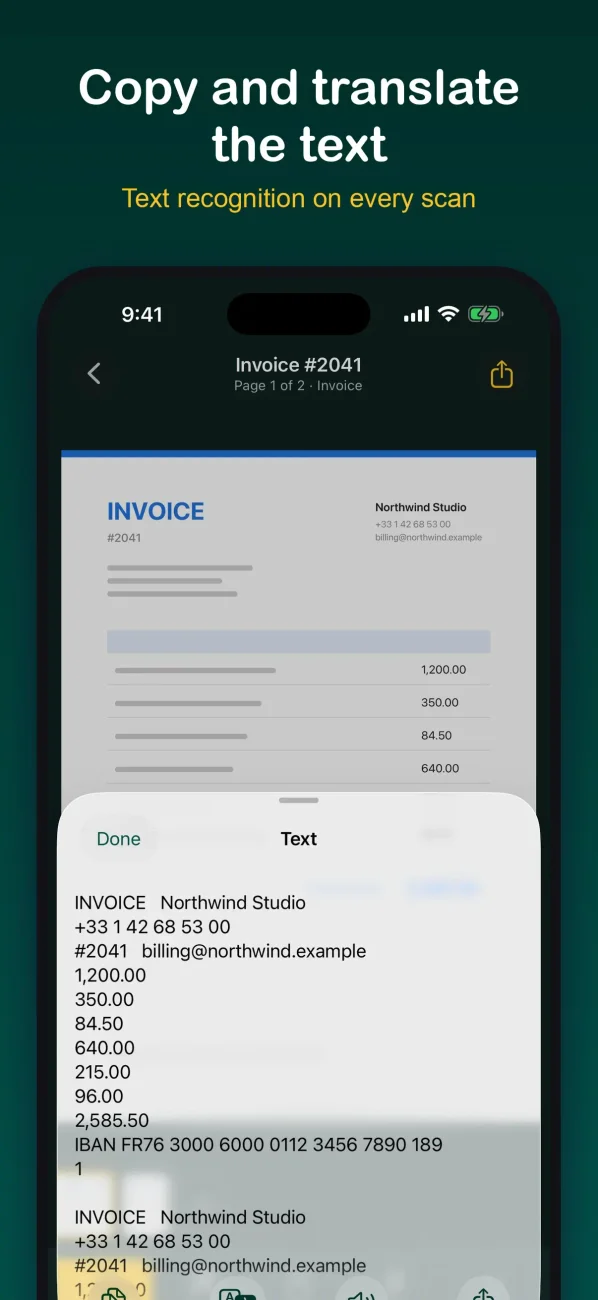
WORK WITH THE TEXT
• Copy the text of any scan (OCR)
• Translate it or have it read aloud
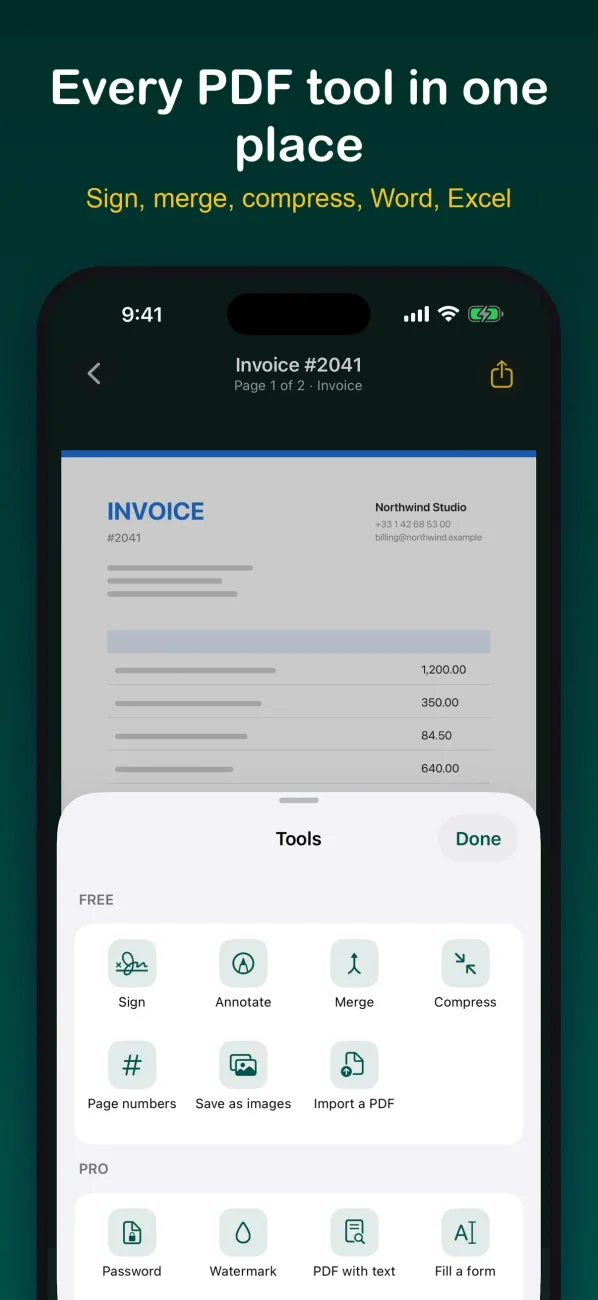
FREE PDF TOOLS
• Sign, annotate and merge documents
• Compress, add page numbers, save as images
• Import PDFs from Files
CAMSCAN PRO TOOLS
• Export to Word and Excel
• Protect a PDF with a password, add a watermark
• Searchable PDF, fill a form, stamp
• Keep a PDF under a size limit (500 KB, 1, 2 or 5 MB)
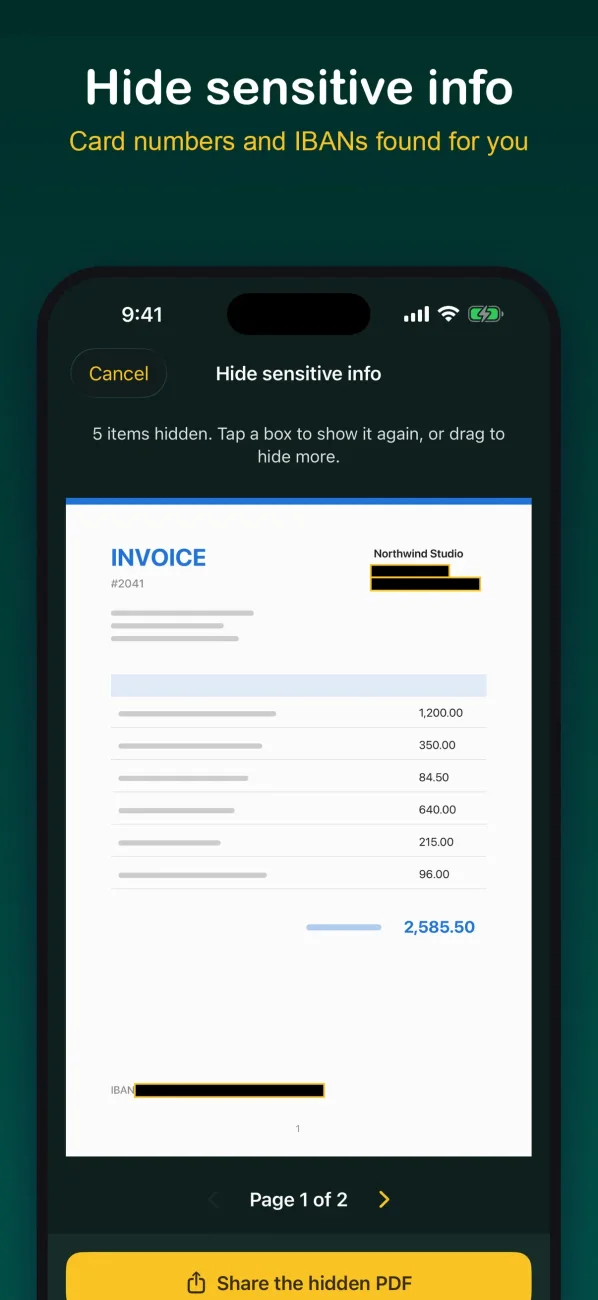
• Hide sensitive info: card numbers, IBANs, phone numbers
Open them for 24 hours with a short video, or get CamScan Pro once: no ads and every Pro tool, forever. No subscription.
PRIVATE BY DESIGN
• Your scans stay on your iPhone or iPad
• Optional backup to your own iCloud Drive
• Lock documents, or the whole app, with Face ID or Touch ID
FAST
• Scan from Control Center, the Action button, Siri or the Lock Screen
• Home Screen widgets
• Light and dark mode
Questions or ideas? Write to us at contact@devbox.tn
What’s new
Version 3.0 · Nov 10, 2026
CamScan 3.0 is here.
• A new design, with the Scan button always one tap away
• Scan modes: document, ID card front and back, long receipt, book
• Folders, automatic categories and sorting
• Copy, translate or listen to the text of your scans
• Edit a page: crop, filters, rotate
• Sign, annotate and merge for free
• Automatic backup to your iCloud Drive (optional)
• Scan from Control Center, the Action button or Siri
• New CamScan Pro: one purchase, no subscription. No ads and every Pro tool, forever
Your documents are kept as they are.
App privacy
What Devbox declares on the App Store about how this app handles data.
-
Data used to track you
May be used to track you across apps and websites owned by other companies.
- Location
- Identifiers
- Usage data
-
Data linked to you
May be collected and linked to your identity.
- Contact info
-
Data not linked to you
May be collected but is not linked to your identity.
- Location
- Identifiers
- Usage data
- Diagnostics
Privacy practices may vary, for example with the features you use or your age.
Information
- Seller
- Devbox
- Category
- Utilities
- Version
- 3.0
- Updated
- Nov 10, 2026
- Released
- Dec 31, 2020
- Size
- 16.7 MB
- Requires
- iOS 18.0 or later
- Age rating
- 4+
- Price
- Free
- In-app purchases
- Yes
- Languages
- English, Arabic, French, German, Indonesian, Italian, Japanese, Portuguese, Russian, Spanish, Turkish
- Copyright
- © 2026 Devbox