CamScan: Scan Documents
Scan, sign, convert Documents
Designed for iPhone
Free · In-app purchases
- Age rating4+
- CategoryUtilities
- DeveloperFederico hidalgo abril
- LanguagesEnglish
- Size6.1 MB
Links to the official App Store page
Download.org hosts no file of CamScan: Scan Documents. The button opens its official App Store page, published by Federico hidalgo abril. Listing last checked on Nov 17, 2026.
Screenshots

About
DocScan Pro turns your iPhone into a powerful document scanner and complete PDF workstation — everything from digitizing paperwork to converting, signing, and managing files, all in one place.
Whether you're a professional capturing contracts on the go, a student digitizing notes, or simply tired of hunting for a physical scanner, DocScan Pro handles it all. Scan once, and take it from there.
Smart Scanning, Every Time
Point your camera and automatic edge detection does the work. Scans come out clean and sharp, ready to use immediately. Adjust the crop manually if you prefer, apply image filters — Black & White, Enhanced Color, or Grayscale — and combine multiple pages into a single polished PDF in seconds.
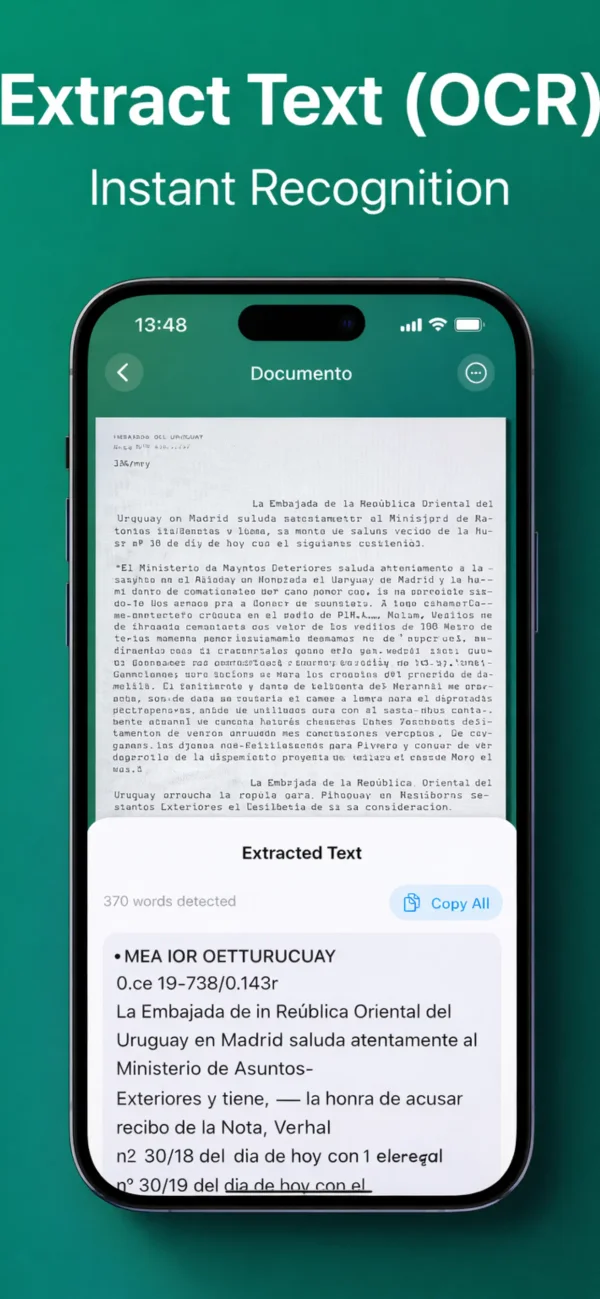
Read Text from Any Document
Built-in OCR technology extracts text from scanned images and PDFs with impressive accuracy. Copy it straight to your clipboard and paste it anywhere. No retyping, no frustration.
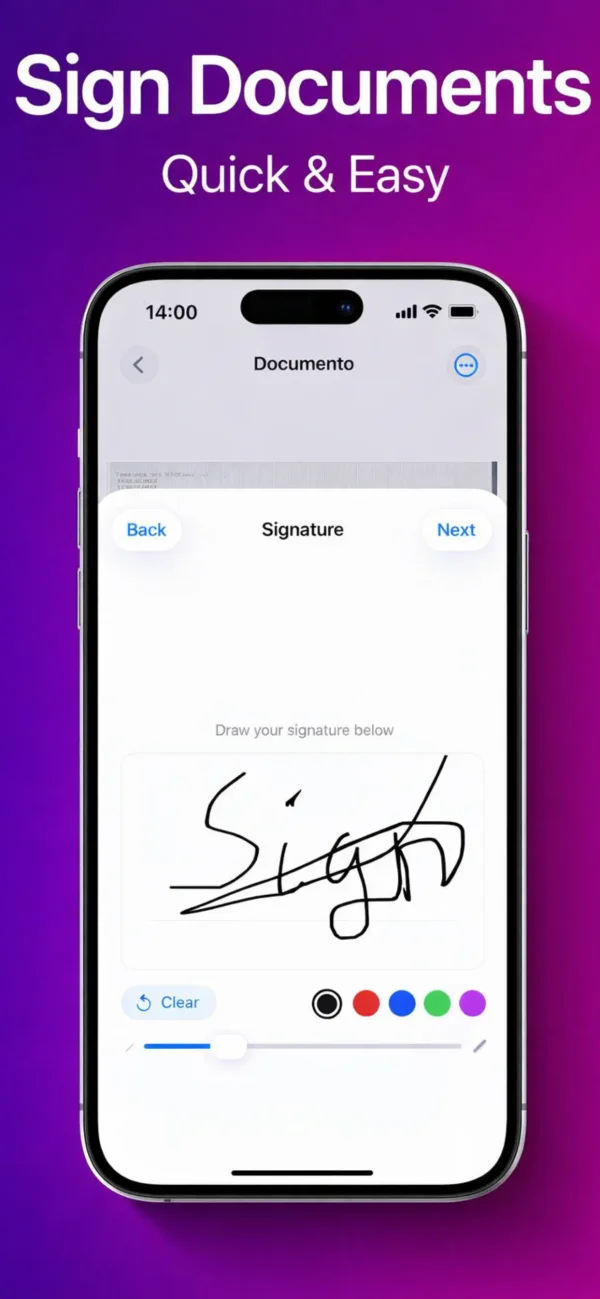
Sign Documents Without Printing
Create a digital signature and place it precisely on any document inside the app. Sign contracts, forms, and agreements in moments, then share instantly. No printer, no hassle, no delays.
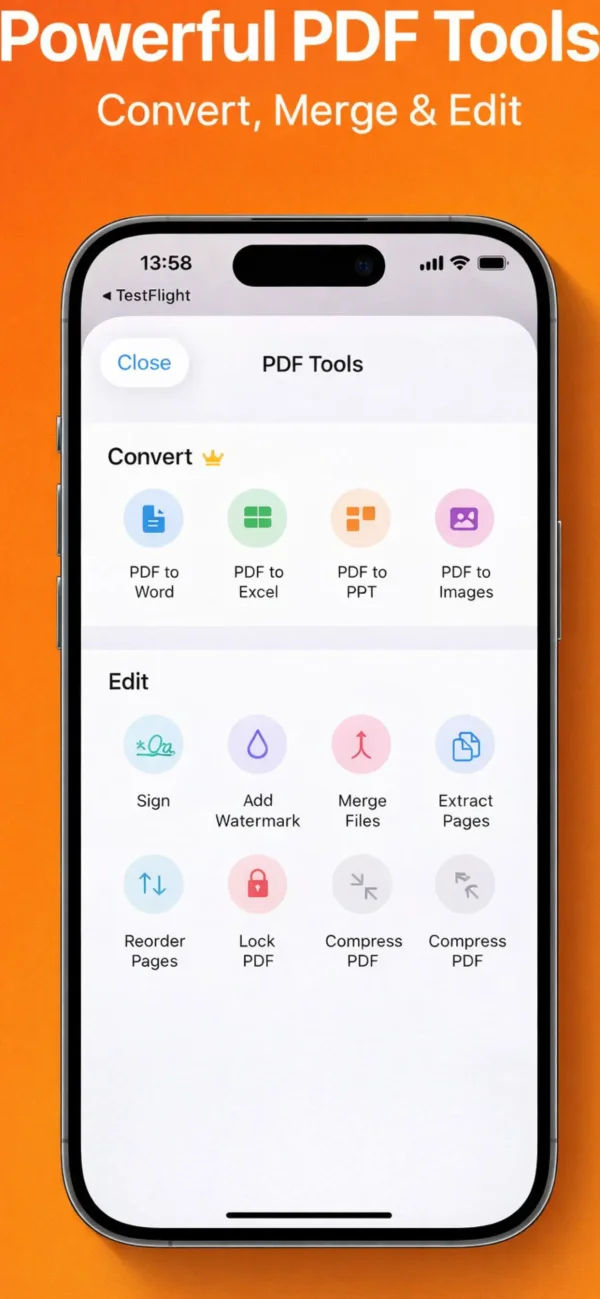
The Complete PDF Toolkit — All in One App
This is where DocScan Pro sets itself apart. Most scanner apps stop at the scan. DocScan Pro keeps going. Convert PDFs to Word, Excel, or PowerPoint. Merge multiple files into one. Compress documents for easy sharing. Add watermarks, lock files with a password, extract specific pages, or reorder them entirely. It is a full PDF toolkit built into one clean, focused app.
Stay Organized and Find Files Fast
Every document lives in a structured folder system with built-in search. Find any file in seconds, no matter how large your library grows.
Free to Start, Unlimited with Pro
Download DocScan Pro for free and start scanning right away. Free users get one scan per day. Upgrade to Pro with a weekly subscription to unlock unlimited scanning, full PDF conversion, and every tool in the kit — no limits, no compromises.
Scan smarter. Work faster. Download DocScan Pro today.
https://www.apple.com/legal/internet-services/itunes/dev/stdeula/
What’s new
Version 1.2.2 · Apr 17, 2026
bug solved
App privacy
What Federico hidalgo abril declares on the App Store about how this app handles data.
-
Data used to track you
May be used to track you across apps and websites owned by other companies.
- Identifiers
- Usage data
-
Data linked to you
May be collected and linked to your identity.
- Identifiers
- Usage data
- Diagnostics
-
Data not linked to you
May be collected but is not linked to your identity.
- User content
Privacy practices may vary, for example with the features you use or your age.
Information
- Seller
- Federico hidalgo abril
- Category
- Utilities
- Version
- 1.2.2
- Updated
- Apr 17, 2026
- Released
- Apr 13, 2026
- Size
- 6.1 MB
- Requires
- iOS 18.0 or later
- Age rating
- 4+
- Price
- Free
- In-app purchases
- Yes
- Languages
- English
- Copyright
- © CamScan
You might also like
-
 CS Scanner - Doc ScannerPDF Scanner - Camera Scanner
-
 Scanner : PDF Scanner.Scan, edit and sign pdf.
-
 Outstanding CleanFree Up Your Storage
-
 PDF AI EditorPDF Converter - Word to PDF
-
 SnapClean:Quick CleanPhone Cleaner
-
 Document PDF Scanner.Scan to PDF, OCR & Sign Docs
-
 Docs Scanner - PDF ConvertSmart scanner in your phone
-
 QR Code Scanner & All Codes++Scan, Create & Save Codes
-
 Phone Storage Cleaner - ClearoDelete duplicate photo & video
-
 Free Space - Storage ManagerClean Photos, Videos & Files