
Can't Forget
Stay on Top of What Matters
Designed for iPhone, iPod touch
Free · In-app purchases
- Age rating4+
- CategoryProductivity
- DeveloperDaniel Guenther
- LanguagesEnglish
- Size14.8 MB
Links to the official App Store page
Download.org hosts no file of Can't Forget. The button opens its official App Store page, published by Daniel Guenther. Listing last checked on Nov 18, 2026.
Screenshots


About
Can't Forget
Life is full of tasks that don't belong on a calendar but are genuinely annoying when you forget them — taking your vitamins, watering the plants, rotating your car tires. Can't Forget keeps track of them so you don't have to.
Reminders
• Create activities with a schedule, or leave them unscheduled and mark them whenever you get around to them.
• Schedules can repeat once, daily, weekly, monthly, or yearly — with flexible multiples (every 4 weeks, every 3 months, etc.)
• "Daily" activities can be set to any combination of days: weekdays, weekends, M/W/F, or any custom mix.
• Push notifications remind you when it's time, and the app badge shows exactly how many are overdue for today.
• Choose a custom notification sound for each activity — or set it to silent.
Widget
• Add a Can't Forget widget to your Home Screen to see today's pending activities at a glance.
• Subscribers can mark activities Done or Skip them directly from the widget — no need to open the app.
Calendar Screen
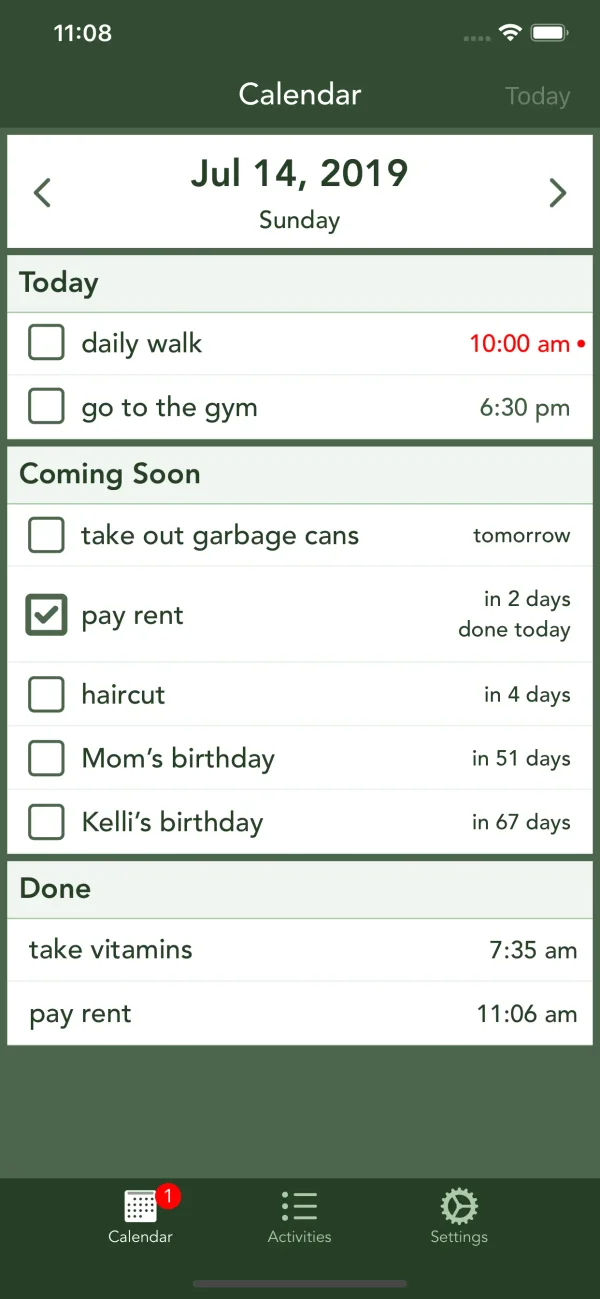
• See what's coming up, what's already done, and what's overdue — all in one place.
• Tap an activity to mark it Done, or Skip it to clear the badge without counting it against you. Unskip anytime to restore it.
• Browse past days to review your history, or look ahead to see what's coming.
• Fine-tune completion times in the Done list for accurate record-keeping.
Activity Screen
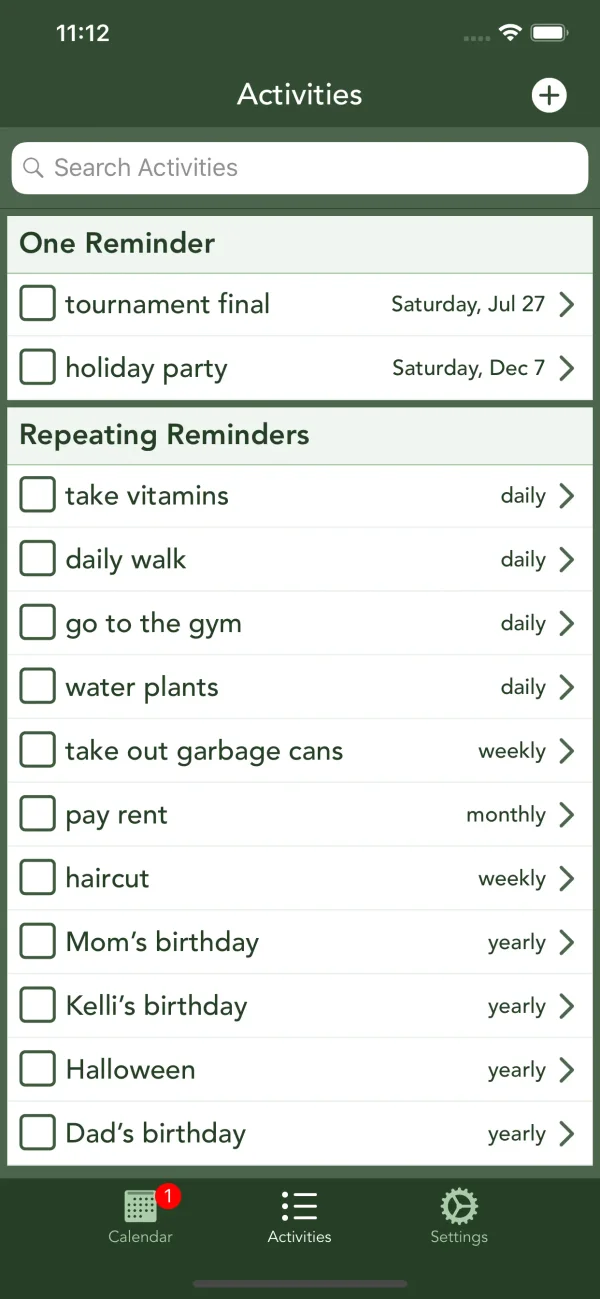
• Full search makes it easy to find any activity, even when your list grows long.
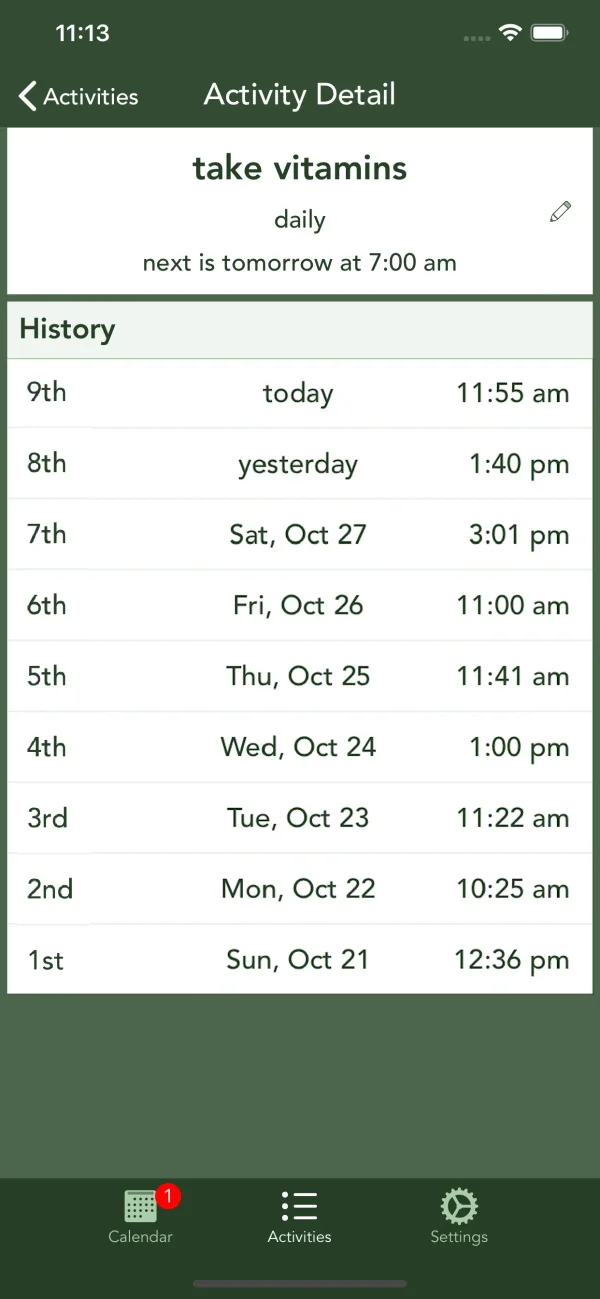
• Tap any activity to review its schedule, browse its history, or change its settings.
Settings
• Eight color schemes to make the app feel like yours.
• Control how far in advance weekly, monthly, yearly, and one-time activities appear in the Coming Soon section.
Terms of Use: https://www.apple.com/legal/internet-services/itunes/dev/stdeula/
Privacy Policy: https://urgentheadline.com/privacy-policy
What’s new
Version 3.1.4 · Jun 7, 2026
Bug fixes and performance improvements.
App privacy
What Daniel Guenther declares on the App Store about how this app handles data.
-
Data used to track you
May be used to track you across apps and websites owned by other companies.
- Identifiers
- Usage data
-
Data not linked to you
May be collected but is not linked to your identity.
- Location
- Identifiers
- Usage data
- Diagnostics
Privacy practices may vary, for example with the features you use or your age.
Information
- Seller
- Daniel Guenther
- Category
- Productivity
- Version
- 3.1.4
- Updated
- Jun 7, 2026
- Released
- Nov 8, 2018
- Size
- 14.8 MB
- Requires
- iOS 15.0 or later
- Age rating
- 4+
- Price
- Free
- In-app purchases
- Yes
- Languages
- English
- Copyright
- © 2018-2026 Daniel Guenther
You might also like
-
 Nag - Relentless RemindersTime-based nudges
-
 RE.minderSimple Reminders, On Time
-
 CanPlanProductivity
-
 Reminders & Alarms - Beep MePersistent Nagging Until Done
-
 Reminder with Voice RemindersAlarm, Calendar, Remind Me App
-
 Text Me ThatReminders That Text You
-
 Reminder & CountdownCount down to your event
-
 Reminder, Reminders with VoiceAlarm, Calendar, Remind Me App
-
 Galarm - Alarms and RemindersNever Miss Anything!
-
 Any.do: To do list & PlannerReminders, Calendar & Tasks