CandyMind: Pomodoro Timer
Focus, Tasks & Time Tracking
Designed for iPhone, iPad
Free · In-app purchases
- Age rating4+
- CategoryProductivity
- Developer轶 王
- LanguagesEnglish+ 4 more
- Size133.8 MB
Links to the official App Store page
Download.org hosts no file of CandyMind: Pomodoro Timer. The button opens its official App Store page, published by 轶 王. Listing last checked on Nov 25, 2026.
Screenshots



About
CandyMind — a timer tailored to everything you do.
CandyMind is a time management app built around a modular timer. Create a timer template for reading, writing, work, study, training, or anything else you do. Start with one tap and keep a record of your time. With Today tasks, project progress, and time analytics, your daily plans and long-term efforts stay connected.
In CandyMind, there is no such thing as failure. You do not have to be perfect every time. Every bit of effort is worth seeing.
[Customize a Timer for Every Task]
Choose from Pomodoro, count-up, and countdown timers. Use Pomodoro to alternate focus and breaks, count up to record open-ended activities, or count down to reserve time for a task.
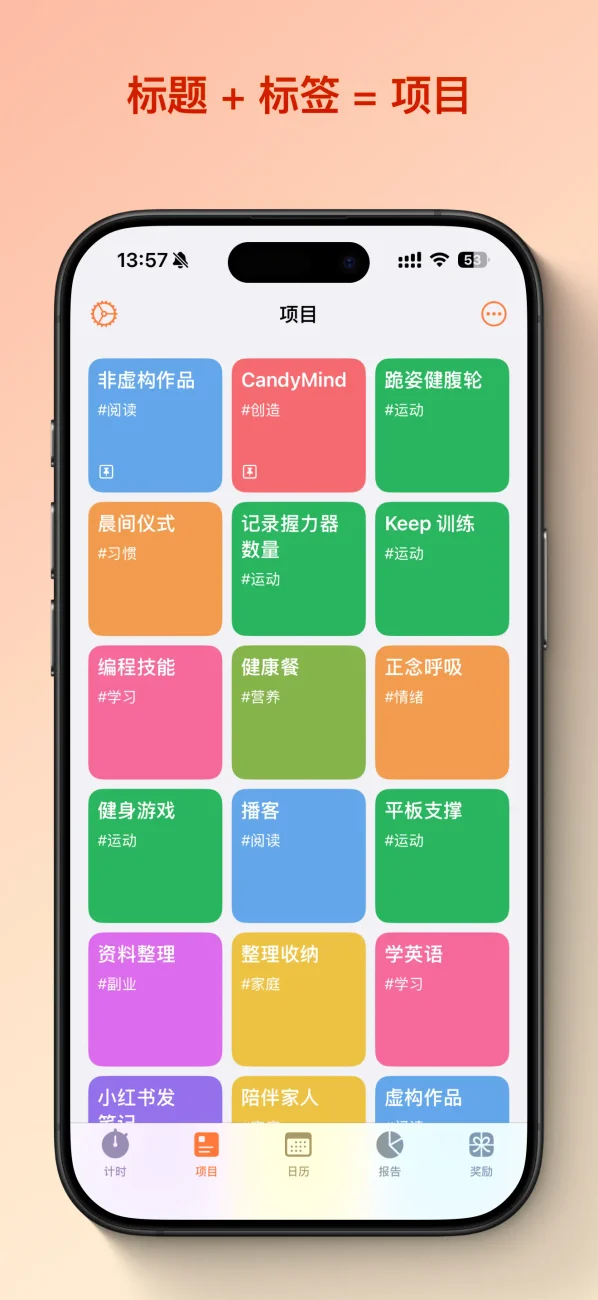
Create reusable templates with a title, tags, duration, and custom attributes. Record pages read while studying, muscle groups during a workout, or how you felt after meditation. Make every timer fit the way you live.
[Plan Today and Move Projects Forward]
View and organize your tasks in Today. Set planned dates and check tasks off when they are complete. Connect tasks to projects and track progress over time, turning long-term goals into actions you can complete today.
From a task, to a focus session, to a project review, CandyMind connects what you planned with the time you actually invested.
[See Your Energy and Plan Your Day]
Use your historical records to view your daily energy capacity forecast and its changing trend. Understand your own rhythm and use it to plan your day.
In the Energy Mark Box, revisit the marks you left throughout the day and see your effort take shape.
[Track Time and Understand Your Effort]
CandyMind groups related timer records by title and tag. Whether you are studying a subject, writing an article, or following a training plan, you can review all related time in one place.
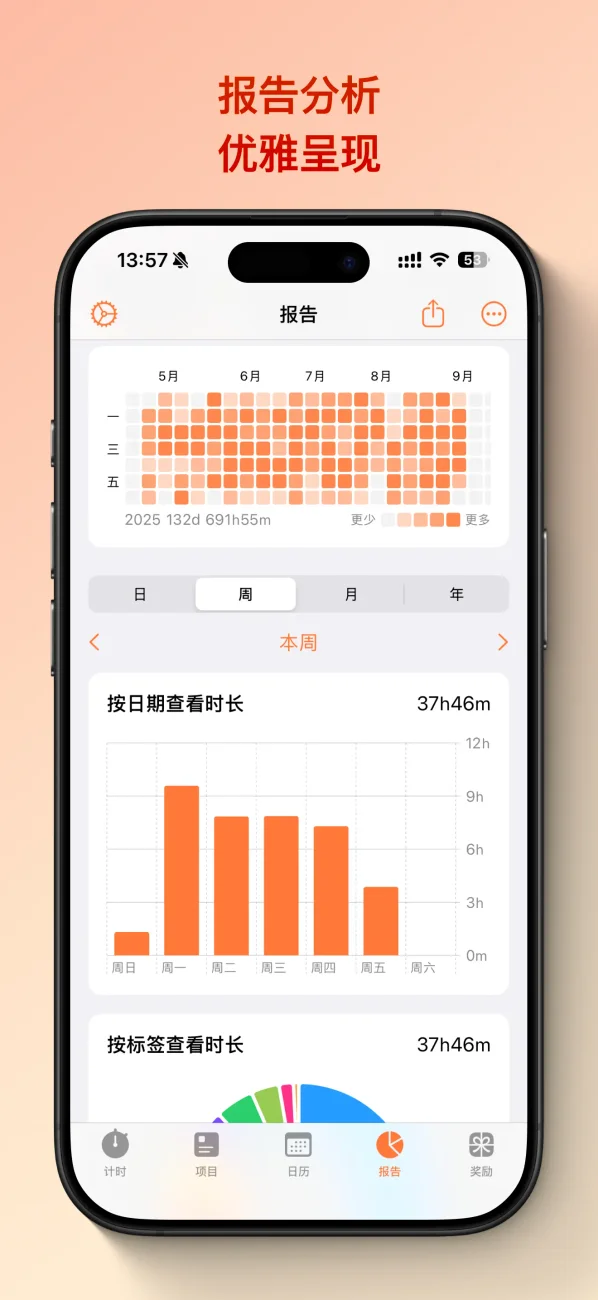
Use daily, weekly, monthly, and yearly views to see duration, record count, and trends. Heatmaps, percentage breakdowns, and calendar records help you understand where your time goes and decide what to continue or change.
[Record the Details Behind Each Session]
Add custom attributes such as numbers, choices, ratings, and timestamps to capture details beyond duration.
Rate your focus after each session and write a review note. When you look back, you can see not only how long you worked, but also how you felt, what you learned, and what you thought.
[Reduce Distractions and Get Started]
Set app limits by tag for work timers to reduce phone distractions during a session. Keep the screen awake when you need the timer to stay visible.
Start timers quickly from widgets, use timer templates on Apple Watch, and sync records with your system calendar so time tracking fits naturally into your routine.
[For All Kinds of Days]
• Work and creativity: Track writing, programming, and project time to understand your daily work rhythm.
• Reading and study: Schedule focus sessions and build a record of your reading and study time.
• Fitness and meditation: Record workout duration, muscle groups, and how you feel.
• Life and habits: Create a template for anything you want to keep doing, then build from one small start.
Start with one thing you want to do and let time leave a record of its own.
[Contact Us]
Email: candymind.tech@gmail.com
Xiaohongshu: @效率最優解
What’s new
Version 26.11.03 · Nov 24, 2026
New
- Added a Timer Setup Library to quickly create timer setups, with support for sharing and importing.
- Added Shortcuts and app integration. Start timers through automations, or open a specified app after starting a timer.
- Added custom text attributes, with word clouds to visualize your entries.
- Added custom location attributes, with project visit maps and location distributions in reports.
- Added Progress List, Project Heatmap, and Theme Growth widgets. The Timer Timeline now supports a weekly view, and weekly statistics include an Effort metric.
- Custom rating attributes now support selectable icons.
Improved
- Improved the startup and loading experience on the Today screen.
- Refined timer layouts on iPad and iPhone Duo.
- Improved the timer review experience on iPhone and Apple Watch.
- Improved photo browsing and the appearance of record cards.
Fixed
- Fixed various known issues to improve the overall experience.
App privacy
What 轶 王 declares on the App Store about how this app handles data.
-
Data not collected
The developer does not collect any data from this app.
Privacy practices may vary, for example with the features you use or your age.
Information
- Seller
- 轶 王
- Category
- Productivity
- Version
- 26.11.03
- Updated
- Nov 24, 2026
- Released
- Feb 6, 2025
- Size
- 133.8 MB
- Requires
- iOS 17.0 or later
- Age rating
- 4+
- Price
- Free
- In-app purchases
- Yes
- Languages
- English, Japanese, Korean, Simplified Chinese, Traditional Chinese
- Copyright
- © 2024 Yi Wang
You might also like
-
 NotifymanSimple "Reminders" Alternative
-
 牛牛模考-四六级教资考公考研备考模考工具Productivity
-
 Star Tasks – Streaks and focusADHD Organizer, accountability
-
 Flipo - Minimalist PomodoroFlip & Focus
-
 TinkleToolsHelp you make a decision
-
 Ripple: Minimalist NotebookNotes, Inspiration, Ideas
-
 Habit Tracker - Build RoutinesDaily Streaks & Goals Planner
-
 New Year Resolutions: Yearvana2027 Goals, Habits & Tracker
-
 Habit Tracker - Goals OnTrackDaily Routine & Streak Maker
-
 Duse - Habit TrackerGoal Tracker & Daily Planner