
CapPING: Lockscreen widgets
Tasks & reminders on wallpaper
Designed for iPhone
Free · In-app purchases
- Age rating4+
- CategoryLifestyle
- DeveloperLam Le
- LanguagesEnglish+ 11 more
- Size46.7 MB
Links to the official App Store page
Download.org hosts no file of CapPING: Lockscreen widgets. The button opens its official App Store page, published by Lam Le. Listing last checked on Nov 15, 2026.
Screenshots
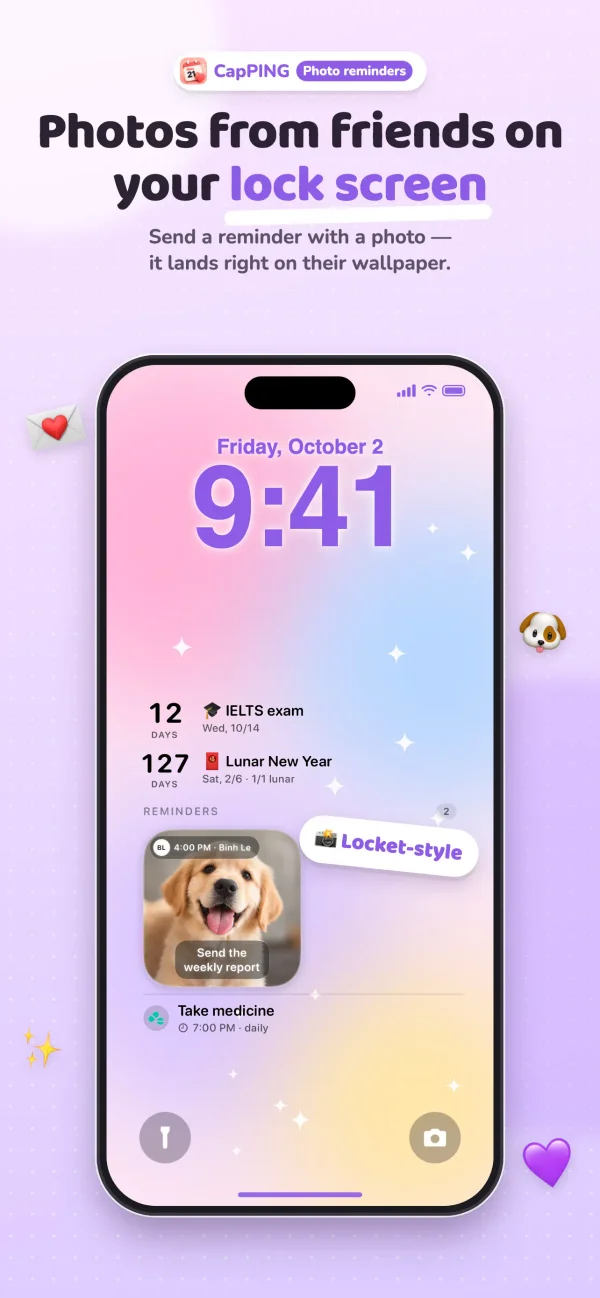

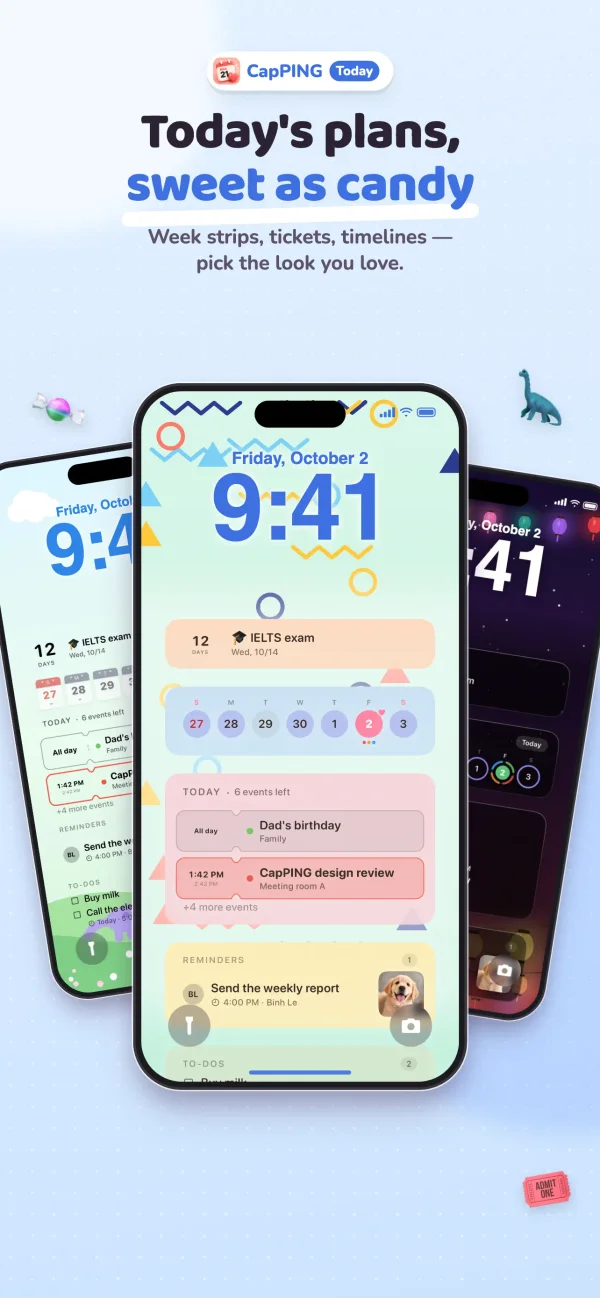


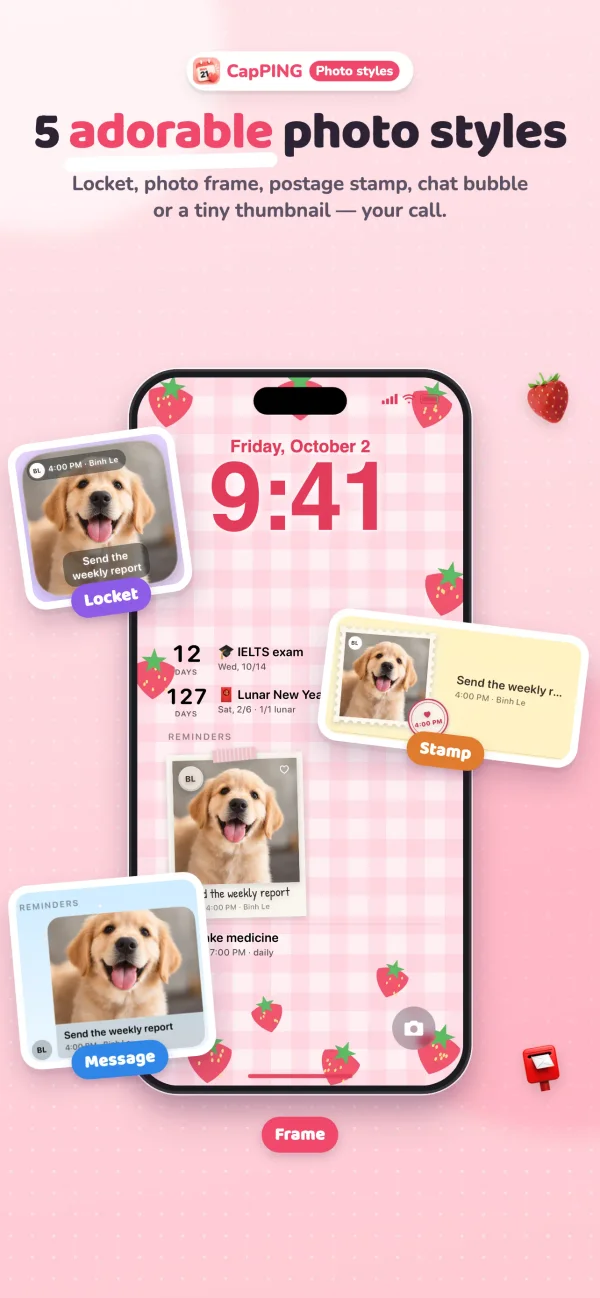
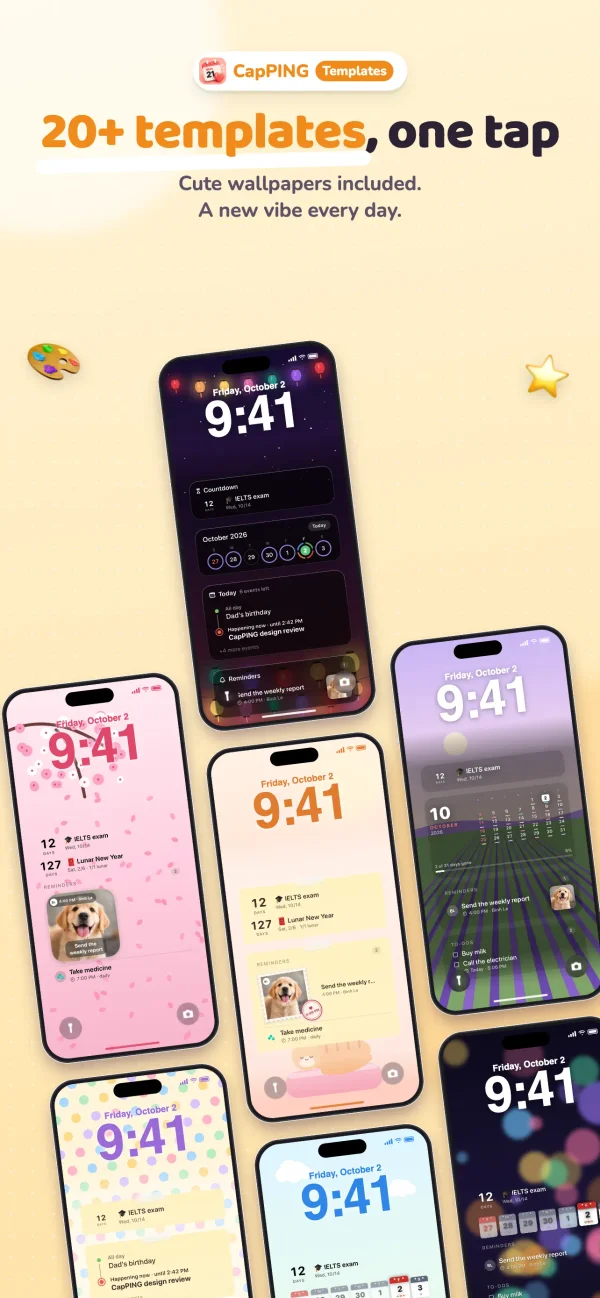
About
See your calendar, tasks and reminders the moment you lift your phone — no unlocking, no tapping. CapLock turns your lock screen wallpaper into a live, beautiful overview of your day.
WHY CAPLOCK
Widgets are small and need a tap. CapLock paints your schedule directly onto the wallpaper, so the whole picture is there at a glance: today's events, this week, your to-dos, and little reminders from the people you care about.
WHAT YOU CAN PUT ON YOUR LOCK SCREEN
• Today's agenda – upcoming events with times, colored by calendar
• Week strip – seven days with event titles, a time grid, or a weekly list
• Month grid – the whole month with event chips in every day
• To-do list – the things you actually need to get done
• Reminders – set by you, with a time, an icon and a repeat rule
• Reminders from friends – friends can place a note on your lock screen, and you on theirs
WORKS WITH EVERY CALENDAR
CapLock reads the calendars already on your iPhone: iCloud, Google Calendar, Outlook / Microsoft 365 (including Teams meetings), Exchange, Lark, and any subscribed calendar. Pick exactly which calendars appear.
MAKE IT YOURS
• 11 block styles: transparent, frosted glass, paper notes, grid paper, pastel, iOS-style widget cards and more
• Handwritten font, custom sizes and weights, per block
• Drag every block anywhere on the wallpaper
• Layout templates for a minimal, today, weekly or monthly look
• Use your own photo or a built-in gradient background
• Automatic light or dark text based on your photo
ALWAYS UP TO DATE
A one-time Shortcuts automation refreshes the wallpaper on a schedule, so the lock screen keeps up with your calendar even when the app is closed.
FRIENDS ON YOUR LOCK SCREEN
Sign in with Apple, choose a handle, add a friend by their handle. Reminders you send appear on their lock screen; theirs appear on yours. Only accepted friends can reach you, and there is no public search.
PRIVACY FIRST
Your calendar never leaves your device — the wallpaper is rendered on your iPhone. Only the to-dos and reminders you choose to share with friends are stored on our servers.
CAPLOCK PRO
Unlock every template and style, unlimited friends and more with a yearly or lifetime purchase. Payment is charged to your Apple ID account. Yearly subscriptions renew automatically unless cancelled at least 24 hours before the end of the period. Manage or cancel in Settings › Apple ID › Subscriptions.
Terms of Use: https://www.apple.com/legal/internet-services/itunes/dev/stdeula/
What’s new
Version 2.0.3 · Nov 10, 2026
Enhance UI UX
App privacy
What Lam Le declares on the App Store about how this app handles data.
-
Data not collected
The developer does not collect any data from this app.
Privacy practices may vary, for example with the features you use or your age.
Information
- Seller
- Lam Le
- Category
- Lifestyle
- Version
- 2.0.3
- Updated
- Nov 10, 2026
- Released
- Oct 1, 2026
- Size
- 46.7 MB
- Requires
- iOS 26.2 or later
- Age rating
- 4+
- Price
- Free
- In-app purchases
- Yes
- Languages
- English, French, German, Indonesian, Japanese, Korean, Portuguese, Simplified Chinese, Spanish, Thai, Traditional Chinese, Vietnamese
- Copyright
- © 2026 Bigdog
You might also like
-
 LockScreen Calendar: DatelyTodo, Calendar & Habit Planner
-
 CatPoro: Cozy Pomodoro CatFocus timer with a purring pal
-
 USTY-Japan-Korea Couples App-Lifestyle
-
 Tata — 把日子寫成一座城Lifestyle
-
 RewhenRemember when it last happened
-
 Last Done – Life TrackerRemember the last time
-
 Seed: Budget & Expense TrackerMoney Manager & Savings
-
 Thiền Hoa SenLifestyle
-
 maai - Last-Time +1 WidgetHome Screen +1 tap tracker
-
 LastSince: Routine TrackerRemember when you last did it