
- Age rating4+
- CategoryBusiness
- DeveloperCapricorn Identity Services Pvt. Ltd.
- LanguagesEnglish
- Size62.5 MB
Links to the official App Store page
Download.org hosts no file of Capricorn Customer Application. The button opens its official App Store page, published by Capricorn Identity Services Pvt. Ltd. Listing last checked on Nov 23, 2026.
Screenshots


About
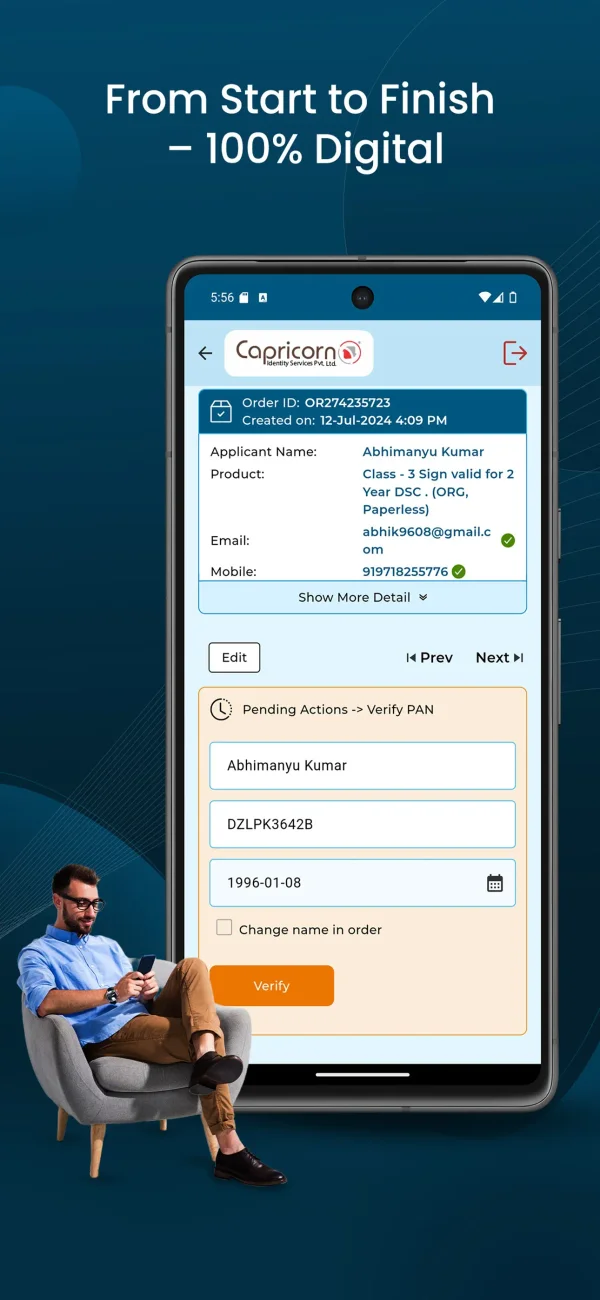
Capricorn Customer App is your comprehensive mobile solution for managing the entire Digital Signature Certificate (DSC) process with ease and efficiency. Whether you're a first-time applicant or a seasoned user, our app simplifies every step, allowing you to focus on what truly matters.
Key Features
E asy Application Process: Initiate your Digital Signature Certificate application in just a few taps. Our user-friendly interface guides you through each stage, ensuring a smooth and hassle-free experience. No more complicated paperwork or lengthy procedures — just straightforward steps to get you started.
Document Upload: Uploading required documents has never been easier. With the Capricorn Customer App, you can either select files from your mobile gallery or capture new photos directly within the app. We provide clear instructions on the necessary documents to simplify the process.
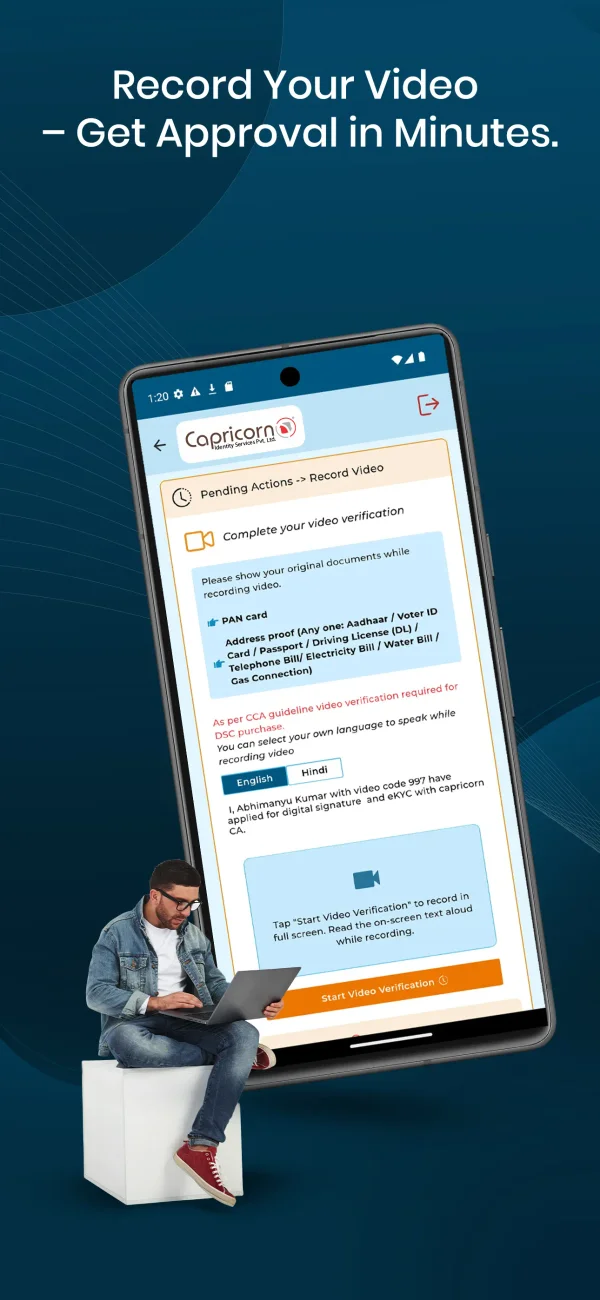
Seamless Verification: Complete the verification process directly from your mobile device. Our secure in-app verification ensures your identity is validated quickly and efficiently, removing the need for unnecessary delays or additional visits.
Real-Time Application Status Tracking: Stay informed about your application’s progress with our real-time status tracking feature. Receive instant notifications in your SMS and WhatsApp updates regarding each stage of your application, so you’re always in the loop.
Capricorn Customer Support: Need assistance? Our dedicated customer support team will assist you, You can email us support@certificate.digital and call our support number at 011-61400000.
Secure and Reliable Experience: Your security is our top priority. The Capricorn Customer App employs advanced encryption and security protocols to protect your personal data and sensitive information, ensuring a secure application process.
How It Works
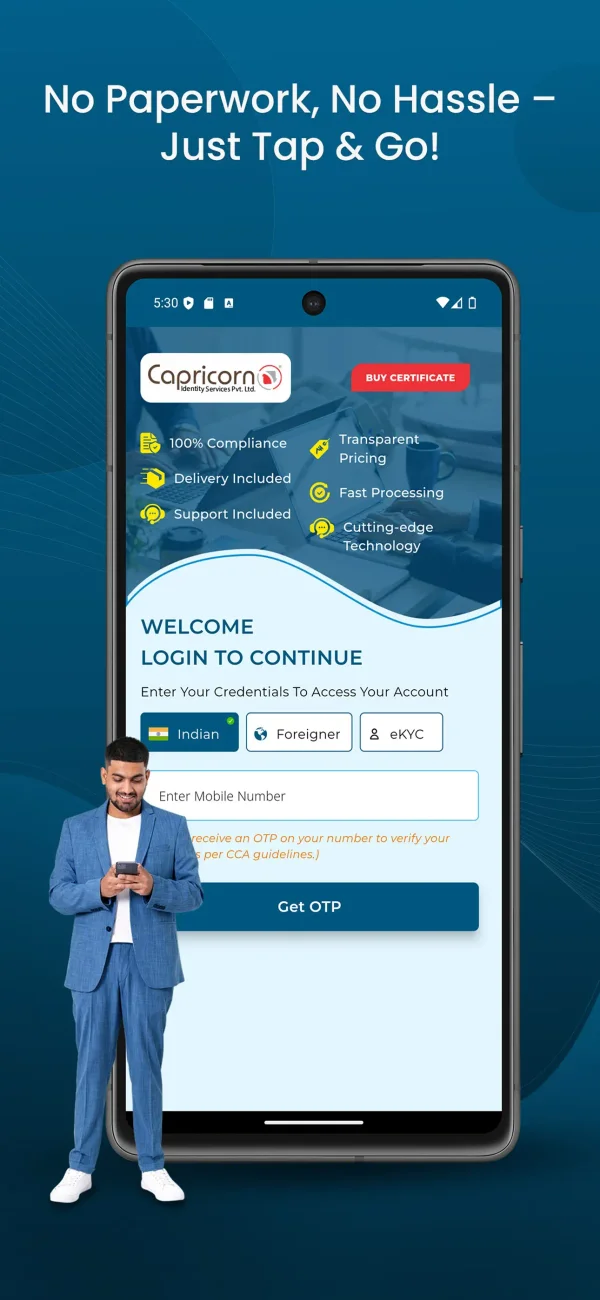
Download and Register: Begin by downloading the Capricorn Customer App. If you are a registered user, you can log in directly and proceed with the process. If you are a new user, you need to click on 'Buy Certificate' to purchase it.
Fill in Details: Provide your personal information as required for your DSC application. Our easy-to-follow form makes data entry simple and quick.
Upload Necessary Documents: Follow the guidelines provided within the app to upload all necessary documents efficiently. Ensure you have the right files ready to expedite the process.
Complete the Verification Process: Engage in a simple and secure mobile verification, email verification, and video verification to complete the DSC process..
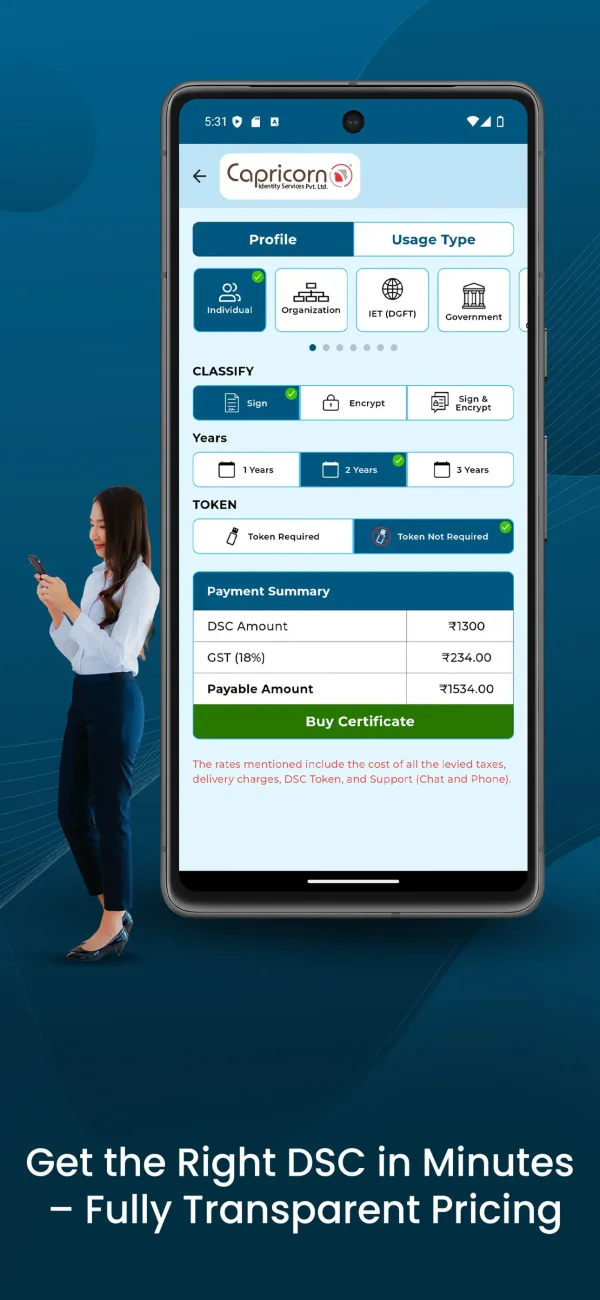
Make Payment: Proceed with the payment for your DSC application through the app. We offer various secure payment options to ensure a smooth transaction process.
Track Your Application: Monitor the progress of your application in real time. Get notified about any updates or requirements, ensuring you’re always aware of your application status.
Receive Your DSC: Once your application is approved and the Subscriber agreement is signed, You can able to download the DSC into the cryptographic USB token.
Why Choose Capricorn Customer App?
Convenience: Manage your DSC from the comfort of your home or office without the need for physical visits or lengthy procedures.
Efficiency: Enjoy a quick and straightforward application and verification process, saving valuable time.
Comprehensive Support: Our in-app customer service ensures you receive immediate assistance for any inquiries or challenges you may face.
Robust Security: Your data is safeguarded with top-notch security measures, giving you peace of mind throughout the application process.
Capricorn Customer App is designed to simplify the DSC process, making it accessible and efficient for everyone. Download the Capricorn Customer App today and take control of your Digital Signature Certificate management. Experience a new level of convenience and efficiency that transforms how you handle your DSC needs.
What’s new
Version 1.7.23 · Nov 18, 2026
Manage and complete your Digital Signature Certificate(DSC) process effortlessly through your mobile device.
Key Features:
* Fixed video upload and now upload correctly after you submit , without endless loading.
* Fixed camera and microphone permission for video verification. The app now asks for access correctly, and you can turn it on in Settings if you need to.
* Action and Record Video buttons now sit side by side, with “Reject order” below.
* Tapping Action on a pending order opens the verify screen directly.
* Smoother order list and general improvements.
We continuously strive to enhance your experience and sincerely appreciate your ongoing support and feedback.
App privacy
What Capricorn Identity Services Pvt. Ltd. declares on the App Store about how this app handles data.
-
Data not collected
The developer does not collect any data from this app.
Privacy practices may vary, for example with the features you use or your age.
Information
- Seller
- CAPRICORN IDENTITY SERVICES PRIVATE LIMITED
- Category
- Business
- Version
- 1.7.23
- Updated
- Nov 18, 2026
- Released
- Apr 20, 2019
- Size
- 62.5 MB
- Requires
- iOS 13.0 or later
- Age rating
- 4+
- Price
- Free
- Languages
- English
- Copyright
- © CAPRICORN IDENTITY SERVICES PRIVATE LIMITED
You might also like
-
 HDFC Bank e-TokenFinance
-
 InstaBIZ by ICICI BankBusiness Bank, Loan, UPI Pay
-
 HDFC Bank SmartHub VyaparPayments,Business & Banking
-
 ProdigiSignProductivity
-
 Naukri RecruiterHire on the go
-
 Nuvama: Live Share Trading AppNuvama Markets
-
 FedCorpFinance
-
 Zeon ChargingZeon Mobile Application
-
 Here by HDFC ERGOFinance
-
 myHQ: Coworking SpacesAccess coworking and work cafe