
CaptionSpeak
Engaging Videos with Captions
Designed for iPhone, iPad, iPod touch
Free · In-app purchases
- Age rating4+
- CategoryPhoto & Video
- DeveloperVishal Vaghasiya
- LanguagesEnglish
- Size13.6 MB
Links to the official App Store page
Download.org hosts no file of CaptionSpeak. The button opens its official App Store page, published by Vishal Vaghasiya. Listing last checked on Nov 12, 2026.
Screenshots
About
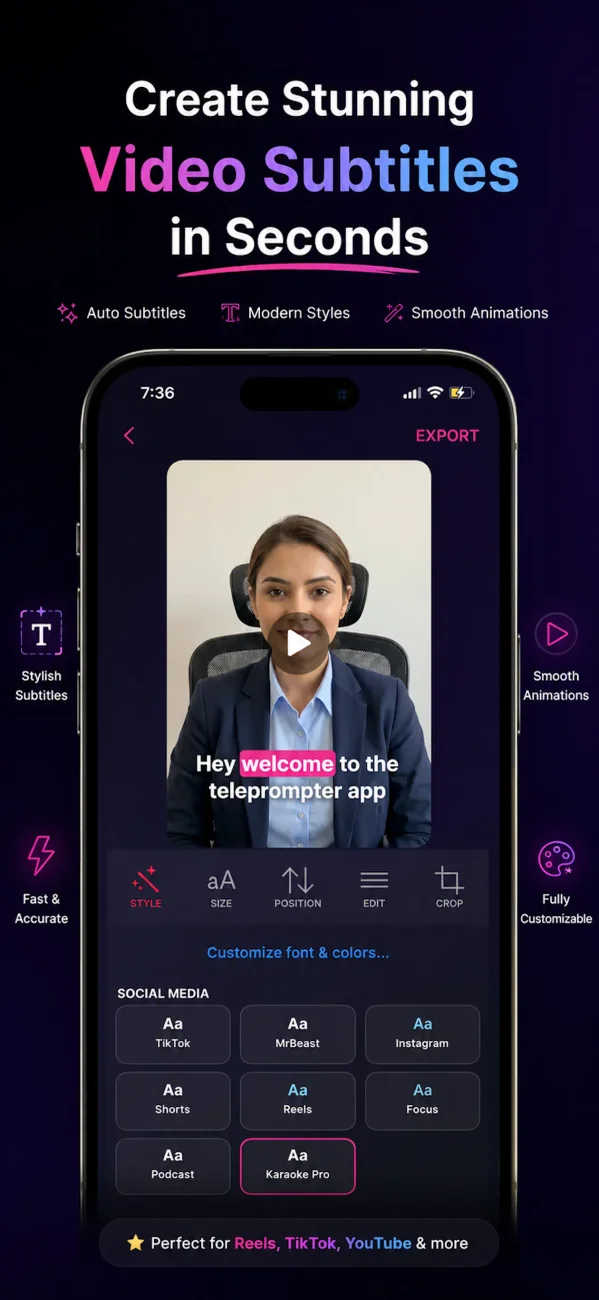
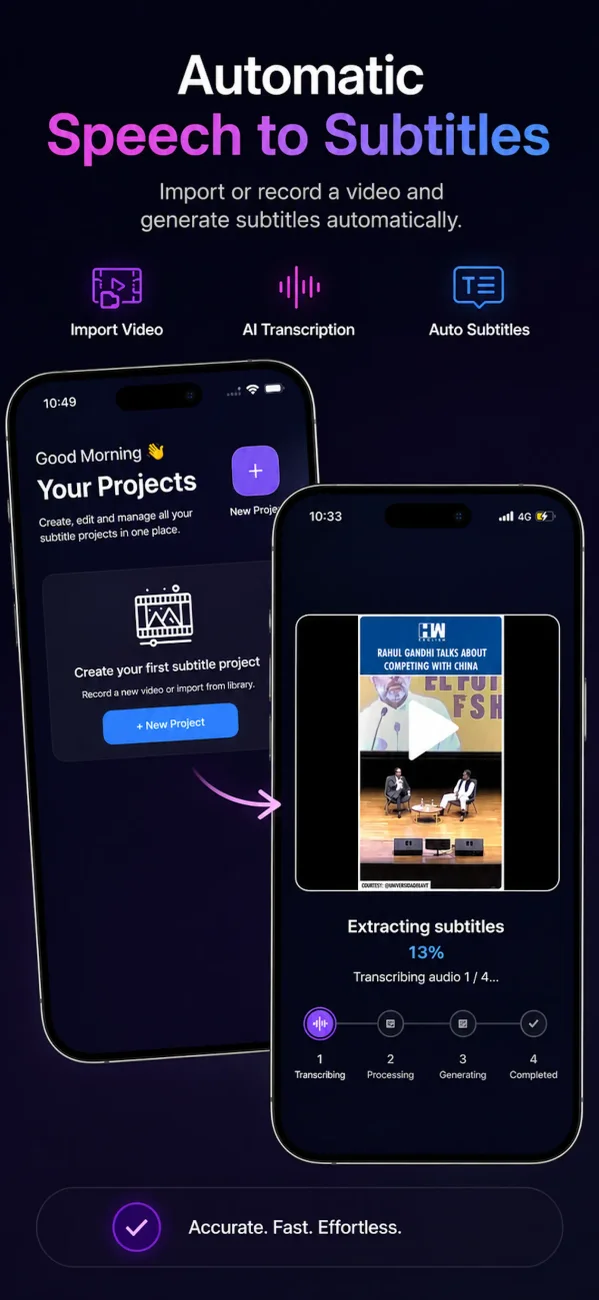
Create stunning subtitles for your videos in just a few taps. CaptionSpeak automatically converts speech into accurate captions, making it easy to create engaging content for Instagram Reels, TikTok, YouTube Shorts, podcasts, interviews, and more.
Whether you're a content creator, influencer, educator, or business owner, CaptionSpeak helps you produce professional-looking videos with beautiful subtitles and powerful customization tools.
AI-Powered Subtitle Generation
• Automatically convert speech to subtitles
• Fast and accurate speech recognition
• Support for multiple languages
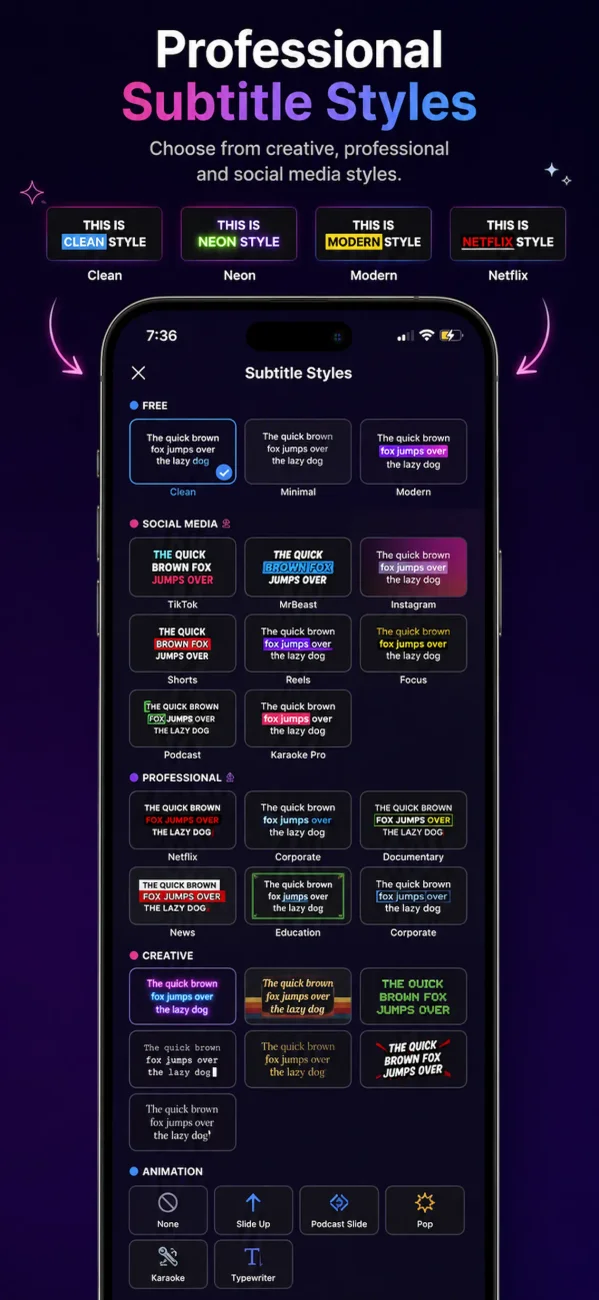
Professional Subtitle Styles
Choose from a growing collection of subtitle styles, including:
• Clean
• Modern
• TikTok
• MrBeast
• Netflix
• Podcast
• Neon
• Gaming
• Retro
• Corporate
• Documentary
• Education
• Luxury
• Story
• And more
Animated Captions
Make your videos more engaging with subtitle animations:
• Karaoke
• Typewriter
• Slide Up
• Pop
• Podcast Slide
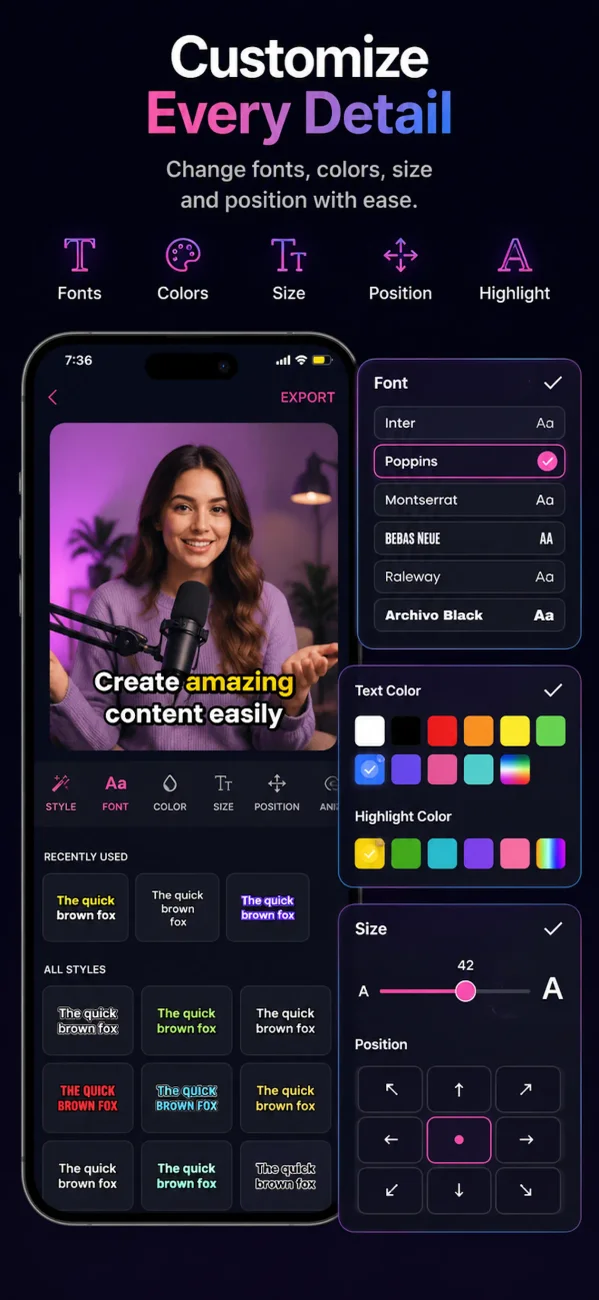
Customize Every Detail
Create subtitles that match your brand.
• Change fonts
• Adjust text size
• Customize text colors
• Background and highlight colors
• Subtitle position
• Video aspect ratio
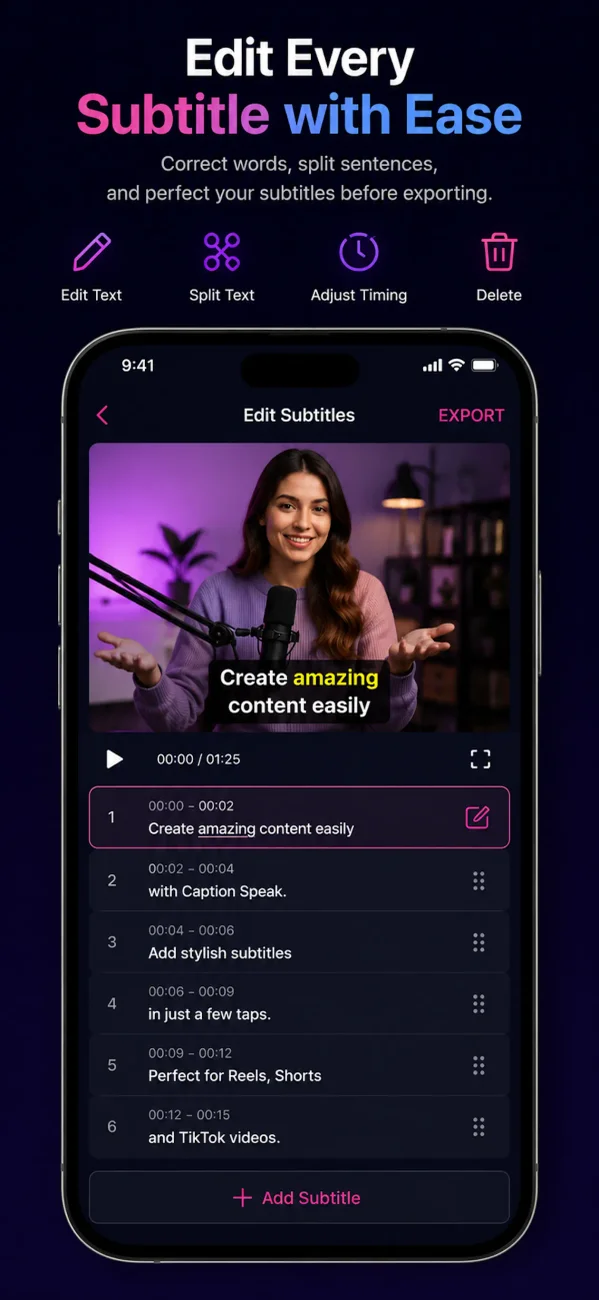
Edit Before You Export
Need to fix a word? No problem.
• Edit subtitle text
• Review captions before exporting
• Preview changes instantly
Perfect for Social Media
Create videos for:
• Instagram Reels
• TikTok
• YouTube Shorts
• Facebook
• X (Twitter)
• LinkedIn
• Podcasts
• Online courses
• Marketing videos
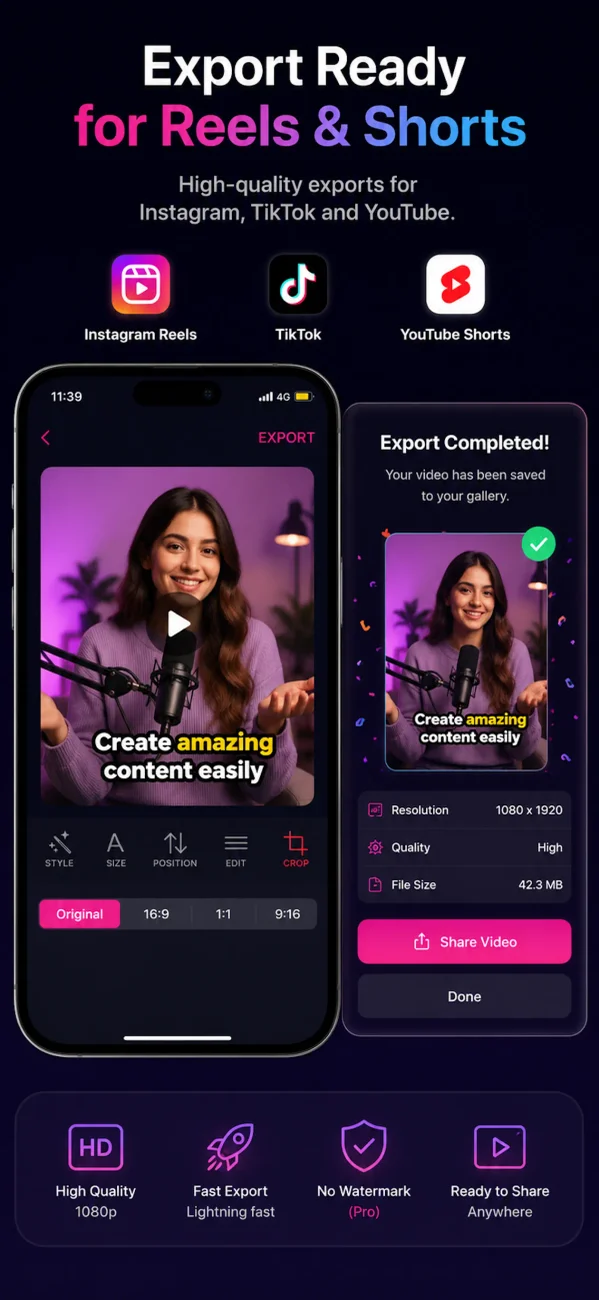
Export in High Quality
Export your videos with beautifully styled subtitles, ready to share with your audience.
Why Choose CaptionSpeak?
• Fast AI subtitle generation
• Beautiful subtitle styles
• Animated captions
• Easy subtitle editing
• Powerful customization
• Clean and intuitive interface
• High-quality video export
Download CaptionSpeak today and create professional videos with stunning subtitles in minutes.
What’s new
Version 2.0 · Jun 22, 2026
- Brand-new UI with a smoother editing experience.
- Added new subtitle styles, animations, and customization options.
- Improved subtitle editing and export performance.
- Bug fixes and stability improvements.
App privacy
What Vishal Vaghasiya declares on the App Store about how this app handles data.
-
Data not collected
The developer does not collect any data from this app.
Privacy practices may vary, for example with the features you use or your age.
Information
- Seller
- Vishal Vaghasiya
- Category
- Photo & Video
- Version
- 2.0
- Updated
- Jun 22, 2026
- Released
- Aug 3, 2023
- Size
- 13.6 MB
- Requires
- iOS 15.6 or later
- Age rating
- 4+
- Price
- Free
- In-app purchases
- Yes
- Languages
- English
- Copyright
- © 2023 CaptionSpeak
You might also like
-
 AI Video Caption GeneratorAdd Subtitle to Video
-
 AutoCPTCaption your videos w/ AI
-
 Auto Captions Video-CaptionixAI Subtitles for TikTok & Reel
-
 Captain - Video Caption EditorSubtitles & Closed Captioning
-
 Easy CaptionsAutomatic captions for videos
-
 SubtitlerKit – video subtitlesAdds subtitles to your videos
-
 Subtitles Generator for VideoAI auto caption & edit videos
-
 Auto Captions StudioSubtitles for Shorts & Reels
-
 Captionista: Video SubtitlesCaptions & Text Editor
-
 Video Subtitles&Captions MakerAuto AI Subtitle,Translate App