
CaptureLab - Smart Screenshots
Fast Organize Your Captures
Designed for iPhone
Free
- Age rating4+
- CategoryUtilities
- DeveloperCanvasLab
- LanguagesEnglish+ 1 more
- Size60.9 MB
Links to the official App Store page
Download.org hosts no file of CaptureLab - Smart Screenshots. The button opens its official App Store page, published by CanvasLab. Listing last checked on Nov 13, 2026.
Screenshots
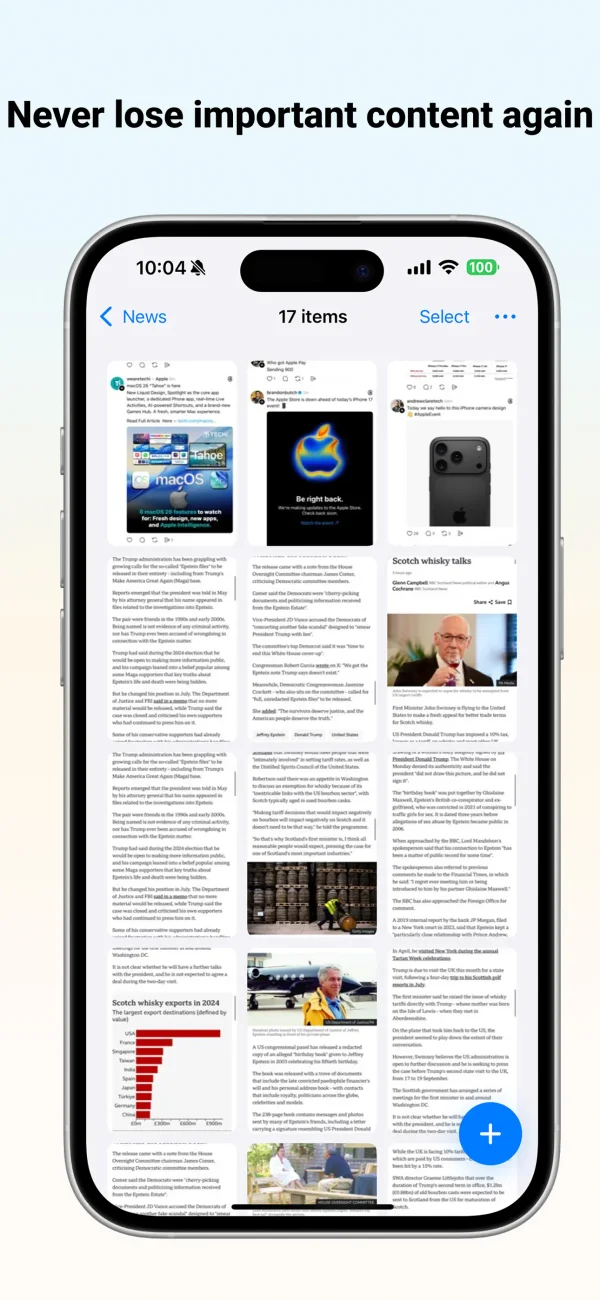
About
Are your screenshots, links, and notes piling up and hard to find?
Capturelab is an innovative productivity app that helps you systematically manage not only iOS screenshots but also URLs and text.
Stop wasting time searching through hundreds of screenshots, scattered links, or forgotten notes—everything is organized in one place!
Key Features
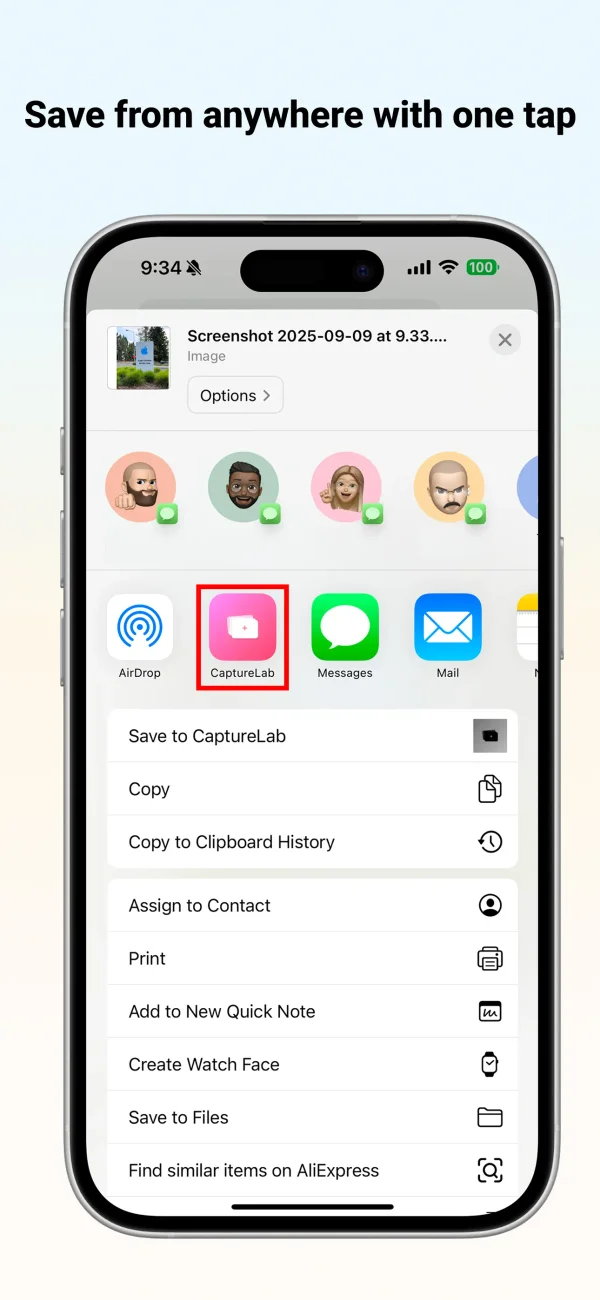
Instant Organization – Share Extension
• Select Capturelab from the share menu after taking a screenshot, text, or link
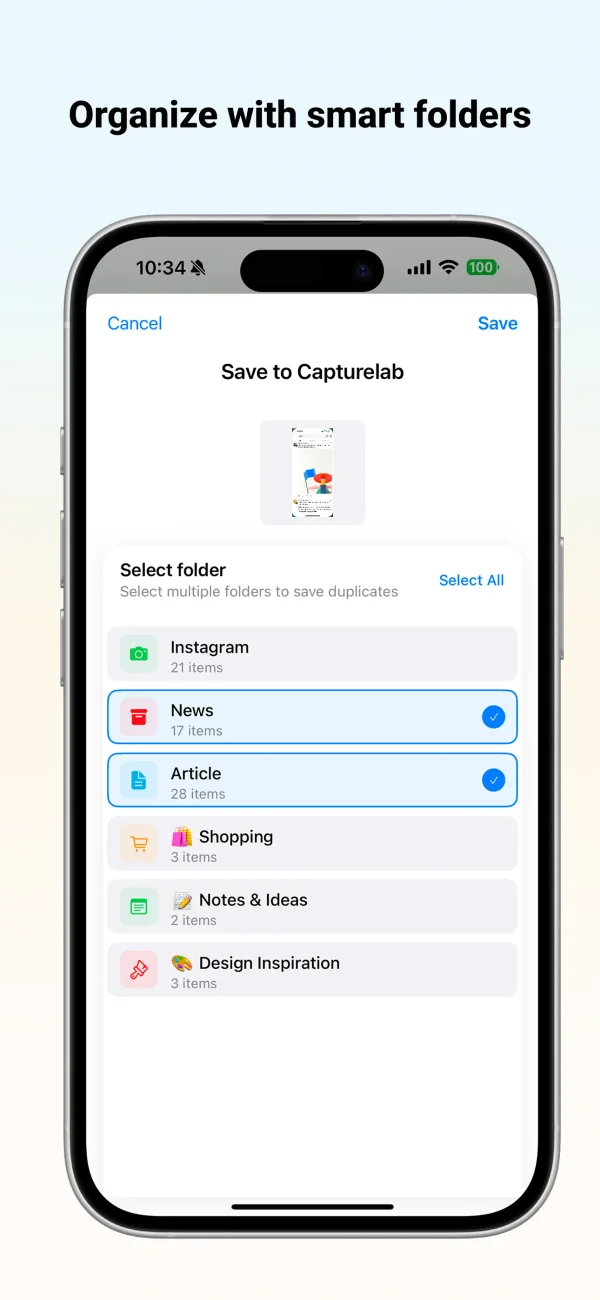
• Save directly to your desired folder
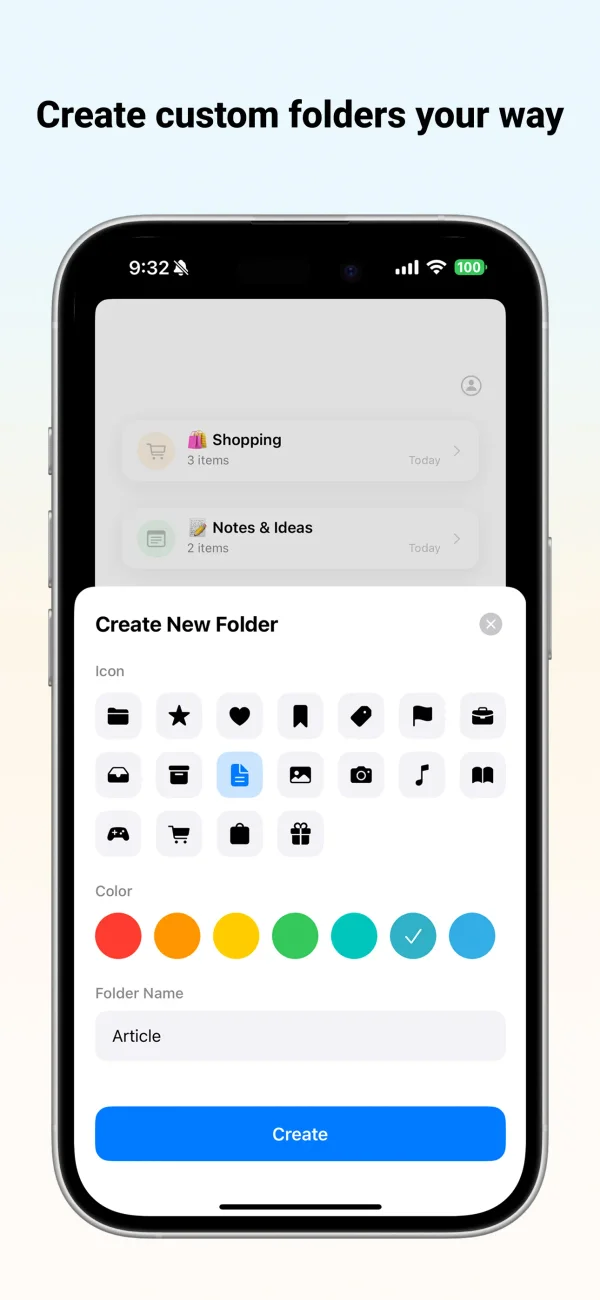
• Create new folders on the fly
• Haptic feedback confirms successful saves
Smart Folder Management
• Create and customize folders
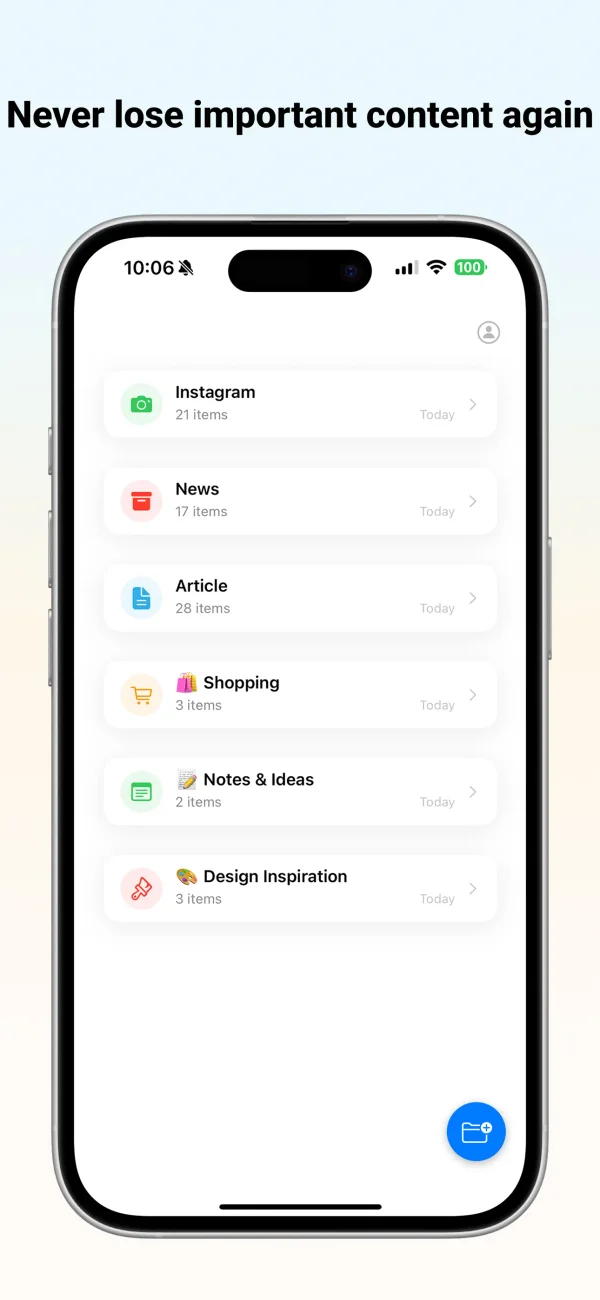
• See saved item count per folder at a glance
• Systematic organization for screenshots, links, and text
Quick View & Management
• Multi-select for batch operations
• Quick preview and detailed view for screenshots, links, and notes
• Easy navigation with swipe
Sign-in Options
• Simple sign-in with Apple ID
• Quick start with guest mode
• Secure data management
Perfect For
• Students & Professionals: Save lecture materials, documents, or reference links
• Online Shoppers: Collect product info, reviews, and store URLs
• Designers & Planners: Gather design references, ideas, and notes
• Social Media Users: Save posts, tweets, and article links
• Book Lovers: Capture quotes, passages, or jot down notes
What’s new
Version 1.3 · Sep 17, 2025
You can now save URLs and text in addition to screenshots!
App privacy
What CanvasLab declares on the App Store about how this app handles data.
-
Data not linked to you
May be collected but is not linked to your identity.
- Contact info
- Identifiers
- Usage data
- Diagnostics
Privacy practices may vary, for example with the features you use or your age.
Information
- Seller
- CanvasLab
- Category
- Utilities
- Version
- 1.3
- Updated
- Sep 17, 2025
- Released
- Sep 9, 2025
- Size
- 60.9 MB
- Requires
- iOS 18.0 or later
- Age rating
- 4+
- Price
- Free
- Languages
- English, Korean
- Copyright
- © 2025 CanvasLab
You might also like
-
 Locations Saver ProLocation & Parking Manager
-
 EarthSteps - Pedometer&CounterChallenge around the earth
-
 Todo: Tasks & NotesTrack parcels from anywhere
-
 VizKeeper: Snap, Say, AskKeep everything you snap
-
 Screenshot AI OrganizerFind, Tag & Search Your Photos
-
 Photo Compressor Resize ImageCompress Photos Offline
-
 Truzent SecurityHack Alert & Wi-Fi Scan
-
 Convert Photo to PDF: PhotoPDFPictures to PDF Free & Fast
-
 Video Watermark Maker Add TextProtect Logo Watermark Editor
-
 TeaTeaAvatar - Group AvatarCreate Custom Chat Icons Fast