CardsFlash: Flashcards
Create cards. Study daily.
Designed for iPhone, iPad
Free · In-app purchases
- Age rating4+
- CategoryEducation
- DeveloperMichael Steurer
- LanguagesEnglish+ 7 more
- Size6.2 MB
Links to the official App Store page
Download.org hosts no file of CardsFlash: Flashcards. The button opens its official App Store page, published by Michael Steurer. Listing last checked on Nov 12, 2026.
Screenshots

About
Turn your own material into a daily study habit.
CardsFlash is for students and language learners who write their own cards. Create flashcards and multiple-choice questions from your notes, vocabulary lists and textbooks, then let spaced repetition plan what to review each day.
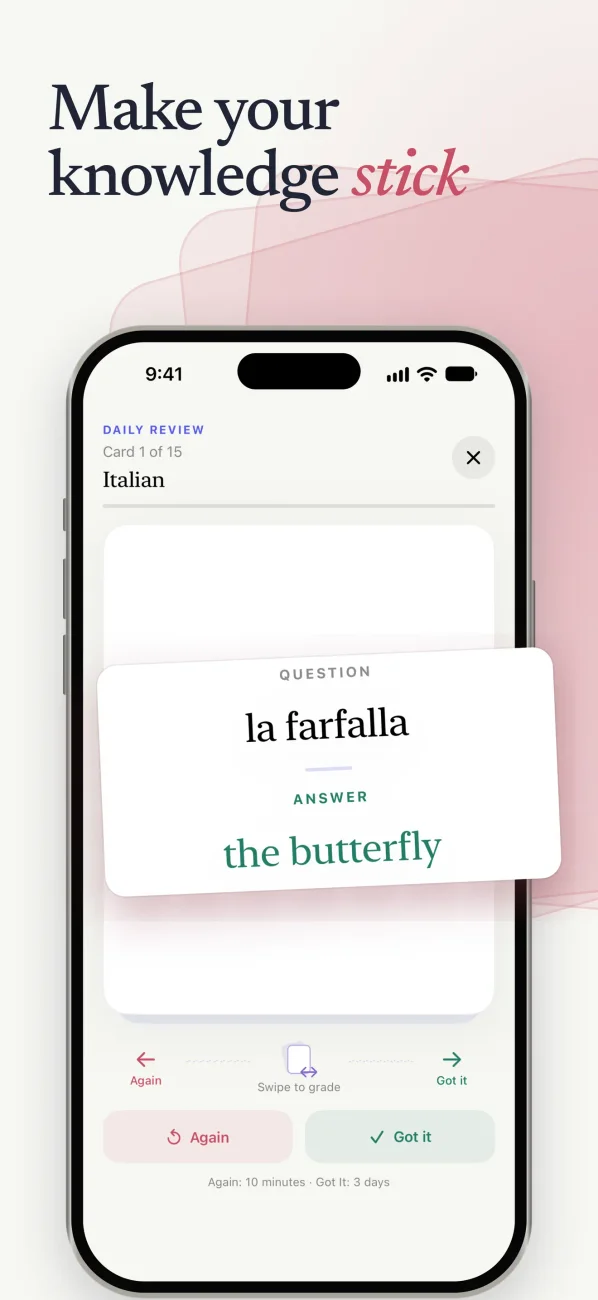
MAKE YOUR KNOWLEDGE STICK
Reveal the answer, then grade yourself with Again or Got it, or simply swipe. Remembered cards come back at longer intervals; missed cards return after 10 minutes. Changed your mind? Undo your last grade.
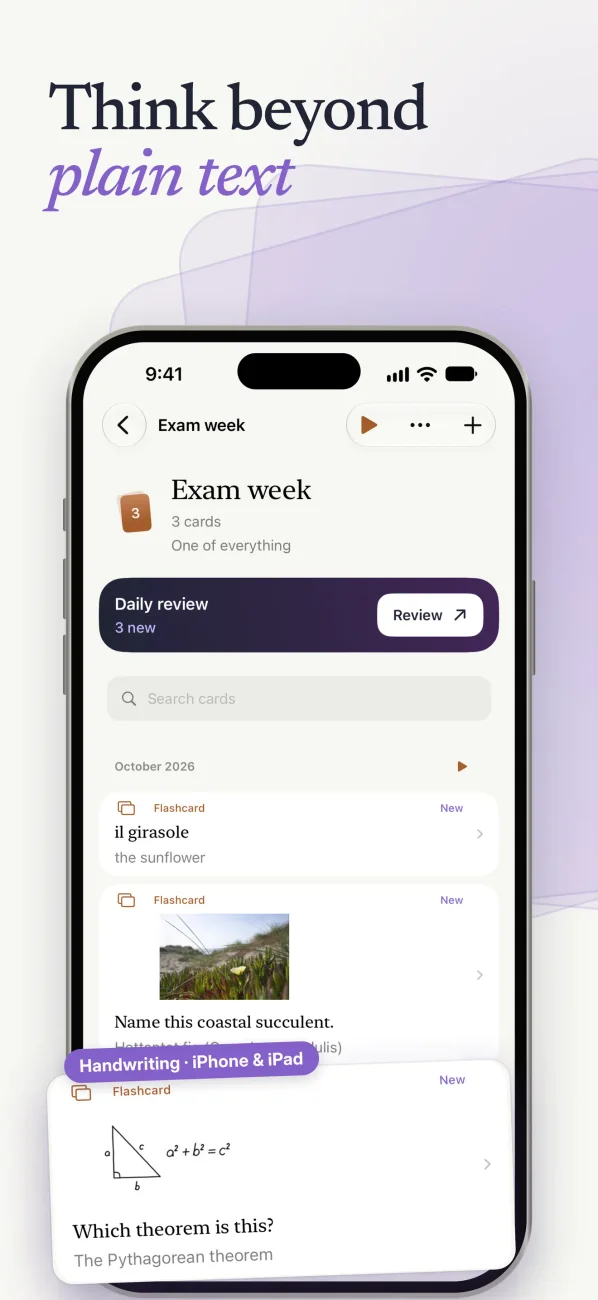
THINK BEYOND PLAIN TEXT
Use text, pictures or drawings on the front and back of a card. Add image captions, format text with Markdown, and turn photos into editable text with on-device text recognition. Handwrite and draw on iPhone and iPad, with Apple Pencil support on iPad. Your drawings appear on Mac too.
KNOW WHAT TO REVIEW TODAY
Daily review brings together due cards and new material. Choose 5 to 100 cards per session, review your whole library or one category, or start a Quick Review of up to five cards.
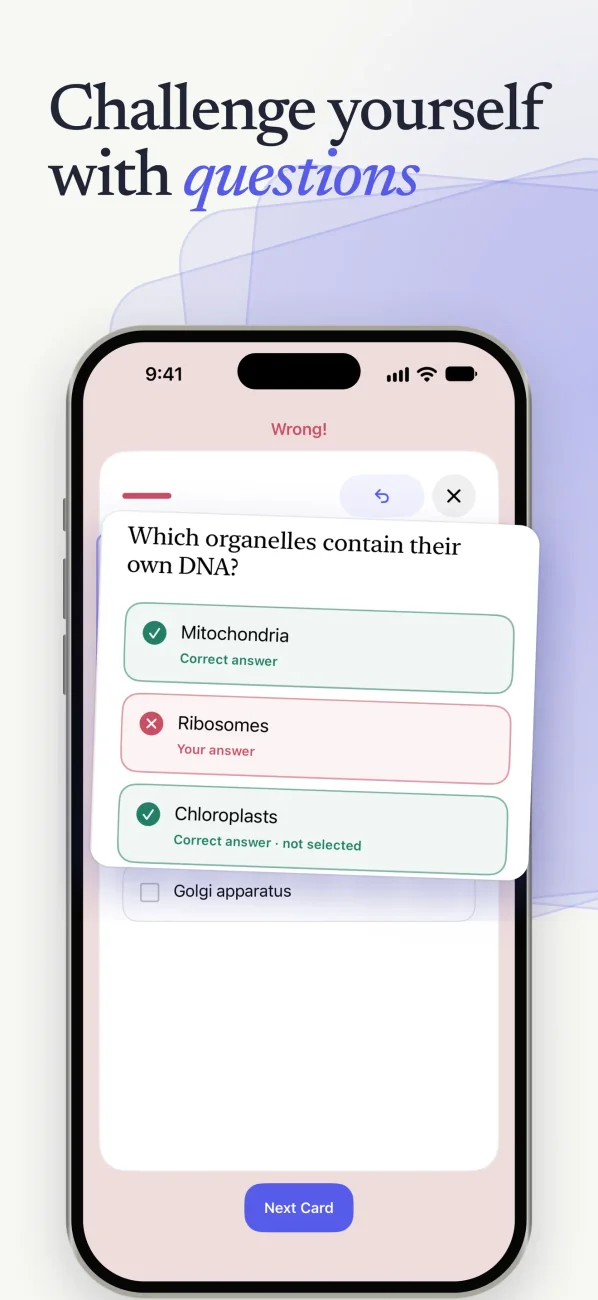
CHALLENGE YOURSELF WITH QUESTIONS
Write multiple-choice questions with one or several correct answers, and see what you got right, what you missed and where you went wrong. Practice new cards or the ones that need the most work without changing your review schedule, and reverse flashcards for variety.
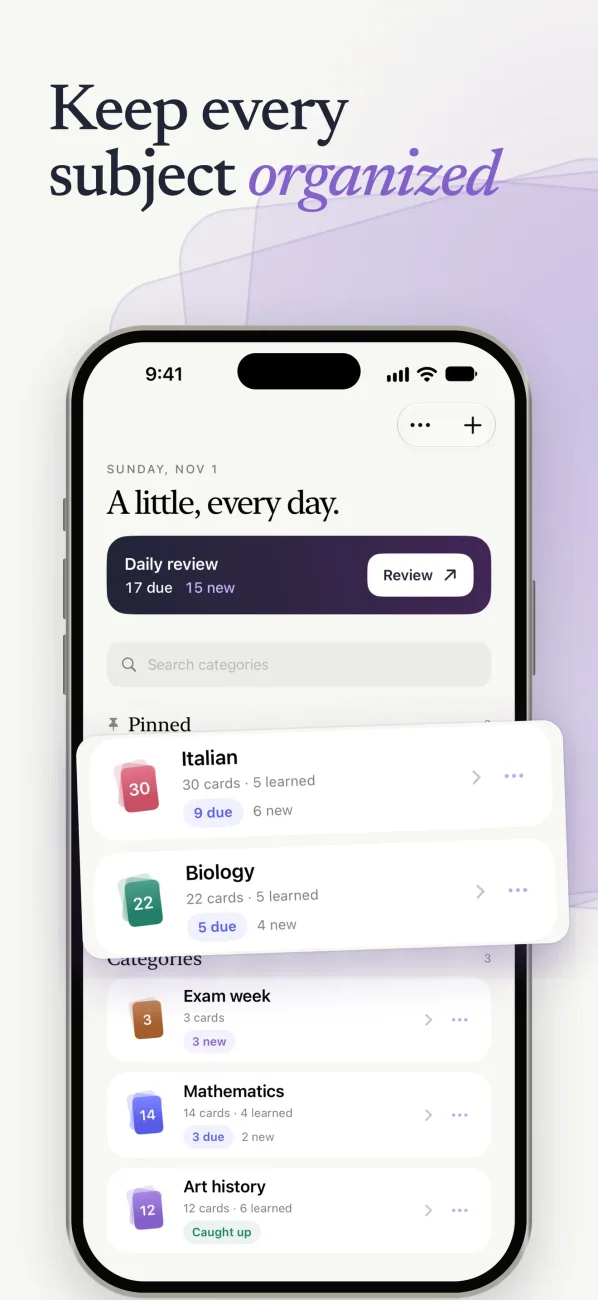
KEEP EVERY SUBJECT ORGANIZED
Create color-coded categories, pin favorites and search every card. See due and new counts, upcoming reviews and your answer history. Mark cards as learned to pause their reviews.
YOUR MATERIAL. YOUR DEVICES.
Import question-and-answer pairs from CSV or TSV, or use the app's JSON format. Preview imports, export categories and back up your library with its media and learning history. Sync cards and progress with iCloud across iPhone, iPad and Mac, and keep studying offline. Start reviews with Siri and Shortcuts, or from the Today's Reviews widget.
Write your cards in any language. Make your next review count.
What’s new
Version 2.0.0 · Nov 10, 2026
CardsFlash 2.0 introduces daily review with spaced repetition.
• Create cards with text, images, and drawings
• Practice with flashcards and multiple-choice questions
• Track due cards, upcoming reviews, and answer history
• Import and export study material
• Sync cards and progress across iPhone, iPad, and Mac
• Start reviews with widgets, Siri, and Shortcuts
App privacy
What Michael Steurer declares on the App Store about how this app handles data.
-
Data not collected
The developer does not collect any data from this app.
Privacy practices may vary, for example with the features you use or your age.
Information
- Seller
- Michael Steurer
- Category
- Education
- Version
- 2.0.0
- Updated
- Nov 10, 2026
- Released
- Mar 22, 2022
- Size
- 6.2 MB
- Requires
- iOS 18.6 or later
- Age rating
- 4+
- Price
- Free
- In-app purchases
- Yes
- Languages
- English, French, German, Italian, Japanese, Portuguese, Simplified Chinese, Spanish
- Copyright
- © Michael Steurer
You might also like
-
 SakuraPills: Japanese, EnglishAI dialogue and smart review
-
 I Can Count to TenFinger counting for toddlers
-
 Flash+The Evolution of Flash Cards
-
 ReadYours: AI Language ReadingCreate your language stories
-
 WordWise AI: Learn in ContextAI-driven vocabulary learning
-
 Choiyre: Family Task ManagerChore & Reward Tracker
-
 AI Flashcards SPACE REPETITIONStudy App Memory, Recall, Exam
-
 Repeto: AI Flashcard MakerSpaced Repetition, Anki Decks
-
 MemoYi Card-Flashcard ToolSmarter Studying with Science
-
 Learn TypeScript ProgrammingLearn TypeScript Fast