
CardTalk AAC
Picture cards that speak
Designed for iPhone, iPad, iPod touch
Free · In-app purchases
- Age rating4+
- CategoryEducation
- DeveloperTomoaki Tsuchiya
- LanguagesEnglish+ 1 more
- Size65.2 MB
Links to the official App Store page
Download.org hosts no file of CardTalk AAC. The button opens its official App Store page, published by Tomoaki Tsuchiya. Listing last checked on Nov 17, 2026.
Screenshots



About
CardTalk is an app for people who find it hard to say things in words. Press a card, and the card speaks for them.
"Bathroom." "Hurts." "Help." The card you press becomes a voice.
■ 260 cards are already in the app
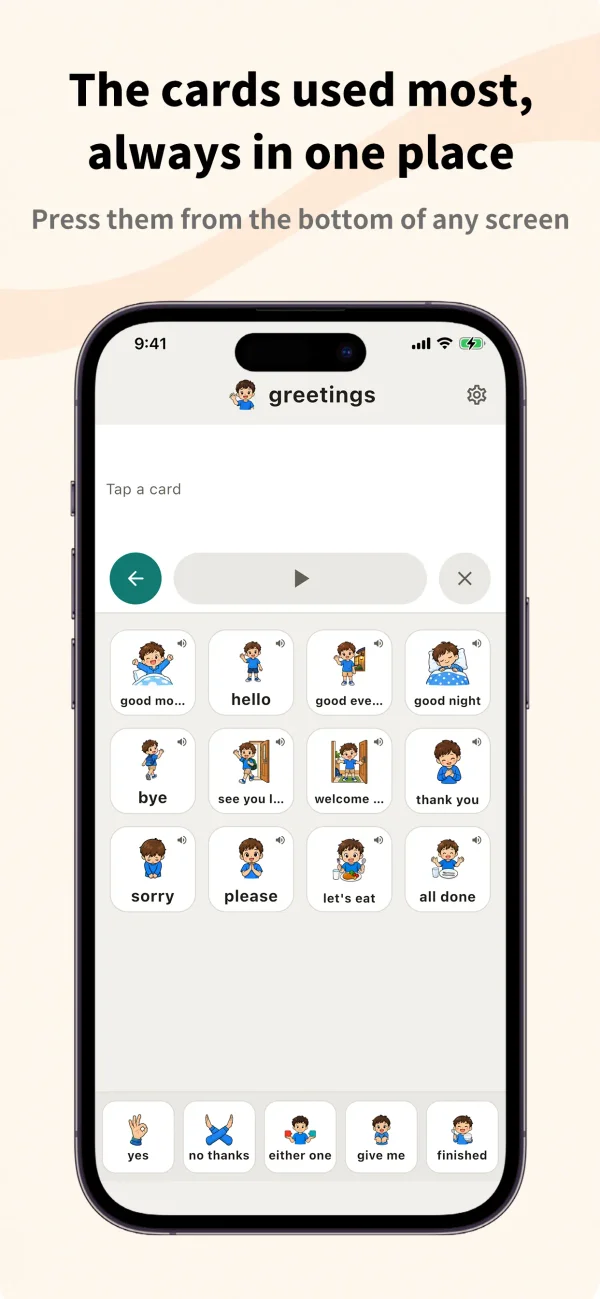
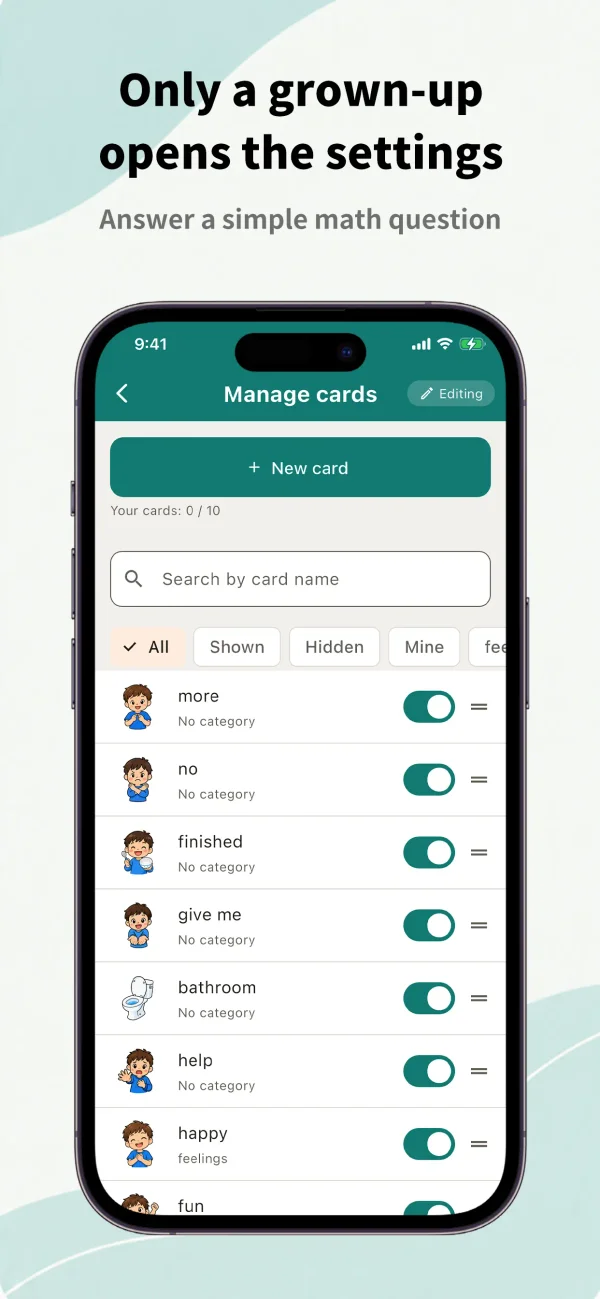
Illustrations and audio are built in, so the app works the moment it finishes downloading. The cards sit in 15 categories such as feelings, greetings, food & drink and body & health. Hide the ones you do not need, and keep only the cards that matter on the screen.
■ It speaks with no connection
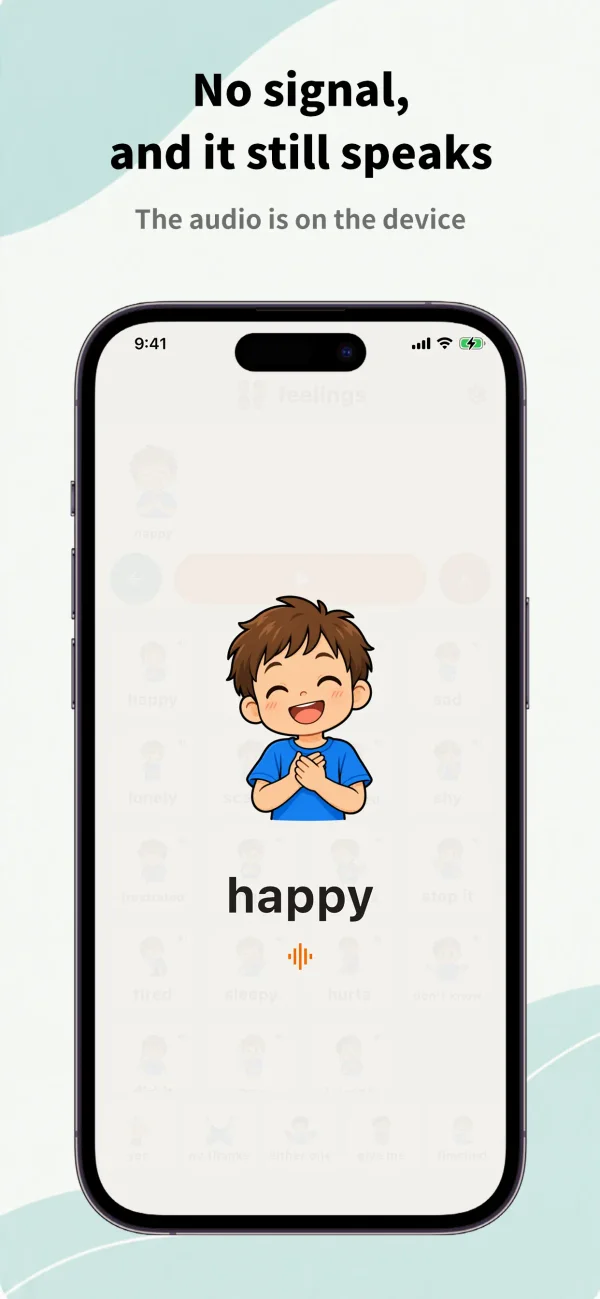
All of the audio is on the device. Outdoors, at the hospital, anywhere with no signal - press a card and a voice comes out.
■ It speaks with the ringer off
The app still talks when the device is silenced. No more "I pressed it in class and nothing happened."
■ Cards you make yourself
Take a photo, choose one of the illustrations in the app, or record your own voice. The words shown on the card and the words read aloud are set separately, so anything the voice reads the wrong way can be corrected.
■ Fewer accidental presses
Repeated taps within a short time can be ignored, and the card that was pressed can be shown large. Cards used often can sit in the bar along the bottom of the screen, in the same place whichever category is open.
■ Put words together
Line cards up - "I want", "juice" - and have them read out as one phrase.
■ Settings are behind a parental gate
A simple multiplication question opens the settings. The person using the app will not change a setting or delete a card by accident.
■ Everything stays on the device
Photos put on cards are never sent anywhere. No account is needed. Settings and cards can be written out as a file, so they can be brought back on a new device.
■ About pricing
Every feature is free to use. The 260 cards in the app, making categories, the bar along the bottom, backups and all of the settings cost nothing.
Cards you make yourself are free up to 10. Only when you want an eleventh does a one-time purchase make the number unlimited. There is no monthly fee. Buy it once and it stays.
Going past 10 never takes away cards that have already been made.
■ Languages
English, Japanese and Simplified Chinese. The language of the app is chosen in the settings.
■ Contact
https://mediaquery.info/?panel=contact
What’s new
Version 1.0.3 · Sep 15, 2026
- The logo now appears while the app starts up.
- Fixed a gap left at the top of the screen when the sentence tray was turned off. The back button now sits to the left of the title.
- Fixed buttons along the bottom of the screen that responded in a smaller area than they appeared.
- Corrected the label on the back button in English and Chinese.
- The illustrations you pick from are now named in the language the app is set to.
App privacy
What Tomoaki Tsuchiya declares on the App Store about how this app handles data.
-
Data not linked to you
May be collected but is not linked to your identity.
- Purchases
Privacy practices may vary, for example with the features you use or your age.
Information
- Seller
- Tomoaki Tsuchiya
- Category
- Education
- Version
- 1.0.3
- Updated
- Sep 15, 2026
- Released
- Sep 9, 2026
- Size
- 65.2 MB
- Requires
- iOS 15.0 or later
- Age rating
- 4+
- Price
- Free
- In-app purchases
- Yes
- Languages
- English, Japanese
- Copyright
- © 2026 mediaquery
You might also like
-
 かんたん絵カードメーカー|スケジュール|絵カード|視覚支援Education
-
 代弁さんEducation
-
 Esilbe: Visual ScheduleAutism & ADHD picture routines
-
 Got It! CardsEducation
-
 ぽろっと ことばの練習Education
-
 RomaTalk: AAC Talking CardsNonverbal autism communication
-
 ことばのたね - 発語を促す写真の絵カードEducation
-
 トーキング WatchEducation
-
 Tandli: Visual ScheduleFirst-Then Picture Routines
-
 WaCard - どこでも使える音声対応絵カードEducation