
CarMate Ultra
Car service log & reminders
Designed for iPhone, iPad
In-app purchases
- Age rating4+
- CategoryUtilities
- DeveloperHesham Almohisni
- LanguagesEnglish+ 1 more
- Size9.5 MB
Links to the official App Store page
Download.org hosts no file of CarMate Ultra. The button opens its official App Store page, published by Hesham Almohisni. Listing last checked on Nov 12, 2026.
Screenshots



About
CarMate Ultra is the simple, private way to stay on top of your car's maintenance — and now to keep the memories of every trip. Log every service, get reminded before anything is due, and keep your whole car history in one place, in sync on your iPhone and iPad with iCloud.
Whether you own one car or a whole garage, CarMate Ultra helps you drive worry‑free.
NEW: MEMORIES
• Keep every trip and moment with your cars — photos and videos in their original quality, plus voice notes
• Places are added automatically from your photos, or search for any place
• Write a note on the back of any photo, and flip it to read it
• See your memories as beautiful cards, a collage or a map
• Open any car to see all of its memories
ALSO NEW
• Receipts and Sketchbook share one tab — swipe the icon to flip between them
• Redesigned colorful icons
• Backups that include your memories, with no size limit, to iCloud Drive, a USB drive or anywhere in Files
WHY YOU'LL LOVE IT
• Never miss a service — smart reminders by date AND mileage
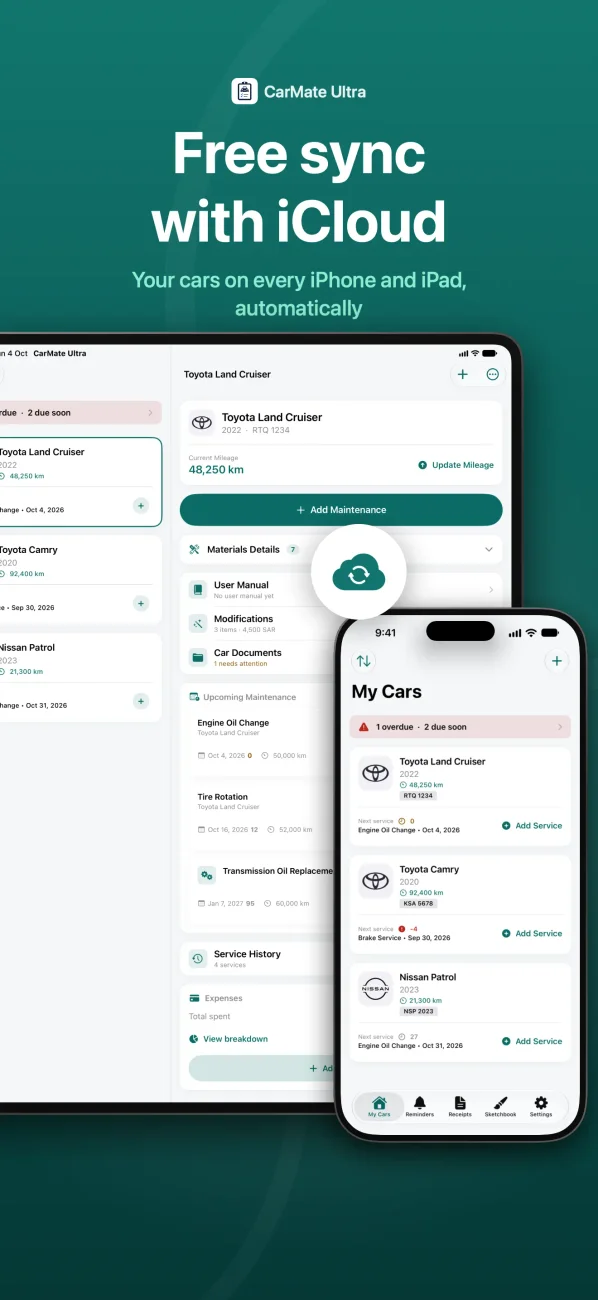
• All your cars in one clean, beautiful app, on all your devices
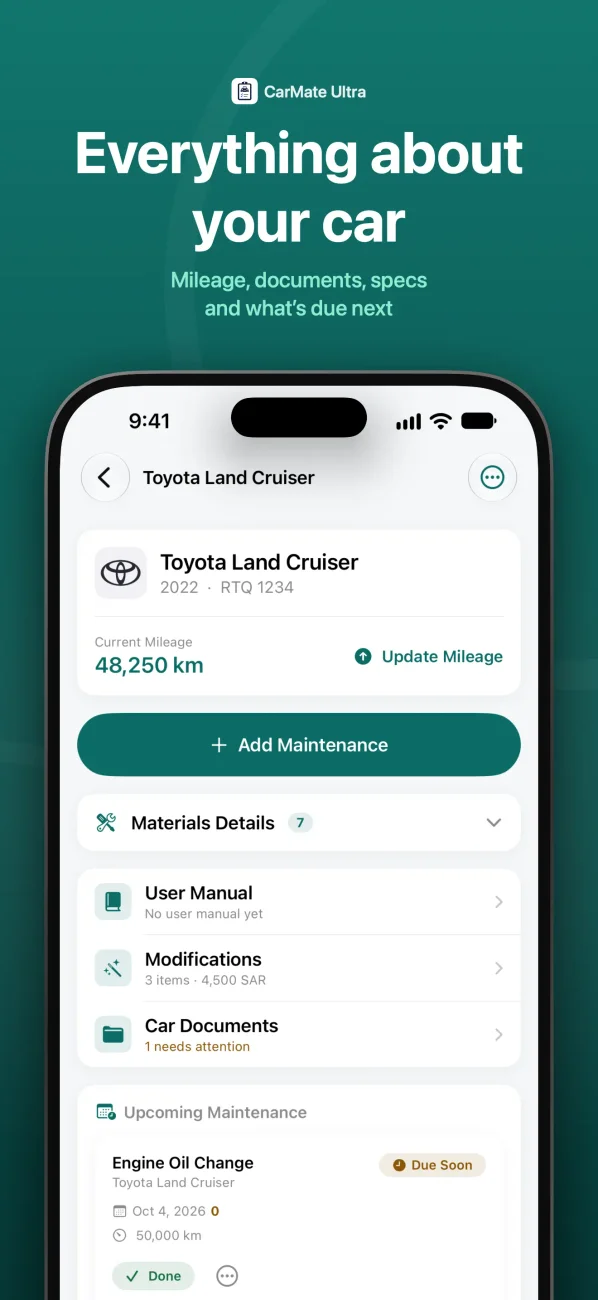
• Everything about each car, at a glance
KEY FEATURES
• Multiple cars — track your entire garage, with up to 11 photos per car
• Smart reminders — by date, by mileage, or recurring, with a days counter
• Full service history — costs, workshops with their map location, notes and receipts
• Scheduled maintenance and a maintenance timeline for each car
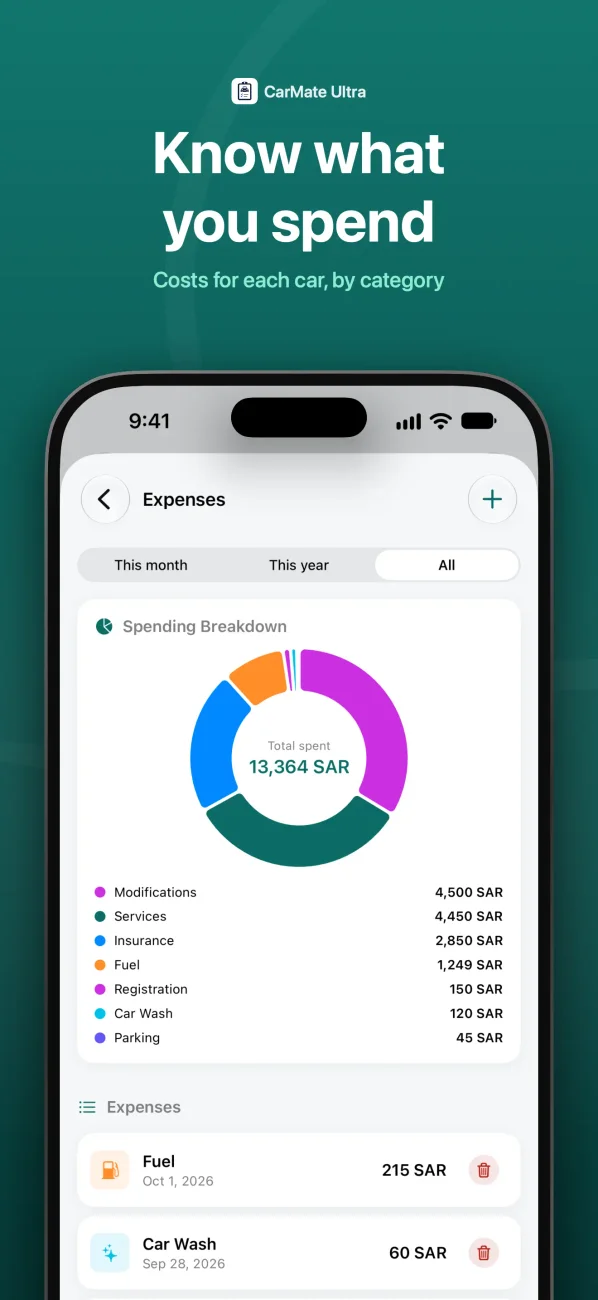
• Expenses — see what you spend on each car
• Receipts & documents — keep invoices, registration and insurance, with expiry dates
• Materials details — oil type, filters, tire size, battery and more, always at hand
• Modifications — plan and track upgrades, in the order you want
• Pre‑travel checkup — a checklist before long trips, shareable as a PDF
• Sell report (PDF) — full service history and receipts, ideal when selling your car
• User manuals — keep PDF manuals for each car
• Sketchbook — draw and write notes with your finger or Apple Pencil
• Home Screen widget — next service, mileage and spending at a glance
• Free iCloud sync — your cars, records, photos, files and settings on every iPhone and iPad
• iPad and iPhone Duo — layouts made for each screen
• Backup & restore — save your data to a file whenever you want
PRIVATE BY DESIGN
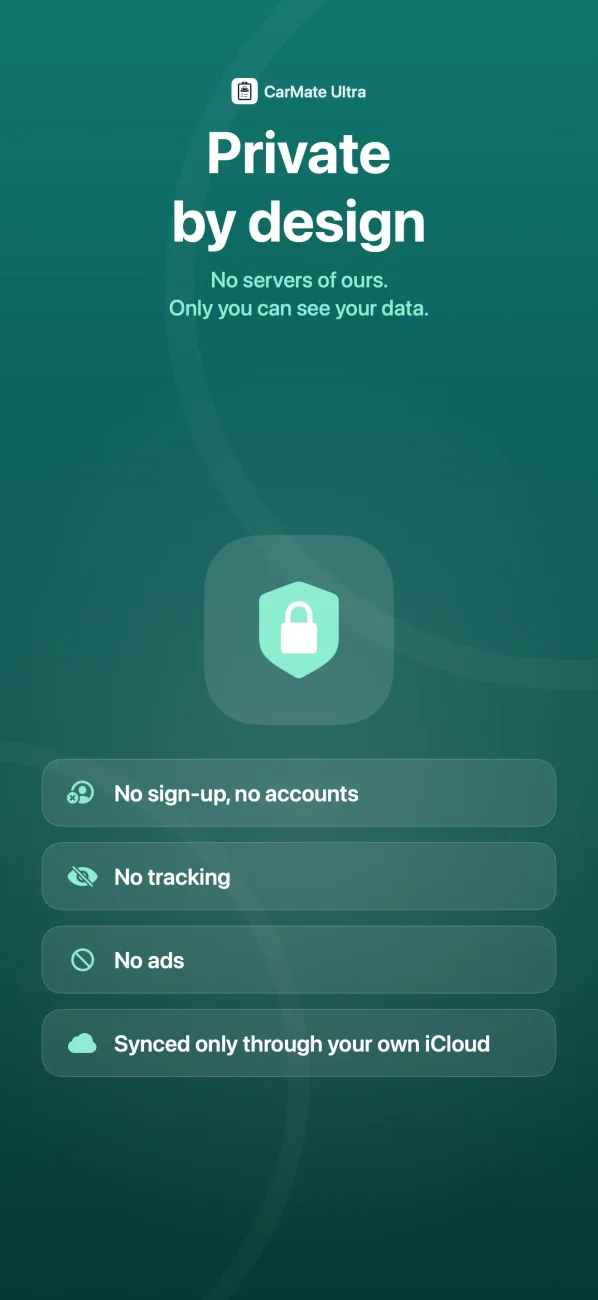
Your data stays on your devices and in your own private iCloud — only you can see it. No sign‑up, no servers of ours, no tracking, no ads.
BILINGUAL
Full English and Arabic support with right‑to‑left layout.
CarMate Pro (optional)
Unlock unlimited cars and memories, backup & restore, the sell report, and unlimited notes and manuals with a subscription or a one‑time lifetime purchase. Your first 2 memories are free, and a 7‑day free trial is available. iCloud sync is free for everyone.
Download CarMate Ultra and give your car the care — and the memories — it deserves.
Terms of Use: https://www.apple.com/legal/internet-services/itunes/dev/stdeula/
What’s new
Version 1.6 · Oct 27, 2026
Introducing Memories
• Keep every trip and moment with your cars: photos and videos in their original quality, plus voice notes.
• Places are added automatically from your photos, and you can search for any place yourself.
• Write a note on the back of any photo, and flip it to read it.
• See your memories as beautiful cards, a collage or a map.
• Open a car to see all of its memories.
• Your first 2 memories are free. Subscribe to keep adding more.
Also new
• Receipts and Sketchbook now share one tab: swipe the Receipts icon up or down to flip between them, and Settings is back in the tab bar.
• Redesigned colorful icons. Turn them on in Settings › Appearance.
• Unlimited backups, memories included, to iCloud Drive, a USB drive or anywhere in Files.
Fixes and improvements
• Swiping between Receipts and Sketchbook now works on iOS 18.
• Memories now show reliably on every device, in each car and in the Memories tab.
• Collages fill the whole frame with your photos.
• General performance and stability improvements.
App privacy
What Hesham Almohisni declares on the App Store about how this app handles data.
-
Data not collected
The developer does not collect any data from this app.
Privacy practices may vary, for example with the features you use or your age.
Information
- Seller
- Hesham Almohisni
- Category
- Utilities
- Version
- 1.6
- Updated
- Oct 27, 2026
- Released
- Aug 12, 2026
- Size
- 9.5 MB
- Requires
- iOS 17.0 or later
- Age rating
- 4+
- In-app purchases
- Yes
- Languages
- English, Arabic
- Copyright
- © 2026 CodeSmith H
You might also like
-
 GaadiLogFuel, service & documents log
-
 2dakika: OBD Car DiagnosticsHealth report & mileage check
-
 كتيب | سجل صيانة السيارةUtilities
-
 ServiceLog Pro: Car Log BookMaintenance, Mods & Reminders
-
 Shopping List - Shop InstinctOrganize Your Shopping
-
 OBD CAN: OBD2 Car ScannerCustom PIDs & vehicle data
-
 GarageHub: Car Maintenance LogService History, Fuel & Costs
-
 CAR OBDUtilities
-
 MusicLink - Link ConverterShare links between platforms
-
 Your Pocket-Sized Toolbox18 Tools in One Smart App