
Carousel Post Maker AI: CRLS
Prompt to AI Carousel Slides
Designed for iPhone, iPad
Free · In-app purchases
- Age rating4+
- CategorySocial Networking
- DeveloperOleh Lohinov
- LanguagesEnglish+ 31 more
- Size11.8 MB
Links to the official App Store page
Download.org hosts no file of Carousel Post Maker AI: CRLS. The button opens its official App Store page, published by Oleh Lohinov. Listing last checked on Nov 17, 2026.
Screenshots
About
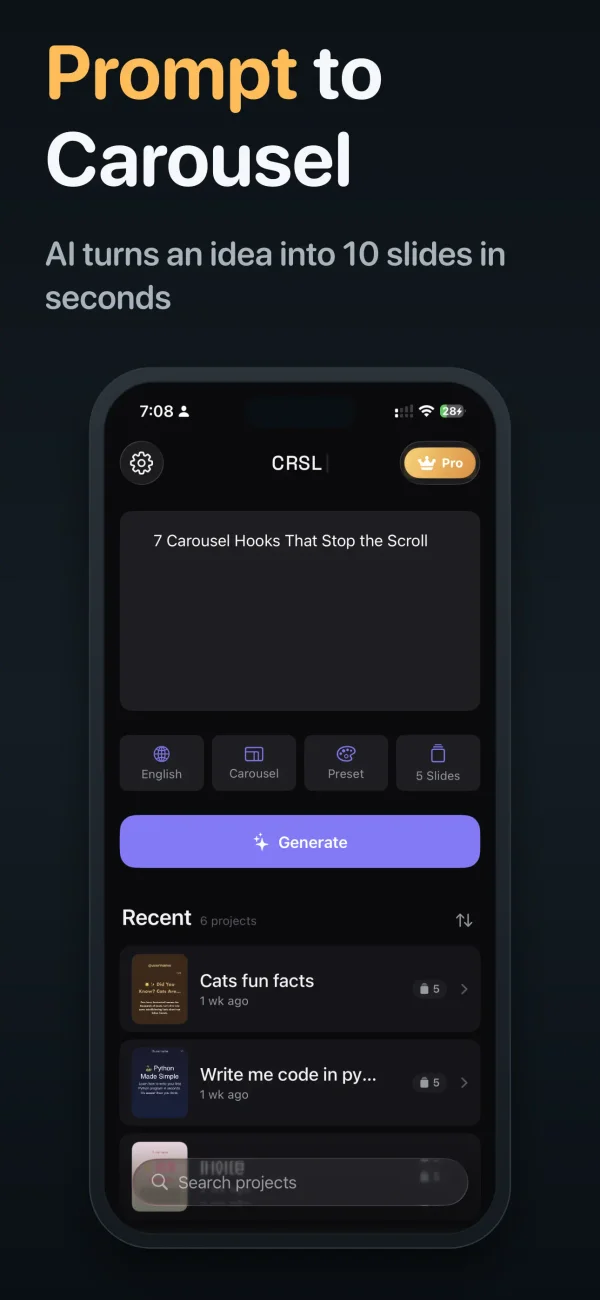
CREATE AI CAROUSELS IN SECONDS
Type a prompt. CaruselMaker turns your idea into a complete, multi-slide LinkedIn or social-feed carousel in under 30 seconds. No templates to browse. No blank canvas to stare at. Just a prompt and a finished post, ready to share.
Built for solo creators, coaches, SaaS founders, and social media managers who ship content every day — not once a week.
PROMPT TO POST
• Type what you want to say — "5 habits of focused founders" — and get a 5-slide carousel with hooks, body copy, and a CTA
• Regenerate any slide, swap copy, or refine with a follow-up prompt
• Powered by advanced AI models for professional-grade writing
STUNNING DESIGN OUT OF THE BOX
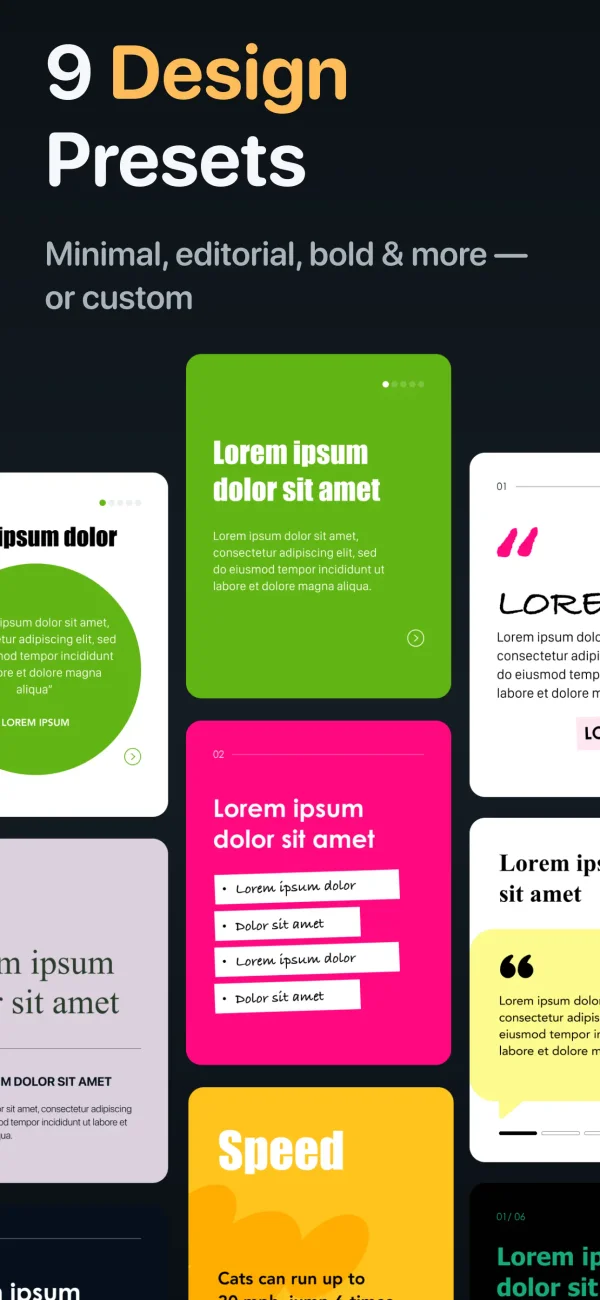
• 9 hand-crafted style presets: minimal, editorial, bold, playful, monochrome, pastel, typographic, luxe, serif
• Generate custom presets on demand — describe a style and get a new theme
• Automatic header (your username), slide counter (1/10), and footer branding across every slide
MULTI-ASPECT EXPORT
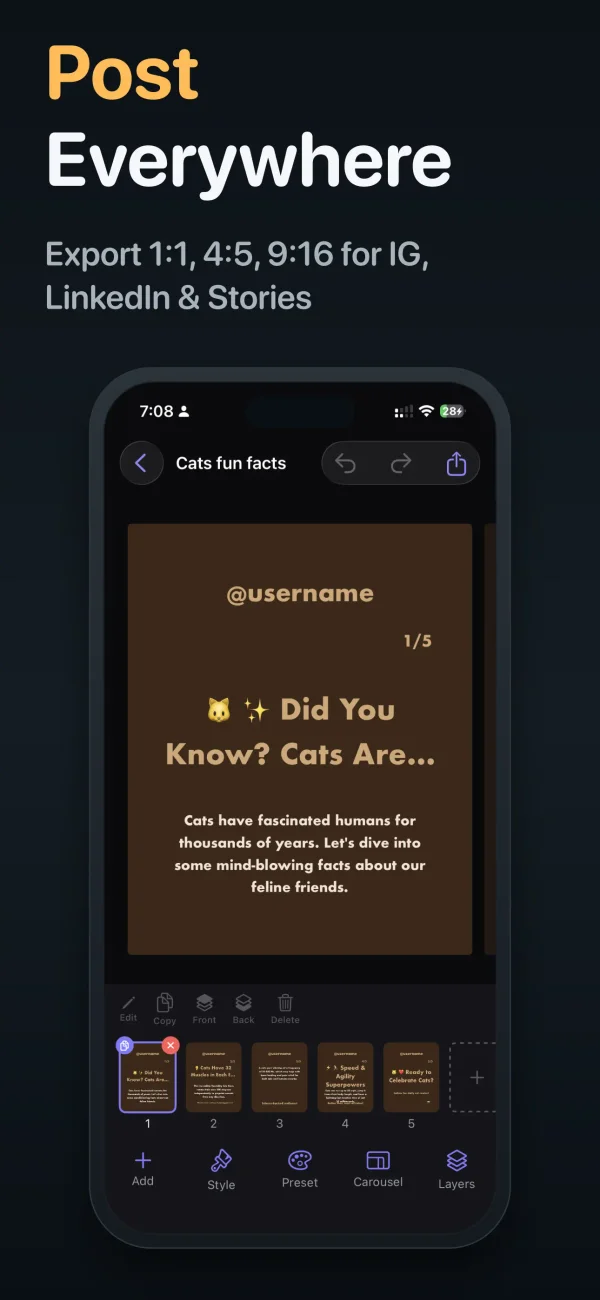
• 1:1 Square feed
• 4:5 Portrait (recommended for feed reach)
• 9:16 Stories, Reels, TikTok, LinkedIn Stories
• Full-resolution PNG export (1080×1350 and up)
FULL SLIDE EDITOR
• Edit text, images, and SF Symbol icons on every slide
• Drag to reposition — elements auto-scale to any aspect ratio
• Mirror an element across adjacent slides with a single drag
• Undo / redo / auto-save — never lose work
PLATFORMS YOUR AUDIENCE IS ON
• LinkedIn — document carousels + single-image posts
• TikTok — 9:16 vertical covers
• Facebook, Pinterest, Threads — same carousel, new format
WHO IT'S FOR
• Solo creators posting daily educational content
• Coaches & consultants building a LinkedIn presence
• SaaS founders sharing product updates as carousels
• Marketers running social channels without a designer
• Anyone who has ideas faster than they can design
WHY CAROUSELMAKER
Template tools like Canva, Unfold, and SCRL are designed for manual editing — you pick a template, you fill it in, you fight the grid. CaruselMaker flips the model: you describe the post, AI ships the first draft, you refine in seconds. Prompt-to-post is 5–10x faster than template-first workflows for creators publishing more than once a week.
SUBSCRIPTION
• 3-day free trial
• Weekly and annual plans available
• Cancel anytime in Settings → Apple ID → Subscriptions
• Subscription auto-renews at the end of each period unless canceled at least 24 hours before renewal
Privacy: We do not sell your data. Your prompts are sent securely to AI providers for generation and are not used to train third-party models. Full privacy policy: https://cc.o2app.store/privacy
Terms: https://cc.o2app.store/terms
Support: support@o2app.store
Made with care by the O2 team.
What’s new
Version 1.0.1 · Apr 29, 2026
What's new in 1.0.1:
- Smoother first launch
- Improved export experience
- Performance and stability tweaks
App privacy
What Oleh Lohinov declares on the App Store about how this app handles data.
-
Data not collected
The developer does not collect any data from this app.
Privacy practices may vary, for example with the features you use or your age.
Information
- Seller
- Oleh Lohinov
- Category
- Social Networking
- Version
- 1.0.1
- Updated
- Apr 29, 2026
- Released
- Apr 26, 2026
- Size
- 11.8 MB
- Requires
- iOS 18.0 or later
- Age rating
- 4+
- Price
- Free
- In-app purchases
- Yes
- Languages
- English, Arabic, Croatian, Czech, Danish, Dutch, Finnish, French, German, Greek, Hebrew, Hindi + 20 more
- Copyright
- © (c) 2026
You might also like
-
 Carousel & Reels Maker:MOVE.AIPDF & Voice to Instagram Post
-
 Hey Sash! Carousel Post MakerAI content design in 2 minutes
-
 Carousel – Insta Post MakerCreate Slides for Instagram
-
 OurSecrets - Share YoursSocial Networking
-
 SM Planner: Social Media ToolsAI Post Planner for Instagram
-
 Mono ImplantMono Implant
-
 NConnectSocial Networking
-
 СТАМ GOSocial Networking
-
 Mithaq - Mariage HalalSocial Networking
-
 DERASH-EQUBSimple, Secure & Smart Equb