
CaseCard: Preference Cards
Surgeon preference cards
Designed for iPhone, iPod touch
Free · In-app purchases
- Age rating4+
- CategoryBusiness
- DeveloperRJRS Holdings LLC
- LanguagesEnglish
- Size8.8 MB
Links to the official App Store page
Download.org hosts no file of CaseCard: Preference Cards. The button opens its official App Store page, published by RJRS Holdings LLC. Listing last checked on Nov 12, 2026.
Screenshots

About
Walk into every case knowing exactly what your surgeon wants.
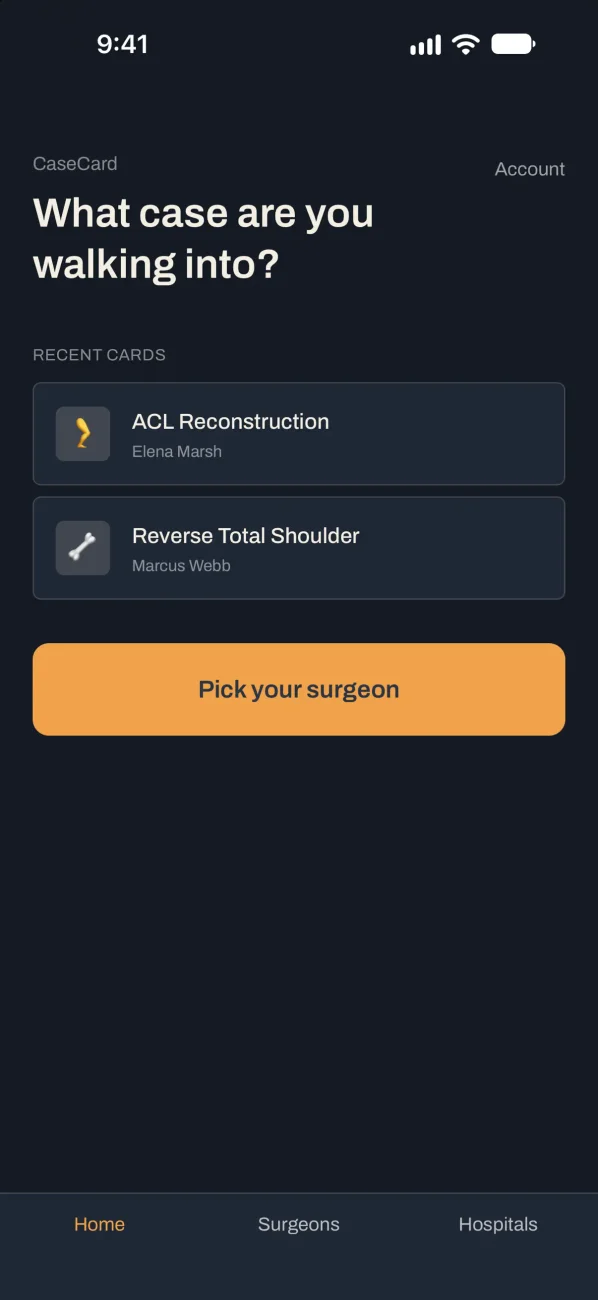
CaseCard keeps every surgeon's preferences on your phone, organized by procedure. Built by a device rep, for device reps. No more digging through the notes app, old texts or a group chat in the hallway before a case.
HOW IT WORKS
Add the surgeons you cover. Add their procedures. Build one preference card per procedure. Before the case, tap the surgeon, tap the procedure, and the card is in front of you.
THE PREFERENCE CARD
- Implant preferences in order, with part numbers and notes
- Bail-out options for when the plan changes mid-case
- Flags at the top of the card for what you can't miss, like "Confirm graft size before opening"
- OR setup, timing notes and your own rep notes
- Edit in place. Fix a detail from the hallway without leaving the card
HOSPITALS
Keep the logistics for each hospital in one place: check-in location, SPD location, credentialing system, parking and badge access, and your own notes.
BUILT FOR THE IPHONE
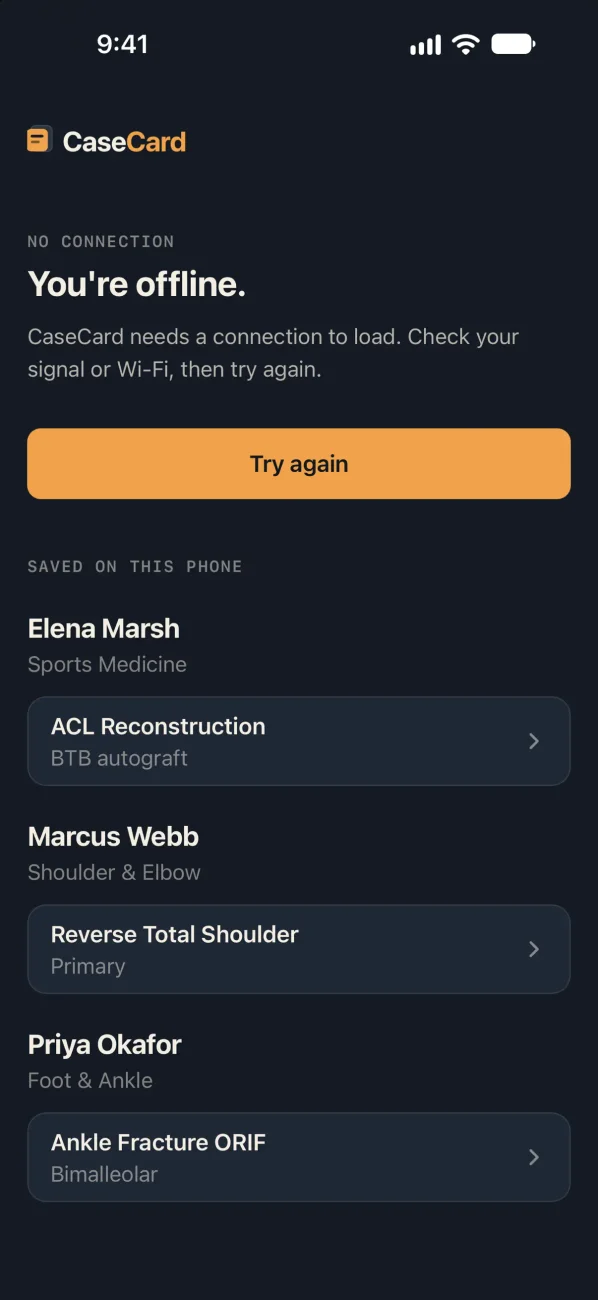
- Offline cards: every card you open is saved on your iPhone, so it's still readable with no signal
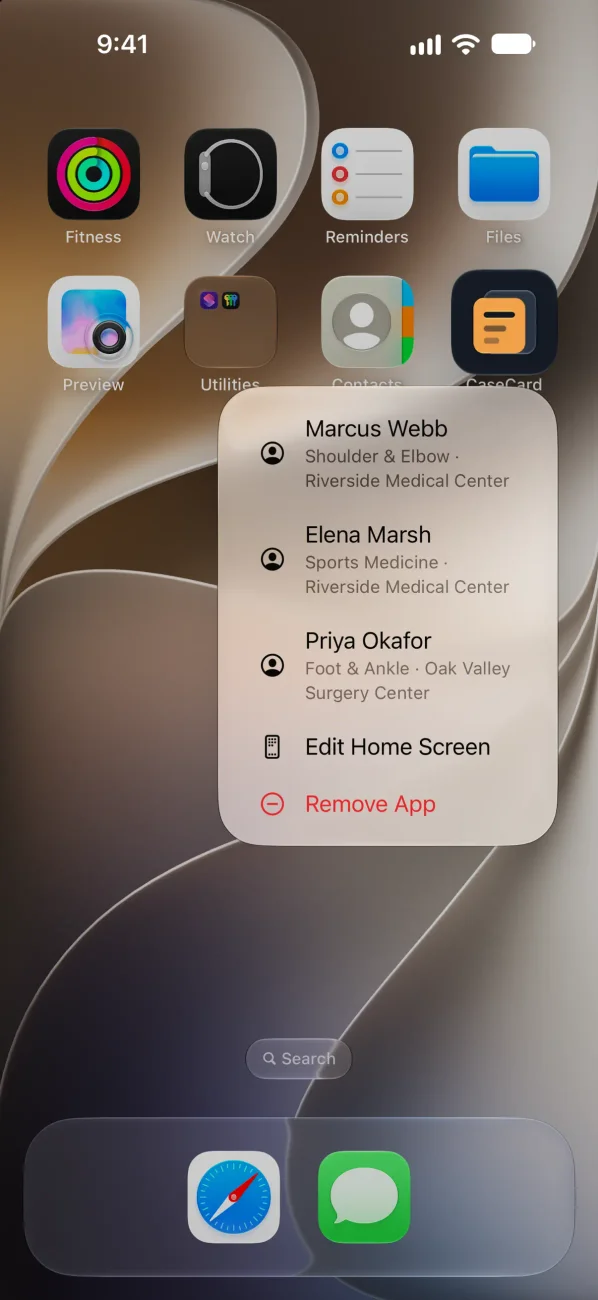
- Home Screen quick actions: press and hold the CaseCard icon to jump straight to a recent surgeon
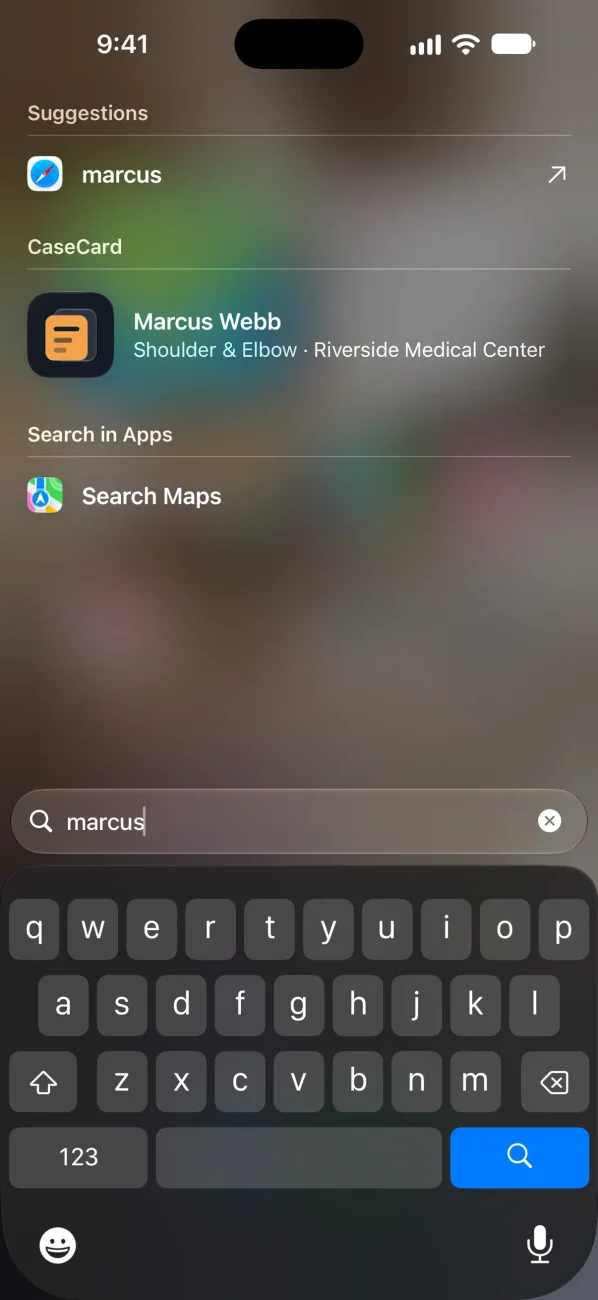
- Spotlight: search "Dr." and your surgeon's name from the Home Screen to open their procedures
- Haptic feedback when you save or delete
- Outside links open in an in-app browser, so you never lose your place
- Large type and big tap targets on a dark screen, readable at arm's length in a dim garage
FREE AND PRO
CaseCard is free for up to 2 surgeons, 3 procedures per surgeon and 2 hospitals. CaseCard Pro removes the limits. Pro is an auto-renewing subscription you can buy in the app. Payment is charged to your Apple Account at confirmation. It renews automatically unless you turn it off at least 24 hours before the end of the current period. Manage or cancel it in your Apple Account settings.
YOUR NOTES STAY YOURS
Your cards are tied to your account, not your territory, so they move with you. Delete your account from the app at any time and your data goes with it.
CaseCard stores surgeon preferences, not patient data. Don't enter patient information: no names, dates of birth or record numbers.
CaseCard is a note-taking tool for device reps. It does not give medical advice and is not a substitute for the surgeon's instructions or the manufacturer's labeling.
Terms of Use: https://casecard.app/terms
Privacy Policy: https://casecard.app/privacy
Support: support@casecard.app
App privacy
What RJRS Holdings LLC declares on the App Store about how this app handles data.
-
Data linked to you
May be collected and linked to your identity.
- Purchases
- Contact info
- User content
- Identifiers
-
Data not linked to you
May be collected but is not linked to your identity.
- Purchases
- Location
- Usage data
- Diagnostics
Privacy practices may vary, for example with the features you use or your age.
Information
- Seller
- RJRS Holdings LLC
- Category
- Business
- Version
- 1.0
- Updated
- Nov 6, 2026
- Released
- Nov 6, 2026
- Size
- 8.8 MB
- Requires
- iOS 15.0 or later
- Age rating
- 4+
- Price
- Free
- In-app purchases
- Yes
- Languages
- English
- Copyright
- © 2026 RJRS Holdings LLC