
CatchIn: Save & Find Anything
Search every screenshot & link
Designed for iPhone
Free · In-app purchases
- Age rating4+
- CategoryProductivity
- DeveloperAnjaneykumar Malipatil
- LanguagesEnglish
- Size21.0 MB
Links to the official App Store page
Download.org hosts no file of CatchIn: Save & Find Anything. The button opens its official App Store page, published by Anjaneykumar Malipatil. Listing last checked on Nov 18, 2026.
Screenshots
About
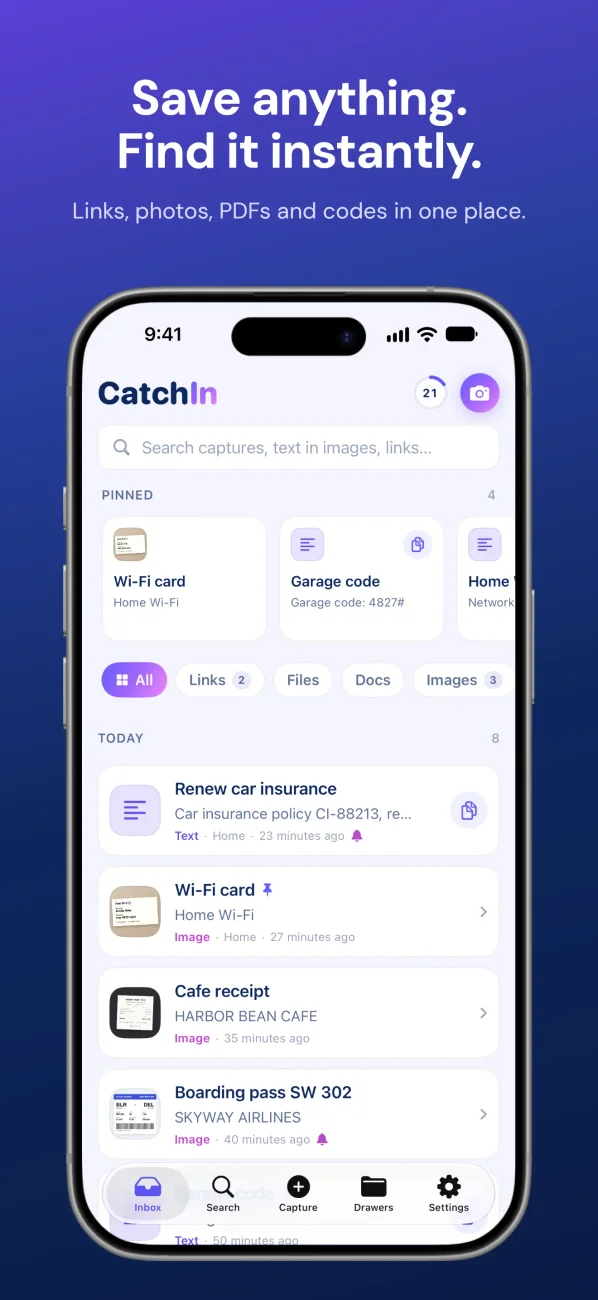
Save anything. Find it instantly.
The garage code in a text. The Wi-Fi password on a sticker. The booking PDF, the invoice, the link a friend sent. CatchIn is one private inbox for everything you'll need again — and the fastest way to find it and use it.
ONE SHARE
• Tap Share → CatchIn in Safari, Photos, Files, Mail, Messages or any app
• Text, links, screenshots, photos, PDFs and files — all in one place
• Saves instantly without leaving the app you're in
ONE SEARCH
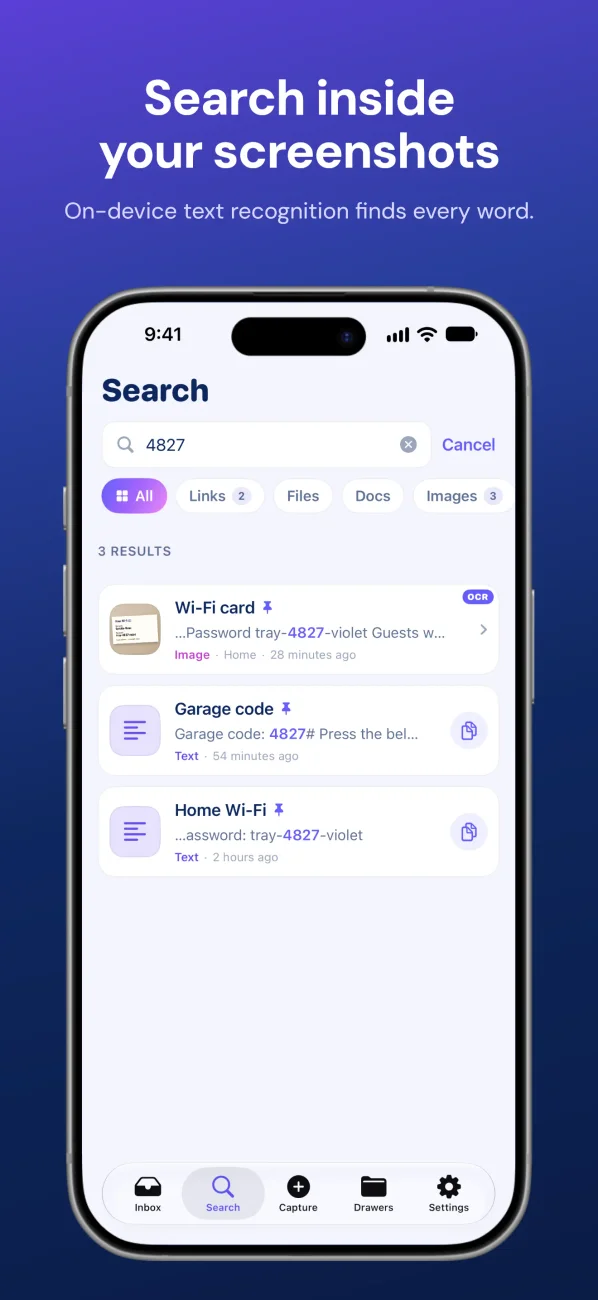
• Search as you type across titles, notes, tags, links and files
• Finds words INSIDE screenshots and PDFs with on-device text recognition
• Captures also appear in iPhone Spotlight
ONE INSERT
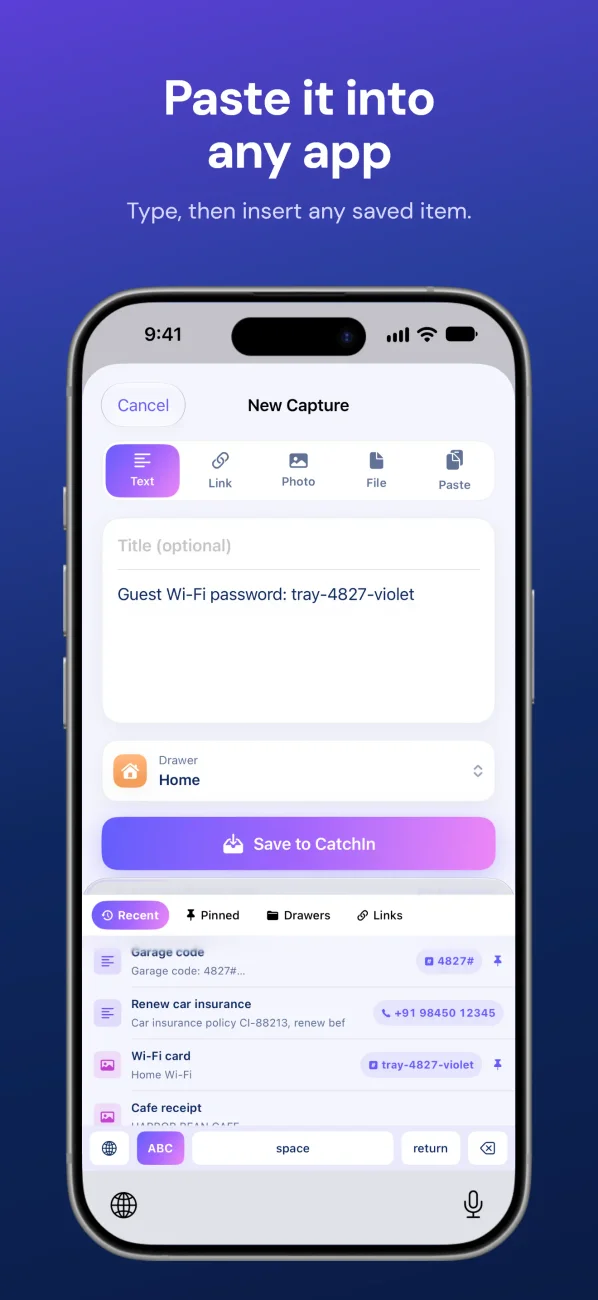
• The CatchIn keyboard types like a normal keyboard and puts saved items into any text field
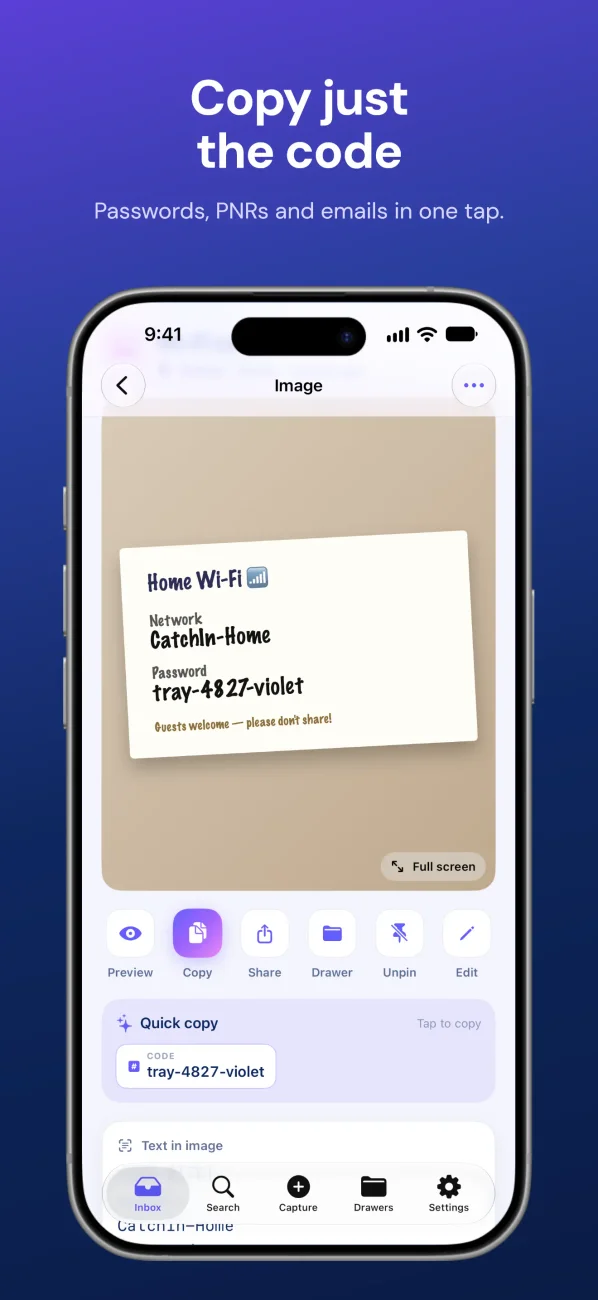
• Smart Quick-copy grabs just the code, email or phone number — and document numbers like passport, PAN, Aadhaar, IBAN or card numbers from a photo
• Pinned widget keeps your most-used info on the Home Screen and Lock Screen
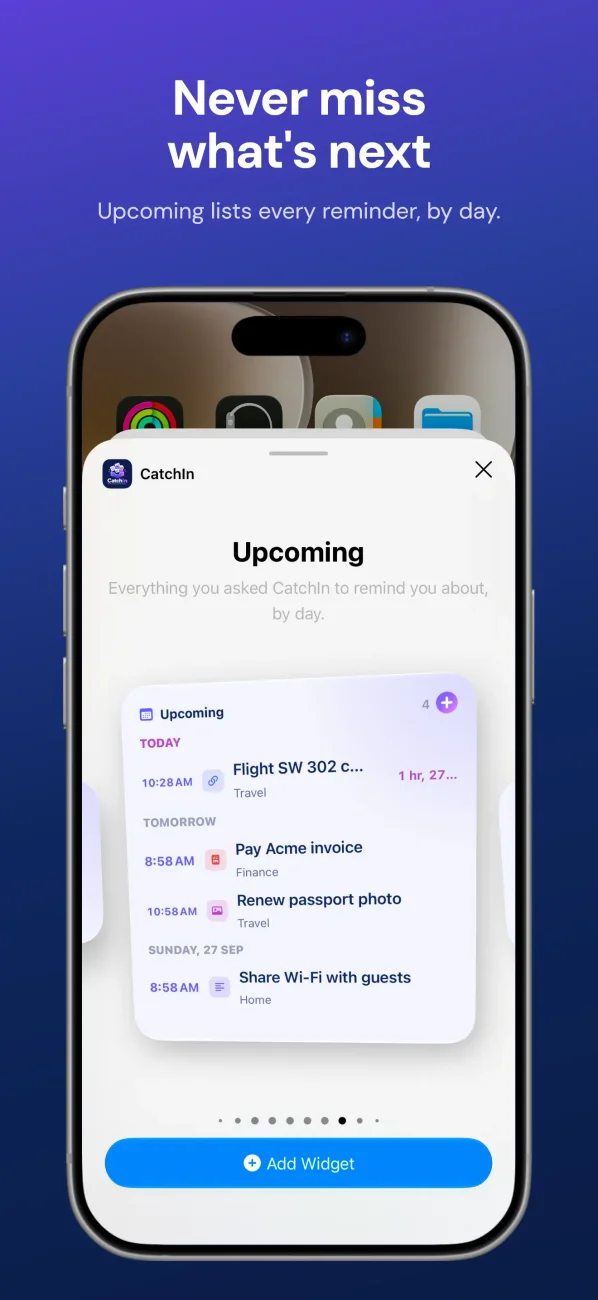
• Upcoming widget lists every reminder by day
MADE FOR SPEED
• Quick Capture for text, links, photos, files and your clipboard
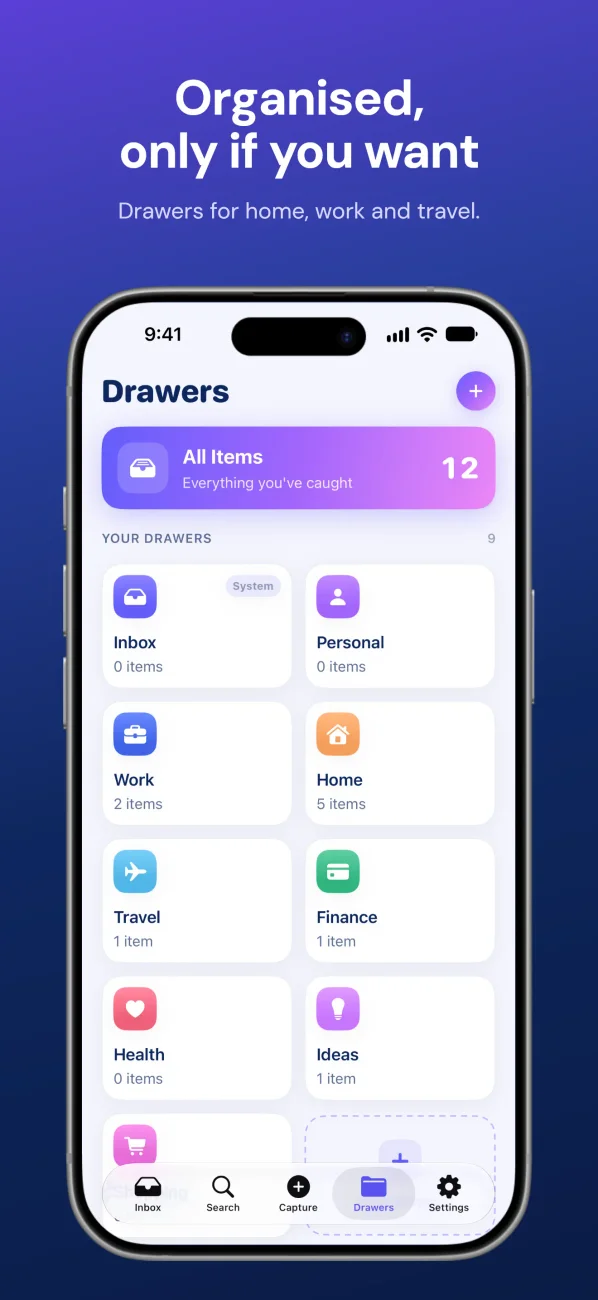
• Drawers to organise — only if you want to
• Siri and Shortcuts: "Save to CatchIn", "Search CatchIn"
• Optional reminders that open straight to the saved item, with Copy and Snooze
PRIVATE BY DESIGN
• Your captures stay on your iPhone — no account needed
• Text recognition runs on-device
• No ads, no tracking, and nothing you save is ever used for analytics
• Keyboard works without Full Access and never stores what you type
• Face ID lock with CatchIn Pro
CATCHIN PRO
Free includes 10 captures with search, OCR, pins, drawers, keyboard and widgets. CatchIn Pro unlocks unlimited captures, unlimited drawers and Face ID lock, as a monthly or yearly subscription.
Payment is charged to your Apple Account at confirmation of purchase. Subscriptions renew automatically unless cancelled at least 24 hours before the end of the current period. Manage or cancel anytime in Settings → [your name] → Subscriptions.
Terms of Use (EULA): https://www.apple.com/legal/internet-services/itunes/dev/stdeula/
Terms: https://catchin-app.web.app/terms
Privacy Policy: https://catchin-app.web.app/privacy
What’s new
Version 1.1.0 · Sep 30, 2026
Bug fixed
App privacy
What Anjaneykumar Malipatil declares on the App Store about how this app handles data.
-
Data not linked to you
May be collected but is not linked to your identity.
- Purchases
Privacy practices may vary, for example with the features you use or your age.
Information
- Seller
- Anjaneykumar Malipatil
- Category
- Productivity
- Version
- 1.1.0
- Updated
- Sep 30, 2026
- Released
- Sep 29, 2026
- Size
- 21.0 MB
- Requires
- iOS 17.0 or later
- Age rating
- 4+
- Price
- Free
- In-app purchases
- Yes
- Languages
- English
- Copyright
- © 2026 AvCreations
You might also like
-
 Stuie: Steps to UnlockScreen Time Control & Blocker
-
 Deadline Guard - RemindersNever miss a critical deadline
-
 Momo: ADHD Body DoublingFocus timer for avoided tasks
-
 AI Buddy: Ask PDF & ImagesChat with PDF & Images
-
 Chat with AI - ChathouseRoleplay, Characters & Chatbot
-
 NoteMagnetClean visual note boards
-
 AI Calendar - Pocket CalDaily Planner, Tasks & Widgets
-
 Finish: To Do List & PlannerSimple Kanban Board & Tasks
-
 Speech to Text: AI Voice NotesVoice Typing & Speech Notes
-
 OpenClawPersonal AI on your devices