- Age rating4+
- CategoryPhoto & Video
- DeveloperSteve Kelly
- LanguagesEnglish
- Size14.6 MB
Links to the official App Store page
Download.org hosts no file of CatchLight. The button opens its official App Store page, published by Steve Kelly. Listing last checked on Nov 18, 2026.
Screenshots

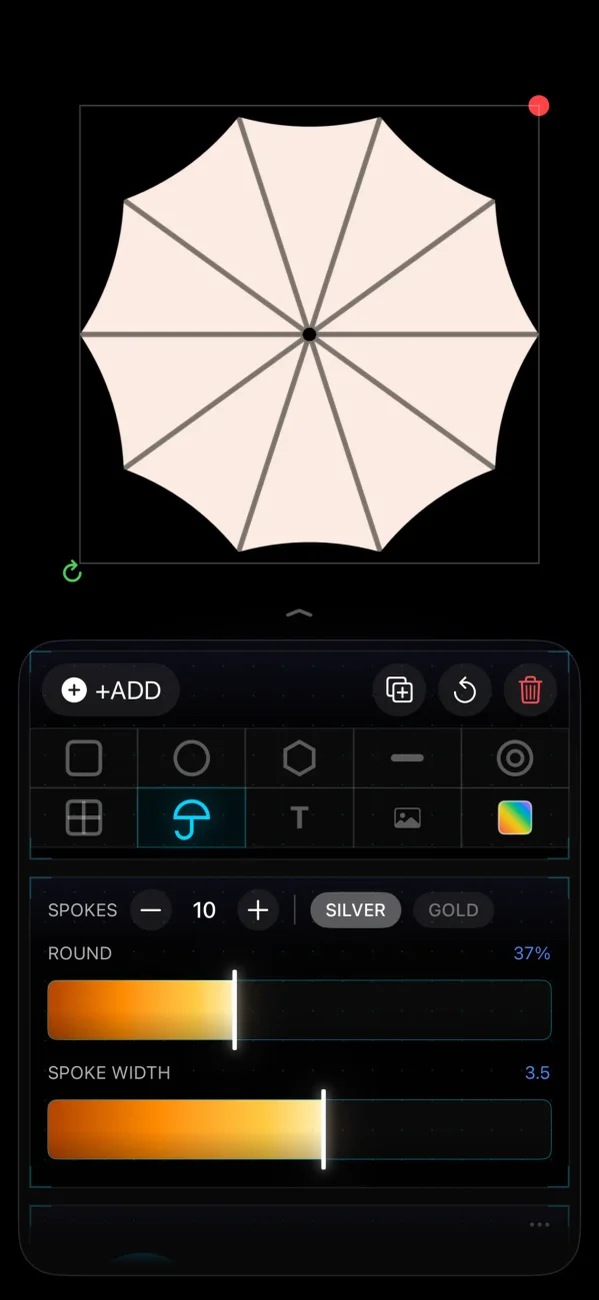
About
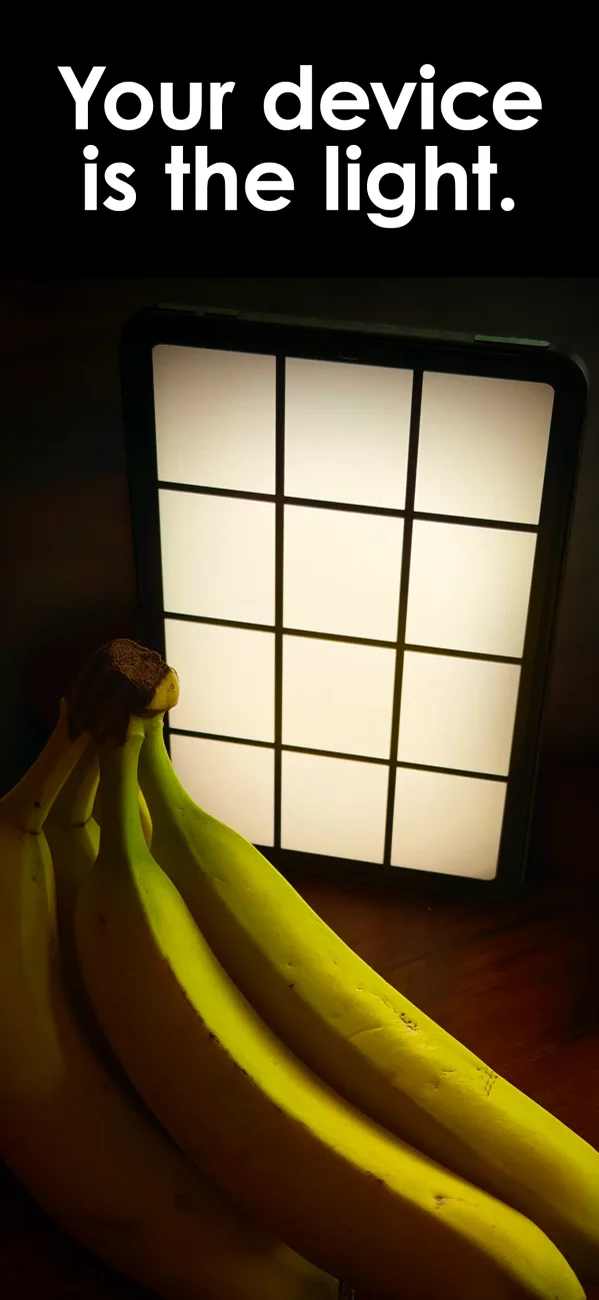
CatchLight turns your iPhone or iPad into a precision light source, built for miniature photographers, painters, scale modelers, macro and video shooters. Turn your iPhone or iPad into a fully customizable light source, dialled in exactly for small subjects, tight setups, and detailed work.
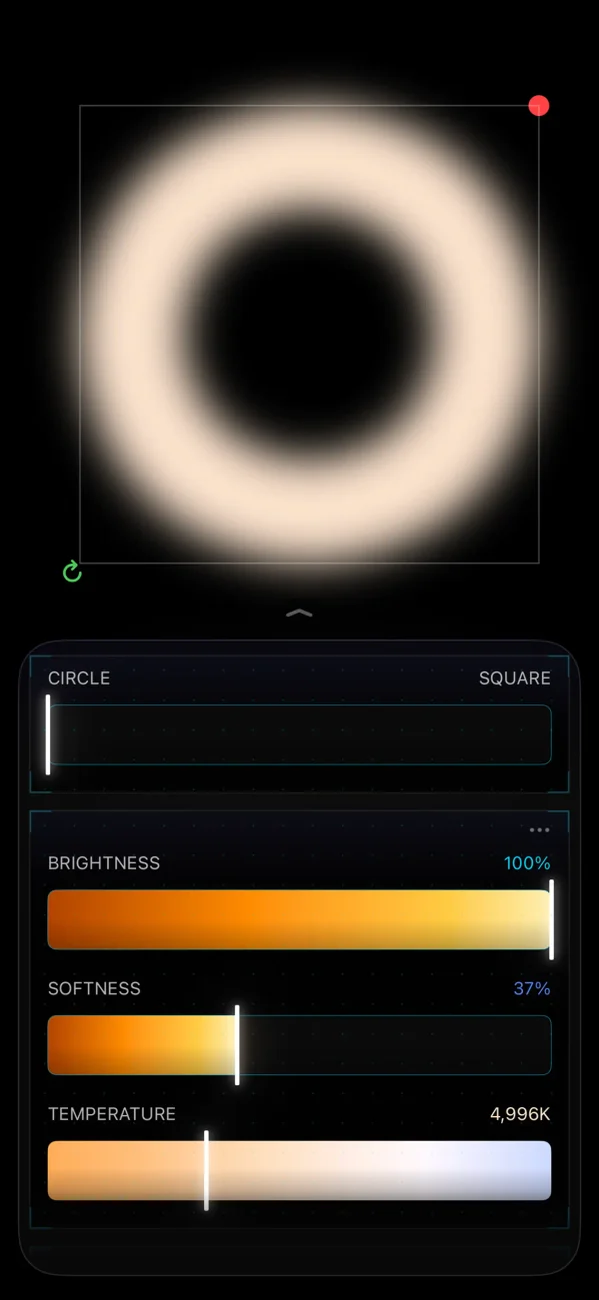
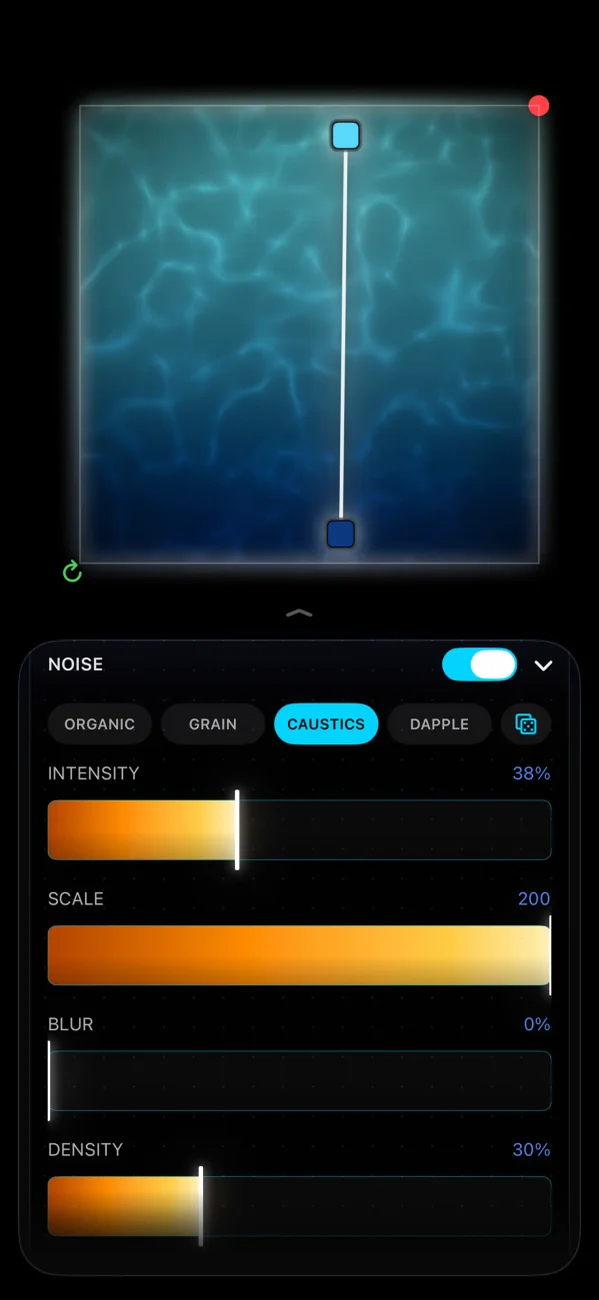
Build your light from a full shape library and fine-tune every parameter: brightness, softness, vignette, Kelvin temperature, gel color, noise texture and gradients. The noise layer adds organic film-grain character to your light, so your miniatures and models read as real environments rather than lit objects on a table.
For video, the light can move. Candle and fire flicker, lightning storms across the frame, a TV glows and shifts, and sparkle scatters specular highlights across jewelry and polished surfaces. Standard cinematography looks, from a device you already own.
Features
Shape library: circle, ring, square, hexagon, softbox, umbrella, window, gradient, line, text, image, and more
Precision controls: brightness, softness, vignette, Kelvin temperature, gel color, and saturation
Noise layer: intensity, scale, and blur for organic, natural-looking light
Live light: nine animated themes including candle, fire, TV, police, lightning, sparkle, gradient and lava
Sparkle controls: adjustable contrast and grid-to-random scatter, built for jewelry and specular highlights
Gradient palettes: ring editor with saved custom color loops
Window grid: adjustable columns, rows, and frame width
Multi-shape canvas: layer multiple light sources for complex setups
Presets: save and recall complete lighting configurations
Custom themes: build and save your own color sets
Sync: presets, themes and palettes stay in step across your devices
Link mode: wirelessly control other displays from a single controller device
Multi-device studio: dedicate separate devices to key, fill, and rim
External display: connect to a TV or monitor for large soft light panels
Photo backgrounds: use images as light sources for realistic reflections
Perfect for miniature painters and photographers, scale modelers, tabletop RPG and wargaming hobbyists, jewelry and macro shooters, and product photographers working with small subjects.
What’s new
Version 1.2 · Aug 17, 2026
• Lava: molten blobs that drift, merge and split
• Live light: nine animated themes now, including candle, fire, TV, police, lightning and sparkle
• Sparkle: new contrast and scatter controls, built for jewelry and specular highlights
• Lightning: no two strikes the same, and the storm builds
• Gradient: build your own color loops in the ring editor and save them
• Sync: presets, themes and palettes follow you across devices over iCloud
• Housekeeping: dark-room tuning across every live theme
App privacy
What Steve Kelly declares on the App Store about how this app handles data.
-
Data not collected
The developer does not collect any data from this app.
Privacy practices may vary, for example with the features you use or your age.
Information
- Seller
- Steve Kelly
- Category
- Photo & Video
- Version
- 1.2
- Updated
- Aug 17, 2026
- Released
- Jul 8, 2026
- Size
- 14.6 MB
- Requires
- iOS 26.0 or later
- Age rating
- 4+
- Price
- Free
- Languages
- English
- Copyright
- © Steve Kelly
You might also like
-
 RingLight: Selfie LightGlow Camera, Timer & Mirror
-
 FaceMend: Selfie & Face EditorSkin Retouch, Hair & Eye Color
-
 PromptSmart Pro Remote ControlScreen mirror, scroll/return
-
 Photo and Video Collage MakerGrid, Scrapbook & Photo Strip
-
 LumiCam - Selfie Light CameraTake selfies in the dark
-
 Side by Side Photos, CollagesImage Merger, Join Pictures
-
 Story Maker for Instagram: STRStories Layout・Templates・Fonts
-
 Dualsy: Multi-Angle RecorderPortait & Landscape Recorder
-
 DXF File Reader Viewer PDFDXF Converter to DWG,PDF
-
 EXIF Metadata Editor & IPTCViewer Remover Batch Photo