
- Age rating4+
- CategoryLifestyle
- DeveloperPetNovations
- LanguagesEnglish
- Size34.0 MB
Links to the official App Store page
Download.org hosts no file of CatGenie. The button opens its official App Store page, published by PetNovations. Listing last checked on Nov 18, 2026.
Screenshots


About
Designed for use with CatGenie connected devices, app allows users to manage and program CatGenie AI devices, register cats and monitor their bathroom habits.
CatGenie Pairing: When logging in for the first, the CatGenie wizard will be open and the app will scan for all CatGenie devices using BLE. When one or more devices are found, the user will be able to connect to CatGenie and to configure the CatGenie WIFI settings (SSID + password).
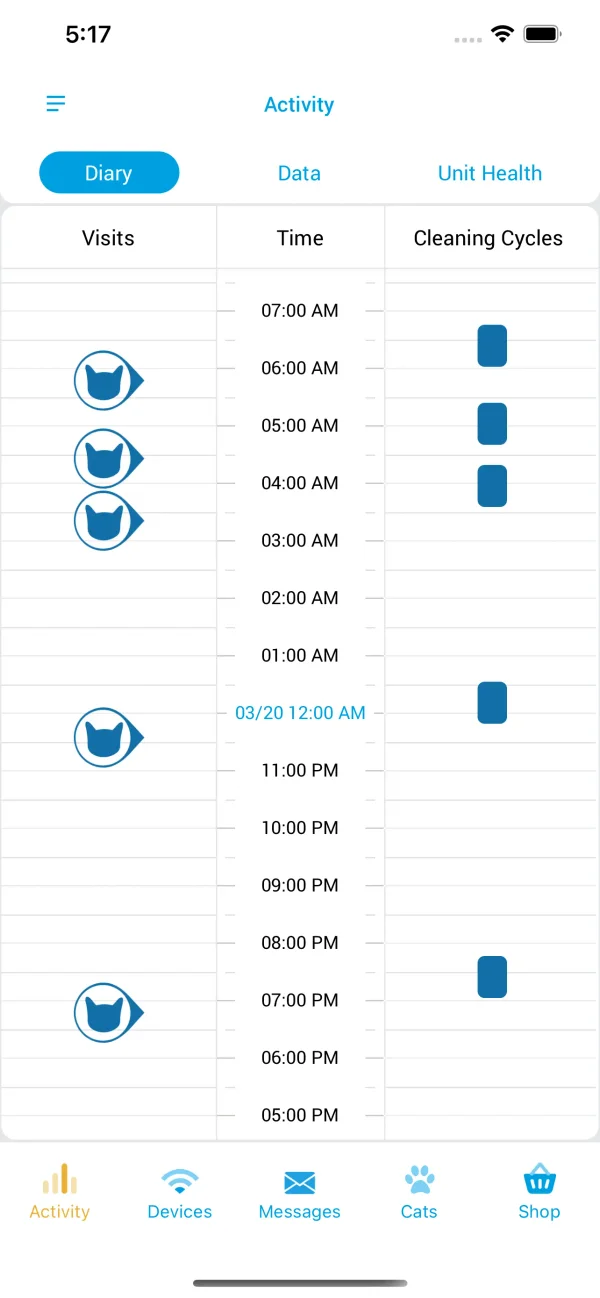
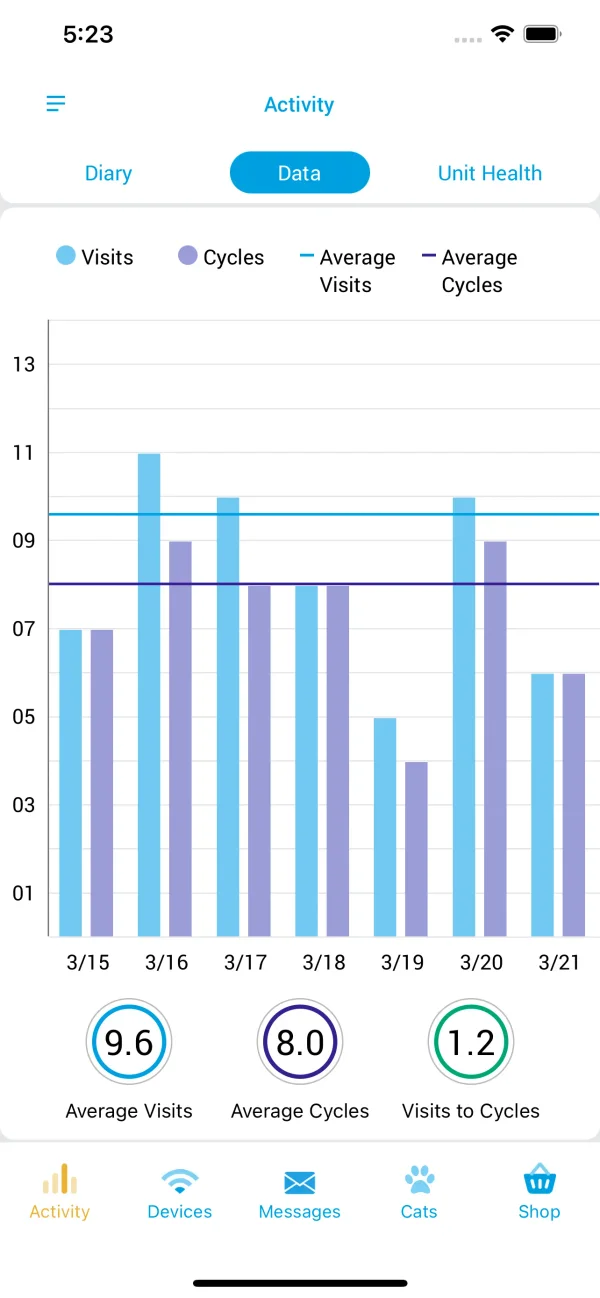
Cats Registration: The user will be able to register cats in the application. Pressing (+) will open wizard for adding cats. The user will be able to add cat's name, hair type, birthday and connect other devices. (The cats screen displays list of registered cats with their names, picture and last visit time. When pressing on cat's card, the user will be able to see the cat diary. The diary contains 2 modes: 1 - CatGenie visit statistics chart for one week and last visits timeline - up to 100 visits.
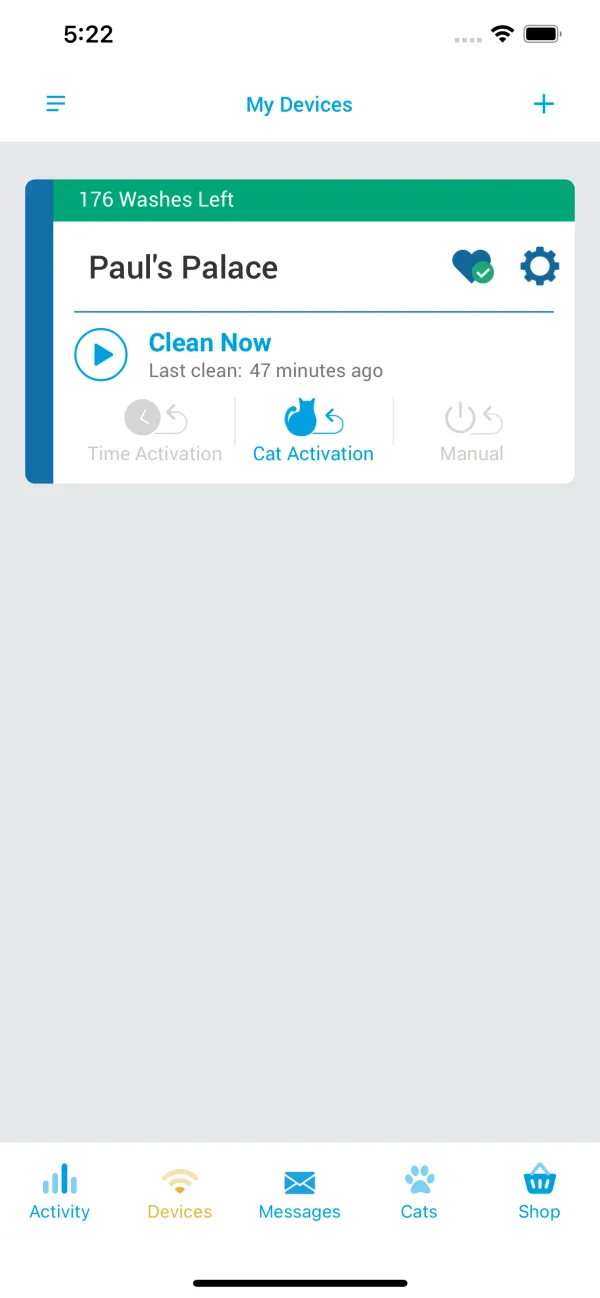
CatGenie operations and configuration - The devices list will display a list of CatGenie devices. When pressing on CatGenie card, it is possible to start/pause cleaning process, set CatGenie friendly name and change CatGenie configuration (cleaning mode, value, child lock).
Cat News page will display cat related articles.
Notifications:
1. When cat visited CatGenie, "Cat Visit" notification will be received.
2. When new Firmware Update is available, a notification will be received. The user can choose to approve the update or dismiss the notification. If the notification is dismissed, it will appear again next time the app is open.
3. CatGenie notification: If there is an issue with your CatGenie a notification will be sent telling you what is happening.
General Settings:
Pressing on (i) button on header, will open General Settings page, where the user will be able to view its profile settings, open troubleshooting url, send a feedback, and configure notification alerts.
What’s new
Version 1.8.217 · Jun 5, 2025
This update fixes critical bugs and improves the performance and stability of your app.
App privacy
What PetNovations declares on the App Store about how this app handles data.
-
Data linked to you
May be collected and linked to your identity.
- Contact info
- Identifiers
- Diagnostics
-
Data not linked to you
May be collected but is not linked to your identity.
- Diagnostics
Privacy practices may vary, for example with the features you use or your age.
Information
- Seller
- Petnovations ltd
- Category
- Lifestyle
- Version
- 1.8.217
- Updated
- Jun 5, 2025
- Released
- Nov 5, 2019
- Size
- 34.0 MB
- Requires
- iOS 13.4 or later
- Age rating
- 4+
- Price
- Free
- Languages
- English
- Copyright
- © PetNovations