- Age rating17+
- CategoryFood & Drink
- DeveloperOlivier Barlier
- LanguagesEnglish+ 8 more
- Size9.4 MB
Links to the official App Store page
Download.org hosts no file of Cave: Wine Cellar. The button opens its official App Store page, published by Olivier Barlier. Listing last checked on Nov 23, 2026.
Screenshots

About
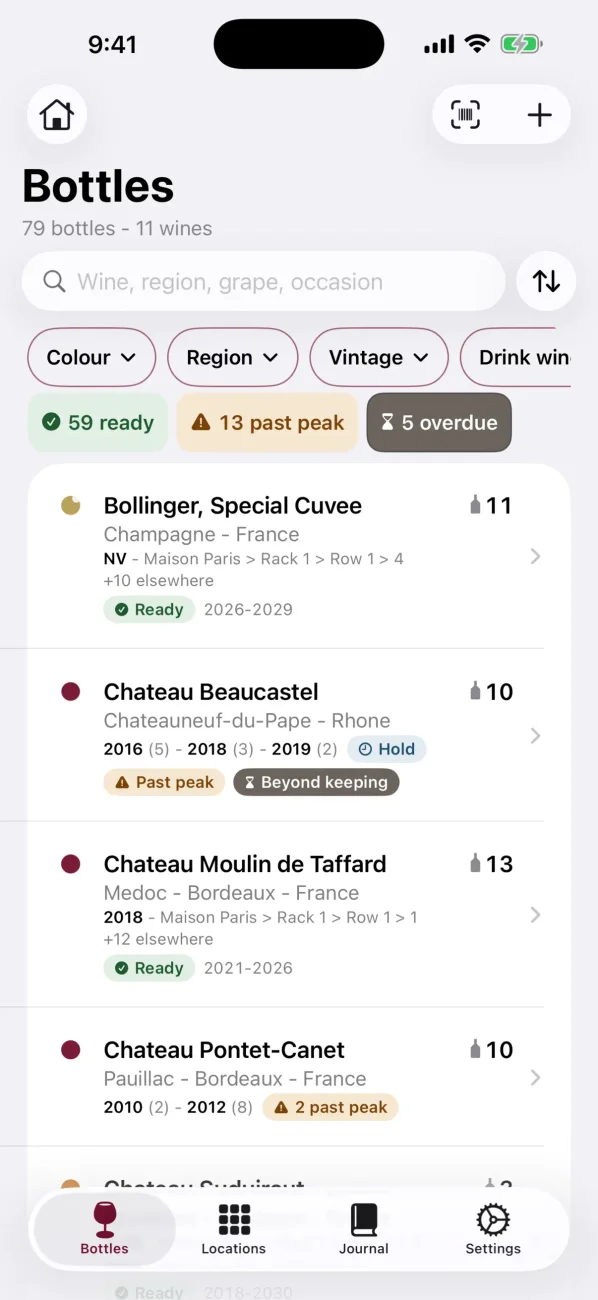
Cave keeps track of the wine you store at home: what you have, where each bottle is, and when each vintage is suggested to be ready. No account, no ads, no tracking.
YOUR CELLAR, AS IT IS
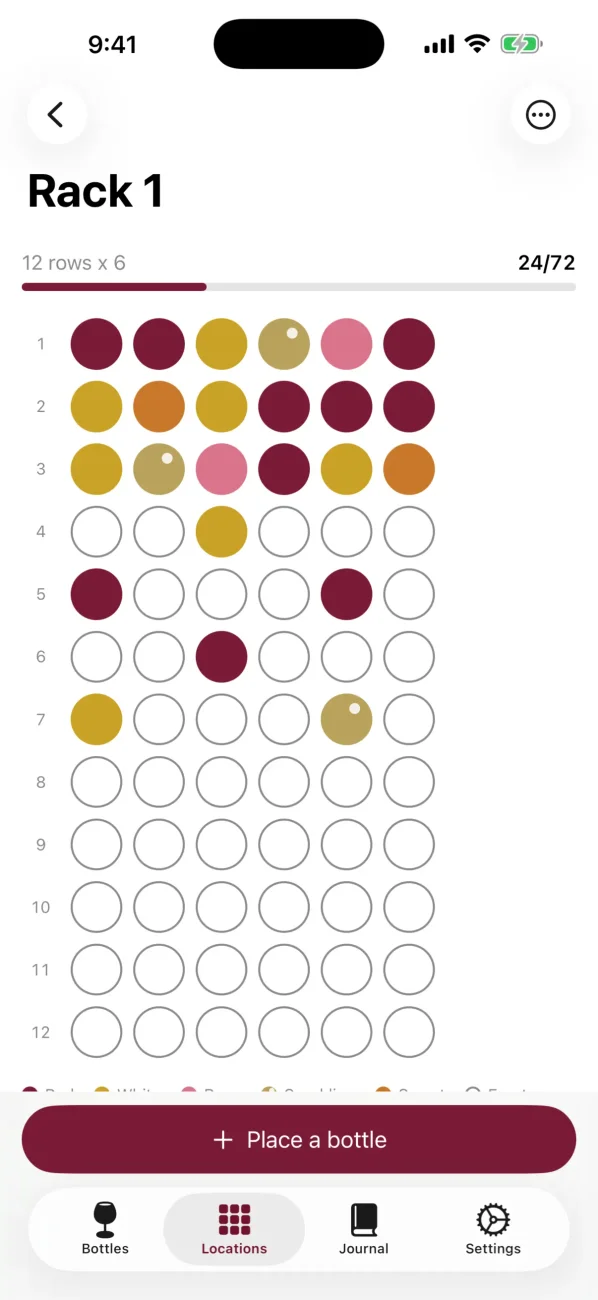
- One cellar for each home, with its racks, rows and slots.
- Racks shown as grids: filled and empty places at a glance.
- Racks with individual slots, or rows that simply hold a number of bottles.
- Areas for bottles that are not on a rack, such as a cupboard or a box.
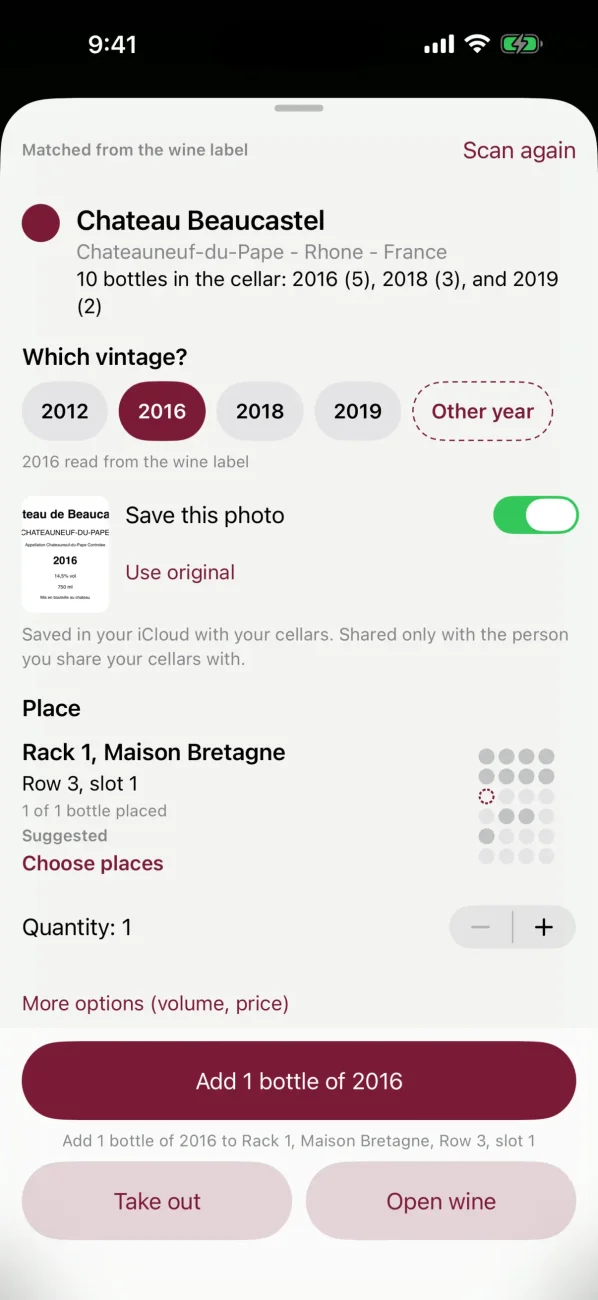
- A placement picker suggests free places when you add or move bottles; you can change each one.
- With several homes, show all of them or only the one you are in.
ADDING BOTTLES
- Type the details yourself, or scan the bottle.
- Barcodes: link a bottle's barcode to your wine once; next time, scanning it shows the wine.
- Wine labels: the text is read on your device and the fields are filled in for you to check. On devices with Apple Intelligence, Apple's on-device Foundation Models help sort the text into fields; on other devices, built-in rules do it.
- Keep a photo of the label for each vintage. Cave straightens it, or you keep the original.
- Import a CSV file from your own sheet, a Cave export or CellarTracker; add Rack, Row and Slot columns to place each bottle.
DRINK WINDOWS
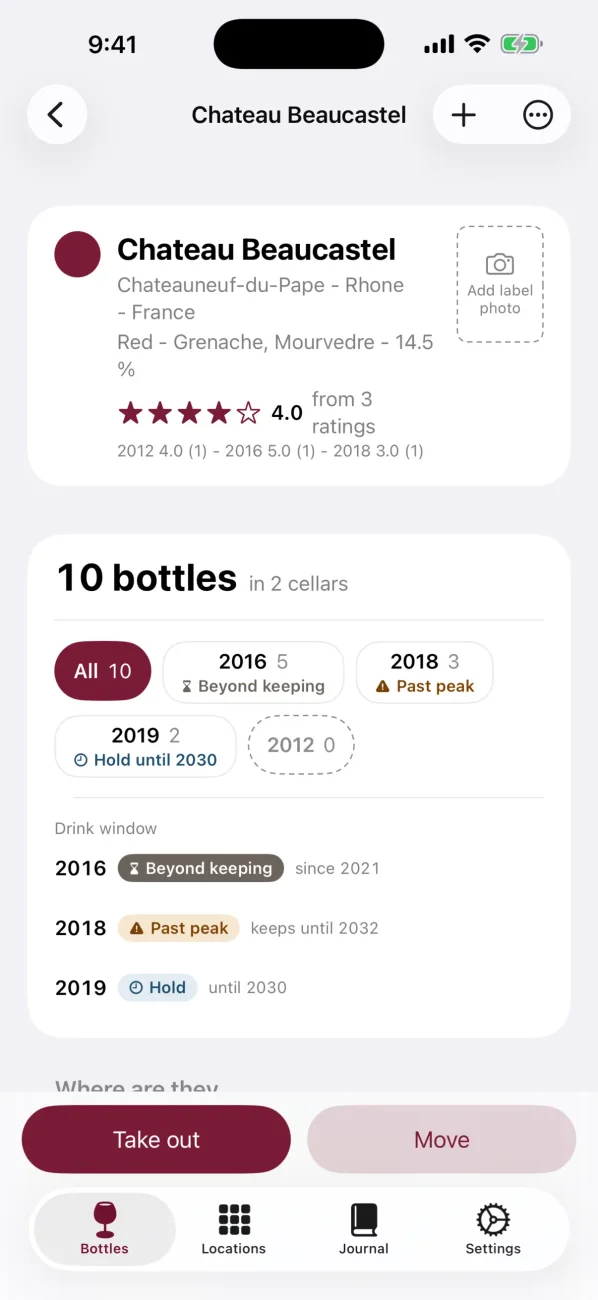
- Each bottle gets a suggested window from a built-in table of appellations, regions and styles, compiled from published sources. It is general guidance, and you can edit any window.
- A "keeps until" year marks the outer limit where the table has one.
- Readiness states: Hold, Ready, Past peak and Beyond keeping, with a readiness filter and a sort by drink window in the Bottles list.
JOURNAL
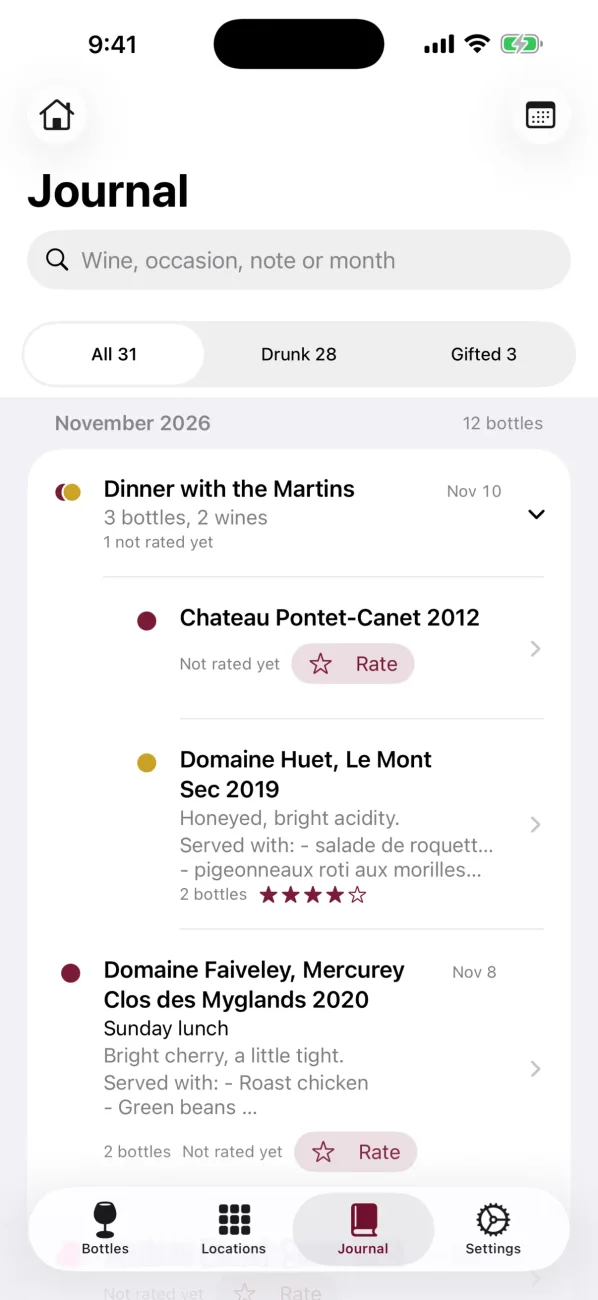
- Every bottle taken out of the cellar, drunk or gifted, grouped by month.
- Take out one bottle, or several of the same wine, vintage and size at once.
- Note the occasion, a rating, a tasting note and what the wine was served with, or rate it later.
- Search by wine, occasion, note or month.
YOUR DATA
- Stored on your device and synced through your own iCloud account to your iPhone and iPad.
- Share your cellars with people you invite, through iCloud. Everyone sees the same bottles.
- Export your bottles as a CSV file at any time.
- Erasing all data needs a typed confirmation and Face ID, Touch ID or your passcode.
ALSO
- iPhone and iPad, with a sidebar layout on iPad.
- Available in English, French, German, Italian, Spanish, Japanese, Korean, Simplified Chinese and Arabic.
- Free, with no in-app purchases.
Cave is an inventory tool for the wine you already own. It does not sell alcohol.
What’s new
Version 1.4 · Nov 11, 2026
- Take out several bottles of one wine, vintage and size at once: set how many with + and - next to Bottles (Cave takes the nearest bottles first), or choose them yourself with "Select bottles...". One occasion and date, one rating and tasting note, and one Undo for all of them.
- Occasions from the last 30 days appear as buttons under the Occasion field: tap one to use it again, for example for the second wine of a dinner.
- The Journal groups the bottles taken out on the same day for the same occasion, and shows several bottles of a wine as one line.
- Rate later: for 30 days, a bottle you drank without a rating shows "Not rated yet" and a Rate button, in the Journal and on the wine screen.
- New "Served with" field on tasting notes, to note what you ate with the wine. It is optional, shown in the Journal and on the wine screen, and found by search.
- Deleting a tasting note now also removes its stars.
- Update Cave on all your devices, so that every device shows and keeps "Served with".
App privacy
What Olivier Barlier declares on the App Store about how this app handles data.
-
Data not collected
The developer does not collect any data from this app.
Privacy practices may vary, for example with the features you use or your age.
Information
- Seller
- Olivier Barlier
- Category
- Food & Drink
- Version
- 1.4
- Updated
- Nov 11, 2026
- Released
- Oct 13, 2026
- Size
- 9.4 MB
- Requires
- iOS 26.0 or later
- Age rating
- 17+
- Price
- Free
- Languages
- English, Arabic, French, German, Italian, Japanese, Korean, Simplified Chinese, Spanish
- Copyright
- © 2026 Olivier Barlier
You might also like
-
 주주명부 - 와인 위스키 기록, 셀러 관리Food & Drink
-
 Wine Cellar Manager - WineLocal wine cellar journal
-
 Quilles: Wine CellarQuilles: Wine Cellar
-
 My Wine Cellar: Tracker & LogCollection manager, no account
-
 Ma CuverieFood & Drink
-
 Mon Bon VinFood & Drink
-
 BarCount: Bar InventoryLiquor Count & Pour Variance
-
 私のワイン記録Food & Drink
-
 Cave à Vin - Sommelier & StockFood & Drink
-
 VinoCellar - Smart CellarEnjoy them at their peak