
CC Browser: Private & Secure
Video Download & Ad Blocker
Designed for iPhone, iPad
Free · In-app purchases
- Age rating17+
- CategoryUtilities
- Developer艳青 蔡
- LanguagesEnglish+ 8 more
- Size20.6 MB
Links to the official App Store page
Download.org hosts no file of CC Browser: Private & Secure. The button opens its official App Store page, published by 艳青 蔡. Listing last checked on Nov 15, 2026.
Screenshots


About
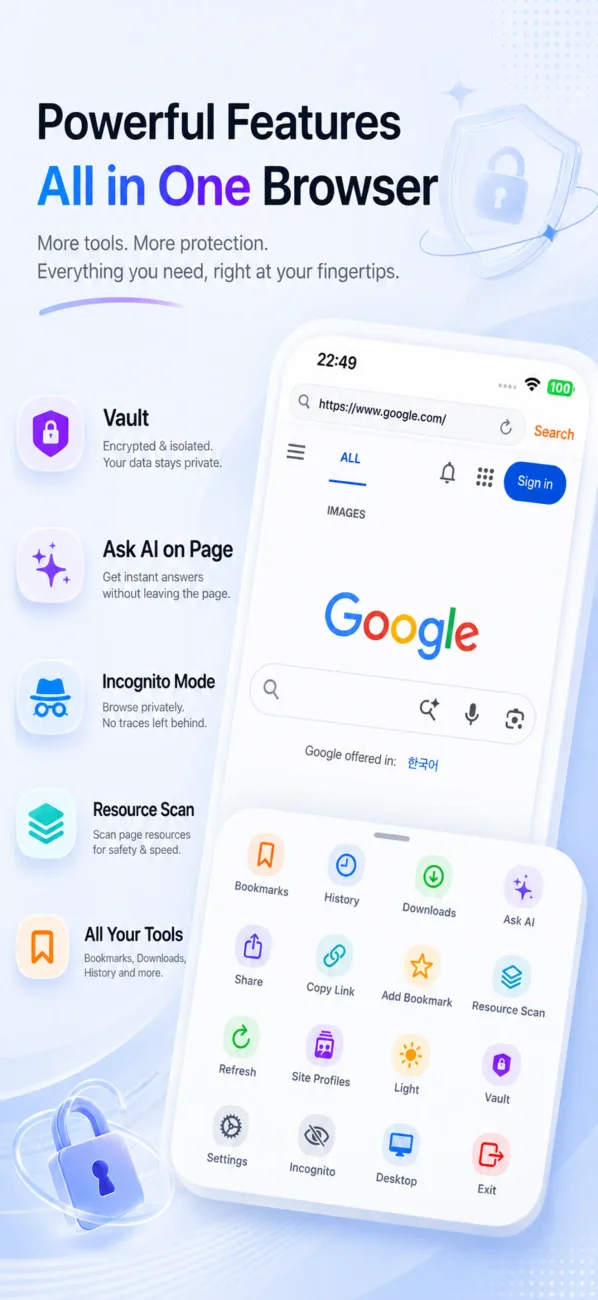
CC Browser is a modern browser built around secure and isolated workspaces.
Keep browsing sessions, website accounts, downloads, and personal data organized in separate environments while enjoying powerful browsing tools, AI workspace features, immersive media playback, and productivity utilities.
Key Features
Secure Workspace System
• Isolated browsing workspace separated from regular browsing sessions
• Independent management of browsing history, cookies, sessions, and website data
• Encrypted local storage for browsing records and downloaded files
• Optional passcode protection for local access
• Separate download management inside the secure workspace
• Designed for users who want stronger privacy, better organization, and more control over their browsing data
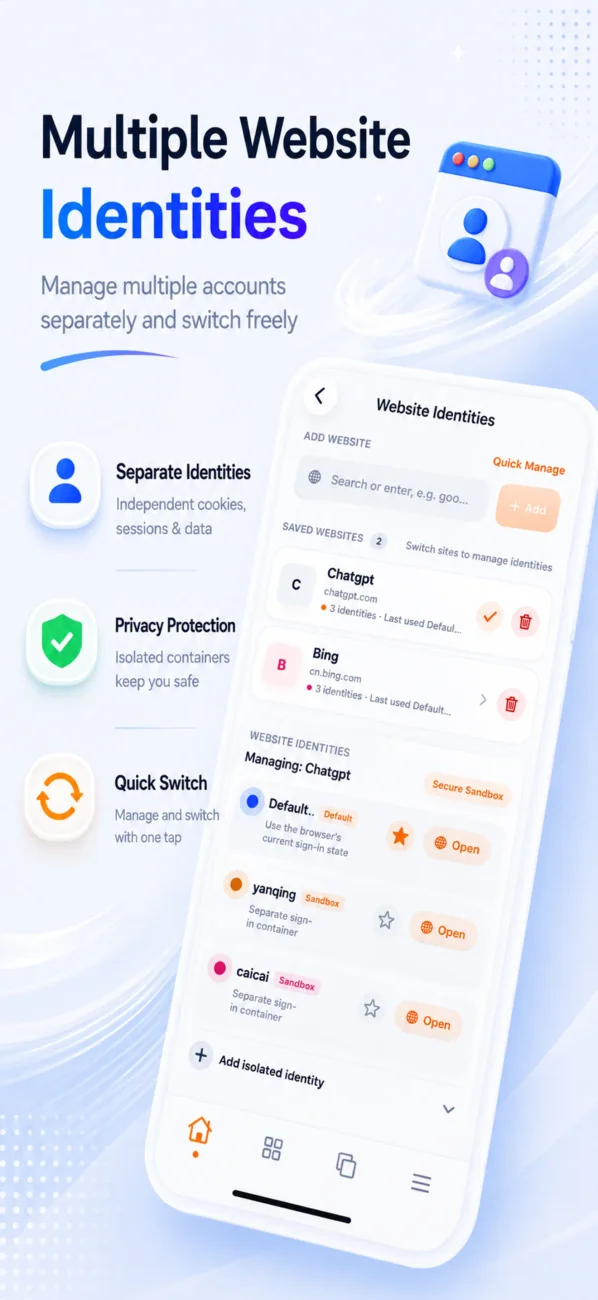
Multi-Profile Website Management
• Manage multiple accounts on the same website
• Create separate website identities
• Quickly switch between profiles without repeated sign-ins and sign-outs
• Keep personal, work, and other accounts organized
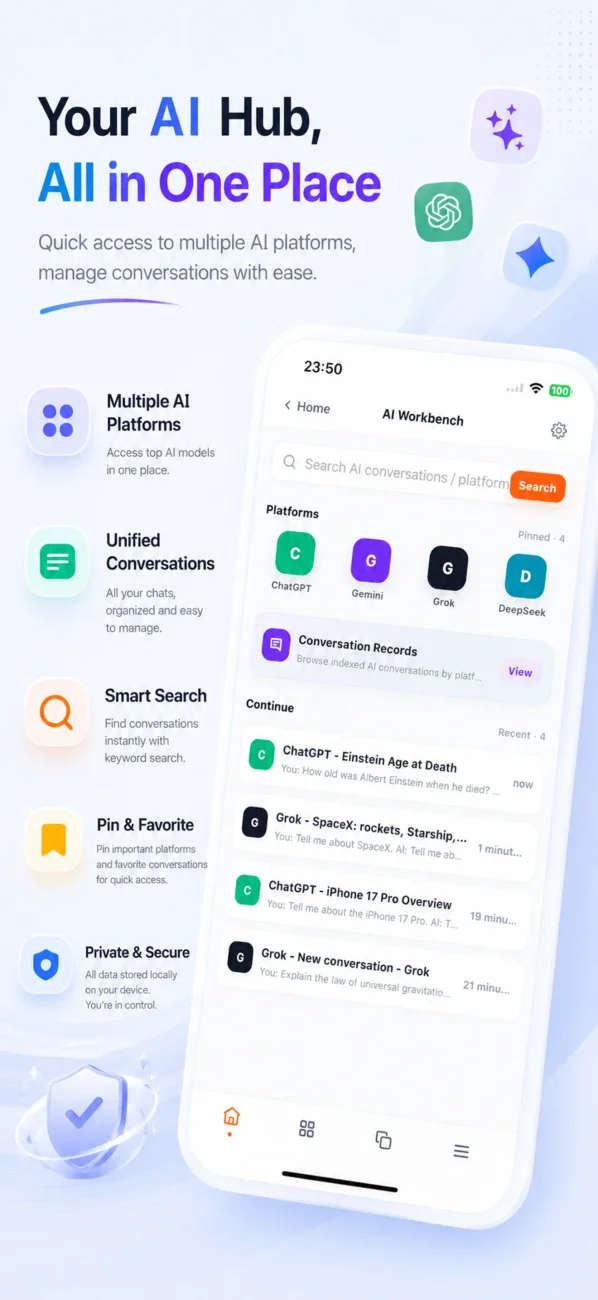
AI Workspace
• Quick access to multiple AI platforms
• Save and manage AI conversation history
• Search conversations across supported AI services
• Bookmark important conversations and content
• Quickly return to the original platform and conversation
Ask AI
• Open supported AI platforms while browsing
• Automatically fill webpage content into prompts
• Simplify workflows such as summarization, translation, research, and content creation
• Reduce repetitive copy-and-paste actions
VR Video and Media Experience
• Support for VR180 and VR360 video playback
• Dedicated VR player for immersive viewing
• Gyroscope-based viewing controls
• Gesture controls and convenient viewpoint switching
• Play local videos and online videos
• Full-screen and Picture-in-Picture support
• Adjustable playback speed controls
Resource Scanner
• Scan supported webpages for available media resources
• Discover videos, images, and audio content
• Batch download accessible resources
• Convenient resource collection and management tools
Smart and Flexible Browsing
• Multi-tab browsing support
• Switch between mobile and desktop browsing modes
• Built-in ad blocking for a cleaner browsing experience
• Dark mode and theme support
• Quick access to bookmarks, browsing history, and frequently visited pages
• Multiple search engine support
Built-in Productivity Tools
• QR code scanner using the camera
• Text recognition from photos
• Bookmark organization and management
• Smart clipboard detection for links and text content
• HTML preview and editing tools
Downloads and File Management
• Download and manage common file types
• Built-in file preview support, including PDF viewing
• Search, rename, organize, and share downloaded files
• Download progress and status management
CC Browser focuses on providing a secure, organized, and efficient browsing experience while helping users manage website identities, AI workflows, media resources, and everyday browsing activities in one place.
AI-related features provide access and management tools for supported third-party AI services. Availability and functionality may vary by service.
Terms of Service:https://github.com/catscai/macos_app_local_tool/blob/cc_browser/TERMS_OF_SERVICE_EN.md
Privacy Policy:https://github.com/catscai/macos_app_local_tool/blob/cc_browser/privacy_policy.md
What’s new
Version 3.2.2 · Sep 22, 2026
Fixed known bugs
Improved the user experience
App privacy
What 艳青 蔡 declares on the App Store about how this app handles data.
-
Data not linked to you
May be collected but is not linked to your identity.
- Diagnostics
Privacy practices may vary, for example with the features you use or your age.
Information
- Seller
- 艳青 蔡
- Category
- Utilities
- Version
- 3.2.2
- Updated
- Sep 22, 2026
- Released
- Mar 30, 2026
- Size
- 20.6 MB
- Requires
- iOS 17.6 or later
- Age rating
- 17+
- Price
- Free
- In-app purchases
- Yes
- Languages
- English, French, German, Italian, Japanese, Korean, Simplified Chinese, Spanish, Traditional Chinese
- Copyright
- ©️2025 YanQing
You might also like
-
 Private Browser -Safe & SecureAd Block & Private Browsing
-
 BrowsAI-Agent Web BrowserA mobile alternative to Manus
-
 Nova: AdBlock Video BrowserFast Private Tube & No Ads App
-
 Private Browser: LoopiusSimple & Fast Web Browser
-
 Ad Block Browser: No AdsFast Private Web Browser
-
 Santa Browser: Smart RewardsPrivate AI Search · Adblock
-
 Internet Browser ۬Adblock & Privacy Web Browser
-
 VanBrowser: Private BrowserThe web browser with no AI.
-
 Cloak - Private BrowserAd blocker & private browsing
-
 iPrivateBrowserPrivate & Secure Tor Browser