
Centloop – Budget & Expenses
Track spending, plan budget
Designed for iPhone, iPad
Free · In-app purchases
- Age rating4+
- CategoryFinance
- DeveloperPatrick Becher
- LanguagesEnglish+ 12 more
- Size8.5 MB
Links to the official App Store page
Download.org hosts no file of Centloop – Budget & Expenses. The button opens its official App Store page, published by Patrick Becher. Listing last checked on Nov 26, 2026.
Screenshots

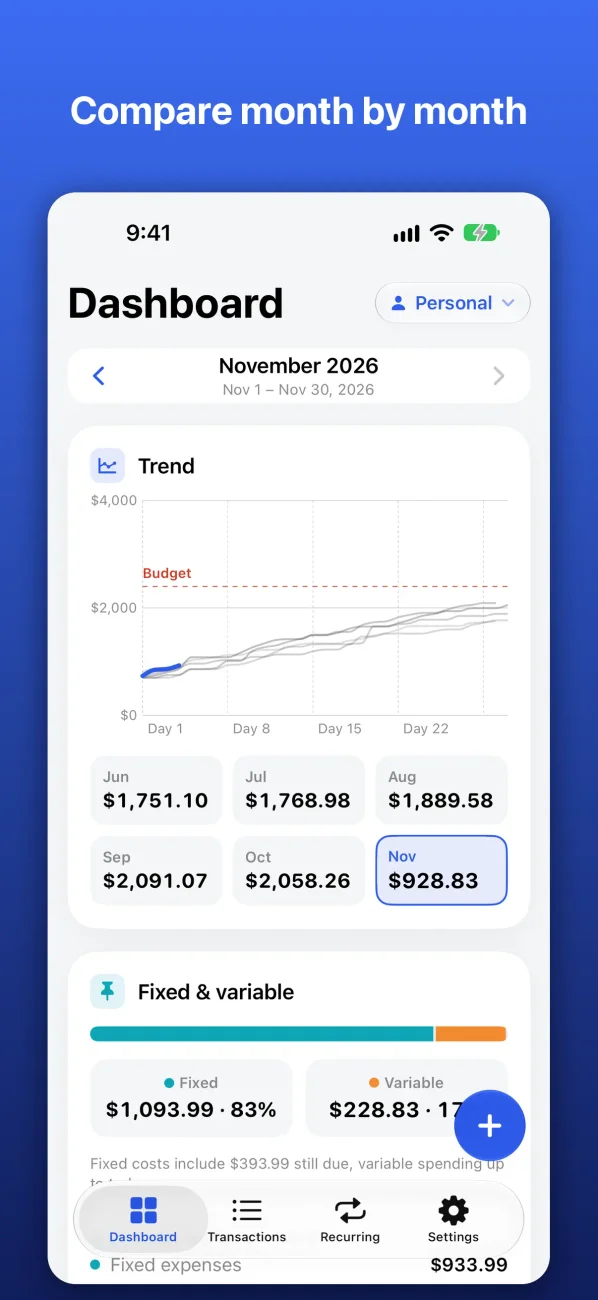
About
Centloop is your budget planner for iPhone and iPad: log expenses in seconds, stay on budget and see where your money goes. No account, no ads, no subscription.
QUICK TO ADD
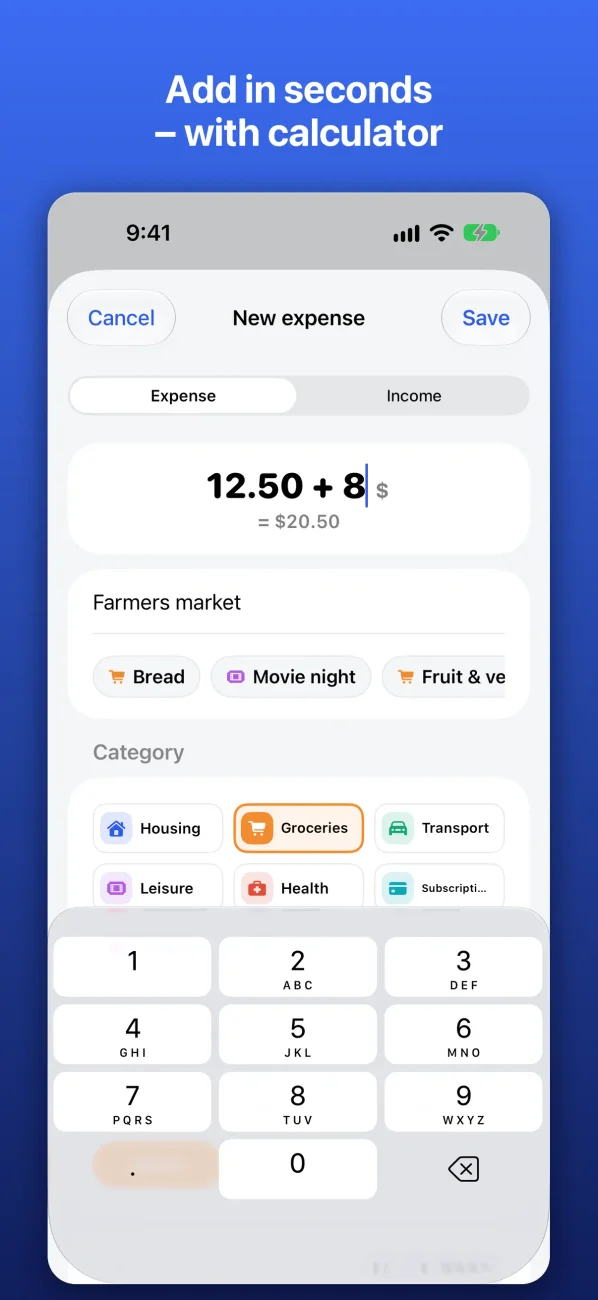
• Type the amount, pick a category, done – you can even do math in the amount field (“12.50 + 8”)
• Suggestions from your recent entries, duplicate with a swipe
• From the widget, Control Center or Siri (“Add an expense in Centloop”)
• Siri and Shortcuts also answer questions: balance, budget left per day, spending in a category, what’s due next
• Card payments via Apple Pay, automatically: with a Shortcuts automation, every payment lands in Centloop by itself – the app learns the category from the merchant
EVERYTHING AT A GLANCE
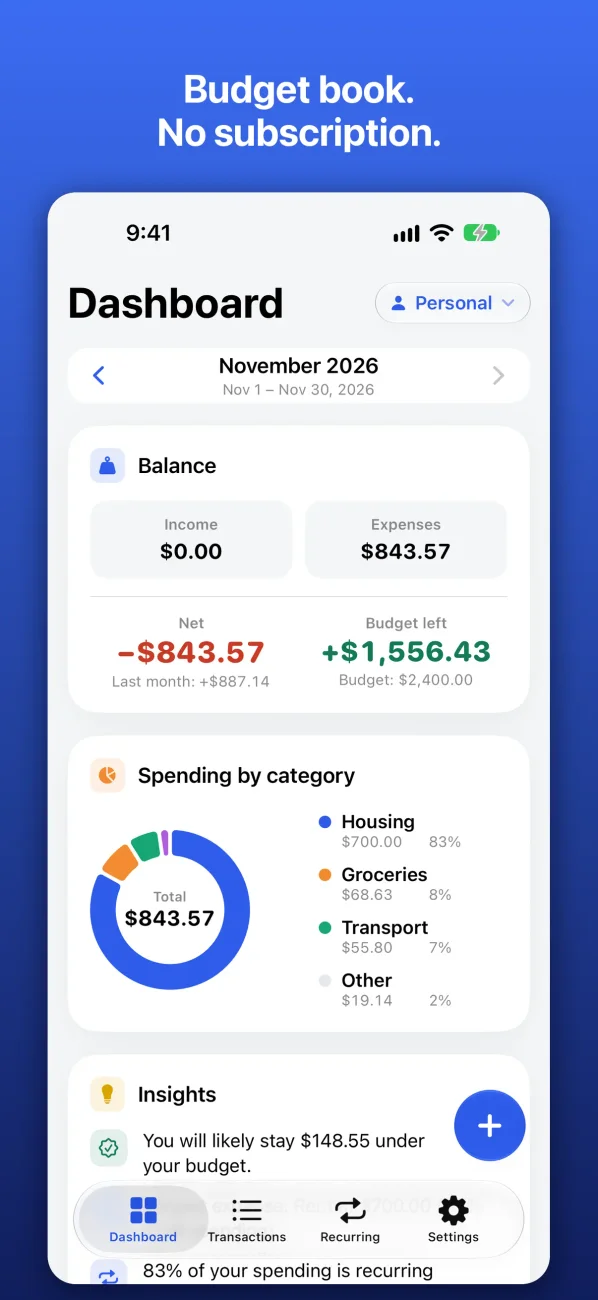
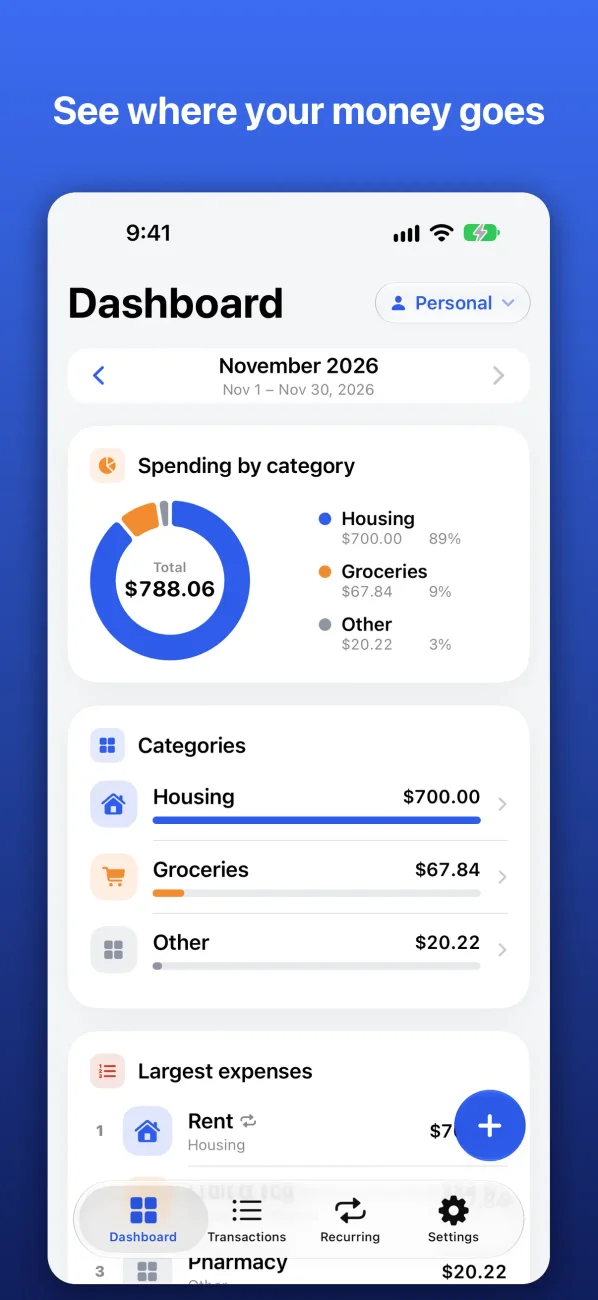
• Dashboard for month, quarter or year with tiles you can rearrange
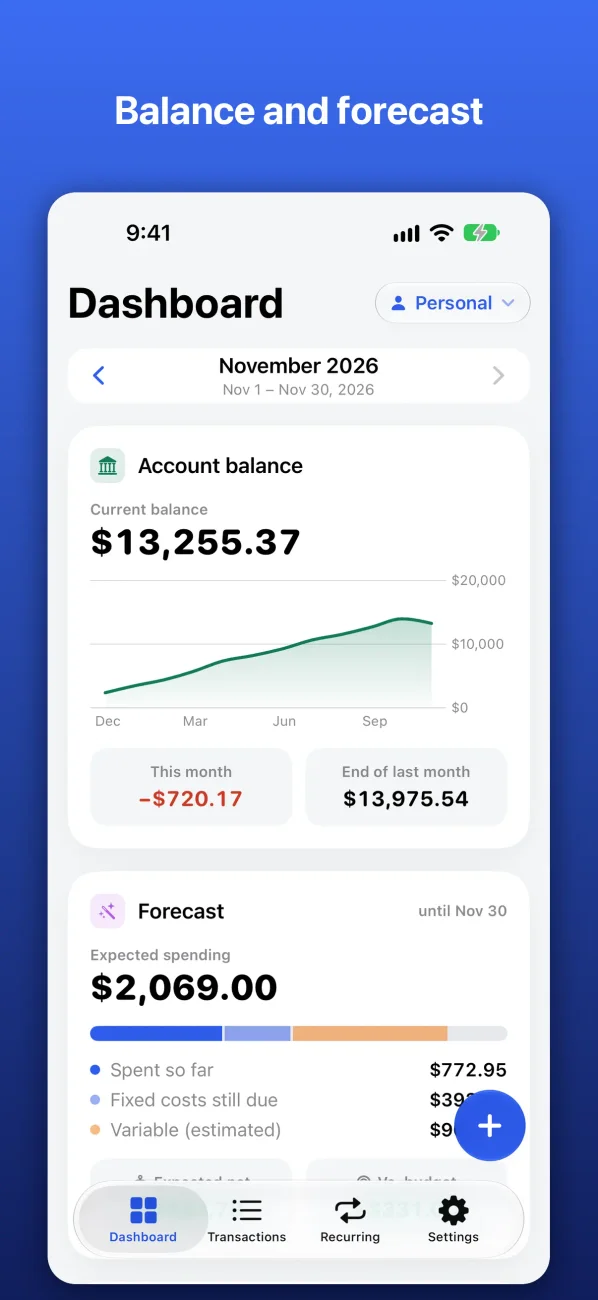
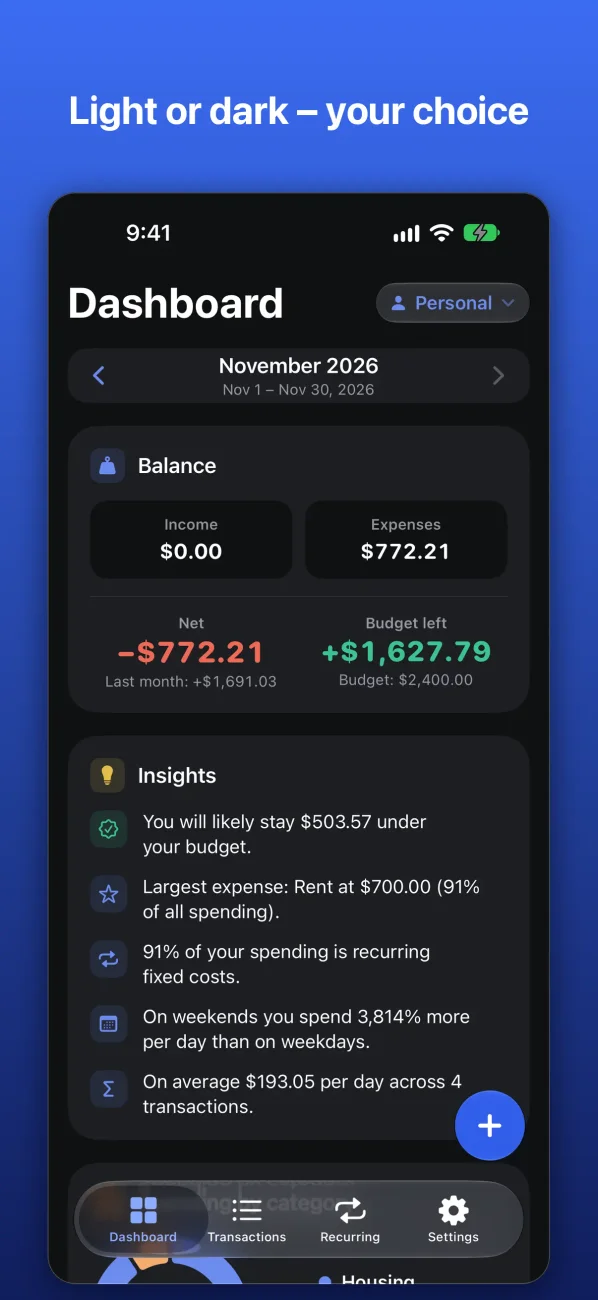
• Balance: all monthly balances added up, optionally with a starting amount – matching your real account
• Overview, spending by category, trend, income & expenses, fixed & variable, largest expenses
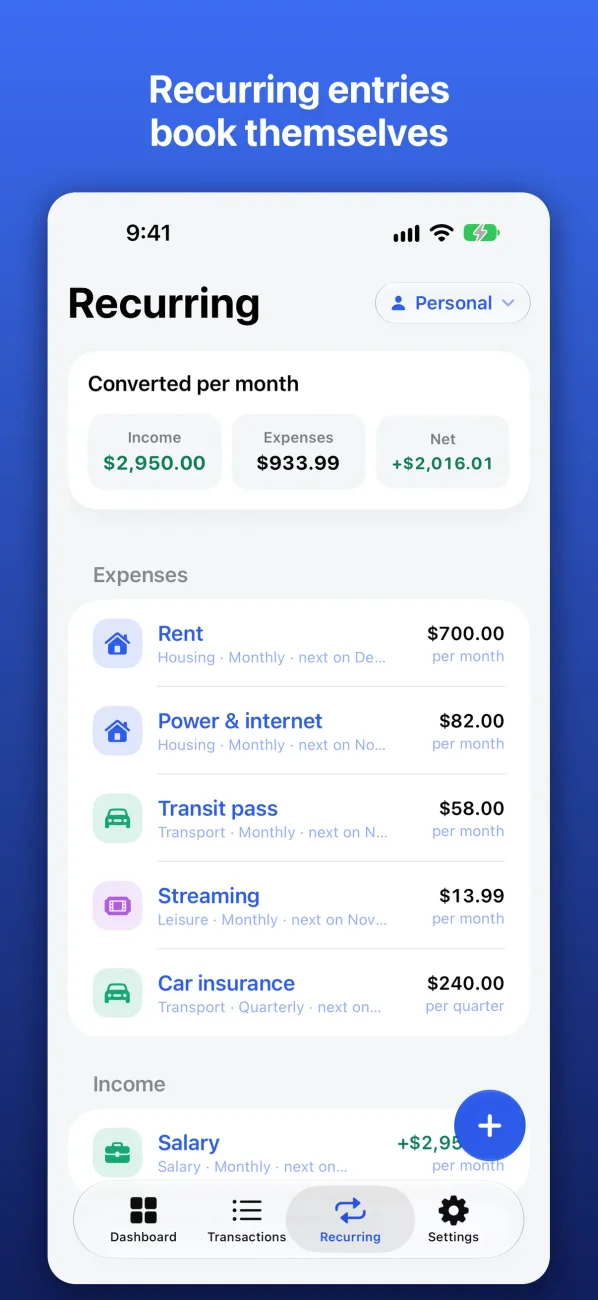
• Recurring: fixed costs of the selected period as a chart, plus upcoming payments
• Forecast to the end of the month – including scheduled recurring entries
• Insights in plain words, e.g. how much more you spend on weekends
BUDGETS THAT THINK AHEAD
• Overall budget per month, quarter or year
• Budgets for single categories and for tags – e.g. “Vacation” with a fixed total
• Notifications at 80 % and 100 %, plus a monthly review on the 1st
ORGANIZED YOUR WAY
• Categories and subcategories for expenses and income
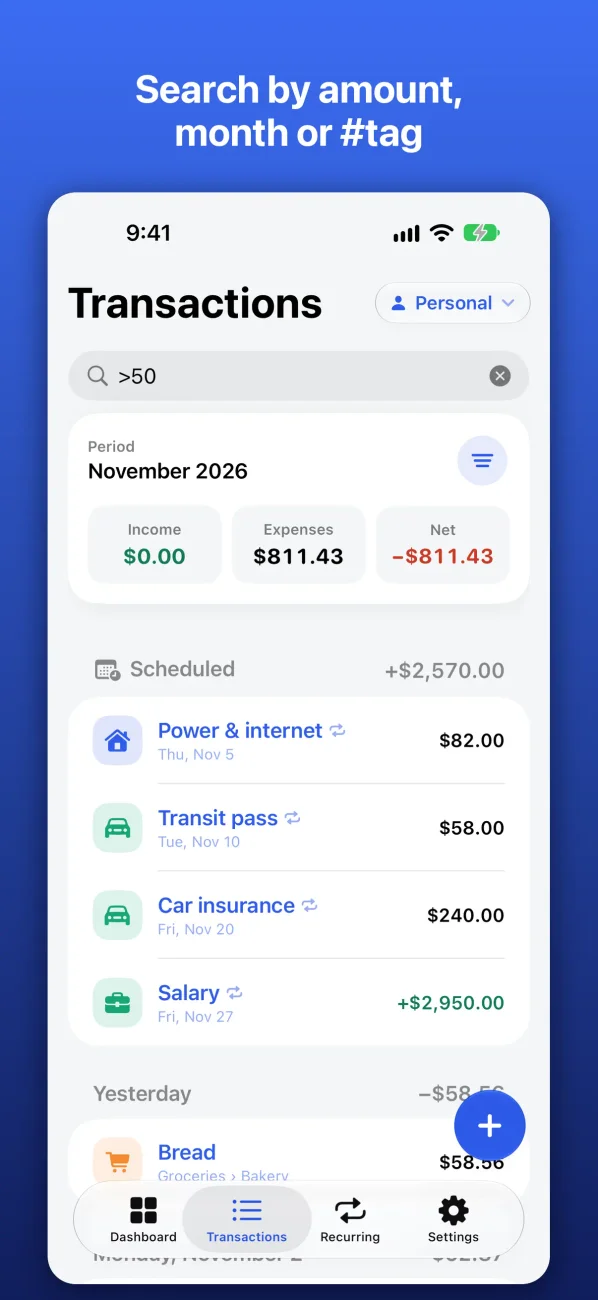
• Tags, filters and search by text, amount or #tag – for recurring entries too
• Recurring entries like rent, salary or subscriptions are booked automatically
• Books for separate areas, e.g. personal, freelance or a club
TOGETHER
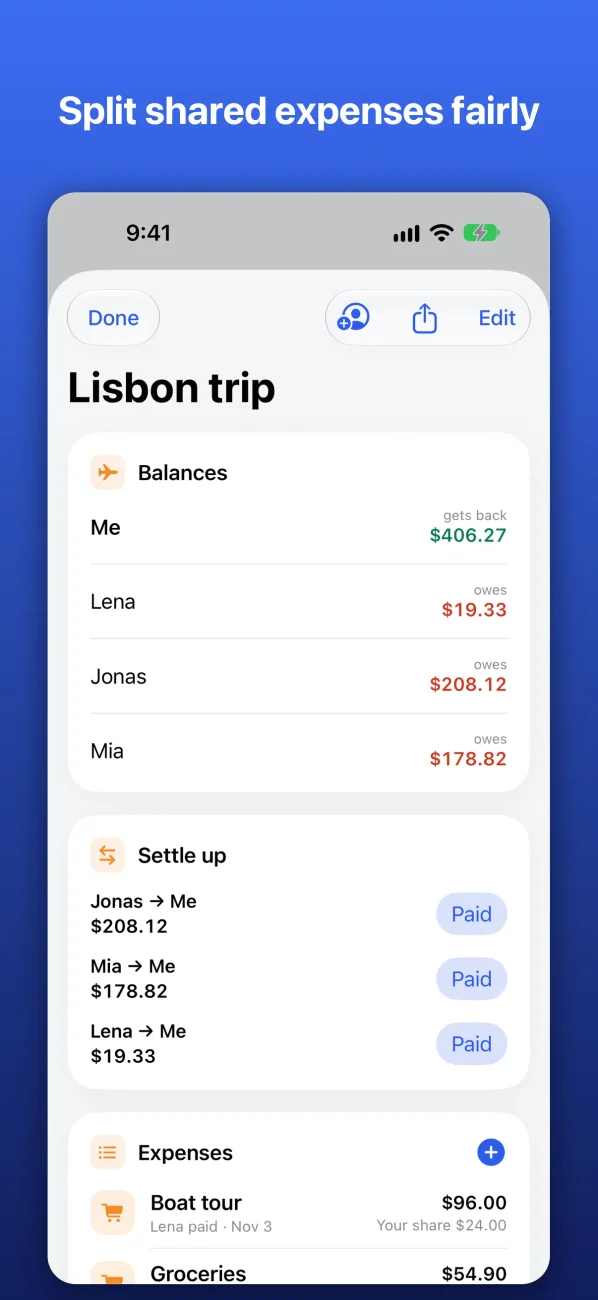
• Split expenses with roommates, friends or travel groups: equally, by amounts or by shares
• Centloop shows who owes whom – with as few transfers as possible
• Keep groups and shared books together via iCloud; every entry shows who added it
• New entries from others arrive instantly – optionally with a notification like “Lisa: Groceries $42”; tap it to jump straight to the book or group
• Add a group expense with Siri and ask who owes what
• Your share lands in your own budget automatically
PRIVATE AND SECURE
• Your data stays on your device and in your own iCloud – no sign-up, no tracking
• iCloud sync between iPhone and iPad
• Lock with Face ID or Touch ID
• Backup as a file, CSV import and export for Excel or Numbers
AND MORE
• Widgets for Home Screen and Lock Screen – also for your balance and your groups, with a plus button for new entries
• Light and dark mode, 9 app icons to choose from
• 13 languages, including English, German and French
• 21 currencies, including euro, US dollar, British pound and Swiss franc
TRY, THEN BUY
Try every feature free for one month – no subscription, the trial ends automatically and nothing is charged. After that, the full version unlocks everything for good with a one-time purchase. Without buying, you can still view, back up and export your data. Shared books require all members to have the full version.
Questions or ideas? Write to support@centloop.app – more at www.centloop.app
What’s new
Version 1.0.3 · Nov 26, 2026
• Now in 13 languages: Italian, Japanese, Korean, Russian, Turkish, Dutch, Polish and Czech are new
• New currencies: Polish złoty, Turkish lira and Russian ruble
• Choose month, quarter or year at the top right together with your book – even with just one book
• “Split expenses” widget: pick a group in the widget settings and add expenses right away with the plus button
• Search now also in Recurring; in Transactions and Recurring it appears when you pull down
• Small month widget with abbreviated month, easier-to-read rows in the “Split expenses” widget
• Tidier settings and many small improvements
App privacy
What Patrick Becher declares on the App Store about how this app handles data.
-
Data not collected
The developer does not collect any data from this app.
Privacy practices may vary, for example with the features you use or your age.
Information
- Seller
- Patrick Becher
- Category
- Finance
- Version
- 1.0.3
- Updated
- Nov 26, 2026
- Released
- Nov 2, 2026
- Size
- 8.5 MB
- Requires
- iOS 17.0 or later
- Age rating
- 4+
- Price
- Free
- In-app purchases
- Yes
- Languages
- English, Czech, Dutch, French, German, Italian, Japanese, Korean, Polish, Portuguese, Russian, Spanish + 1 more
- Copyright
- © 2026 Patrick Becher