Cerebo: Flashcards Maker
Spaced Repetition Study & Quiz
Designed for iPhone, iPad
Free
- Age rating4+
- CategoryEducation
- DeveloperPatnuru Satwik Patro
- LanguagesEnglish+ 8 more
- Size12.8 MB
Links to the official App Store page
Download.org hosts no file of Cerebo: Flashcards Maker. The button opens its official App Store page, published by Patnuru Satwik Patro. Listing last checked on Nov 20, 2026.
Screenshots
About
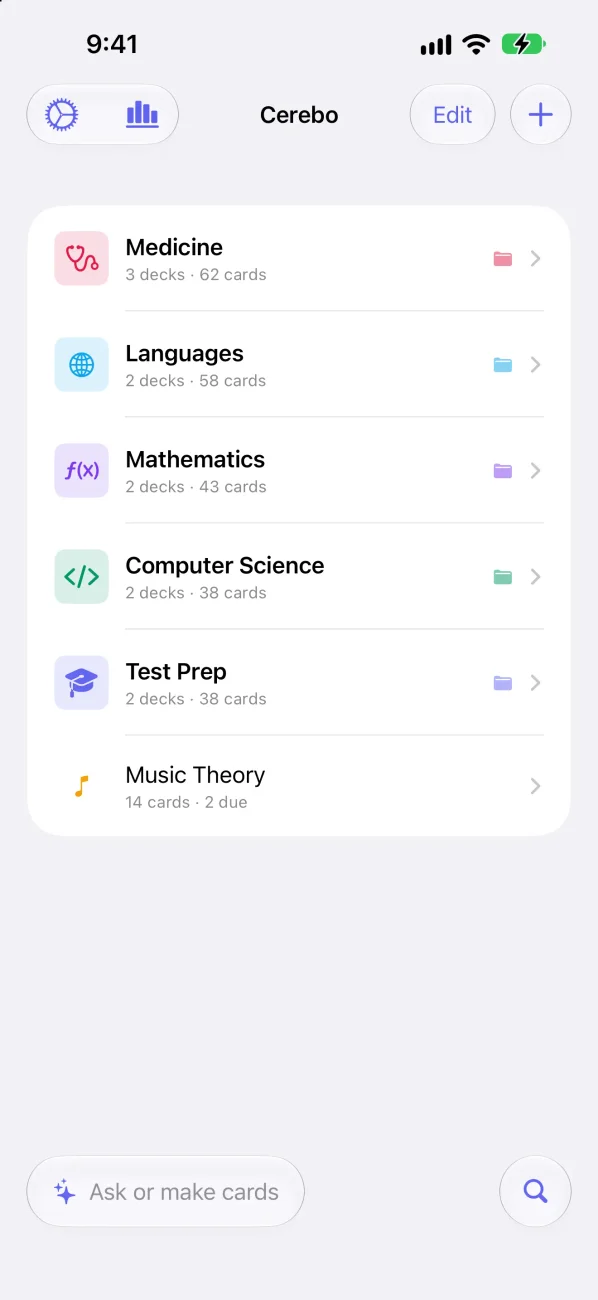
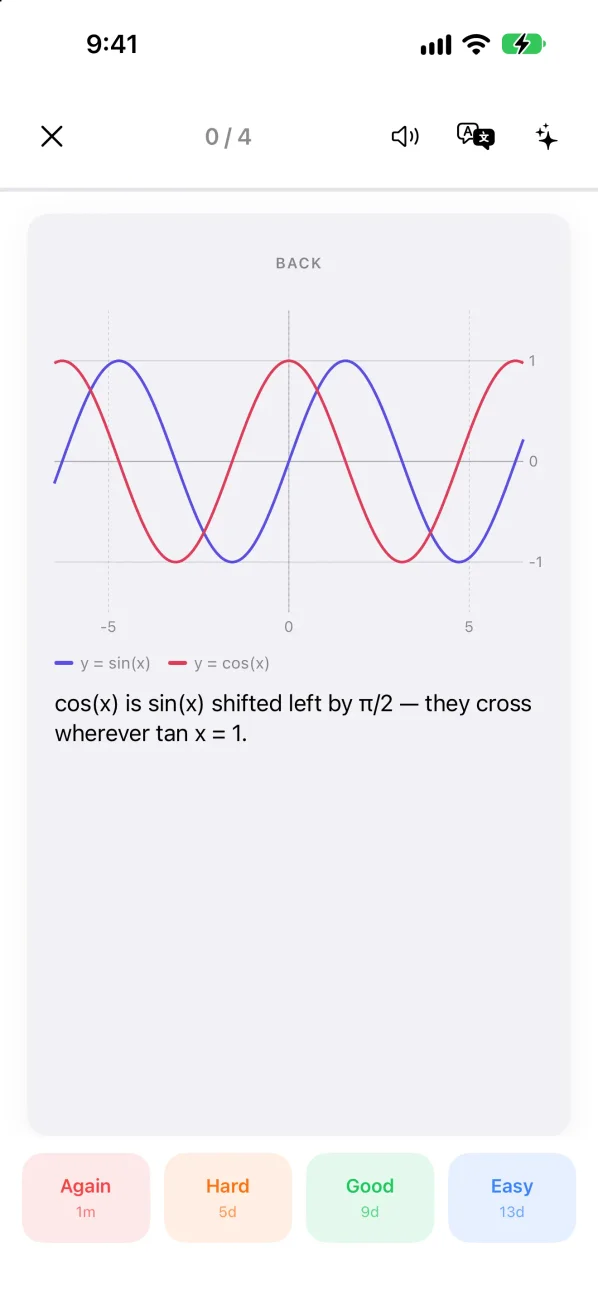
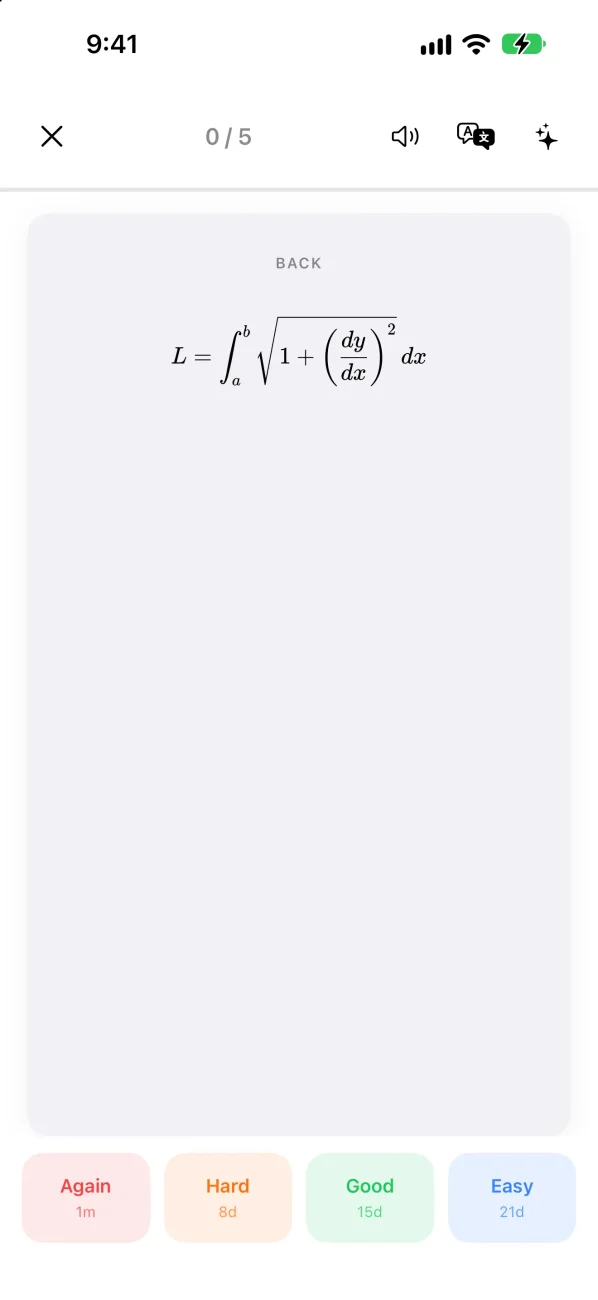
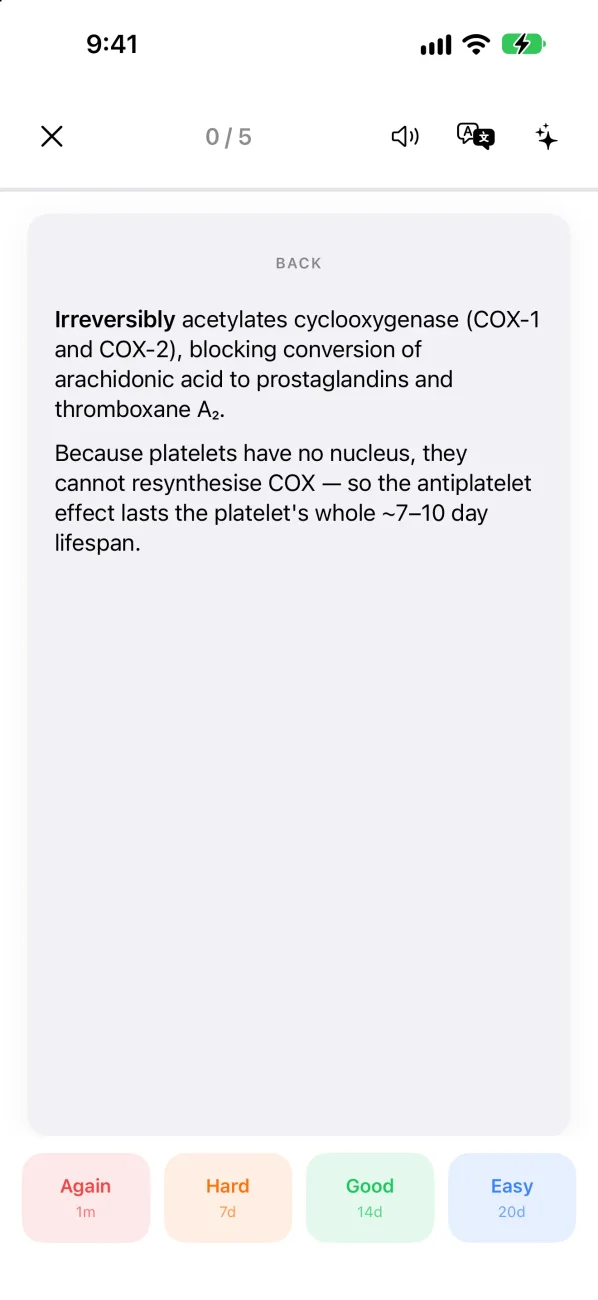
Cerebo is a flashcard maker for subjects that don't fit on a plain index card. Build rich cards with LaTeX math, code, tables, graphs, images, audio and PDFs, then let spaced repetition decide what you see and when.
BUILT FOR REAL SUBJECTS
Most flashcard apps give you two text boxes. Cerebo gives you a block editor: stack text, math, code, tables and media in any order, on the front and the back of a card.
• LaTeX math, inline or as display equations
• Function graphs: plot curves, or a 3D surface you can rotate with a finger
• Syntax-highlighted code, Markdown tables, headings and lists
• Images, audio recordings and PDF attachments
• Extract text from a photo or scanned page with OCR
• Cloze deletions: hide any part of a card and reveal it as you go
• Link related cards, read any card aloud, or translate it in place
TEST YOURSELF
Every deck has a Test button, and tests never change your review schedule.
• Match: pair each front with its back against the clock, on any iPhone or iPad
• Practice Test, with Apple Intelligence: true or false, multiple choice and written questions. Written answers are checked for meaning
• Print a deck or export it as a PDF to study on paper
MAKE CARDS, ASK AND QUIZ WITH APPLE INTELLIGENCE
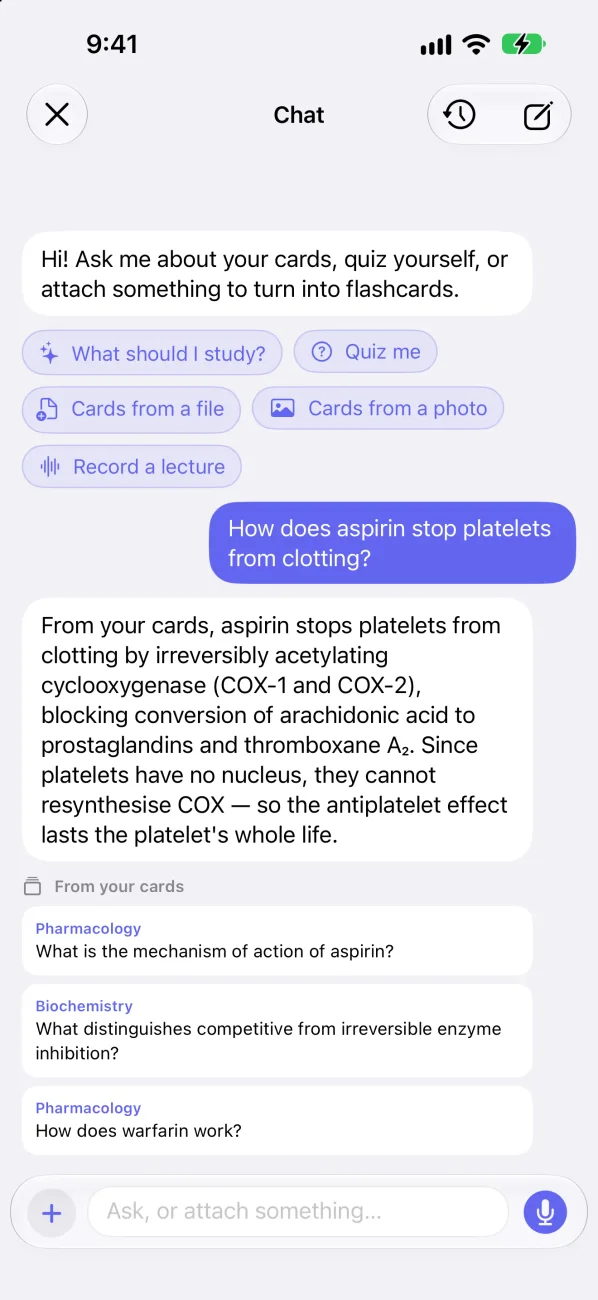
On iPhones and iPads with Apple Intelligence, Cerebo has a chat. It runs privately on your device or, on iOS 27, on Apple's Private Cloud Compute, as you choose in Settings:
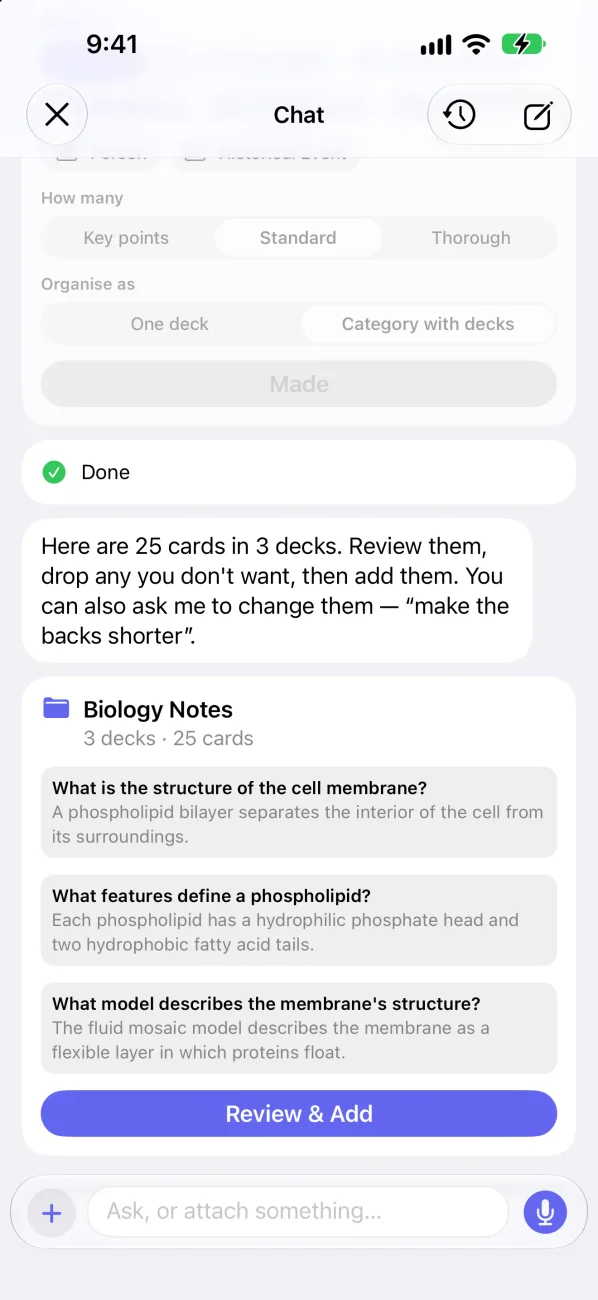
• Turn a PDF, Word document, photo, scan or web page into a deck, or record a lecture and make cards from the transcript
• Make a study guide from the same document or from a deck's cards: an overview, the main points and key terms
• Pictures come along: a PDF's figures land on the cards about them, and on iOS 27 Apple Intelligence reads photos, handwriting and diagrams
• Graphs, tables, equations and code are added where they help, and you review every card first
• Ask about your own cards and see which cards the answer came from
• Get quizzed on a deck or a topic: answer in your own words, typed or out loud, and choose the rating yourself
• Generate a card's answer, or fill in your own answer template (meaning, synonyms, example)
• Share a page from Safari with "Make Cards in Cerebo"
SPACED REPETITION THAT DOES THE WORK
Cerebo schedules each card with the SM-2 algorithm. Cards you find easy move out to longer intervals; cards you struggle with come back soon.
• A per-deck daily limit on new cards. Reviews are never capped
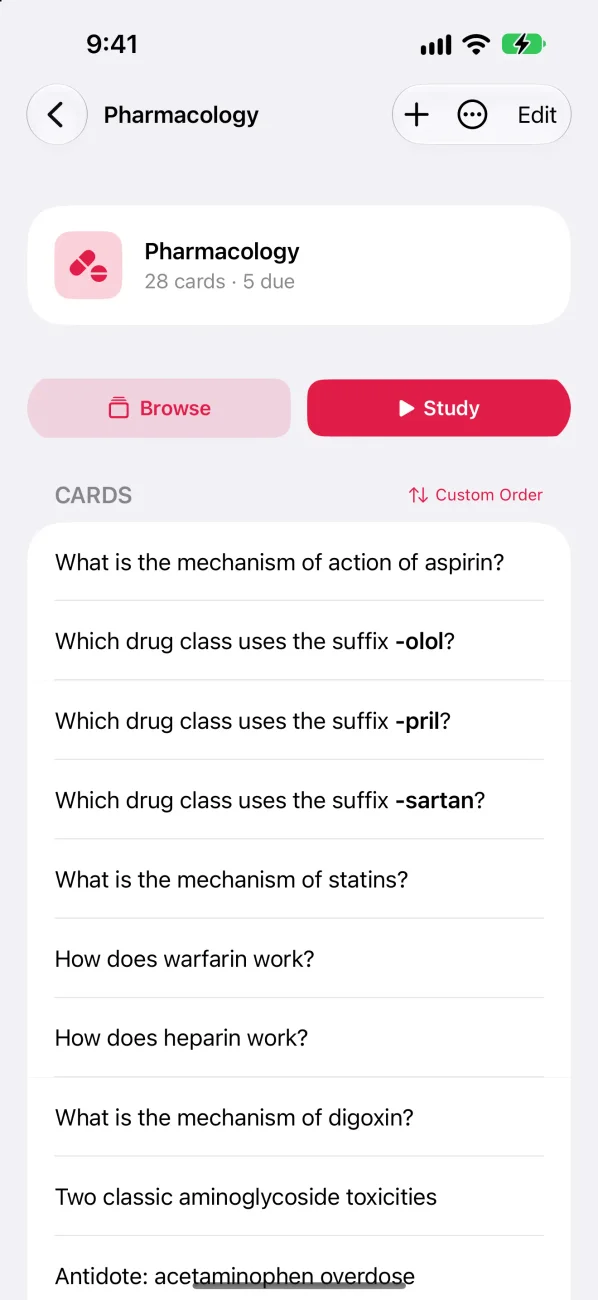
• Browse mode to read through a deck without being tested
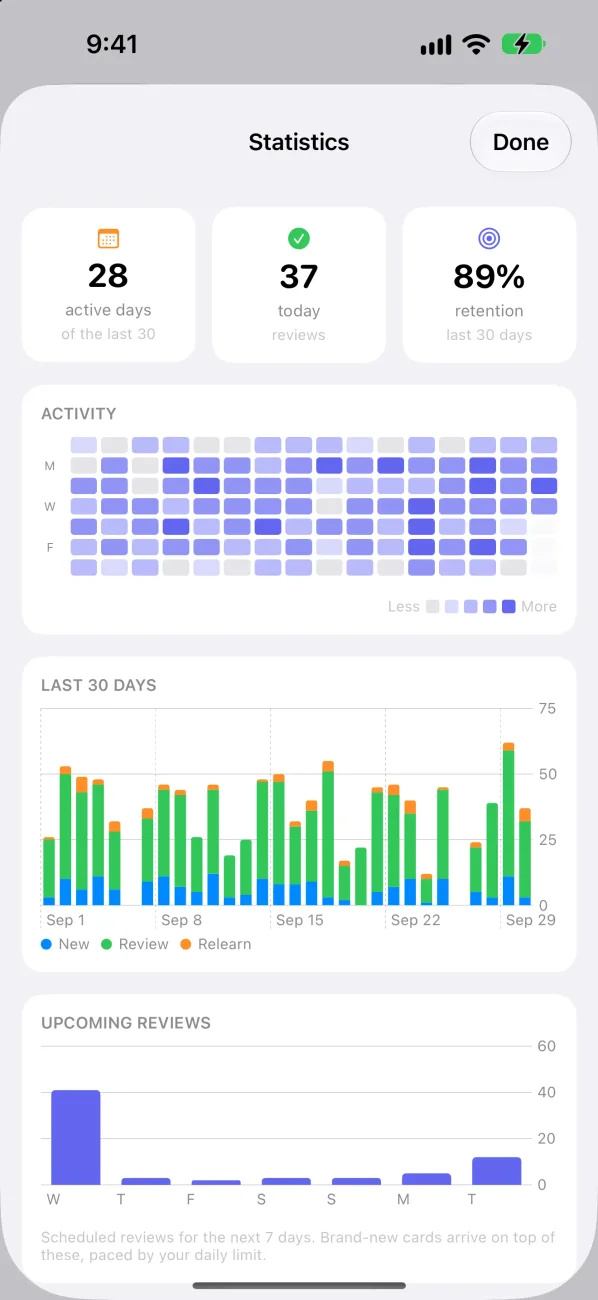
• Statistics with a review heatmap, retention rate and a forecast for the days ahead
BRING YOUR EXISTING DECKS
• Import Anki .apkg and .colpkg files with media, cloze, reverse cards and nested decks
• Paste a Quizlet export to bring a set across
• Import into an existing deck or copy between decks, skipping duplicates
• Import and export CSV and JSON, and export back to .apkg any time
EVERYWHERE YOU STUDY
• Apple Watch app for reviewing on your wrist
• Scan to Cards and Record a Lecture in Control Center, on the Lock Screen or the Action button, and a Quick Capture widget
• Home Screen and Lock Screen widgets for what's due, and a Live Activity while you study
• A library sidebar on iPad and iPhone Duo
• Siri and Shortcuts, daily reminders, and study sessions added to your calendar
• Full keyboard, Dynamic Type and VoiceOver support
• In English and eight more languages
YOUR DATA STAYS YOURS
Cerebo collects nothing: no accounts, no analytics, no advertising and no tracking, and the app makes no network calls of its own. Apple Intelligence handles the chat on your device or on Private Cloud Compute, which uses what you send only to answer it and keeps none of it.
Everything works offline. iCloud sync moves your decks between your own devices through your private iCloud account, and one switch turns it off.
FREE: NO ADS, NO SUBSCRIPTION
Cerebo is free, with nothing to buy inside the app.
Questions or feedback: satwikdev12@gmail.com
What’s new
Version 1.2 · Nov 19, 2026
Cerebo 1.2 brings Apple's Private Cloud Compute to the chat on iOS 27: Apple's larger model, kept private, for long documents, study guides and practice tests.
Apple Intelligence
• Choose where it runs in Settings › AI Text Generation: Private Cloud for everything, Hybrid for quick answers on your device and documents, guides and practice tests on Private Cloud Compute, or On Device to keep it all on your device
• Private Cloud Compute uses what you send only to answer it and keeps none of it. Apple sets a daily limit: Settings shows when you're near it, Cerebo continues on your device past it, and a bigger iCloud+ plan raises it
• Make cards from up to 120 pages of a PDF at a time on Private Cloud Compute (30 on your device), and only the pages you choose are used
• Make a study guide from a deck's cards, as well as from a document
• Better cards from pasted notes and term lists, and better options and grading in practice tests
• Clearer answers when you ask the chat how Cerebo works
Studying
• Learning cards come back when the button says: Good · 10m brings a card back in ten minutes, other cards come first, and "Next review in" shows the wait when nothing else is ready
• Search opens the card you found, on the side with your words, and shows the matching words when they're on the back
• Switch between Front and Back from the title of the full-screen editor
Also new
• Without Apple Intelligence, what you share to Cerebo is kept: make a card from it, or keep it for later
• On iPhone Duo, half open, studying, the chat and the editor use both halves
• Better contrast in dark mode
App privacy
What Patnuru Satwik Patro declares on the App Store about how this app handles data.
-
Data not collected
The developer does not collect any data from this app.
Privacy practices may vary, for example with the features you use or your age.
Information
- Seller
- Patnuru Satwik Patro
- Category
- Education
- Version
- 1.2
- Updated
- Nov 19, 2026
- Released
- Sep 19, 2026
- Size
- 12.8 MB
- Requires
- iOS 18.0 or later
- Age rating
- 4+
- Price
- Free
- Languages
- English, French, German, Italian, Japanese, Korean, Portuguese, Simplified Chinese, Spanish
- Copyright
- © 2026 Satwik Patro
You might also like
-
 Shinun: FlashcardsRevision cards that stick
-
 Lotus: Flashcards & RecallSpaced Repetition Study Cards
-
 Vocabulary Word of Day BuilderLearn English Flashcards Fast
-
 Flashcards - Swipe & LearnAll Swipes Right
-
 외우자 - 단어 암기 카드Education
-
 LingoTools: Learn LanguagesFlashcards, SRS & audiobooks
-
 Miki: Flashcards & WordsFree spaced repetition
-
 Caro - Flashcard StudyToday’s review cards for you
-
 QuizzerAIAI Flashcards from Your Notes
-
 Jia CurrencySmart Price Recognition