Cernori Hours Tracker
Work time, overtime & pay
Designed for iPhone, iPad
Free · In-app purchases
- Age rating4+
- CategoryBusiness
- DeveloperMOODOOS LLC
- LanguagesEnglish+ 10 more
- Size7.5 MB
Links to the official App Store page
Download.org hosts no file of Cernori Hours Tracker. The button opens its official App Store page, published by MOODOOS LLC. Listing last checked on Nov 23, 2026.
Screenshots
About
Track your shifts and check your paycheck. Log hours and breaks, estimate gross pay, and compare your totals with your pay stub.
Record your work
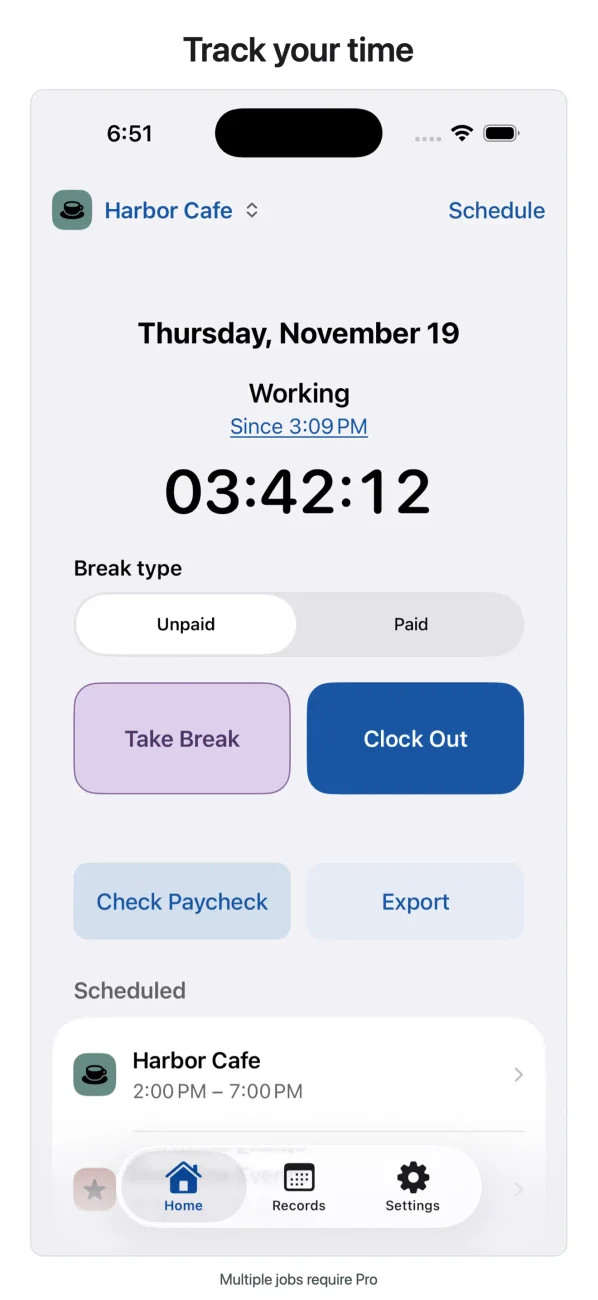
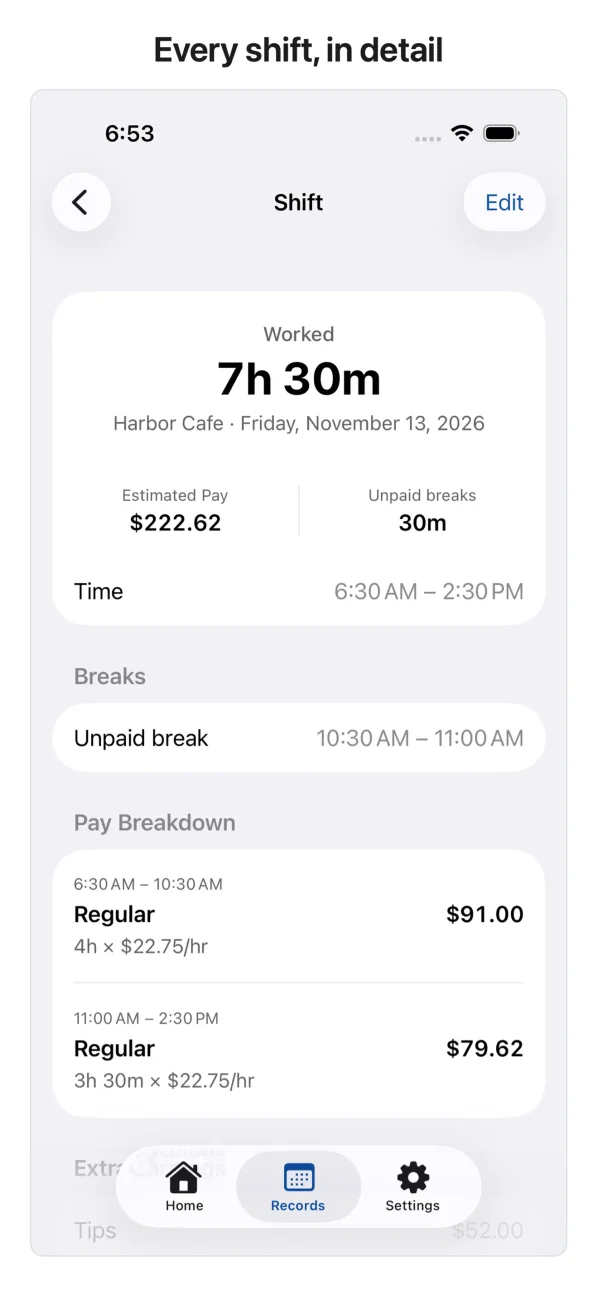
Clock in and out, record paid or unpaid breaks, or add a shift later. Correct a start time or past entry. Record overnight shifts, tips, bonuses, other earnings, and notes. Plan upcoming shifts with optional reminders.
Understand your pay
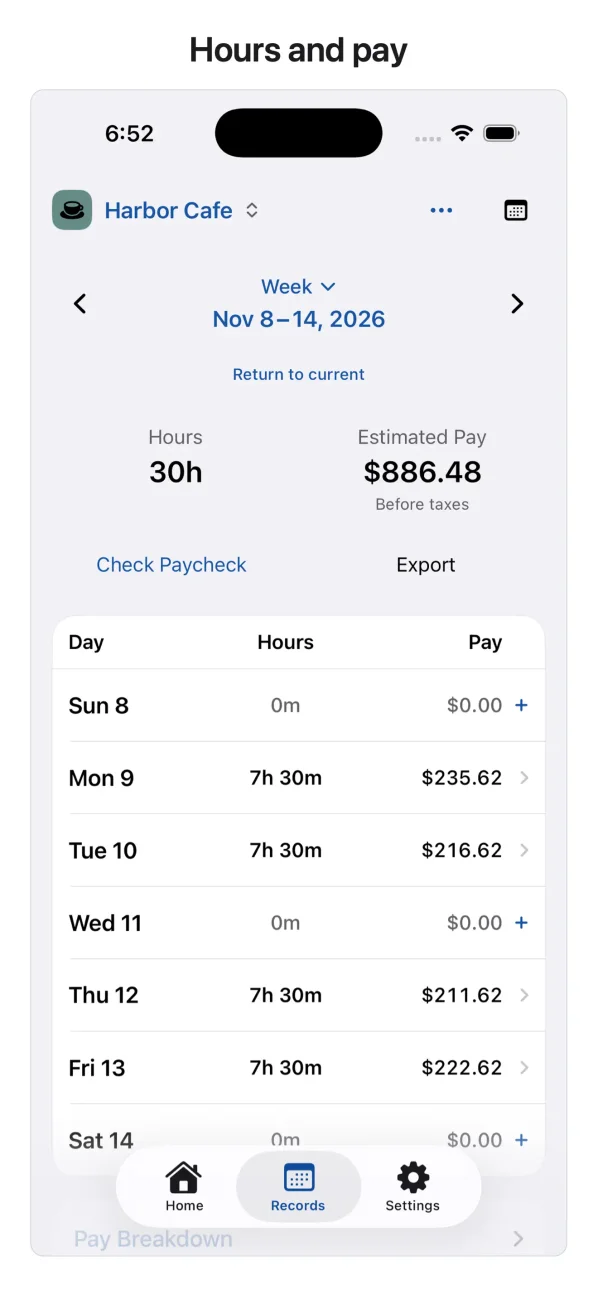
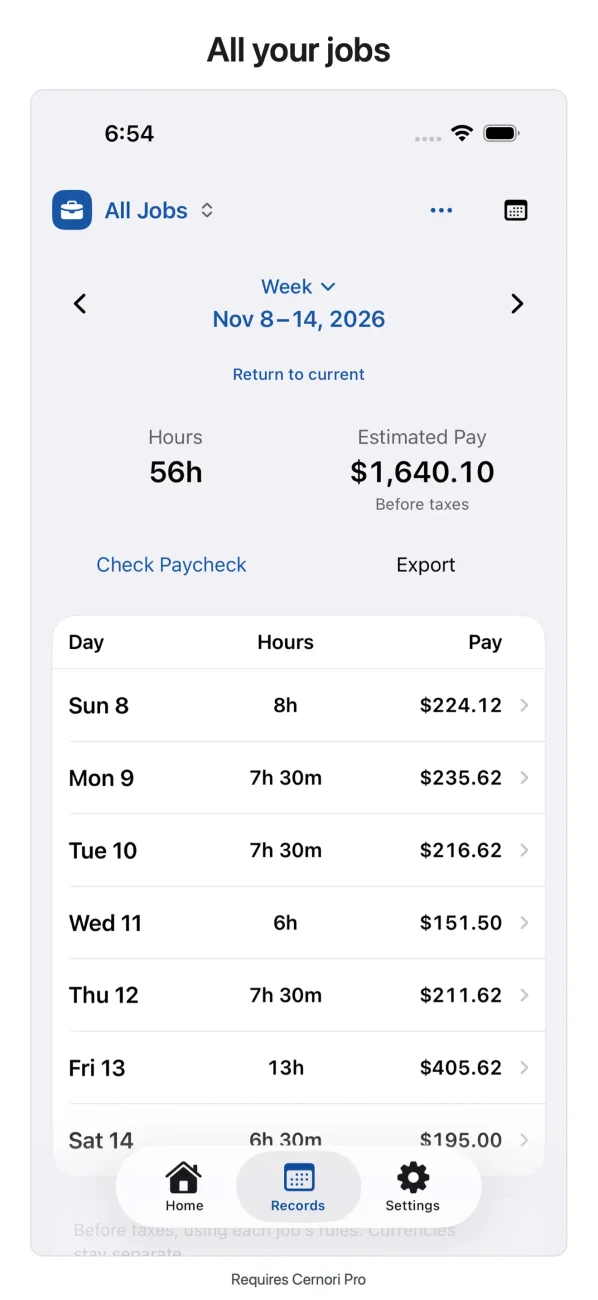
Review a week, pay period, or custom date range. Open a day to see each shift and its calculation. Apply the pay rates and overtime rules you enter, including rate changes without rewriting earlier work.
Check your paycheck
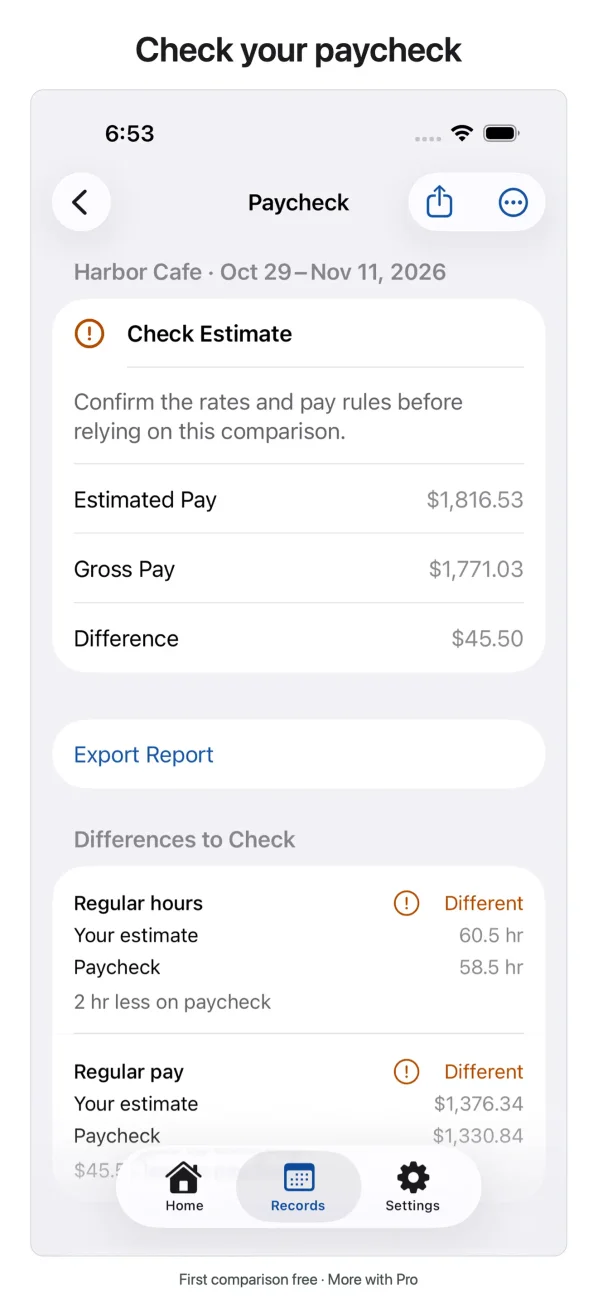
Match the job and dates. Compare recorded hours, regular and overtime pay, extra earnings, and gross pay with your pay-stub entries. Review differences without confusing gross pay with a bank deposit.
Keep a copy
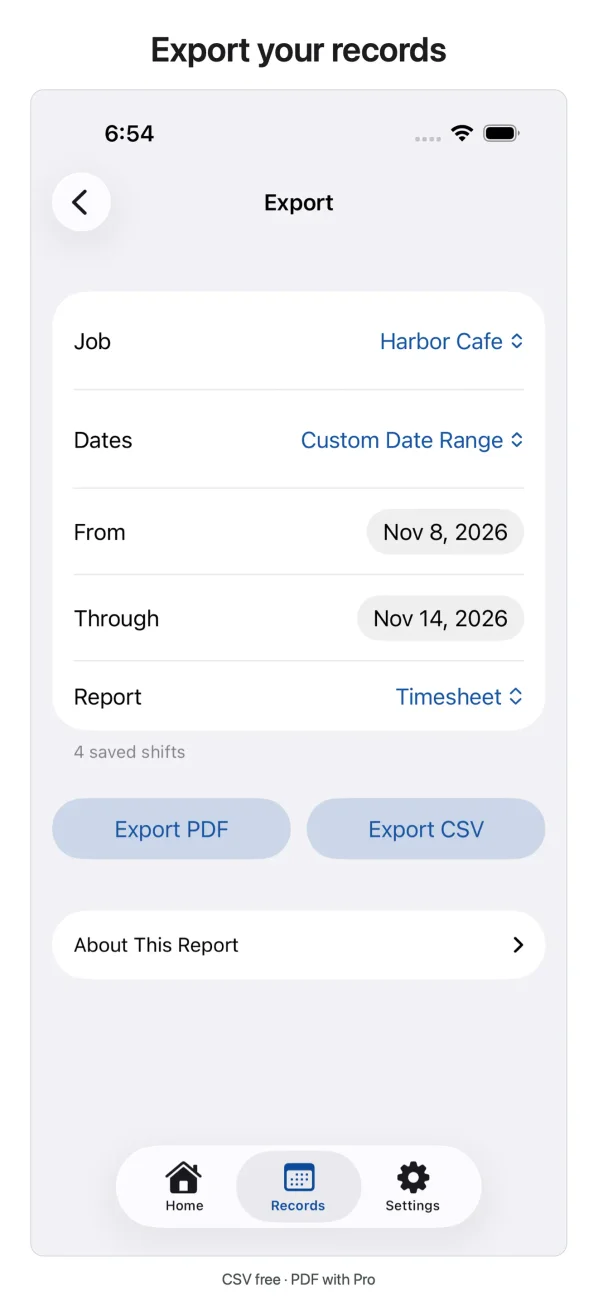
Export a timesheet, save a complete backup to Files, and restore it when needed. A report is not a restorable backup. Cernori does not provide automatic cloud sync.
Free to start
Record one job with unlimited shifts, history, corrections, pay rules, basic CSV timesheets, and complete backup and restore. Your first saved paycheck comparison's job and full date range remain free to recheck, with a full report.
Cernori Pro
Record across multiple jobs, view combined totals, compare other paycheck date ranges, and export PDF timesheets and complete reports. Monthly and annual plans have the same features. The annual plan offers a 14-day trial for eligible subscribers. Apple confirms your local price, eligibility, and renewal terms before purchase. Subscriptions renew automatically unless canceled through your Apple account. When Pro ends, your records remain available; choose one job to continue recording for free.
No required account. No ads. No location tracking. Work records stay on your device; you choose where to save or share copies.
Pay estimates are before taxes and depend on your entries and rules. They are not official payroll, tax, or legal determinations.
Privacy: https://cernori.com/hours/privacy/
Terms: https://www.apple.com/legal/internet-services/itunes/dev/stdeula/
What’s new
Version 1.0.3 · Nov 21, 2026
Choose one of six accent colors in Settings or enter your own color code. Break buttons are easier to spot on Home. In the calendar, open a day with both recorded and scheduled shifts in one tap. The app has a new deep teal icon.
App privacy
What MOODOOS LLC declares on the App Store about how this app handles data.
-
Data not collected
The developer does not collect any data from this app.
Privacy practices may vary, for example with the features you use or your age.
Information
- Seller
- MOODOOS LLC
- Category
- Business
- Version
- 1.0.3
- Updated
- Nov 21, 2026
- Released
- Oct 8, 2026
- Size
- 7.5 MB
- Requires
- iOS 17.0 or later
- Age rating
- 4+
- Price
- Free
- In-app purchases
- Yes
- Languages
- English, Dutch, French, German, Italian, Japanese, Korean, Portuguese, Simplified Chinese, Spanish, Traditional Chinese
- Copyright
- © 2026 MOODOOS LLC
You might also like
-
 ResumeFacts: Resume Date VaultExact dates & proof for resume
-
 EarnCheck: Shift & Pay TrackerHours, Overtime & Payday Check
-
 Shift Payroll ProPayroll for Shift Workers
-
 Nostora: Time TrackingTimesheets & Day Planner
-
 Shift Pay TrackerShifts, Overtime & Pay
-
 Earnly: Shift EarningsHours, Pay & Tip Tracker
-
 Temalog — Day Rate + Site LogWork days, rates and advances
-
 MonCalculateur SalaireFinance
-
 HourLaneHours, timesheets & pay