
CFP Tracker - Calorie & Macro
Easy macro tracking.
Designed for iPhone
In-app purchases
- Age rating4+
- CategoryHealth & Fitness
- Developeryasyuan Tsai
- LanguagesTraditional Chinese+ 1 more
- Size4.2 MB
Links to the official App Store page
Download.org hosts no file of CFP Tracker - Calorie & Macro. The button opens its official App Store page, published by yasyuan Tsai. Listing last checked on Nov 12, 2026.
Screenshots
About
Features Overview
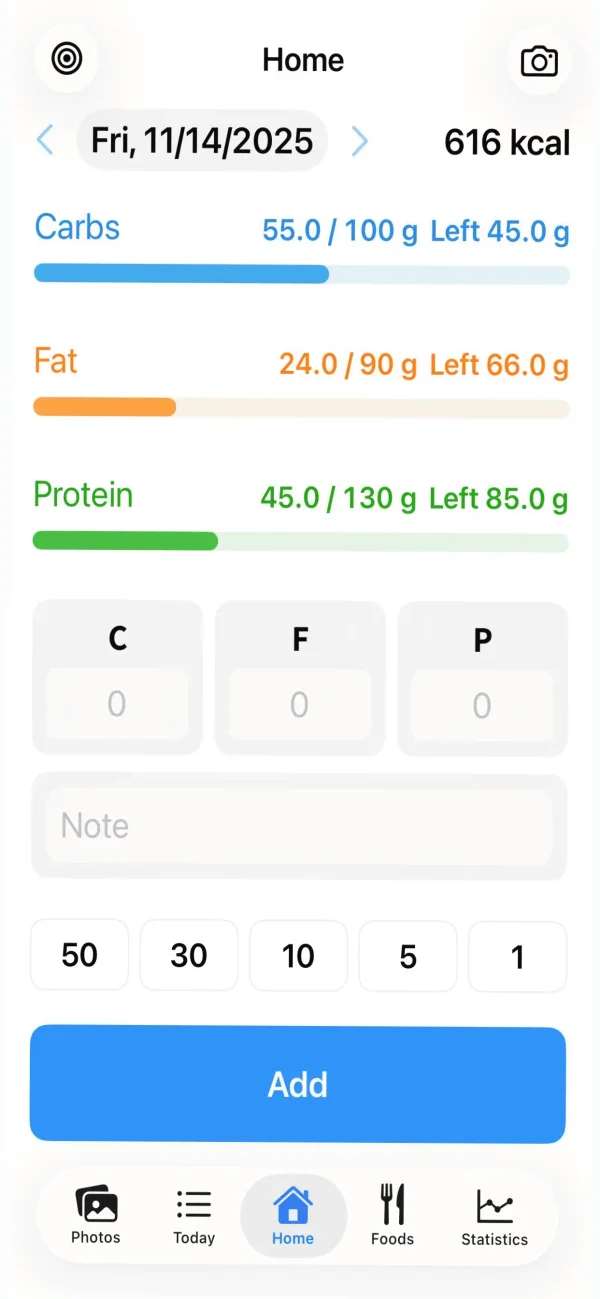
Home — Quick Logging & Daily Goals
• Quickly add macronutrients (carbs, fat, protein)
• Quickly add calories
• Snap a photo to log now and fill in details later
• Clear progress bars for today’s intake vs. goals
• Editable and adjustable daily nutrition goals
• Supports carb cycling (auto-applies daily presets)
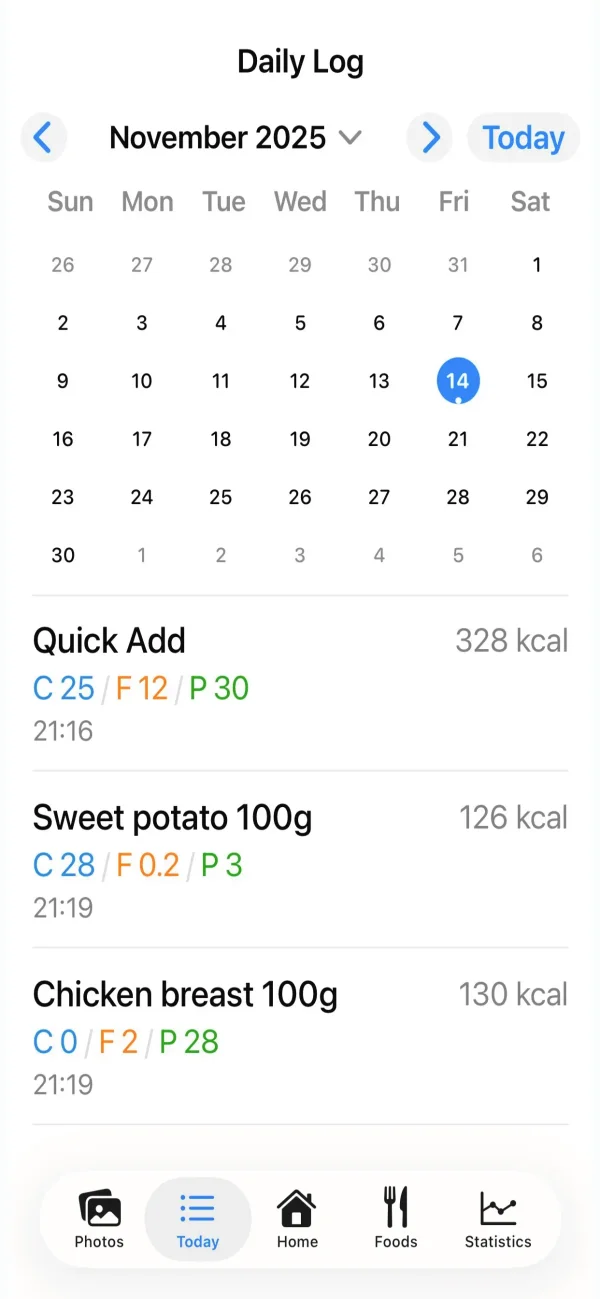
Today’s Log — See Your Daily Intake at a Glance
• List all entries for the day (including amounts and timestamps)
• Swipe to edit; long-press and drag to reorder
• Add timestamps and notes for easy review
• Record full breakdown of carbs, fat, protein, and calories
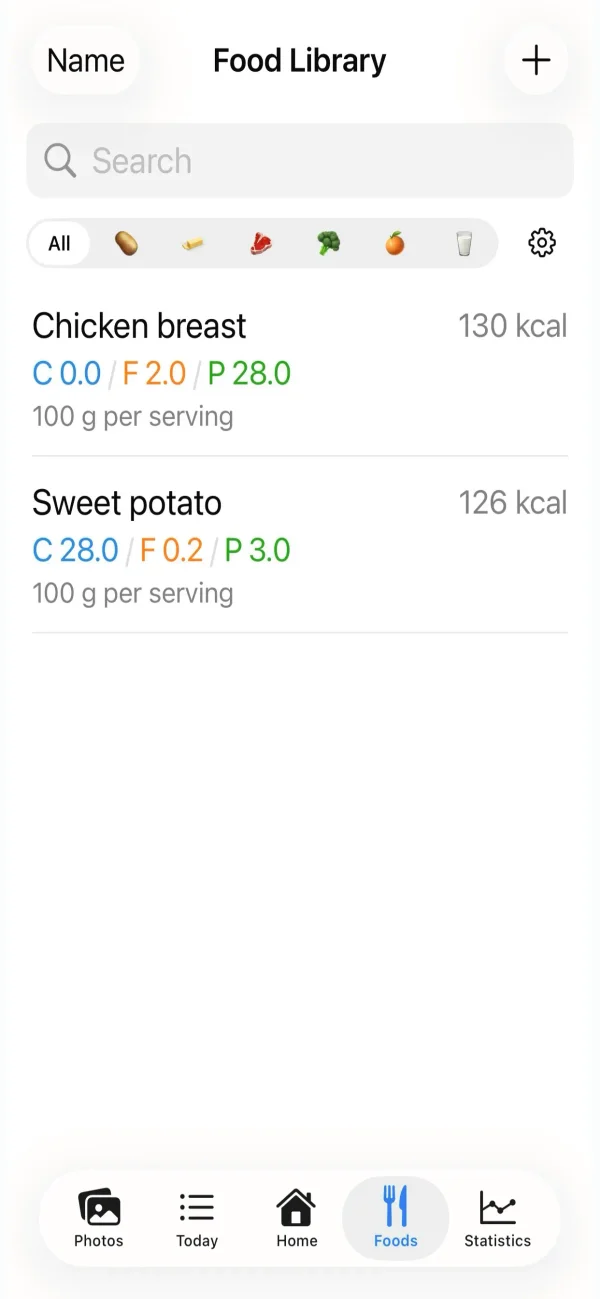
Food Database — Build Your Own Food List
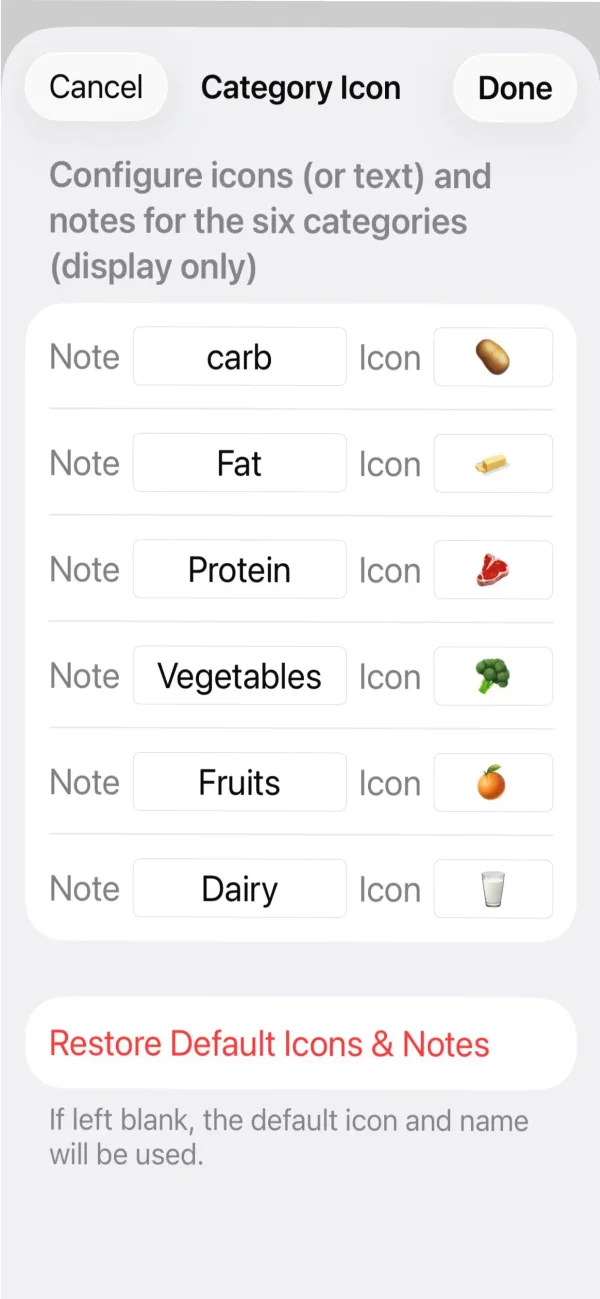
• Customize food names, categories, and icons
• Set carbs, fat, protein, and calorie values for each item
• Quick search and category filtering
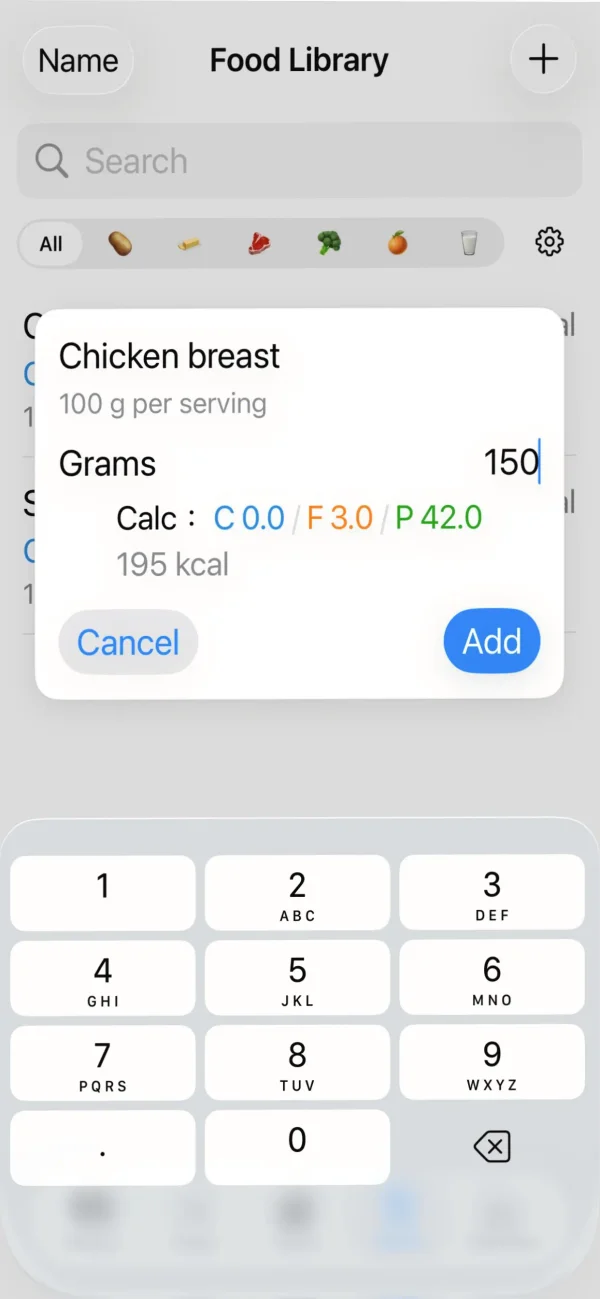
• Tap to add instantly
• Long-press to convert between grams and servings
Carb Cycling — Flexible Weekly Nutrition Targets
• Up to 4 presets (e.g., high-carb day, low-carb day)
• Choose which preset applies to each day of the week
• Automatically reflected in daily goals on the Home screen
Quick Camera — Snap, Snap, Snap
• Snap photos quickly and fill in the details later
• Tap a photo to enter info instantly
• Just take the picture first—if you forget to log it… it’s totally fine
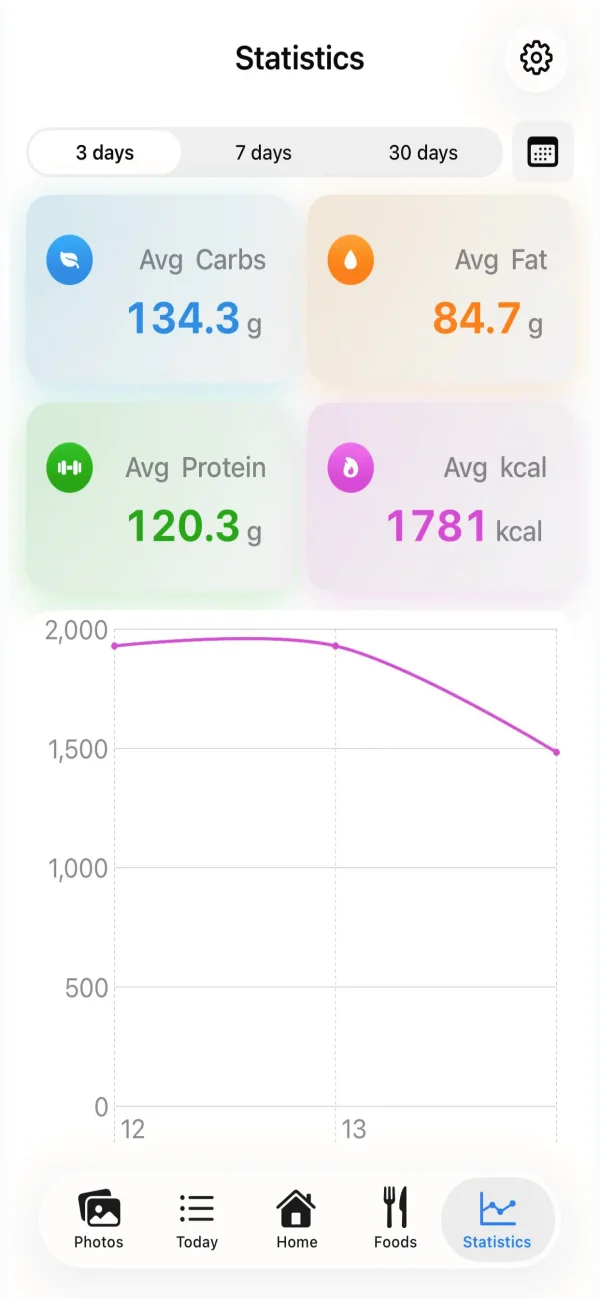
Statistics — Clean & Clear Insights
• View intake trends for 3-day / 7-day / 30-day / custom ranges
• Shows daily averages and fluctuations
• Breakdowns for carbs, fat, protein, and calories
• Stats are calculated only from logged days to prevent distortion
• Export data as CSV or JSON
Additional Features
• Quick Album: All food photos are auto-organized; tap a photo to instantly add macros or calories
• No ads, no notifications, no distractions
• Minimal UI, smooth and intuitive
• iCloud automatic backup and restore
Terms of Use(EULA):https://www.apple.com/legal/internet-services/itunes/dev/stdeula/
What’s new
Version 1.4.0 · Sep 12, 2026
The app is currently free to use!
If you have any suggestions or concerns about this update, feel free to reach out by email or on Discord!
What's new in this version:
- Added a small Save button on the Home screen to log your entry and save it to your food database.
- Added the option to copy meals from yesterday or another day to today.
- Improved the camera with a slightly more zoomed-in view.
- Added a toggle between averages and totals on the Statistics screen.
- Made a few UI improvements.
- Added a button when swiping right on an entry in Today's Log to save it to your food database (Quick Add entries only).
- Ate a bit of a sandwich.
Feel free to ask if you have any questions! There is no beginner tutorial yet, so you will need to explore the app a little to learn how it works.
Or just ask me on Discord!
App privacy
What yasyuan Tsai declares on the App Store about how this app handles data.
-
Data not linked to you
May be collected but is not linked to your identity.
- Usage data
- Diagnostics
Privacy practices may vary, for example with the features you use or your age.
Information
- Seller
- yasyuan Tsai
- Category
- Health & Fitness
- Version
- 1.4.0
- Updated
- Sep 12, 2026
- Released
- Nov 14, 2025
- Size
- 4.2 MB
- Requires
- iOS 17.6 or later
- Age rating
- 4+
- In-app purchases
- Yes
- Languages
- Traditional Chinese, English
- Copyright
- © 2025 yasyuan Tsai (7226)
You might also like
-
 FoodCam - Calorie TrackerFood & alcohol in Health
-
 Da Vinci HealthCalorie, Water & Sleep Tracker
-
 LiftMemo - Workout Log & PRsOffline · Coach · Strength Log
-
 Calorie Journal: Food & WeightMeals, Macros & Water
-
 CalorieRecycleDeficit Tracker & Food Diary
-
 捕手Spotter: Partner LogPartner logging, AI form coach
-
 Ala Train LiveHealth & Fitness
-
 EatOrNot AI: Nutrition CoachCan I eat it? Plan next meal
-
 WonderGym: Workout TrackerPeriodised Strength Plans
-
 DietHero - AI Calorie CameraPhoto calories & AI meal coach