
- Age rating4+
- CategoryPhoto & Video
- DeveloperJinwoo Park
- LanguagesJapanese+ 3 more
- Size88.3 MB
Links to the official App Store page
Download.org hosts no file of Chama Optics. The button opens its official App Store page, published by Jinwoo Park. Listing last checked on Nov 12, 2026.
Screenshots
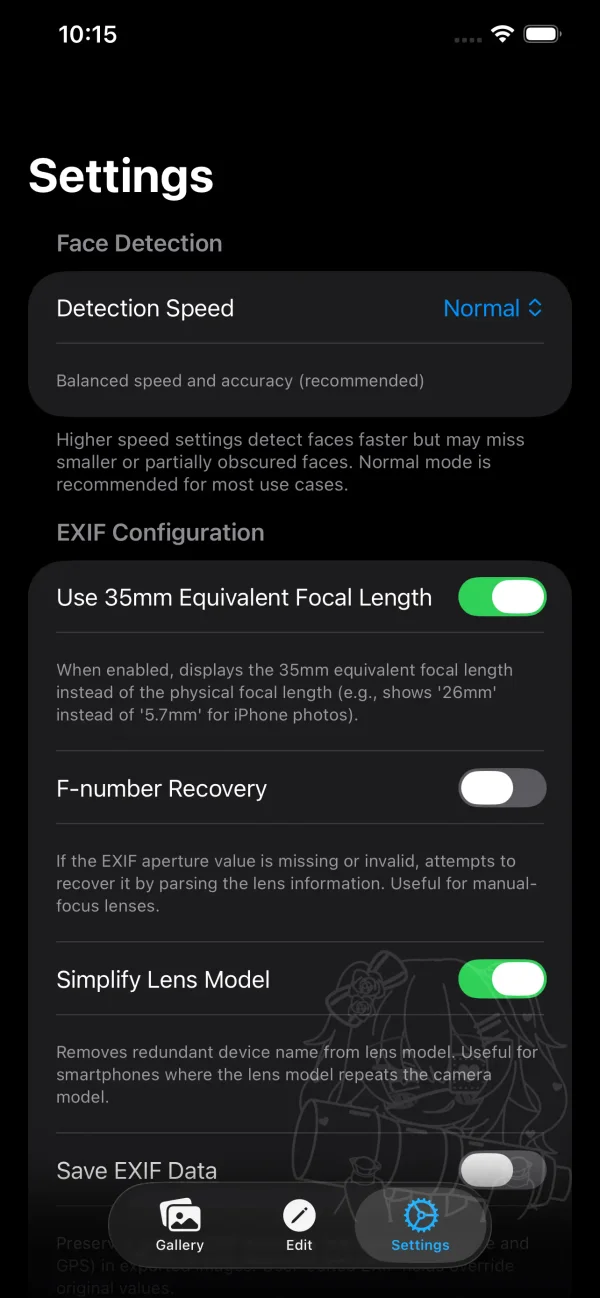
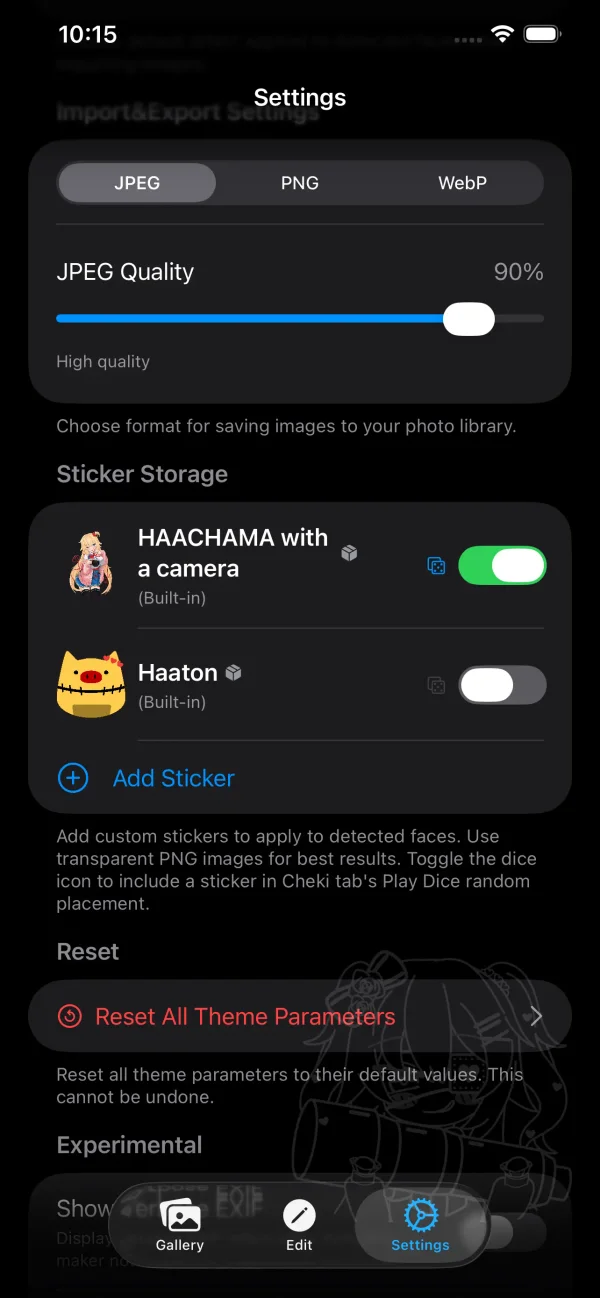
About
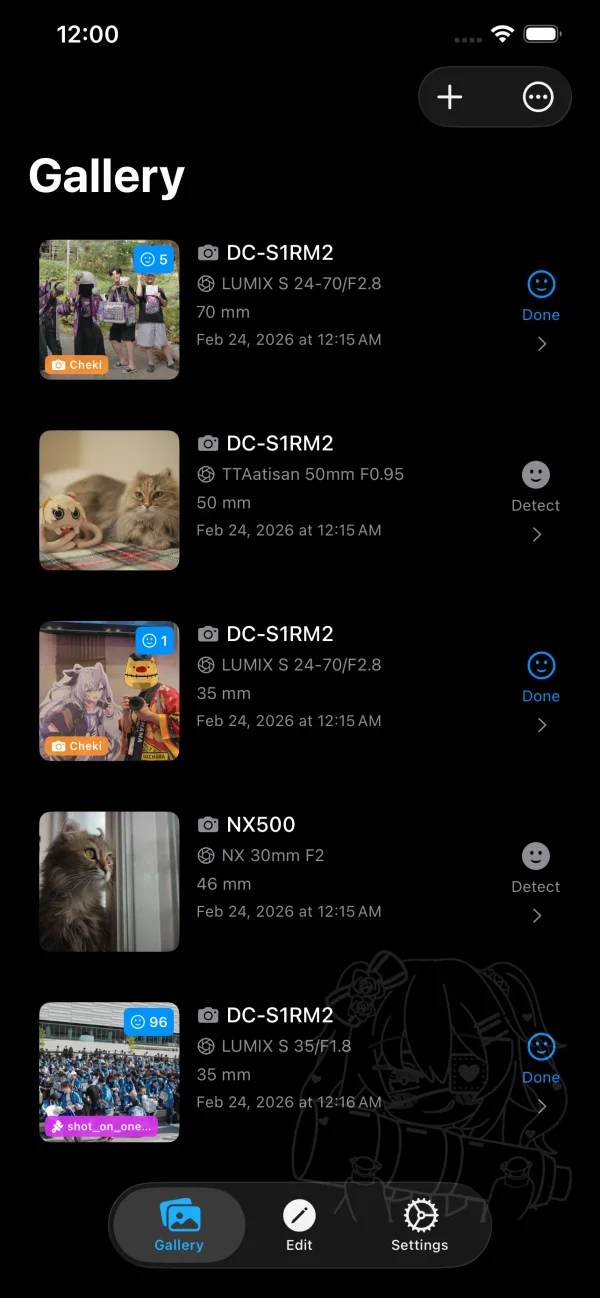
Chama Optics — Edit your photos on the spot: color grade, frame, and mosaic faces, all in one app.
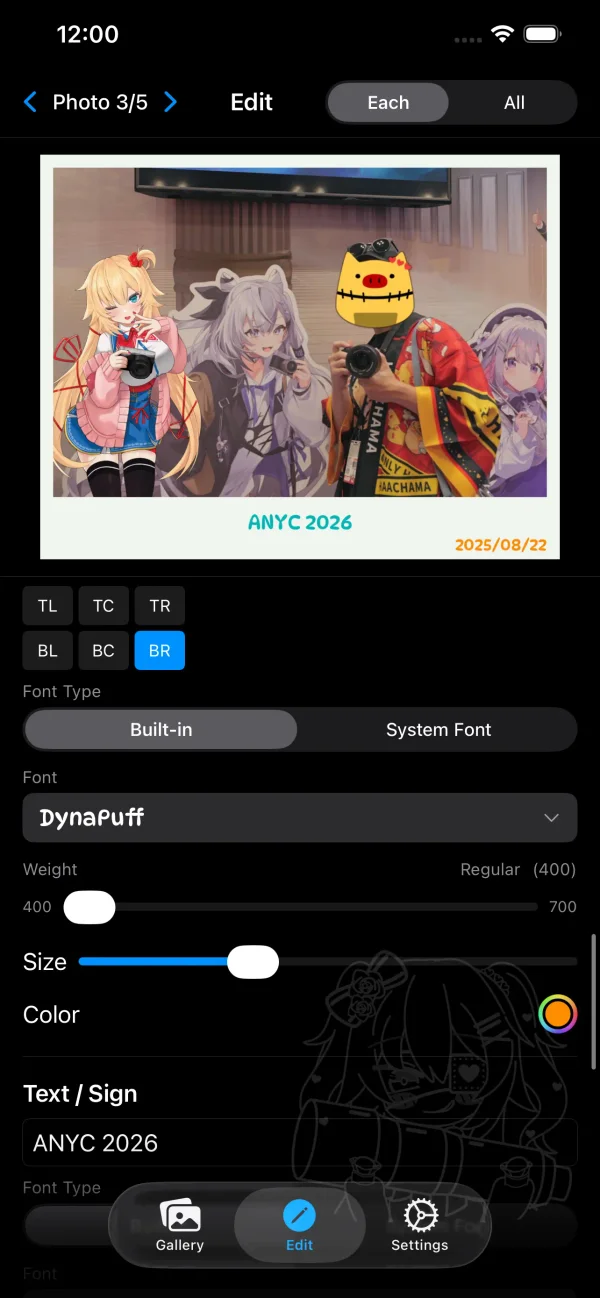
A photo post-processing app for mirrorless and DSLR camera users. It offers EXIF-based shooting info frames, automatic face mosaic, color grading, and cheki (Polaroid-style) frames.
◆ Made for you if...
Events, travel, & street photography —
Weddings, tourist spots, and more — whenever you need to mosaic other people's faces.
Sharing photos on social media —
Post fan activity photos, memories with friends, or event highlights on SNS.
DSLR/mirrorless users & gear reviewers —
When sharing your shots with shooting info (camera, lens, aperture, etc.) embedded in the frame.
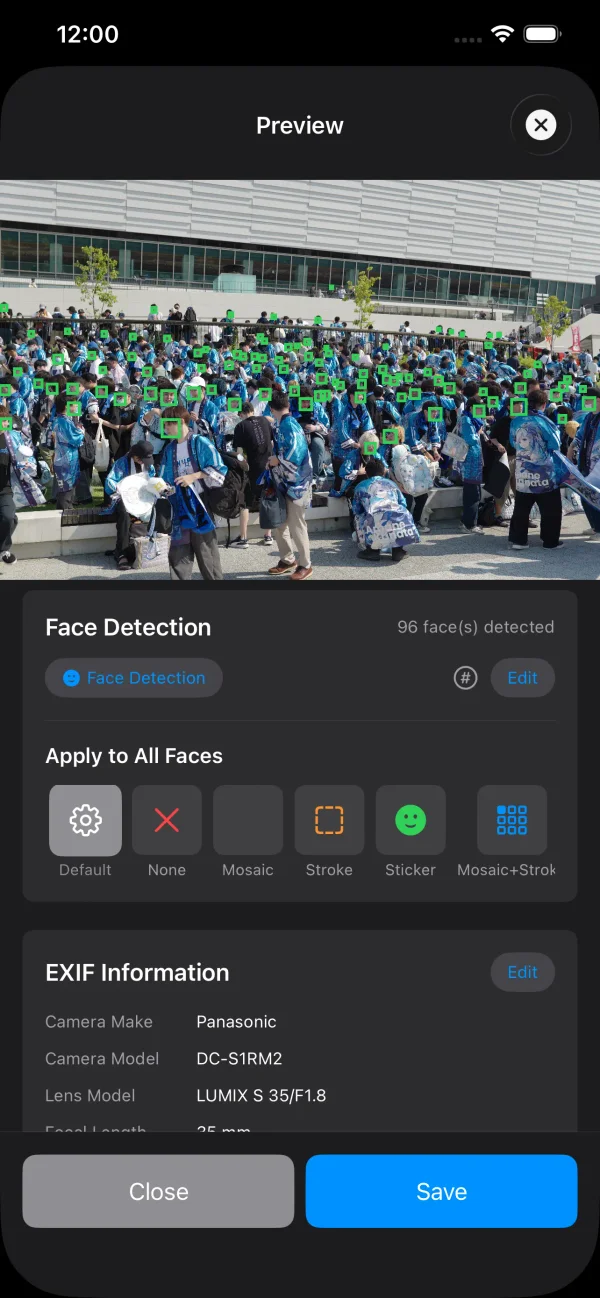
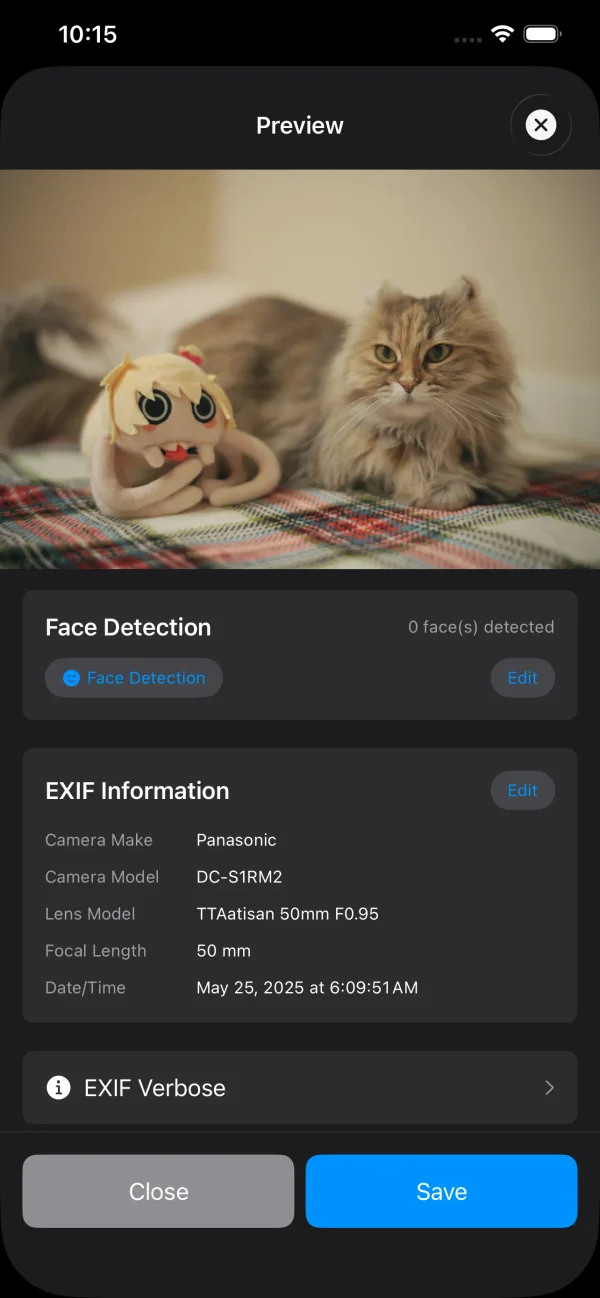
◆ Face Detection & Privacy Protection
• On-device automatic face detection
• Apply mosaic or sticker to detected faces
• Manually add, delete, or adjust detection areas
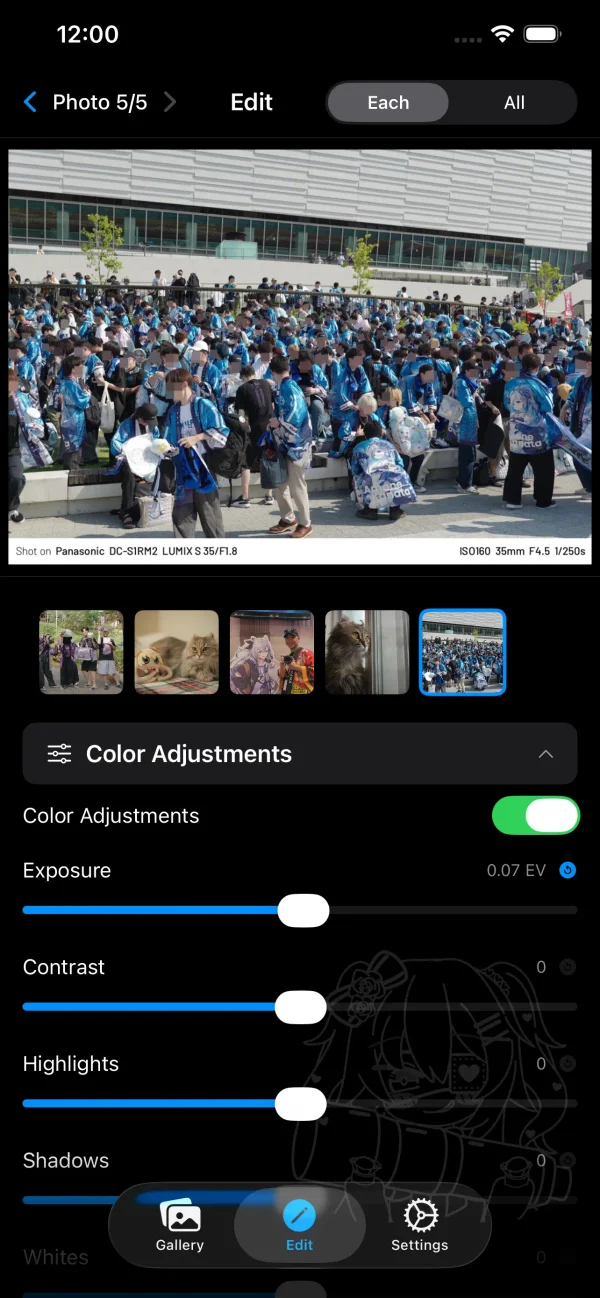
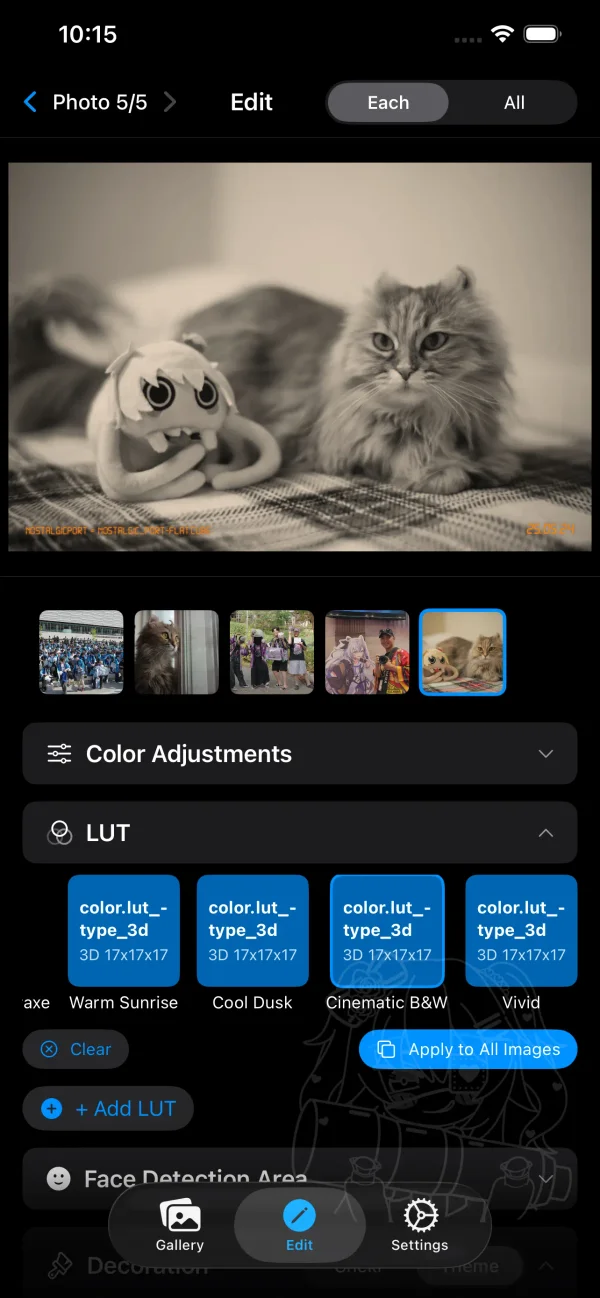
◆ LUT Color Grading
• Apply professional LUT filters (.cube format)
• Fine-tune exposure, contrast, highlights, shadows, clarity, saturation, and more
• Apply LUT individually or in batch
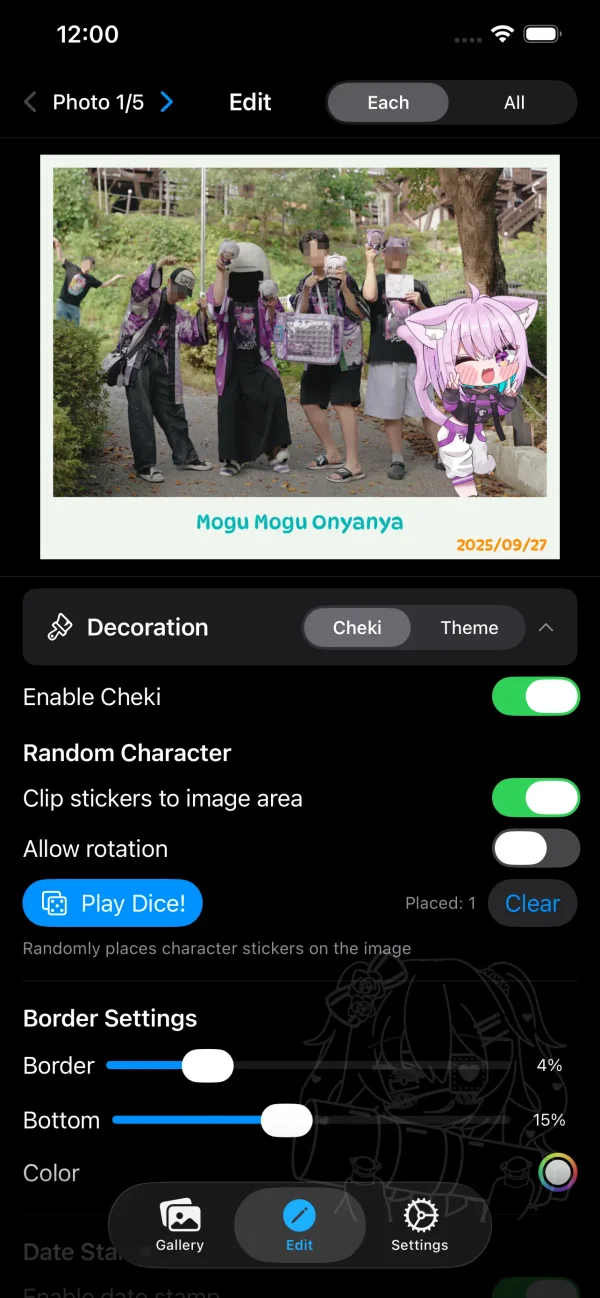
◆ Cheki (Polaroid-Style) Frames
• Polaroid-style borders — adjustable width, color, bottom margin, and text (or EXIF)
• Play Dice! for random sticker placement, or place them freely
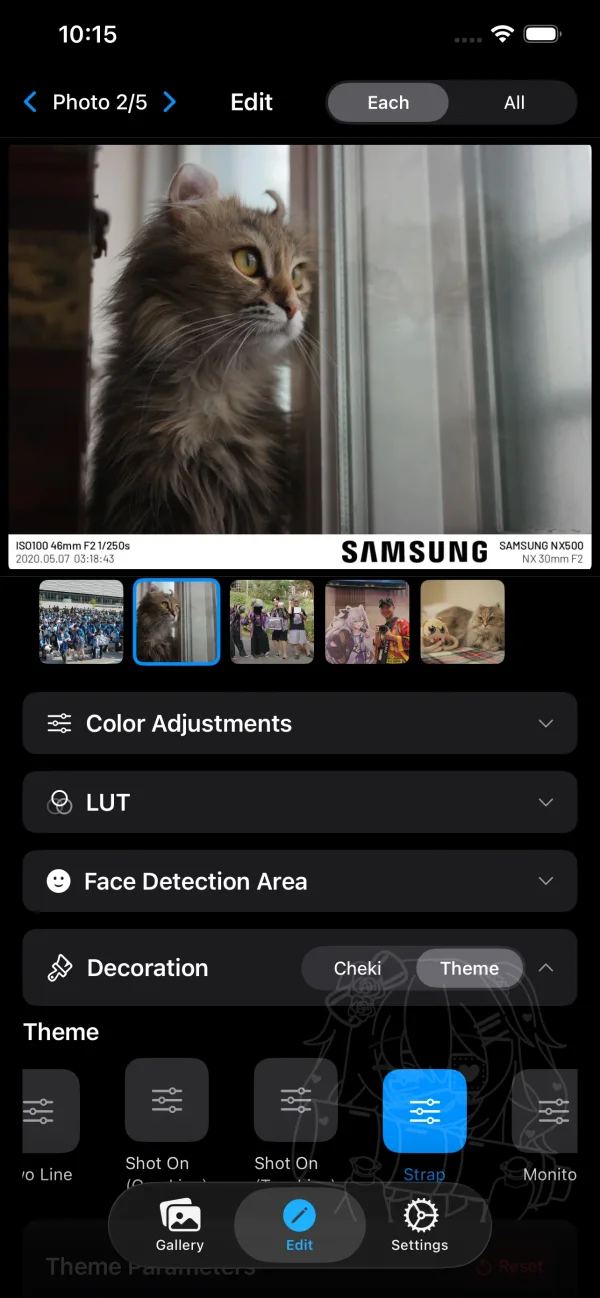
◆ EXIF-Based Shooting Info Frames
• Multiple built-in frame themes
• Auto-display camera, lens, focal length, aperture, shutter speed, and ISO
• Verbose EXIF to view full metadata including maker notes
◆ Batch Processing & Export
• Edit multiple photos at once with batch apply — export as JPEG, PNG, or WebP
• Fine-tune quality and scaling modes (max width/height, longside, and more)
◆ Privacy First
All image processing is performed entirely on-device. No cloud uploads, no external AI models — your photos never leave your device.
Inspired by the travel VTuber Akai Haato, who loves photography.
What’s new
Version 0.2.2 · Mar 5, 2026
Improved support to allow WEBP images to be saved directly to the Photos app.
App privacy
What Jinwoo Park declares on the App Store about how this app handles data.
-
Data not collected
The developer does not collect any data from this app.
Privacy practices may vary, for example with the features you use or your age.
Information
- Seller
- Jinwoo Park
- Category
- Photo & Video
- Version
- 0.2.2
- Updated
- Mar 5, 2026
- Released
- Feb 25, 2026
- Size
- 88.3 MB
- Requires
- iOS 17.6 or later
- Age rating
- 4+
- Languages
- Japanese, Indonesian, English, Korean
- Copyright
- © 2025 Jinwoo Park
You might also like
-
 Paddie: Frame Daily MomentsReframe Your Daily Fragments
-
 출사지도Photo & Video
-
 Margin – 写真に白枠・余白を追加広告なしで、SNS 用に写真に白枠加工
-
 ArshesPhoto & Video
-
 FoinstCustomize your IG stories font
-
 36expPhoto & Video
-
 Square Padding PhotoAdd padding to square photos
-
 UnspooledPhoto & Video
-
 LightscopePlay & grade log video in HDR
-
 Panorama Pro - Photo StitcherMerge Photo & Image Stitch