Chameleon AUv3 Sampler Plugin
AUv3 Compatible Instrument.
Designed for iPhone, iPad, iPod touch
$12.99
- Age rating4+
- CategoryMusic
- Developer4Pockets.com
- LanguagesEnglish
- Size225.8 MB
Links to the official App Store page
Download.org hosts no file of Chameleon AUv3 Sampler Plugin. The button opens its official App Store page, published by 4Pockets.com. Listing last checked on Nov 17, 2026.
Screenshots
About
Chameleon is an AUv3 compatible sampler instrument plugin for your favourite DAW.
The program can run as a standalone app in order to record audio samples from the internal microphone or professional audio interface. It also supports incoming Inter-App Audio connections for sampling directly from other iOS applications, however it is primarily intended to be used as an AUv3 Instrument plugin for applications such as Cubasis, AUM, Auria, Meteor, Gargeband etc. The plugin can additionally be loaded as an AUv3 effect in order to record audio passing through it from other AUv3 Instrument sources, which makes it a very versatile and useful tool.
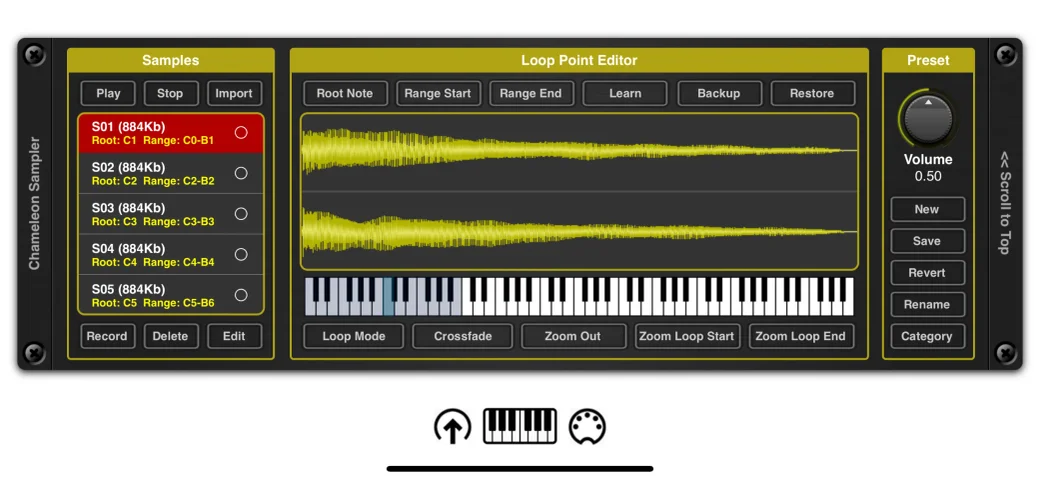
So what is a sampler? A sampler is a device that allows you to imitate other instruments with just a few short audio snippits. Although it comes with a library of presets it also allows you to create your own. You do this by recording multiple audio clips and mapping them to the notes on a MIDI keyboard and Chameleon does the rest using a sophisticated pitch shifting algorithm to fill in the blanks. Recorded samples can either be layered or mapped freely over a 7 octave range and saved as individual presets. Presets are then organised into custom categorised banks which can be exported and shared with others.
Just think, you can sample all your favourite synth sounds and carry them around on your iPhone/iPad without the inconvenience of lugging heavy gear around with you. Sample anything from musical instruments to vocal snippits, drum machines or ambient noises. The possibilities are endless.
Recording is incredible easy. Just create a New Patch and press record. Chameleon will wait for you to play a note before recording begins. Once recorded press the LEARN button and tap the note range on the virtual or MIDI keyboard to map the sample. Repeat this as many times as required, tweak the settings and save your patch. Additionally you can setup loop points with the ability to apply crossfade. If all that sounds too complicated, just press auto sample and let Chameleon do all the sampling for you.
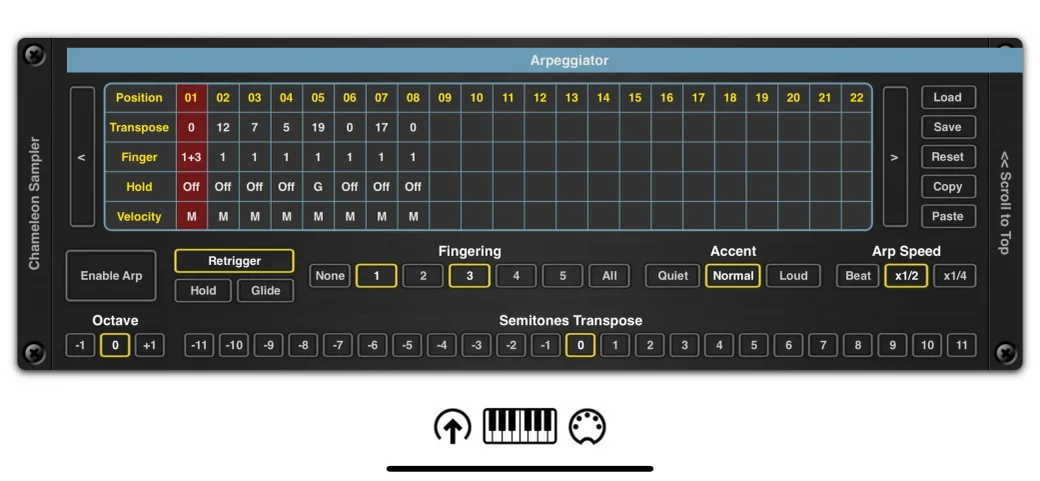
Chameleon also has a quite sophisticated arpeggiator which allows you to create complex mixtures of notes and chords with glide, hold and re-triggering options.
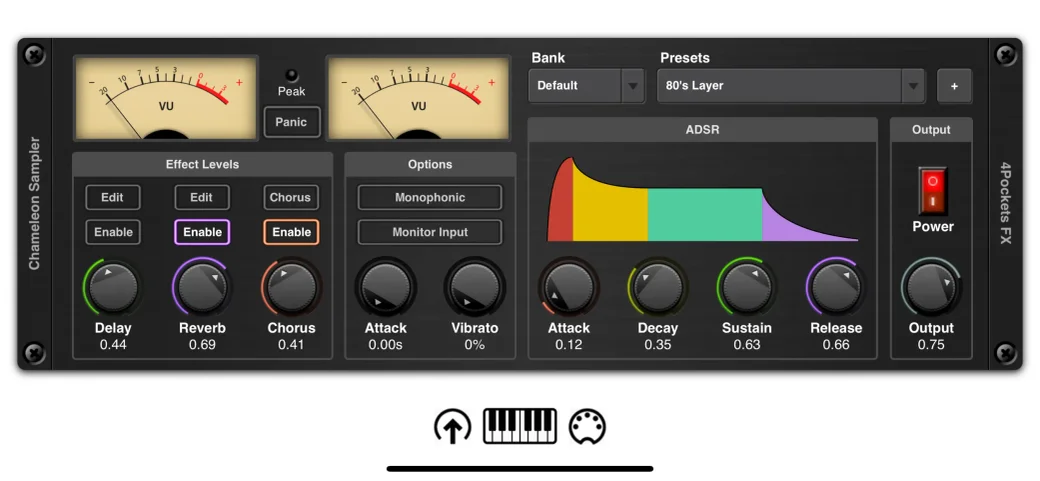
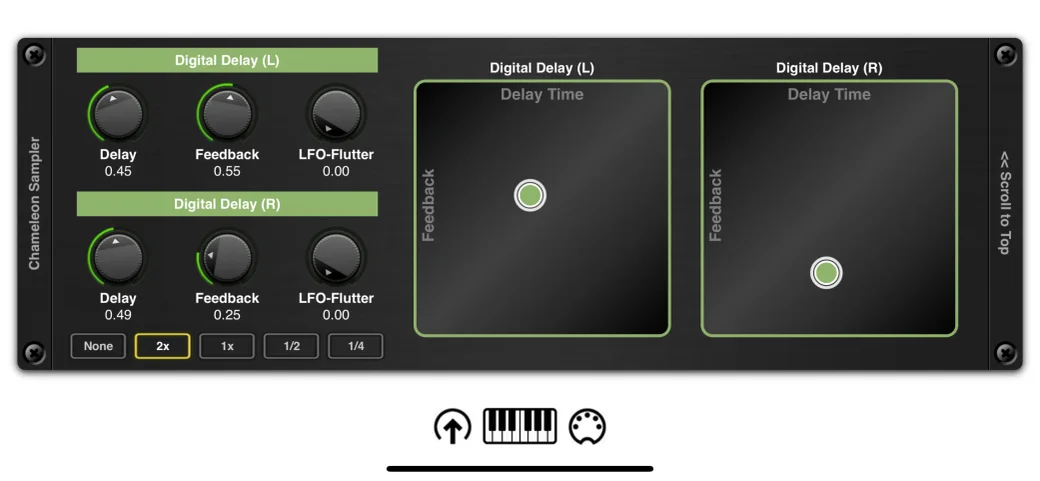
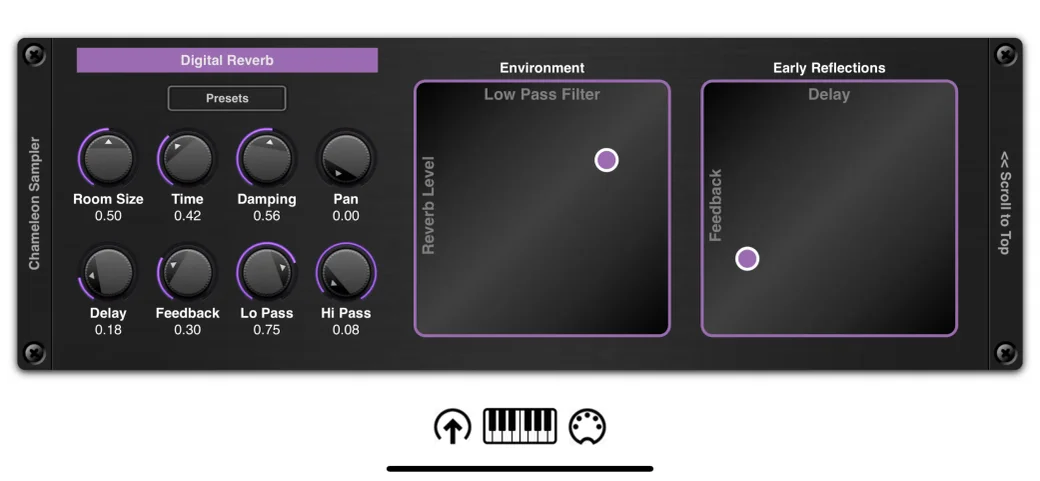
On board reverb, digital delay and chorus effects are available to give your samples a more polished touch. We also include 4 touch pads for quickly dialing in on a sound or for easy effect automation. Configurable touch ADSR and modulation options are available too.
Chameleon can also import audio samples using iOS Files integration or you can make use of Copy / Paste to quickly drop one of more samples into a patch. You can also freely edit samples using the built in tools such as normalise, fade in, fade out, crop, clear options etc.
You can run Cameleon as a standalone app and map external MIDI keyboards (Bluetooth MIDI support also included) and perform audio sampling outside of your DAW. This is provided for convenience since you can't record input when hosted as an AUv3 Instrument plugin.
Yes some DAW's have built in samplers which only have the ability to playback libraries provided with the software. Chameleon allows you to built your own libraries of sounds and share them with others. There's a budding rapper in you dying to get out and we have just the tool!
Features:
AUv3 Instrument and AUv3 Effect compatible
Runs as a standalone app for sampling purposes.
Supports incoming IAA connections to compatible apps..
ADSR touch envelopes and modulation.
ARP - Sophisticated programmable arpegiator.
Reverb, Chorus and Digital Delay Effects with BPM sync.
Backup and Restore patches and banks.
Create your own user banks.
4 Touch Pads for automation.
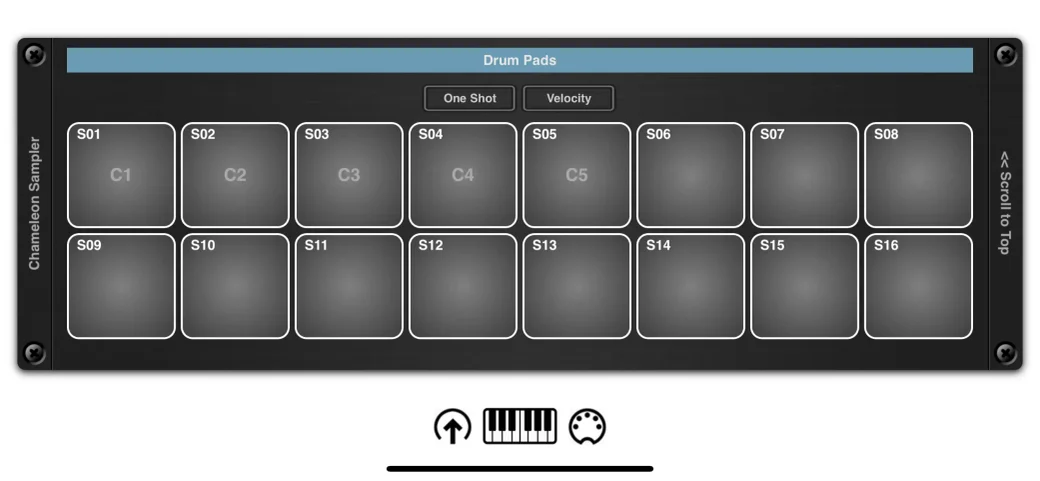
16 MIDI Drum Pads
iOS Files App support for import and export.
Bluetooth MIDI support
Loop Points and optional Crossfade supported.
Monophonic and Polyphonic modes.
Auto Sample feature.
Built in Vocoder.
What’s new
Version 1.27 · Dec 11, 2025
v1.27 B34
Fixed some UI issues running under iOS26.1
App privacy
What 4Pockets.com declares on the App Store about how this app handles data.
-
Data not collected
The developer does not collect any data from this app.
Privacy practices may vary, for example with the features you use or your age.
Information
- Seller
- Limelight Software
- Category
- Music
- Version
- 1.27
- Updated
- Dec 11, 2025
- Released
- Mar 23, 2019
- Size
- 225.8 MB
- Requires
- iOS 13 or later
- Age rating
- 4+
- Price
- $12.99
- Languages
- English
- Copyright
- Copyright © 2019 - 4Pockets.com
You might also like
-
 GlitchStep16 Step MIDI Sequencer AUv3
-
 NoiseSpaceNoise textures and backgrounds
-
 Zodiak Taurus Mega OctavizerEffect for Guitar & Studio
-
 Circa LooperCreative Looping Environment
-
 Thereminator 2Touch Controlled Theremin
-
 AudioLayerThe mobile Sample Solution
-
 SolderboxGenerative Semi-modular Synth
-
 Quanta 2Granular Synth
-
 Groove Rider 2Groove Box, DAW, AUv3 host
-
 SkulpturPerformance Filterbank