
Change Order Pro Contractor
AI Change Orders & Invoices
Designed for iPhone, iPod touch
Free · In-app purchases
- Age rating4+
- CategoryBusiness
- DeveloperMustafa Gokalp
- LanguagesEnglish
- Size29.8 MB
Links to the official App Store page
Download.org hosts no file of Change Order Pro Contractor. The button opens its official App Store page, published by Mustafa Gokalp. Listing last checked on Nov 18, 2026.
Screenshots
About
Create professional change orders before extra work becomes a paperwork problem.
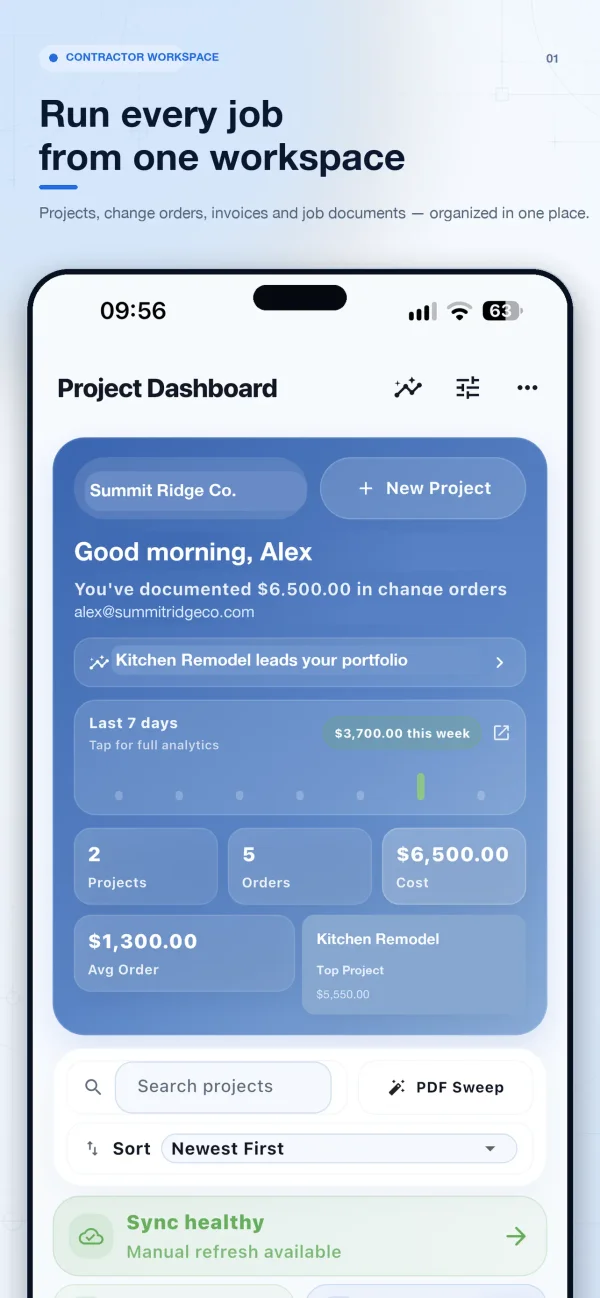
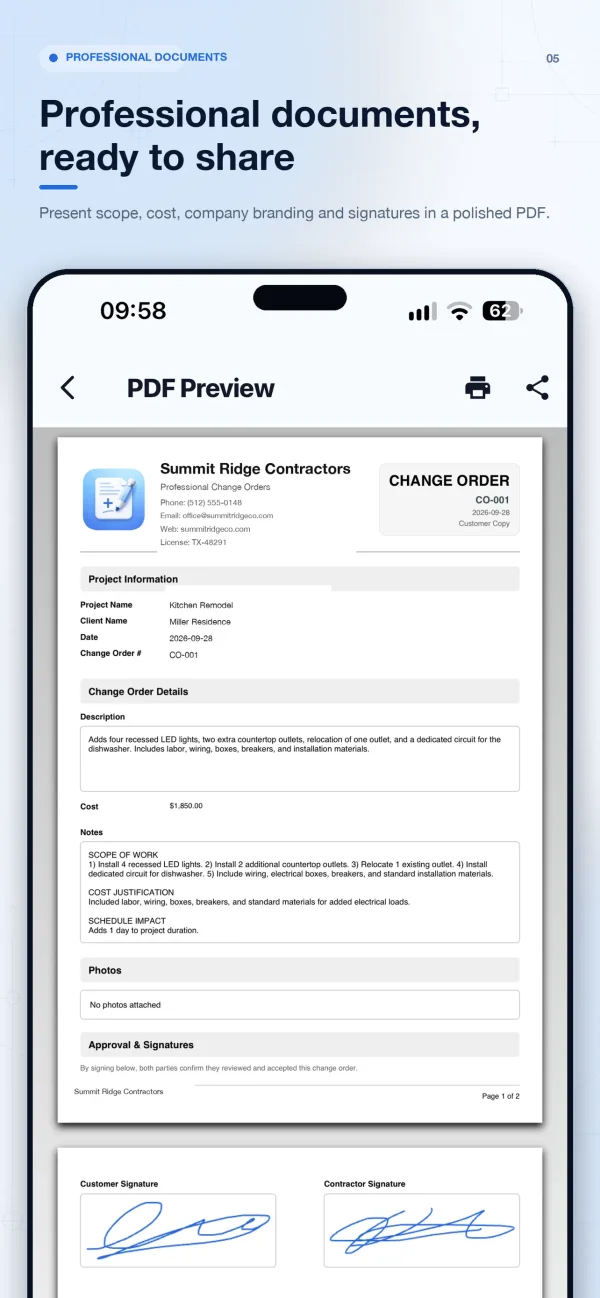
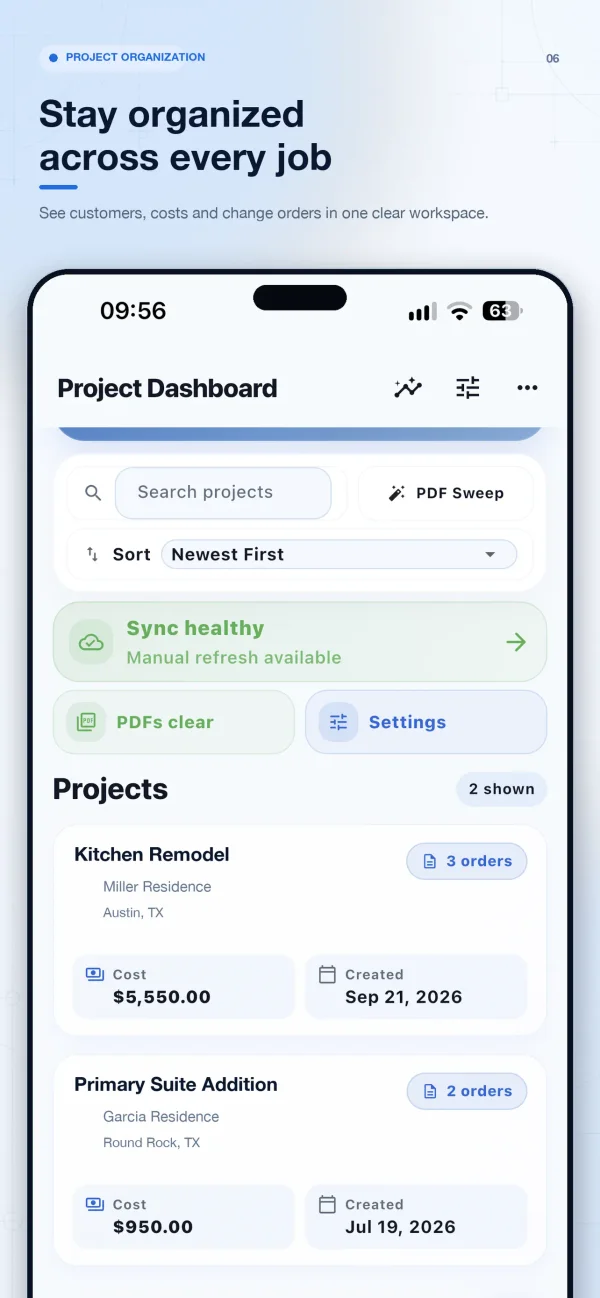
Change Order Pro gives contractors one organized workspace for projects, change orders, invoices, signatures, jobsite photos, and professional PDFs. Capture the details in the field, keep customers informed, and move approved work from change order to final invoice.
NOW IN ENGLISH & SPANISH
Use the app interface in English or Spanish while keeping your AI draft and document language separate. Choose the language that works best for your workflow, customers, and documents.
CONTRACTOR AI
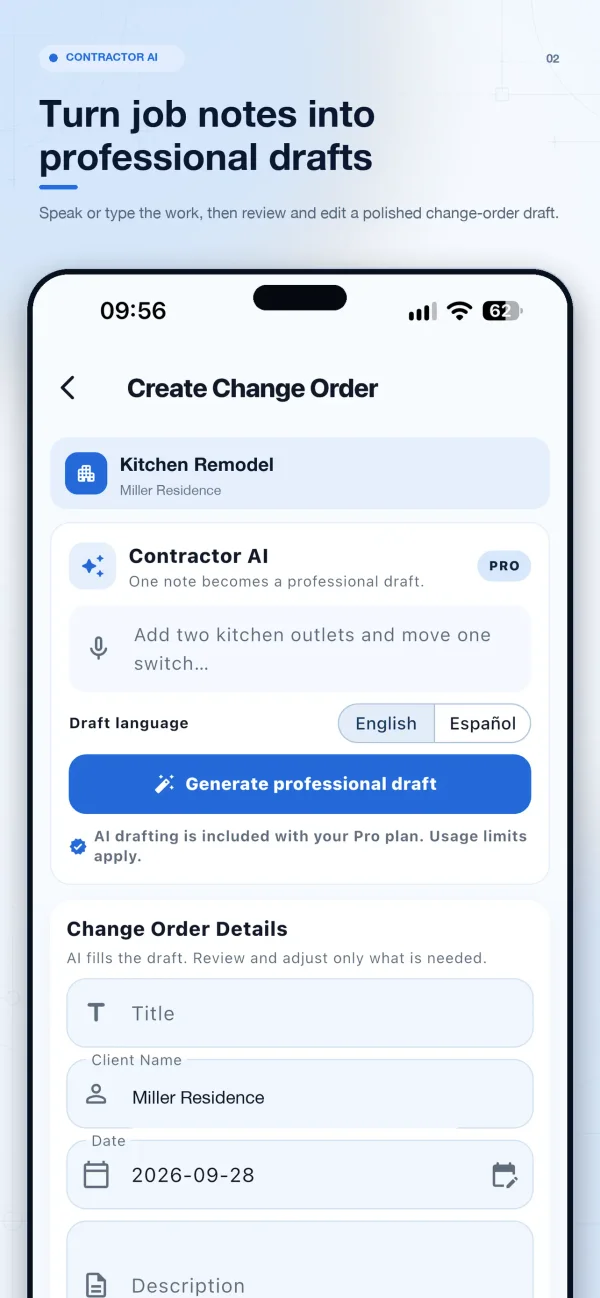
Speak or type your job notes and turn them into a structured, editable draft. Contractor AI helps prepare:
• Professional titles
• Detailed scope descriptions
• Cost explanations
• Schedule impact notes
• Customer review notes
• English or Spanish drafts
Every AI-generated draft remains fully editable, so you stay in control before saving, signing, or sharing.
VOICE OR TEXT INPUT
Describe the work, materials, labor, cost, and timeline using your voice or keyboard. Contractor AI organizes the information into a clear draft that you can review and revise.
CHANGE ORDERS
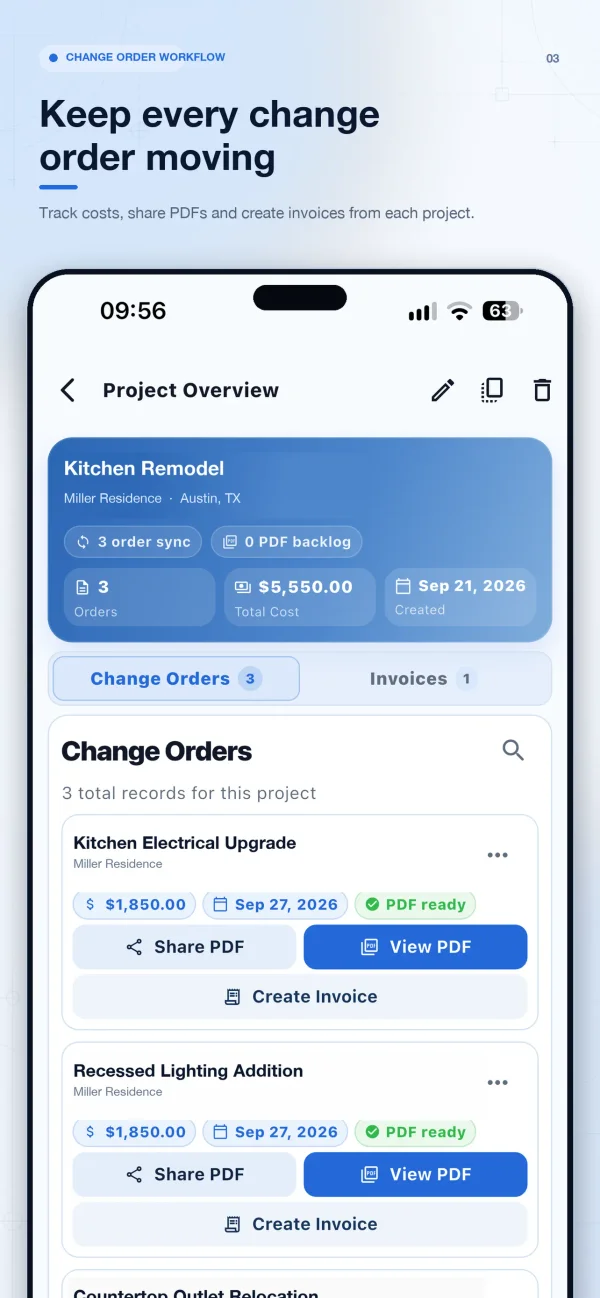
• Organize change orders by project and customer
• Add scope, pricing, dates, notes, and jobsite photos
• Capture customer and contractor signatures
• Generate professional PDFs
• Create documents in English or Spanish
• Preview, duplicate, update, and share records
• Turn approved change orders into invoices
AI INVOICE ASSISTANT
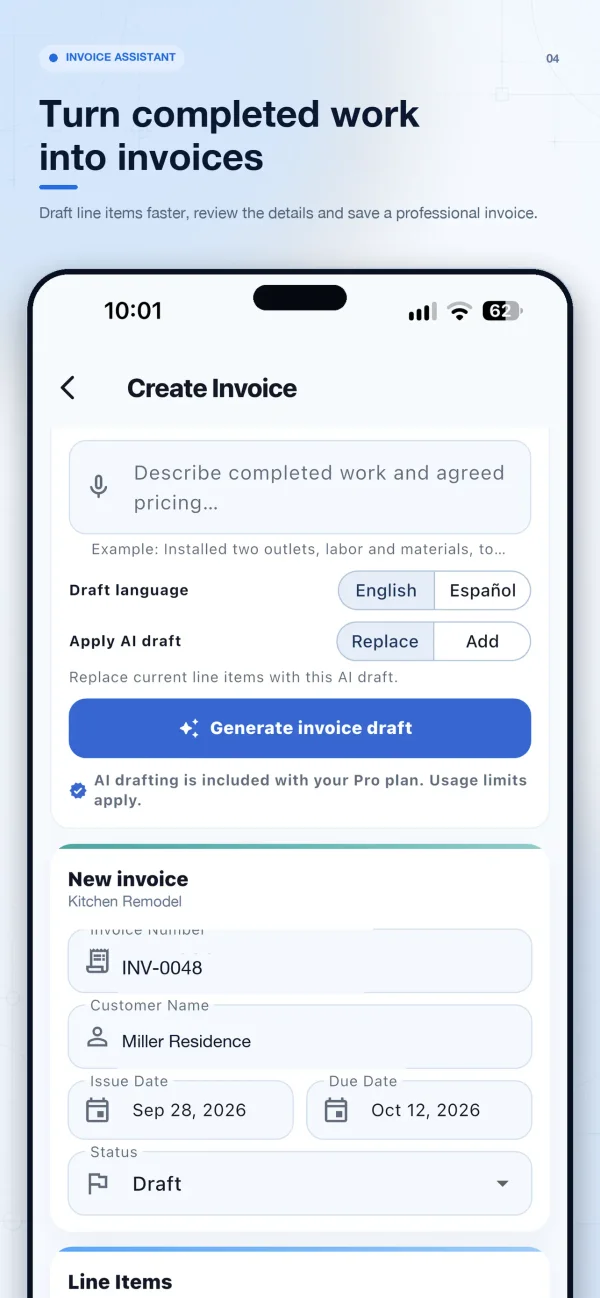
Create organized invoice line items from job details or approved change orders. Review and edit descriptions, quantities, unit prices, dates, payment terms, and customer notes before saving.
INVOICES
• Create invoices from scratch or from change orders
• Add quantities, unit prices, tax, and discounts
• Set issue dates, due dates, and invoice status
• Include payment terms and customer notes
• Generate polished invoice PDFs
• Keep invoices connected to their source projects
ONE CONTRACTOR WORKSPACE
• Manage projects, change orders, and invoices
• Add your company name, logo, and business details
• Search customer and project records
• Review dashboard activity and job totals
• Use Light or Dark Mode
• Sync your workspace across supported devices
• Restore eligible App Store Pro purchases
BUILT FOR THE FIELD
Designed for general contractors, remodelers, builders, subcontractors, renovation teams, and service professionals who need a faster way to document additional work and maintain professional customer records.
FREE PLAN
• 2 projects
• 10 change orders
• 2 invoices
• A one-time allowance of 20 AI drafts shared across Contractor AI and Invoice Assistant
UPGRADE TO PRO
Choose Monthly or Yearly Pro to unlock:
• Unlimited projects
• Unlimited change orders
• Unlimited invoices
• Contractor AI and Invoice Assistant
• Professional PDF workflows
• English and Spanish AI drafting
• English and Spanish PDFs
• Cloud synchronization
• Advanced analytics and workspace features
Monthly and Yearly Pro are auto-renewable subscriptions billed through your Apple ID. Subscriptions renew automatically unless canceled at least 24 hours before the end of the current billing period. You can manage or cancel your subscription in your Apple ID account settings.
Terms of Use:
https://www.apple.com/legal/internet-services/itunes/dev/stdeula/
What’s new
Version 1.4.1 · Oct 9, 2026
What's New in Version 1.4.1
• Enhanced Analytics with date, project, and status filters.
• A cleaner Dashboard with streamlined shortcuts.
• Improved project navigation and list organization.
• Refined notifications and account menu.
• Better layouts and readability in English and Spanish.
• Additional interface improvements and bug fixes.
App privacy
What Mustafa Gokalp declares on the App Store about how this app handles data.
-
Data linked to you
May be collected and linked to your identity.
- Contact info
- User content
- Identifiers
Privacy practices may vary, for example with the features you use or your age.
Information
- Seller
- Mustafa Gokalp
- Category
- Business
- Version
- 1.4.1
- Updated
- Oct 9, 2026
- Released
- Apr 1, 2026
- Size
- 29.8 MB
- Requires
- iOS 15.0 or later
- Age rating
- 4+
- Price
- Free
- In-app purchases
- Yes
- Languages
- English
- Copyright
- © G-Labs Studio 2026
You might also like
-
 SiteTicket: Change Order AppT&M tickets. Signed on site.
-
 Construction Change Order AppBusiness
-
 Site QA LogPhotos, Stages & Reports
-
 Proposal CRMManage proposals easily
-
 SlurryBase: Slurry CalcSlurry pipeline calculations
-
 ClawdauntProductivity
-
 Vela AI StagingProductivity
-
 BidBud: Cost EstimatorConstruction Estimate Maker
-
 Burrow ReportUG Construction As-Builts
-
 Site Field Log: DailyReportr+Crew, Labor, Equipment & Time