Chapper: AI & LM Studio Client
Local LLM & AI Chat Client
Designed for iPhone, iPad
Free · In-app purchases
- Age rating4+
- CategoryProductivity
- DeveloperPrevolut Ltd
- LanguagesEnglish+ 12 more
- Size142.5 MB
Links to the official App Store page
Download.org hosts no file of Chapper: AI & LM Studio Client. The button opens its official App Store page, published by Prevolut Ltd. Listing last checked on Nov 12, 2026.
Screenshots
About
Chapper is a powerful, privacy-first AI chat client for iPhone and iPad that runs on-device models and connects directly to local LLMs, LM Studio, self-hosted AI servers, and OpenAI-compatible endpoints.
No accounts. No forced cloud. No subscription.
Whether you run LM Studio, Ollama, llama.cpp, or another OpenAI-compatible endpoint, Chapper gives you a polished, fully native iOS experience for chatting with your models, managing conversations, tuning inference settings, using tools, and working with local AI on your own terms.
Built in SwiftUI from the ground up, Chapper is designed to feel like a real iPhone and iPad app, not a web wrapper.
FEATURES
• On-Device Local Models
Run supported AI models directly on iPhone and iPad for private local inference, including MLX models and Apple Foundation Models where available.
• Personas
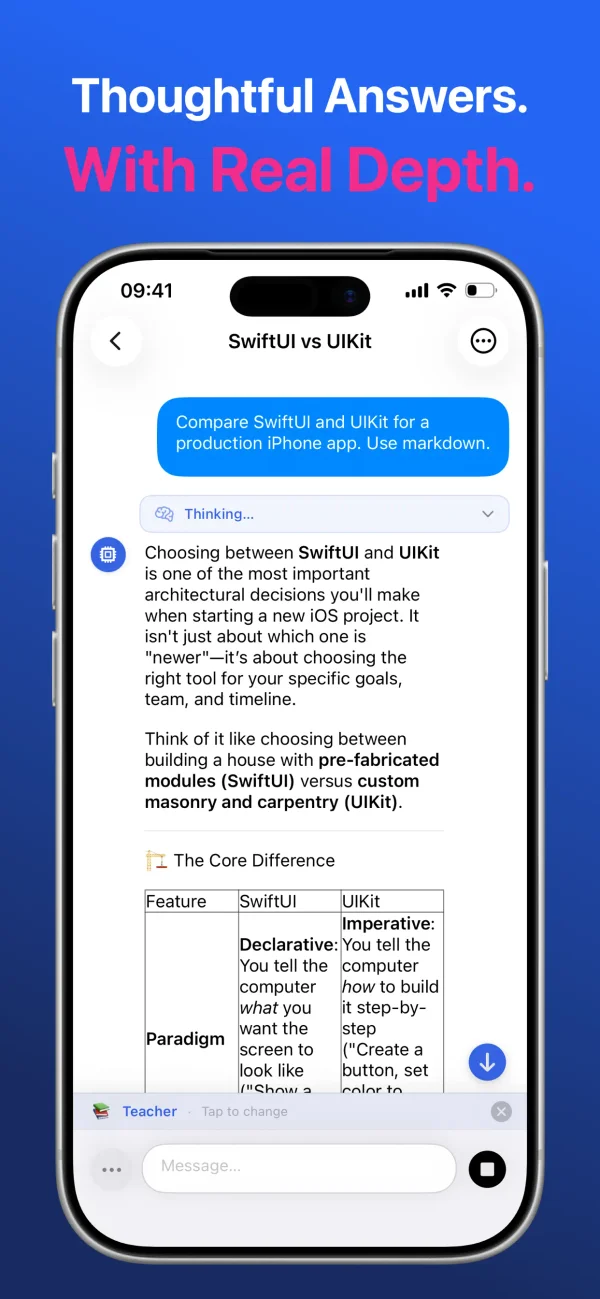
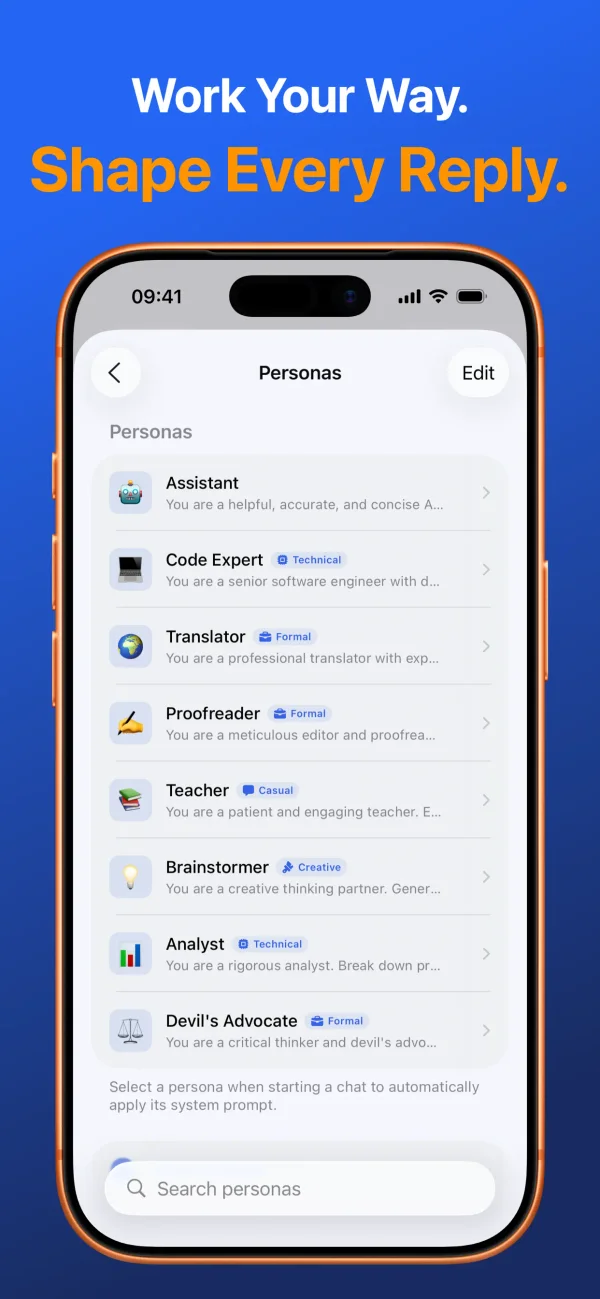
Create and switch between custom AI personas, each with their own system prompt, tone, and language. Built-in personas include Code Expert, Translator, Teacher, Analyst, Brainstormer, and more.
• Thought Process
See reasoning output from supported models in a collapsible panel above responses.
• Rich Markdown Rendering
Full support for code blocks, tables, lists, emphasis, and structured responses.
• Model Management
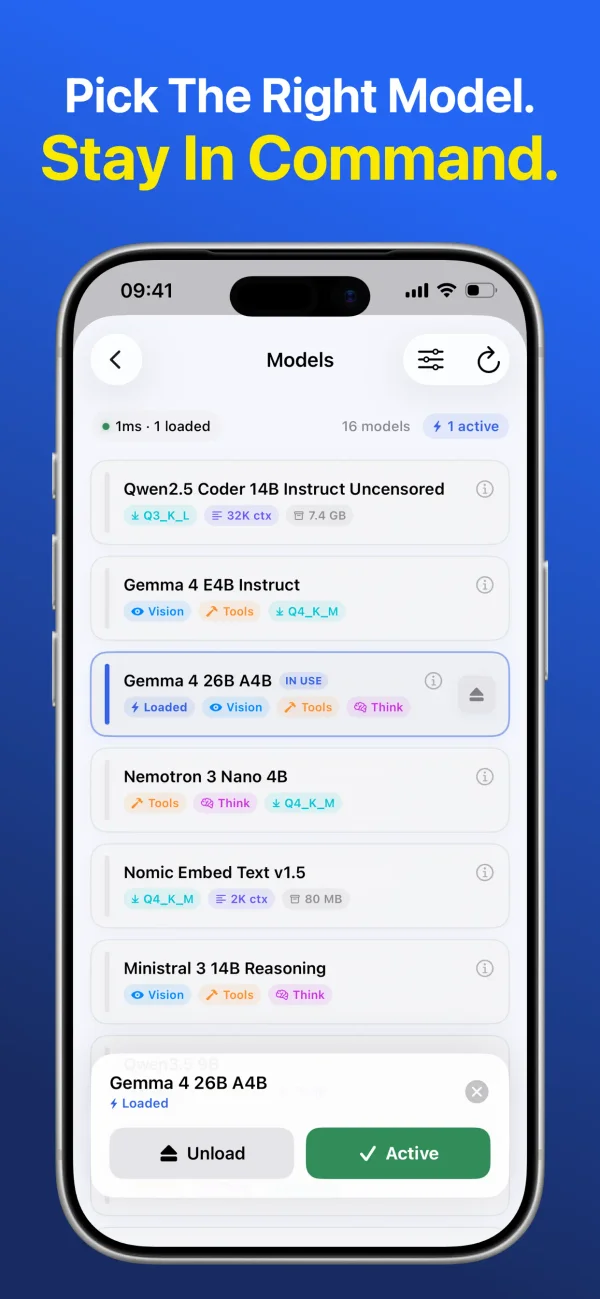
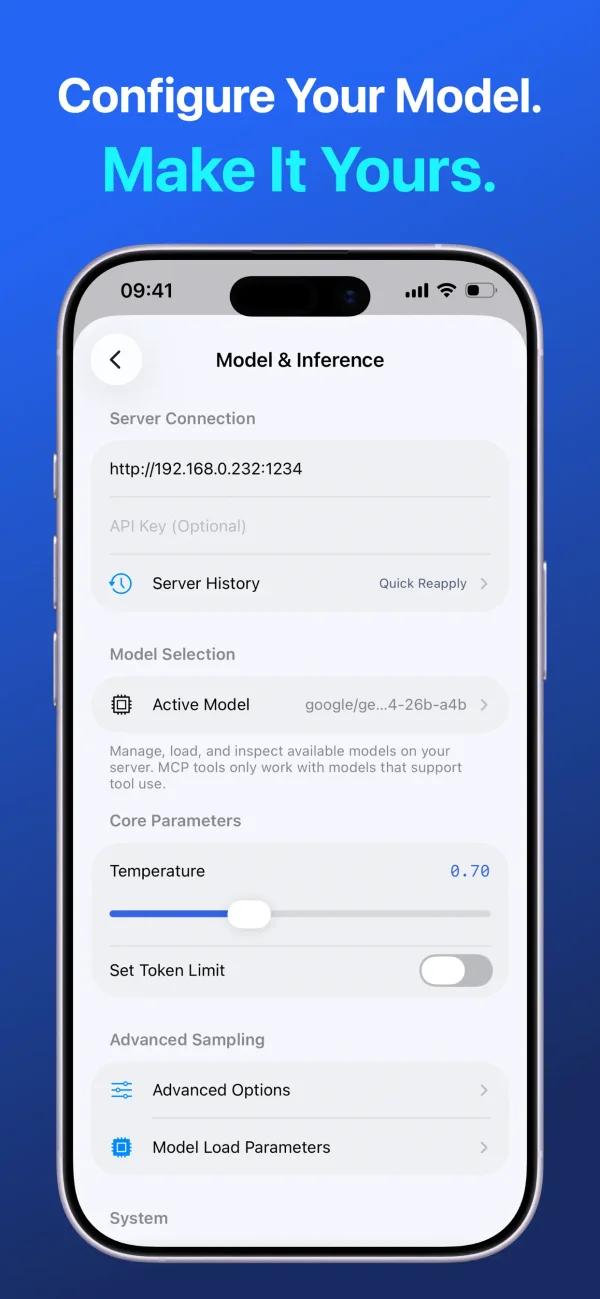
Browse, inspect, select, load, and unload models directly from the app where supported. View quantization, context length, tool support, vision support, and active status.
• MCP Tools
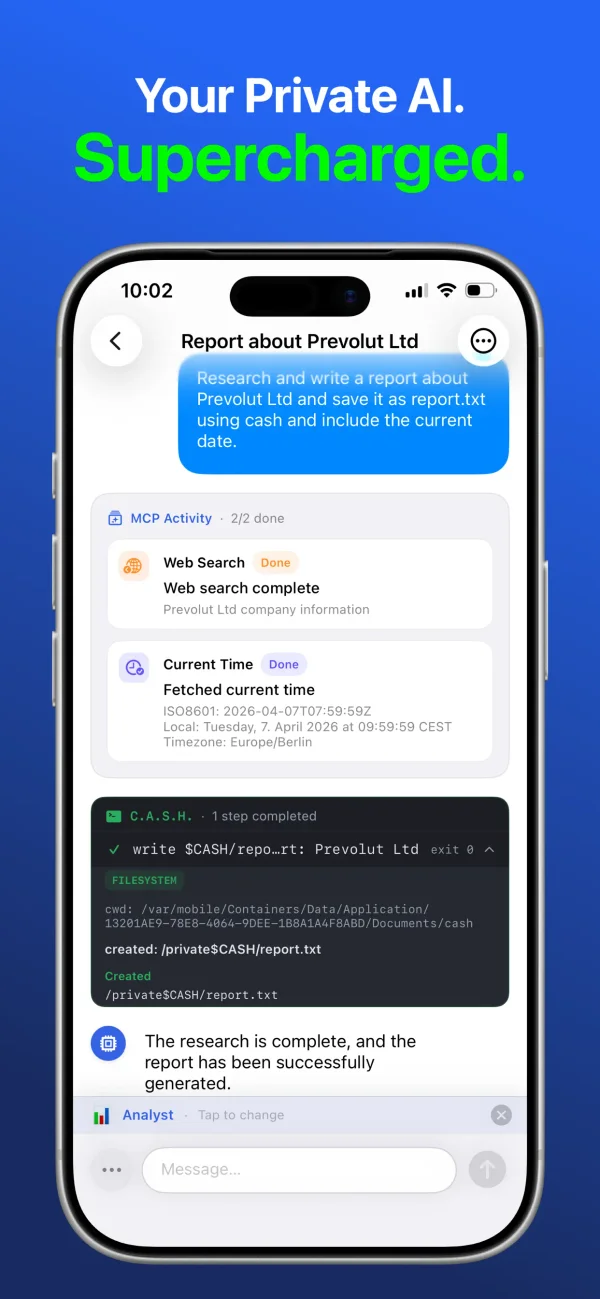
Built-in tool workflows for web search, current time, server status, model listing, chat search, file and directory access, URL fetching, export actions, and more.
• C.A.S.H. Terminal
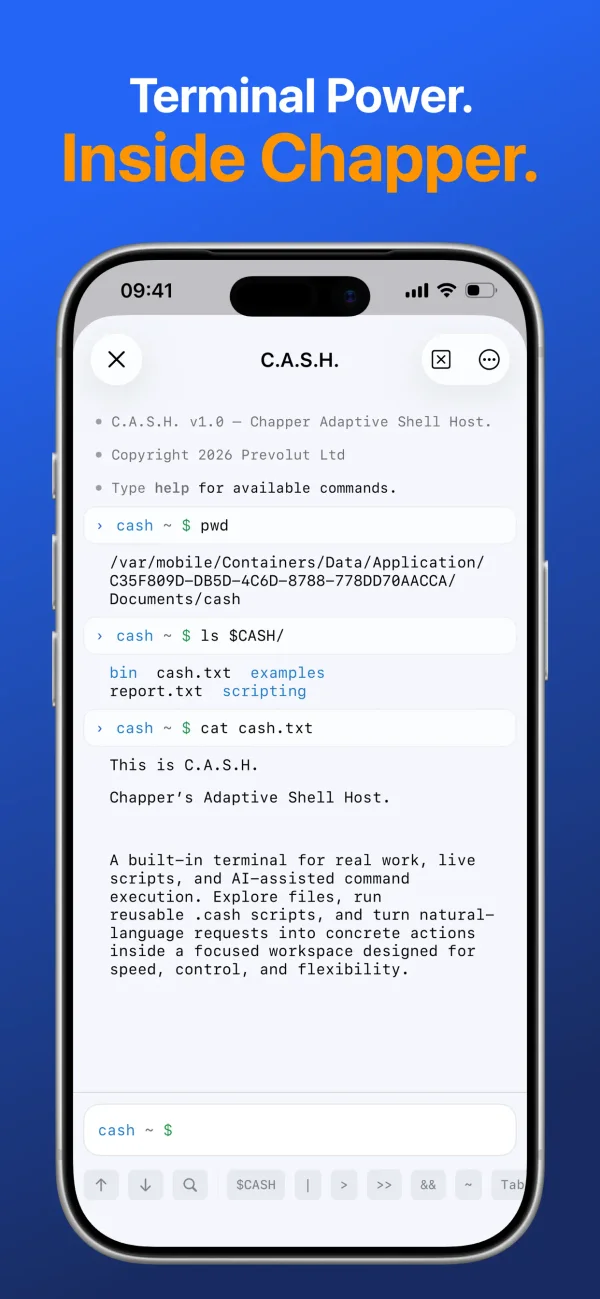
A built-in sandboxed terminal environment for practical local workflows, file operations, shell scripting, and AI-assisted tool execution.
• Files App Integration
Access Chapper workspace files directly in the iOS Files app, including exports and tool-related content where supported.
• Memory
Save useful long-term information and inject it into conversations automatically for more consistent assistance across chats.
• Prompt Templates
Save and reuse common prompts instantly.
• Full Parameter Control
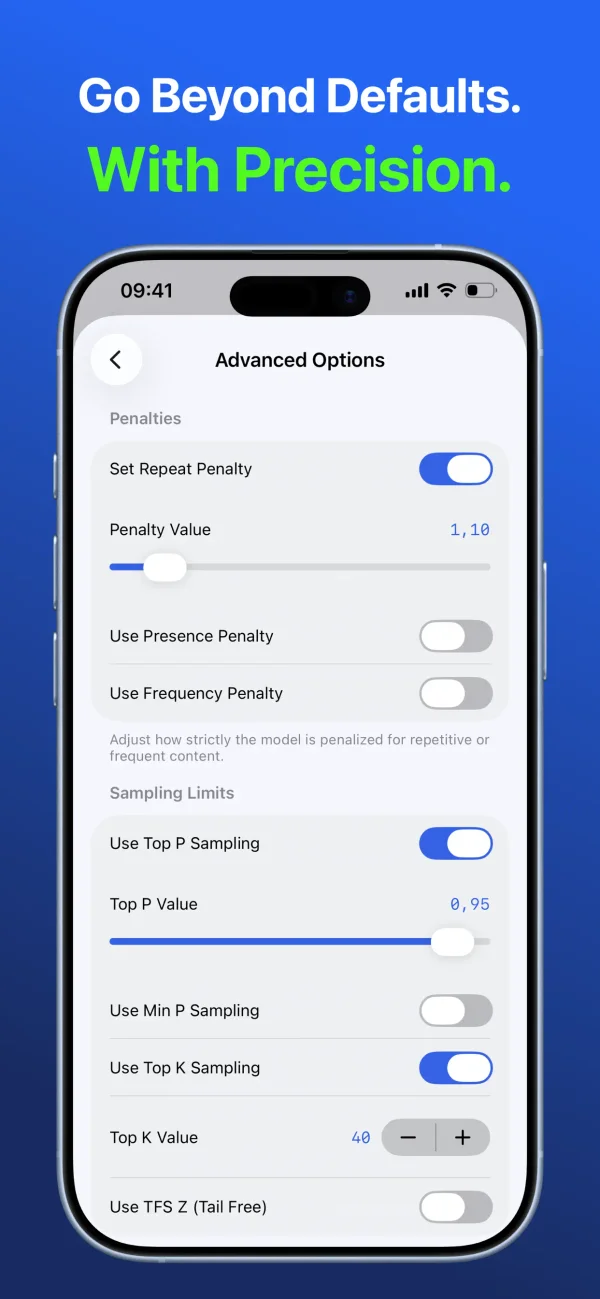
Adjust temperature, token limits, repeat penalty, Top-K, Top-P, Min-P, TFS-Z, Flash Attention, KV-cache offload, context length, keep-alive, structured output, and more.
• Search
Full-text search across chats and message history.
• Export
Export conversations in multiple formats including TXT, PDF, HTML, Markdown, JSON, CSV, and XML.
• Keychain Support
Store API keys securely using iOS Keychain.
• iCloud Sync
Optionally sync chats across devices with iCloud.
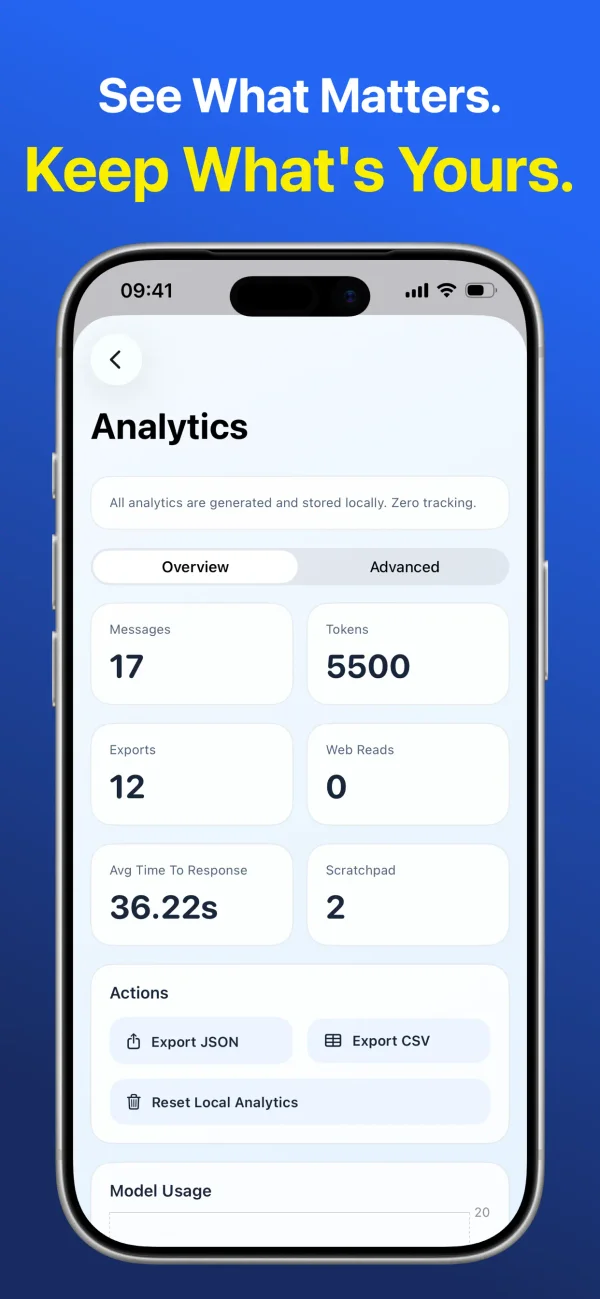
• Analytics Dashboard
View on-device usage stats and activity insights.
• Text to Speech
Listen to responses with native, local, or server-based TTS playback.
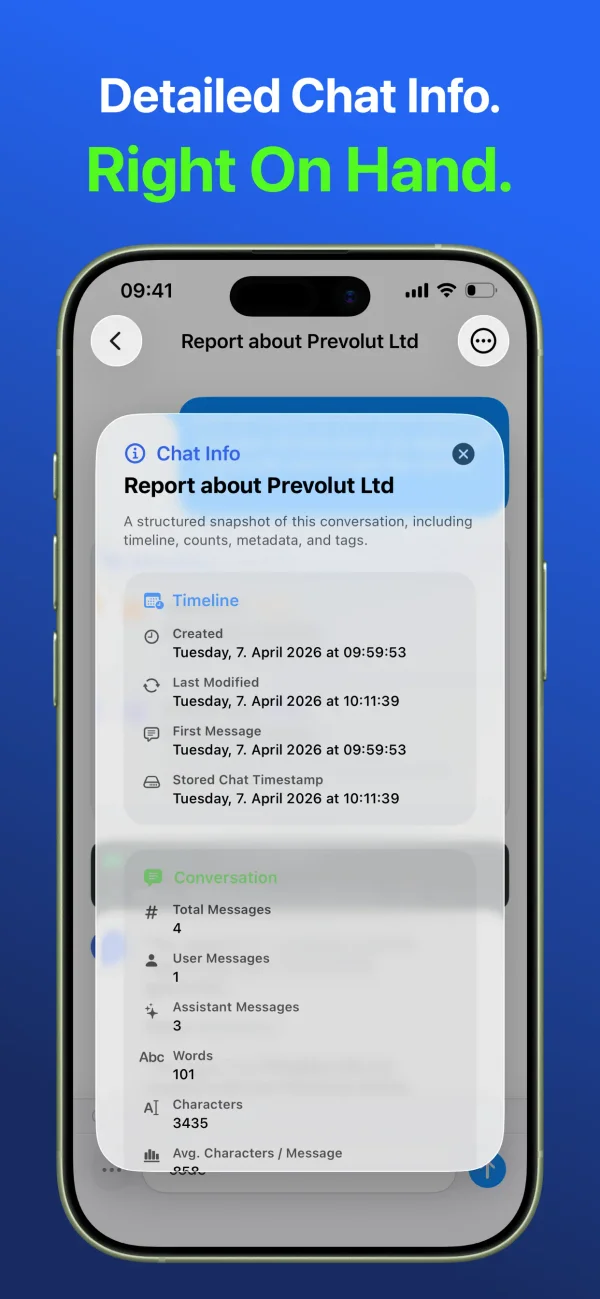
• Chat Info
Inspect timestamps, counts, tags, folder assignment, and other conversation metadata.
• Server Tools
Configure, save, and reuse server connections for a smoother local AI workflow.
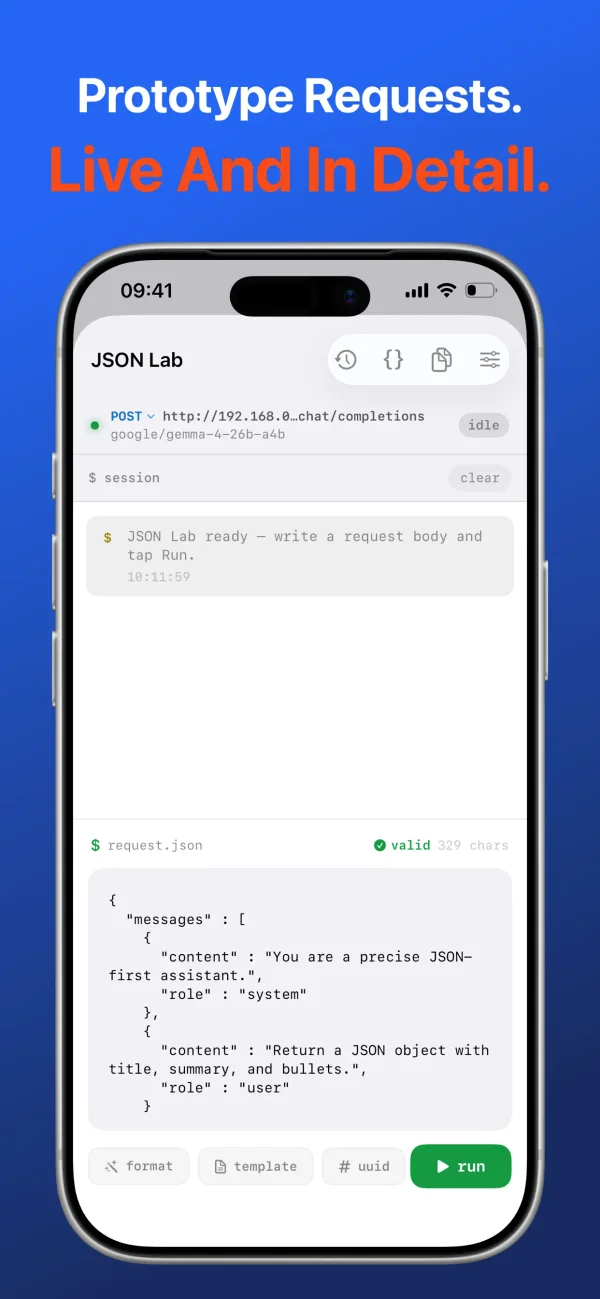
• JSON Lab
Work with custom JSON requests and experimental API workflows directly inside Chapper.
• Chapper Pro
One-time purchase. Unlock unlimited chat history, all export formats beyond plain text, advanced sampling and structured output controls, MCP tools in normal chat, C.A.S.H. terminal access with shell scripting and AI shell tooling, premium personas and prompt templates, memory and analytics extras, iCloud sync, live vision chat, premium appearance options including additional app icons, and future Pro features. No subscription.
COMPATIBILITY
Chapper works with on-device models, LM Studio, Ollama, llama.cpp, and OpenAI-compatible servers. Some features depend on your model or server.
PRIVACY
Chapper is built with privacy in mind. Your chats stay on your device unless you explicitly enable iCloud sync or connect to your own server. No accounts required. No third-party tracking.
Chapper is built for people who care about local AI, privacy, model control, and a true native iOS experience.
What’s new
Version 1.3.1 · Aug 6, 2026
What's New in 1.3.1
Dear Chappers, this update fixes a lot of bugs and logic errors, and brings some new features to improve the Chapper experience.
• Dozens of small fixes and inconsistencies resolved under the hood
• Fixed an issue where template icons wouldn't apply correctly
• Fixed MCP server settings occasionally opening the wrong menu
• Smoother, more reliable app flow throughout chat and local model use
• First look at Agent Mode, letting Chapper handle multi-step tasks with checkpoints along the way
• Quick model switching
• Bigger AI answer field for easier reading
• Smaller UI tweaks and little features added throughout
• Updated animations for a smoother feel
• General polish
• And much more
We've received so much positive and constructive feedback from all of you, and we are grateful. Thank you for being part of the Chapper journey. More updates are on the way.
App privacy
What Prevolut Ltd declares on the App Store about how this app handles data.
-
Data not collected
The developer does not collect any data from this app.
Privacy practices may vary, for example with the features you use or your age.
Information
- Seller
- Prevolut Ltd
- Category
- Productivity
- Version
- 1.3.1
- Updated
- Aug 6, 2026
- Released
- Mar 31, 2026
- Size
- 142.5 MB
- Requires
- iOS 17.0 or later
- Age rating
- 4+
- Price
- Free
- In-app purchases
- Yes
- Languages
- English, Arabic, Dutch, French, German, Italian, Japanese, Korean, Polish, Portuguese, Russian, Simplified Chinese + 1 more
- Copyright
- © 2026 Prevolut Ltd
You might also like
-
 Cloaked: Private AI LLM ChatOffline Local AI Assistant
-
 LiberaGPT Offline Privacy AIFeatured on USAToday & AP News
-
 LLMConnect: AI Chat ClientAll LLM Models in One App
-
 Oriveo: Multi-Model AI ChatAgent: slides, docs & API key
-
 Off Grid AI - Private Local AIAI studio that works offline
-
 Pocket ModelsProductivity
-
 Aitopus: Private AI AssistantOffline chat, docs, web search
-
 LLM Hub: Offline AI AssistantImage, Video & Music Generator
-
 LocalLLM: Offline AI ChatPrivate & Local AI Chatbot
-
 MCP Agent: AI Task AssistantSmart help for your daily life