- Age rating4+
- CategoryMusic
- DeveloperSatoshi Nishikawa
- LanguagesEnglish+ 5 more
- Size50.6 MB
Links to the official App Store page
Download.org hosts no file of CharangoPalette. The button opens its official App Store page, published by Satoshi Nishikawa. Listing last checked on Nov 22, 2026.
Screenshots

About
Any key, every fingering on one screen.
Build a progression, hear real charango backing.
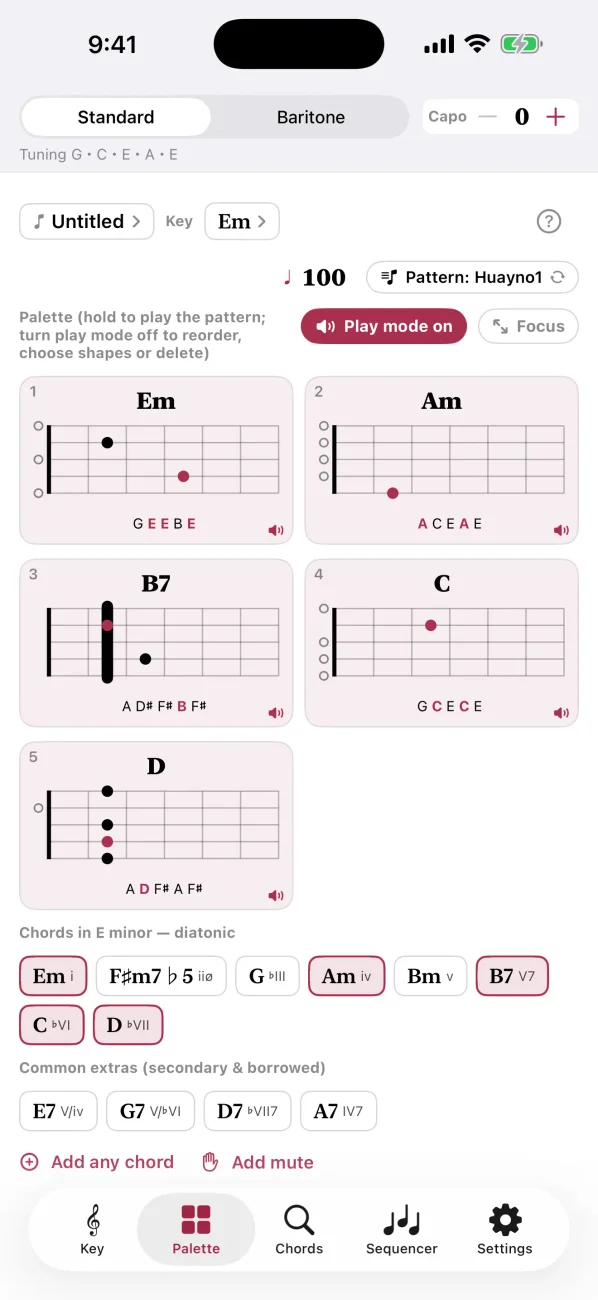
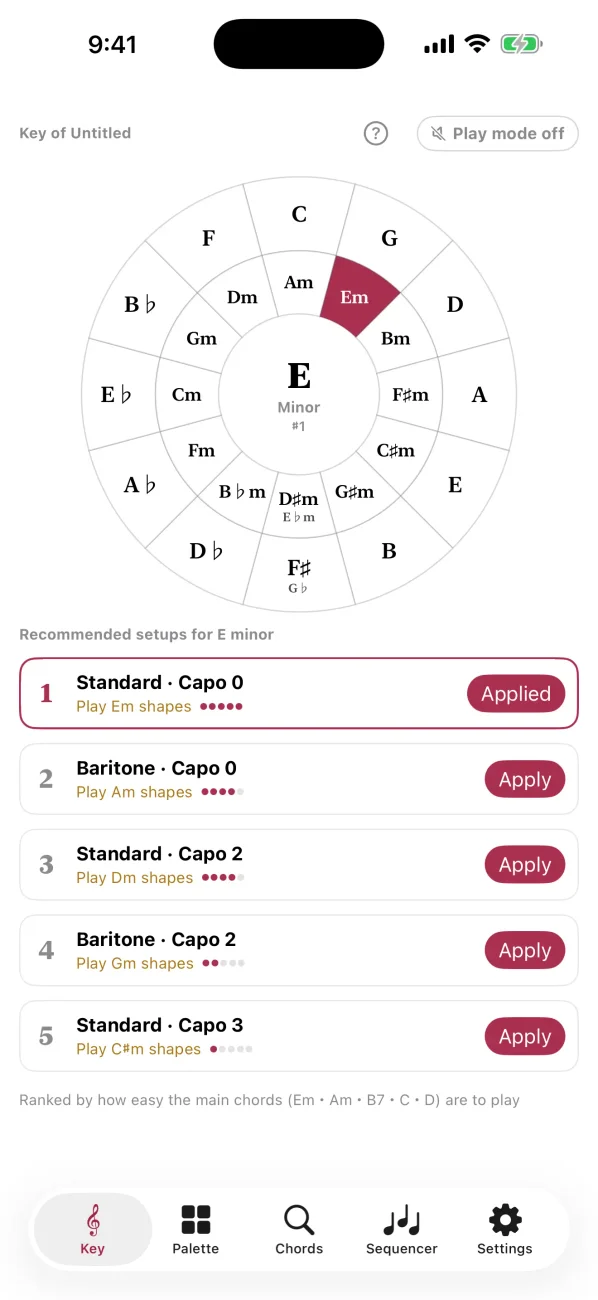
Charango Palette is a chord chart and strumming simulator for the charango (and the ronroco, the baritone charango). Just pick the song's key on the circle of fifths and the palette fills with the chords and fingerings for that key, along with a suggested capo position and instrument. Press a card and it strums with the sound of a real charango recorded note by note; lay out a chord progression and rhythm patterns, and the app plays the accompaniment and exports it as audio.
■ Pick a key, get the chords for the song
Tap the key on the circle of fifths and the palette fills with the diatonic chords plus the usual secondary chords. The app also suggests standard or baritone and where to put the capo. No more puzzling over how to play a song in Cm.
■ Press a card, hear the real thing
Turn on play mode and every chord card strums when you press it. Press the right side of a card for a downstroke and the left side for an upstroke; the higher you press, the stronger the strum. 316 real samples, recorded note by note from a charango and a ronroco, with low latency, so playing along at tempo feels good (Bluetooth audio adds delay).
■ Play folklore rhythms as they are
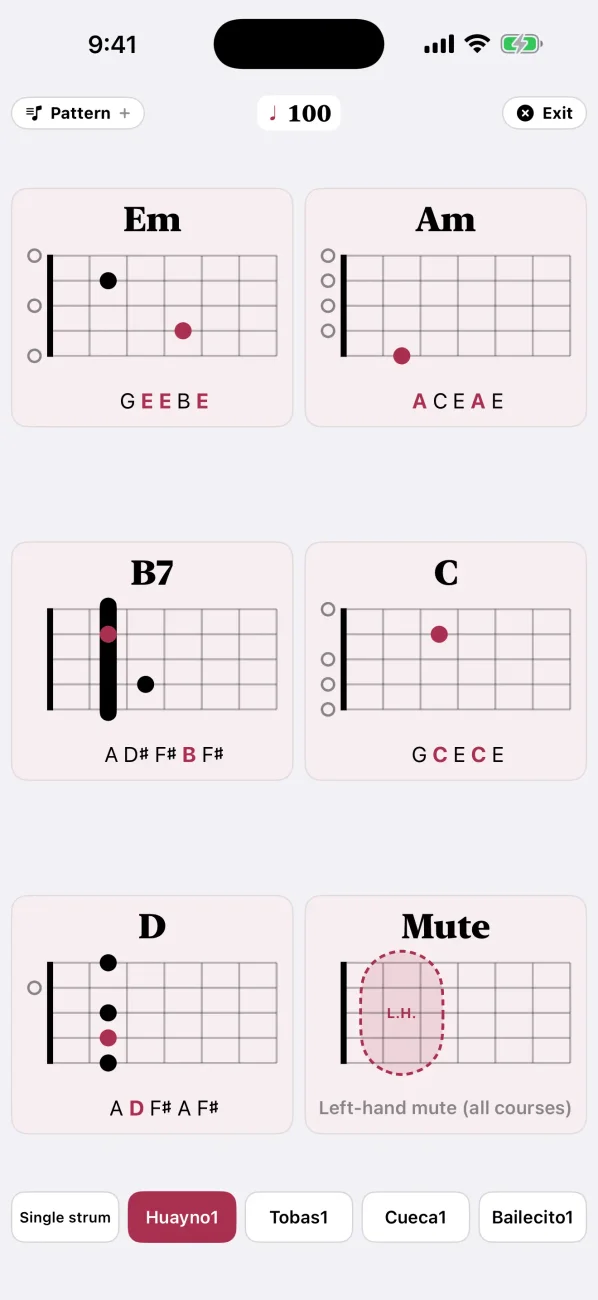
Turn on pattern play and the strumming pattern loops for as long as you hold a card, stopping when you let go. 64 presets across 14 genres: huayno, cueca, bailecito, carnaval, tobas, diablada, morenada, tinku, caporal, zamba, taquirari, chuntunqui, chacarera and saya. Change the tempo on the spot, and put a Mute card on the palette to play the rhythm on left-hand muted strings.
■ Build a progression, get an accompaniment
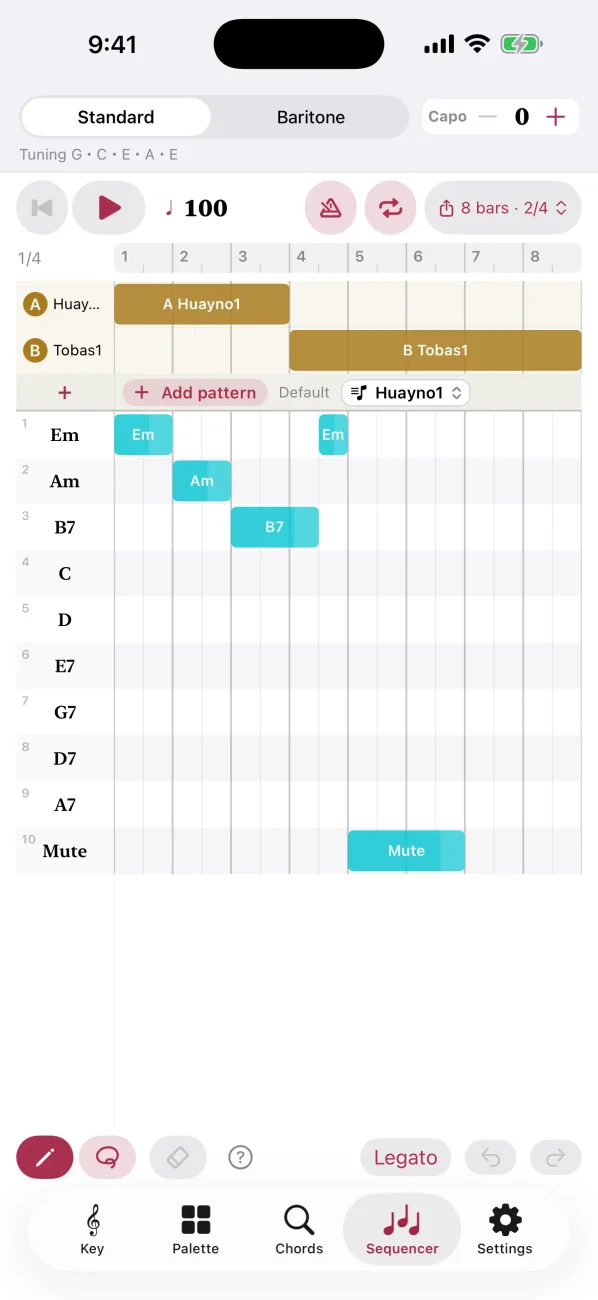
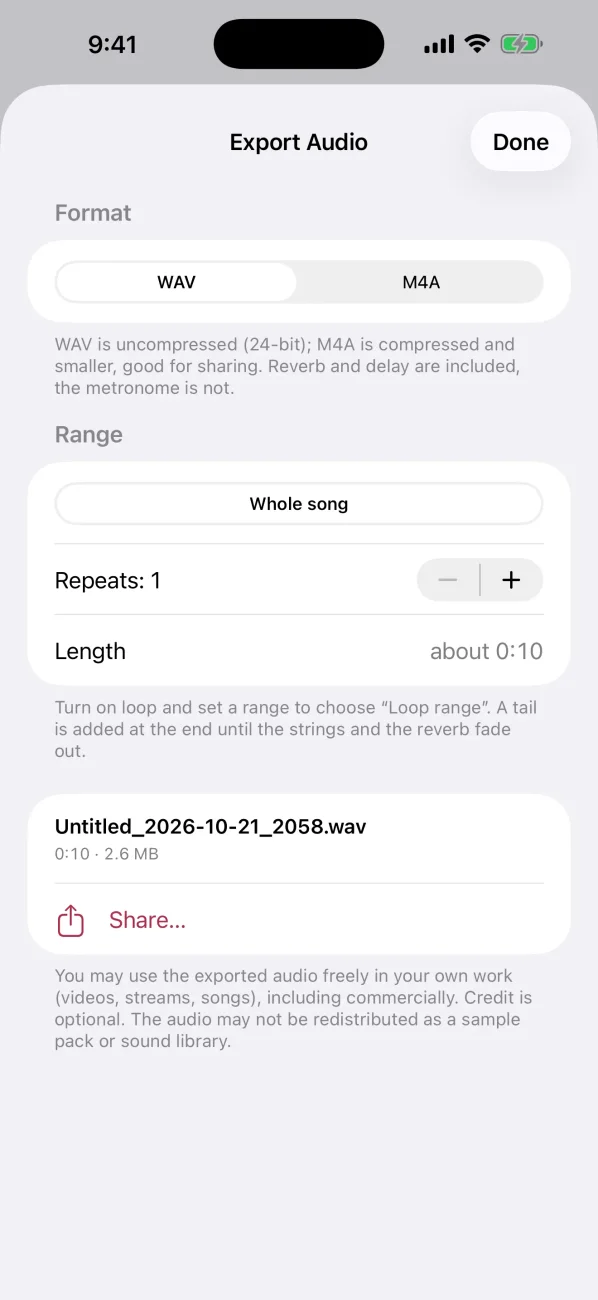
Put chord changes and pattern switches on a piano roll and let the app play them back. Set the tempo, bar count, meter (2/4, 3/4, 4/4, 6/8), a count-in before playback and the loop range. Save as many songs as you like by name. Export the accompaniment as WAV (24-bit) or M4A and hand it to Files, AirDrop, Messages and more. You may use the exported audio freely in your own work (videos, streams, songs), including commercially (redistribution as a sample pack is not allowed).
■ 686 chord shapes, plus your own
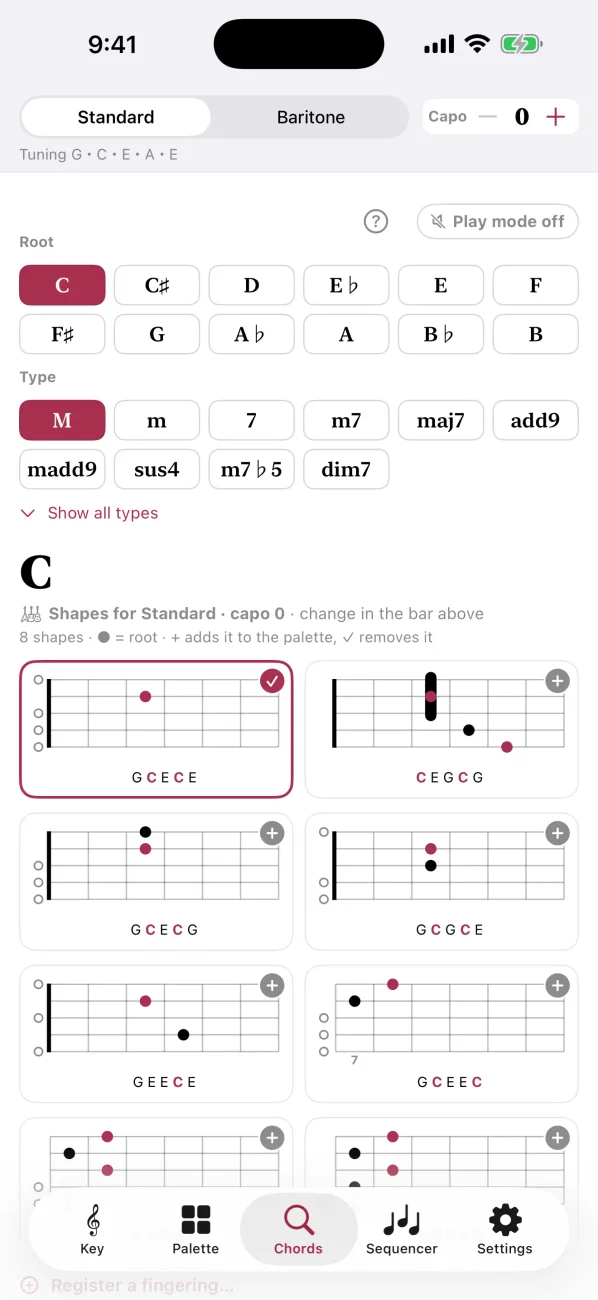
Search for the chord you are curious about and hear exactly that fingering. Chord diagrams can show left-hand finger numbers, and you can register your own shapes with a name and put them on the palette. When you have a shape but not its name, the app suggests the chord names that fit.
■ Focus mode: nothing but the cards
Tap Focus on the palette and the chord cards fill the screen. Scrolling and editing are off, so a stray touch can't get in the way. Switch patterns with the buttons at the bottom and change the tempo at the top.
■ Build your own patterns
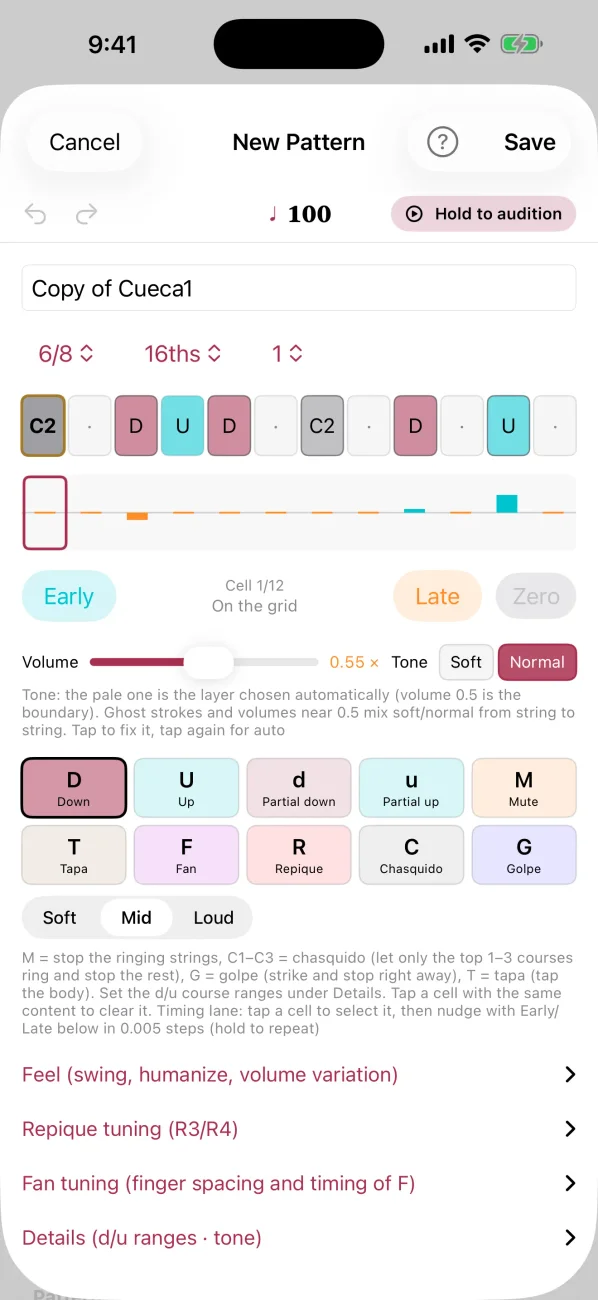
Enter down/up and partial strokes, repique, chasquido, golpe, tapa and accents on a step grid, then loosen it up with early/late timing, swing and humanize. 8th, 16th and triplet grids; length from half a bar up. You can also duplicate a preset and adjust it.
■ Also
• Tuner (A4 reference pitch adjustable)
• Optional degree names, diagram size
• iPhone and iPad, portrait or landscape
• Japanese, English, Spanish, French, German and Portuguese
• Recorded with a NEUMANN KM184 microphone
No account, no network. Everything stays on your device; nothing is collected or sent.
What’s new
Version 1.5.2 · Nov 11, 2026
• Now supports iPhone Duo: the app fills the whole screen, whether the phone is closed or open.
• Audio export: fixed M4A export failing when a 96 kHz audio device is connected.
• Sequencer: fixed the Play button being cut off in landscape on small iPhones.
App privacy
What Satoshi Nishikawa declares on the App Store about how this app handles data.
-
Data not collected
The developer does not collect any data from this app.
Privacy practices may vary, for example with the features you use or your age.
Information
- Seller
- Satoshi Nishikawa
- Category
- Music
- Version
- 1.5.2
- Updated
- Nov 11, 2026
- Released
- Sep 23, 2026
- Size
- 50.6 MB
- Requires
- iOS 16.0 or later
- Age rating
- 4+
- Price
- $7.99
- Languages
- English, French, German, Japanese, Portuguese, Spanish
- Copyright
- © 2026 Satoshi Nishikawa
You might also like
-
 JigRipperIdentify & record Irish tunes
-
 VocaLive for iPadStudio/stage vocal effects
-
 Reverb - FDNMusic
-
 RhymeloSongwriting & Rhyme Assistant
-
 LH ResistorPowerful Synthesizer
-
 iTabla Pandit LiteDigital tabla and tanpura
-
 iShalaIndian music practice (riyaaz)
-
 VIRAL Synth 2: T2x | AUv3Synthesizer with Microtonality
-
 Compás, a flamenco metronomeMusic
-
 Bluetooth MIDI Controller ProBMC Pro