CheckBee - Auto Attendance
Roll call & staff time clock
Designed for iPhone, iPad, iPod touch
In-app purchases
- Age rating4+
- CategoryProductivity
- DeveloperSANGWOO YUN
- LanguagesKorean+ 12 more
- Size63.9 MB
Links to the official App Store page
Download.org hosts no file of CheckBee - Auto Attendance. The button opens its official App Store page, published by SANGWOO YUN. Listing last checked on Nov 16, 2026.
Screenshots
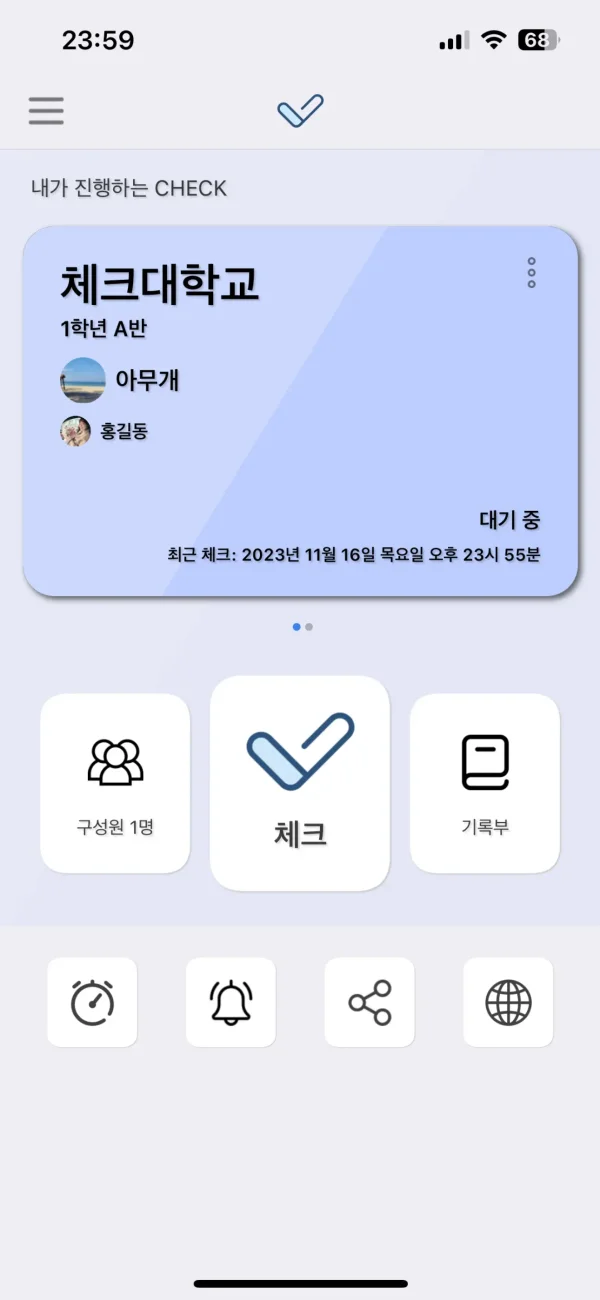
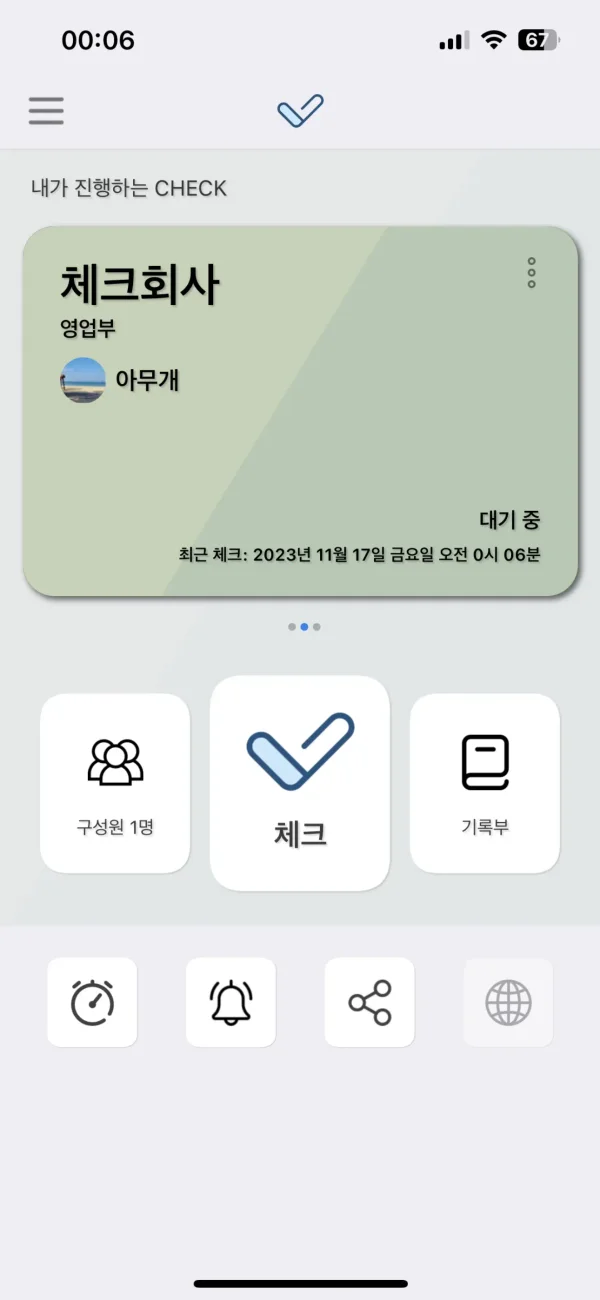
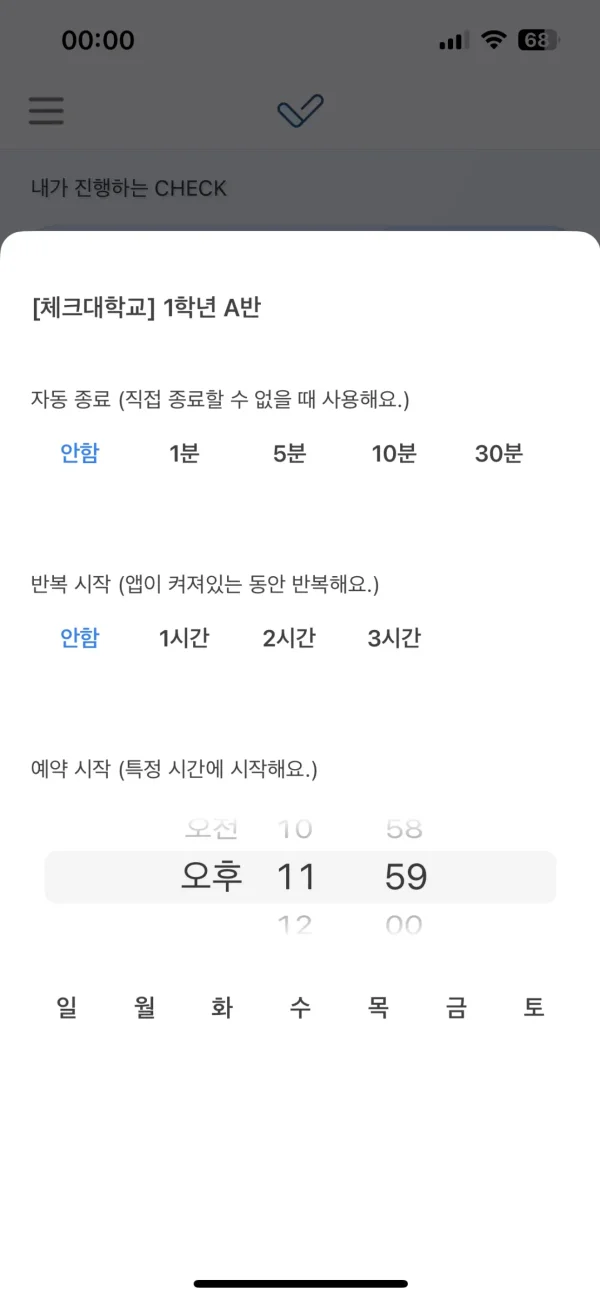
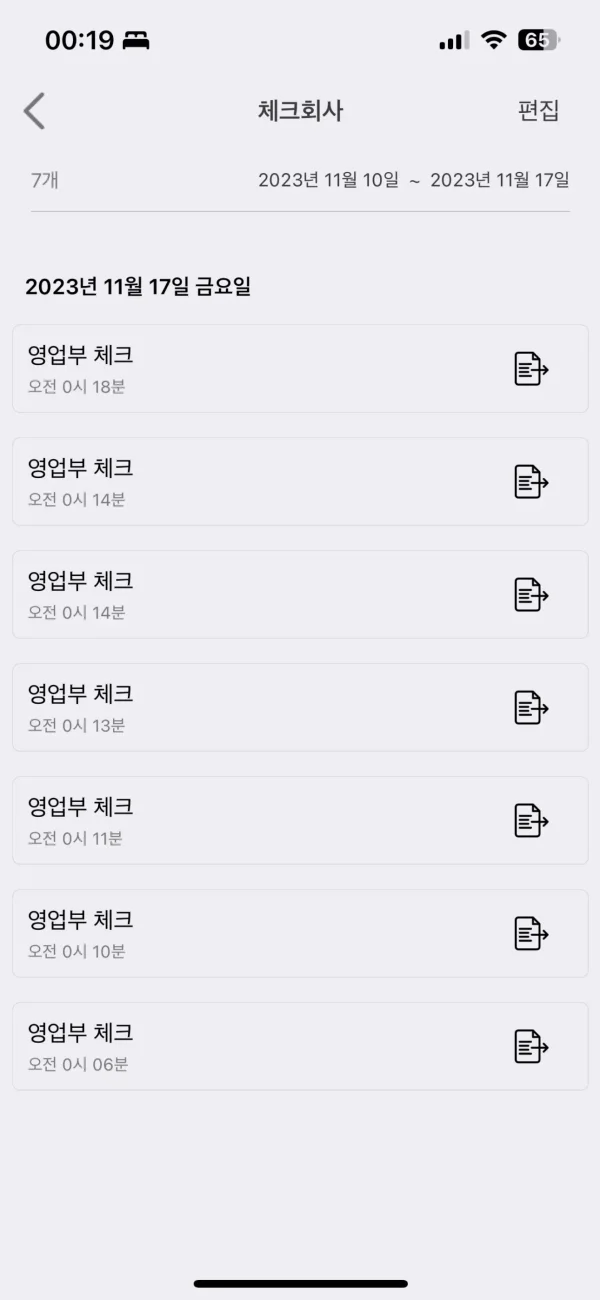
About
◆ No more paper sheets or roll calls
Registers and roll calls take minutes; CheckBee takes zero. Tap Start and everyone nearby is marked — app closed, screen off, phone in a pocket. Bluetooth logs the exact time.
◆ Members do nothing
Join once by link or code, then just be there. No app, no button — a notification confirms you're in.
◆ For parents and guardians
Link a child account to a guardian account and hear the moment your child is present, late or absent — results only, no location.
◆ No kiosk, no new hardware
· One phone — no terminal, card or tag
· No venue to register — wherever you tap Start is the reference
· A spare phone or tablet can host
· The app guides every setting on screen
· Runs all day, records hold up
◆ One setting to get right
Set location permission to Always; detection with the app closed depends on it. Attendance troubleshooting checks internet, Bluetooth, location and alerts.
◆ Two ways to run it
· Yourself — start and end whenever you like
· Scheduled — leave the device in place; it starts and ends on time, PIN-locked
· Late mode — check-ins after the cut-off are Late; no-shows absent
· Manual and location — one tap if the signal misses you, or send your location for approval
◆ Books built for your place
· Standard — auto attendance, records, statistics, schedules
· Guardian-linked — guardians hear as soon as it's set (max 3 each)
· Secure — face verification confirms it really is them (Business plan)
· On-site — leaving or re-entering the work radius (200–500 m) is logged (Business plan)
Type is fixed at creation.
◆ Attendance windows — nothing outside them
Attendance starts only in the hours you set. Outside them no location or signal is requested; a privacy badge shows it.
◆ Cheating, blocked properly
· Proximity proof — a 30-second rolling code reaches only people nearby; no checking in for a friend
· Suspicious flags — one device for several people, or a distant check-in
· One account, one device — a new sign-in logs the old device out
· Audit history — every edit, deletion, restore and member change logged
◆ Records and running
· Register — present, late, absent per session; fix with a reason
· Statistics — 7-day, 30-day, all-time and per-member rates
· Roles — owner, admin, manager (attendance only), member
· Schedules — to-dos, repeats, assignees, photos, shared alerts
· Notifications — start, end, your check-in, edits, schedules
· Members without a phone — add by name, auto or manual
· Web admin — members, records, schedules, history in a browser
◆ Where people use it
Academies, study groups, churches, clubs, company and site work, shops and factories — anywhere people gather.
◆ How to start
1) Create a book, share the code
2) Members join
3) Tap Start
◆ Pricing
Free: auto, scheduled, manual and location attendance, late mode, records, statistics, history, schedules, alerts, guardian links, web admin. Plus and Business add capacity and extra types.
◆ 13 languages
Korean, English, Japanese, Chinese (Simplified/Traditional), Vietnamese, Thai, Indonesian, German, French, Spanish, Italian, Portuguese (BR)
◆ An illustrated guide
New here? Permissions, books, invites, scheduling, fixing records — real screens.
https://yunlabs-check.web.app/guide/
◆ How location is used
Automatic attendance uses Bluetooth beacon detection; some devices need location permission (including background). Normal check-ins use location once for distance and store no coordinates. Coordinates are kept only for suspected fraud, current-location requests, and radius (100 m / 200 m) or on-site detection, on a map for that book's admins. No tracking or route history.
Subscriptions are billed to your App Store account and renew automatically unless canceled 24 hours before the current period ends. Manage or cancel: Settings > Apple ID > Subscriptions.
Terms of Use (EULA): https://www.apple.com/legal/internet-services/itunes/dev/stdeula/
Privacy Policy: https://yunlabs-check.web.app/privacy.html
What’s new
Version 1.0.20 · Nov 9, 2026
The recommended-app banner is now a video and shows one app at a time.
App privacy
What SANGWOO YUN declares on the App Store about how this app handles data.
-
Data used to track you
May be used to track you across apps and websites owned by other companies.
- Location
- Identifiers
- Usage data
- Diagnostics
-
Data linked to you
May be collected and linked to your identity.
- Location
- User content
- Identifiers
- Usage data
- Sensitive info
- Diagnostics
-
Data not linked to you
May be collected but is not linked to your identity.
- Contact info
- Diagnostics
Privacy practices may vary, for example with the features you use or your age.
Information
- Seller
- SANGWOO YUN
- Category
- Productivity
- Version
- 1.0.20
- Updated
- Nov 9, 2026
- Released
- Nov 30, 2023
- Size
- 63.9 MB
- Requires
- iOS 15.0 or later
- Age rating
- 4+
- In-app purchases
- Yes
- Languages
- Korean, German, Vietnamese, Spanish, English, Italian, Indonesian, Japanese, Simplified Chinese, Traditional Chinese, Thai, Portuguese + 1 more
- Copyright
- © YunLabs