
Checkomat: Private Checklists
Tasks, To-Dos, Habits & Lists
Designed for iPhone, iPad
In-app purchases
- Age rating4+
- CategoryProductivity
- DeveloperNils Anspach
- LanguagesGerman+ 1 more
- Size7.5 MB
Links to the official App Store page
Download.org hosts no file of Checkomat: Private Checklists. The button opens its official App Store page, published by Nils Anspach. Listing last checked on Nov 22, 2026.
Screenshots
About
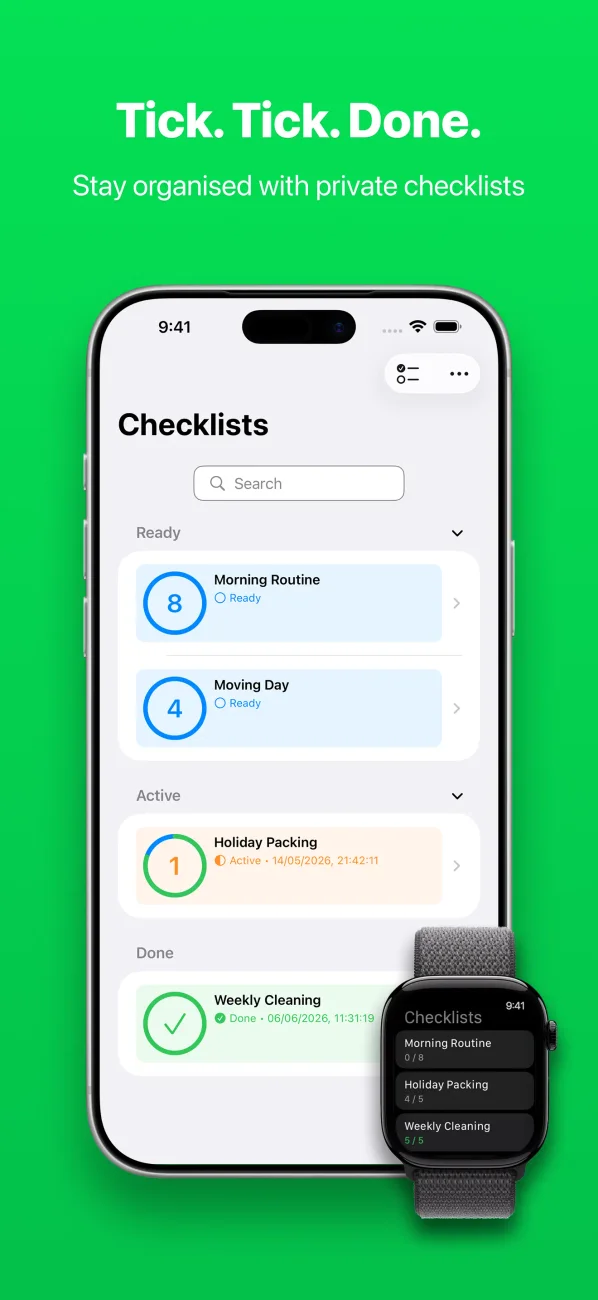
Your Private Checklist & To-Do Manager — now also on Apple Watch
Stay organised with Checkomat — the essential, private checklist app for your tasks, grocery shopping, travel, habits, and inspections. Create unlimited to-do lists, packing lists, and daily logs in one clean, distraction-free app that respects your privacy — with optional iCloud sync to keep your checklists current across all your Apple devices.
From household inventory to recurring routines, Checkomat is designed for speed, simplicity, and complete data ownership.
WHY CHOOSE CHECKOMAT
• 100% Private & Your Control: No trackers, no third-party servers, no custom accounts. Your data stays on your device by default — and if you want it on all your Apple devices, optional iCloud sync keeps everything in sync automatically. Fully opt-in, using only your personal, private iCloud container — only you can access it.
• Minimalist & Simple: A fast, easy-to-use interface focused on one thing: ticking off items. No clutter, no complex menus.
• ADHD-Friendly: The clear structure and distraction-free design make it an ideal tool for maintaining focus and organising routine tasks or daily habits.
• Fully Accessible: Comprehensive VoiceOver support ensures inclusive productivity for everyone.
KEY FEATURES TO ORGANISE YOUR LIFE
• Optional iCloud Sync: Enable iCloud on your iPhone or iPad and turn on sync in the app, and your checklists follow you across all your Apple devices automatically. Fully opt-in — if you prefer to stay offline, nothing changes.
• NEW — Apple Watch Support: Tick off items and checklists right from your wrist. An optional one-time in-app purchase unlocks it — no subscription, no custom account. Requires an Apple Watch paired with your iPhone and iCloud sync enabled for the iPhone app. Editing is done on iPhone and iPad.
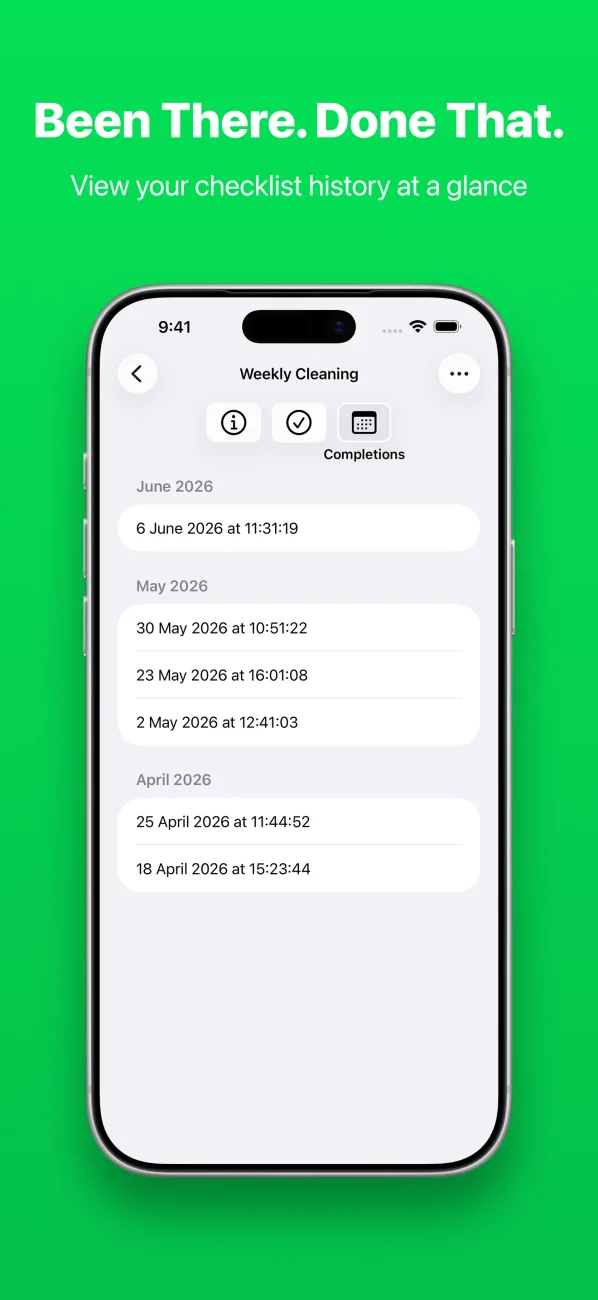
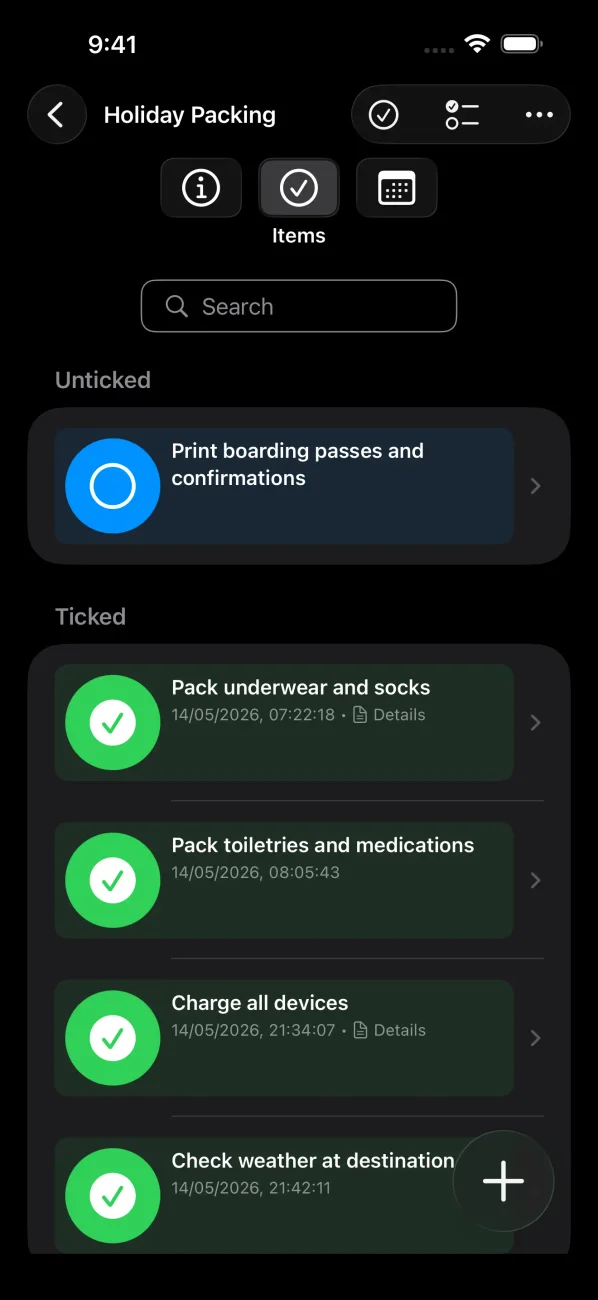
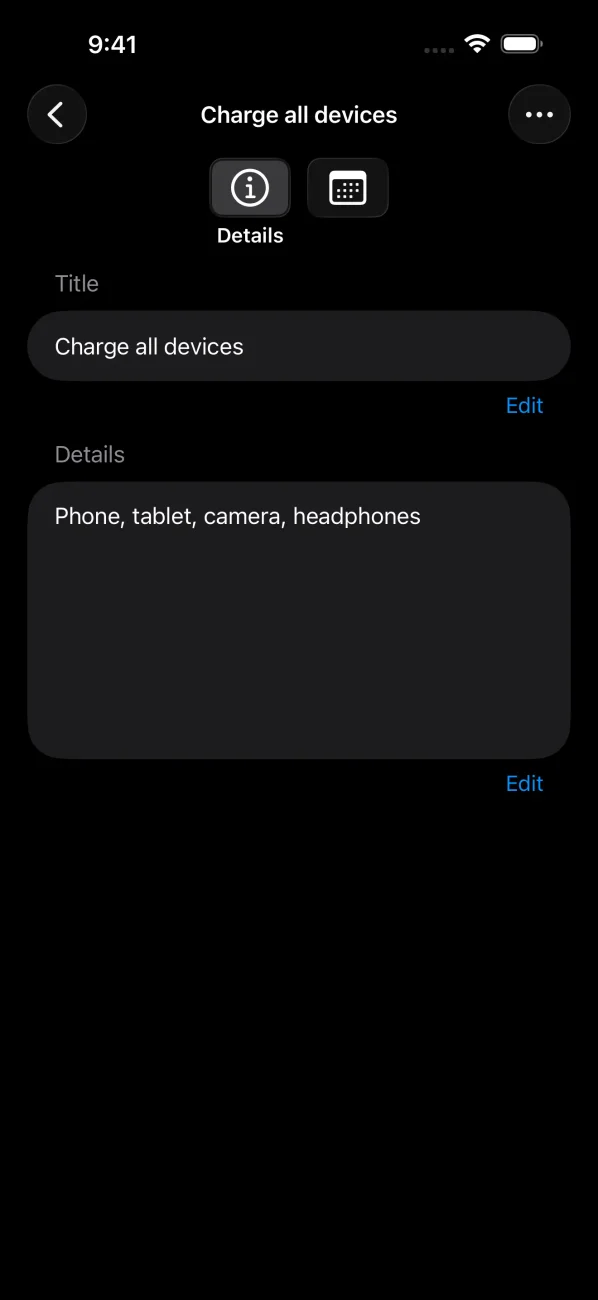
• Tab-Based Detail View & Completion History: Checklists and items open in a clean tab layout. A dedicated history tab tracks the full completion and tick dates for every checklist and item, respectively.
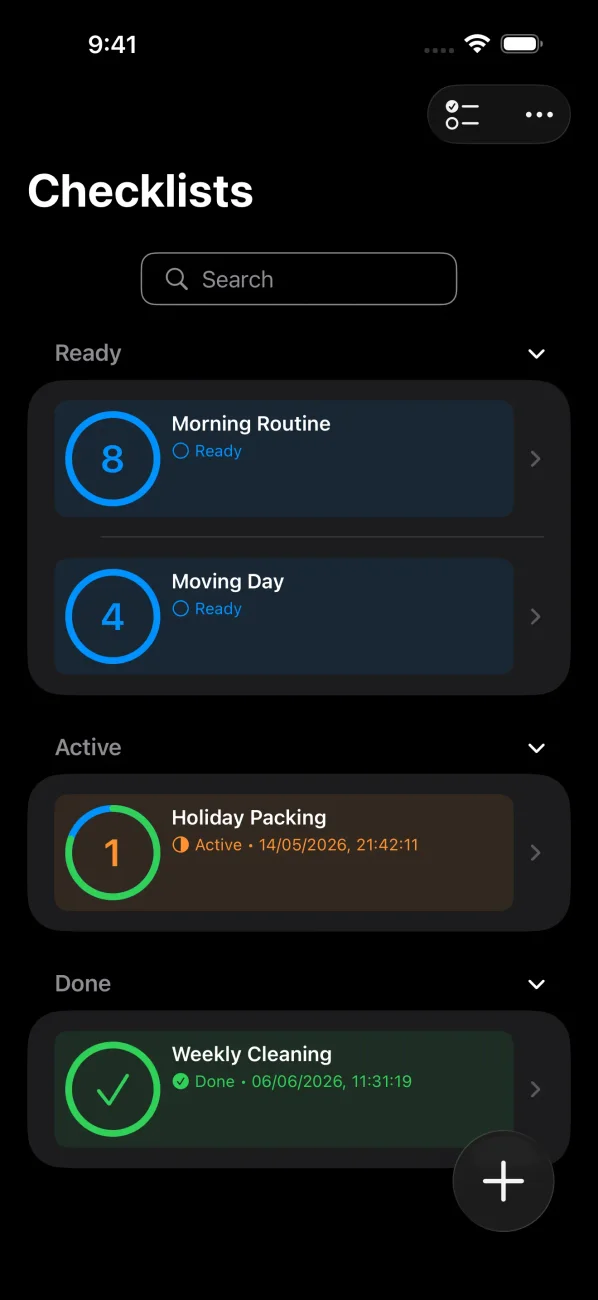
• Unlimited Checklists: Plan and organise your life with dedicated lists for travel, events, grocery shopping, or home inventory.
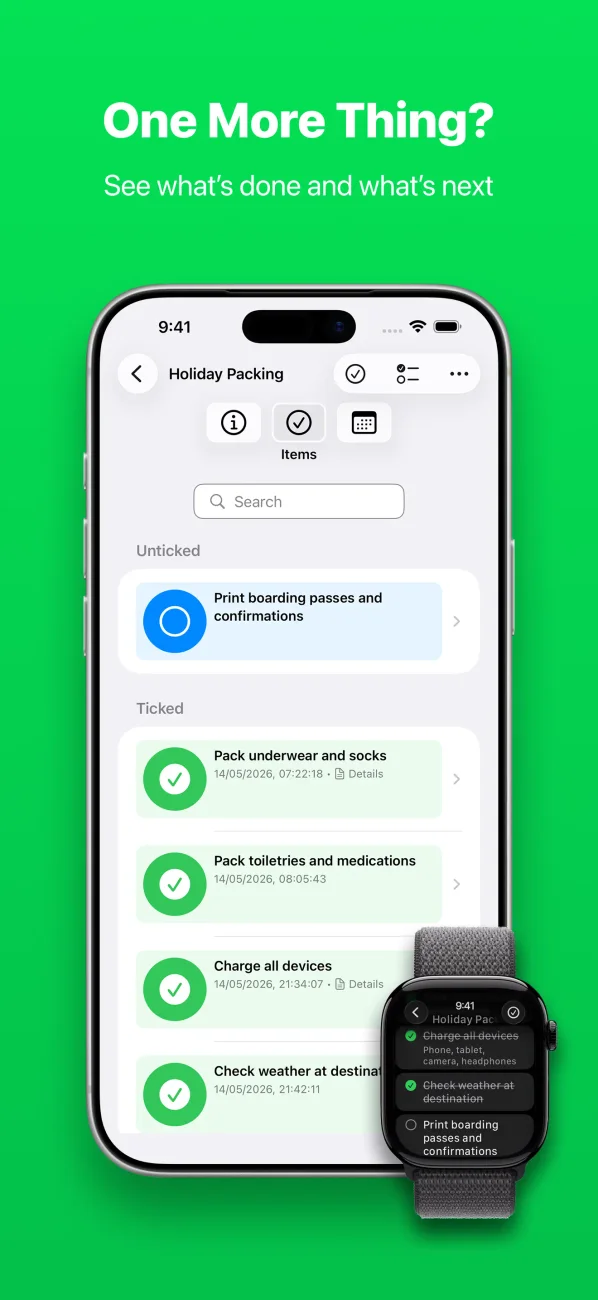
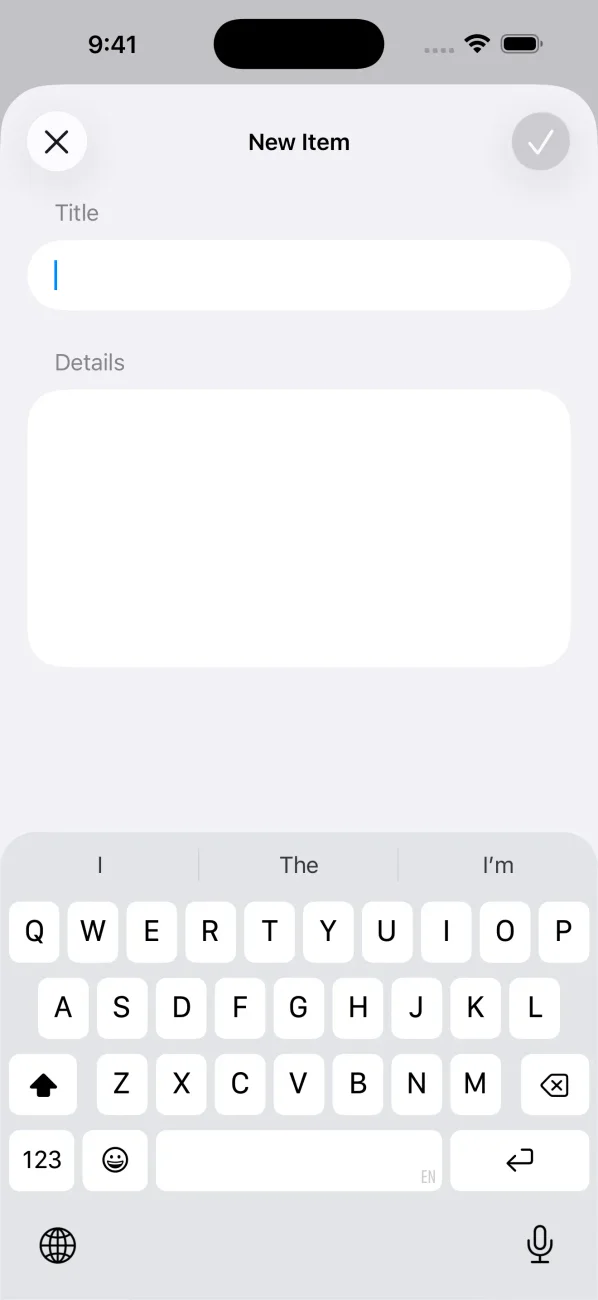
• Flexible Item Handling: Add items in any order, complete with optional details for added clarity.
• Powerful List Management: Duplicate, split & merge checklists to organise them your way.
• Precision Logging & Timestamps: Track exactly when tasks are ticked off. Perfect for inspections, maintenance logs, and audit trails.
• Smart Search & Filters: Filter checklists and items by name/title and/or status to find exactly what you need.
• Grouping & Sorting: Group checklists and items by status and/or sort them alphabetically by name/title.
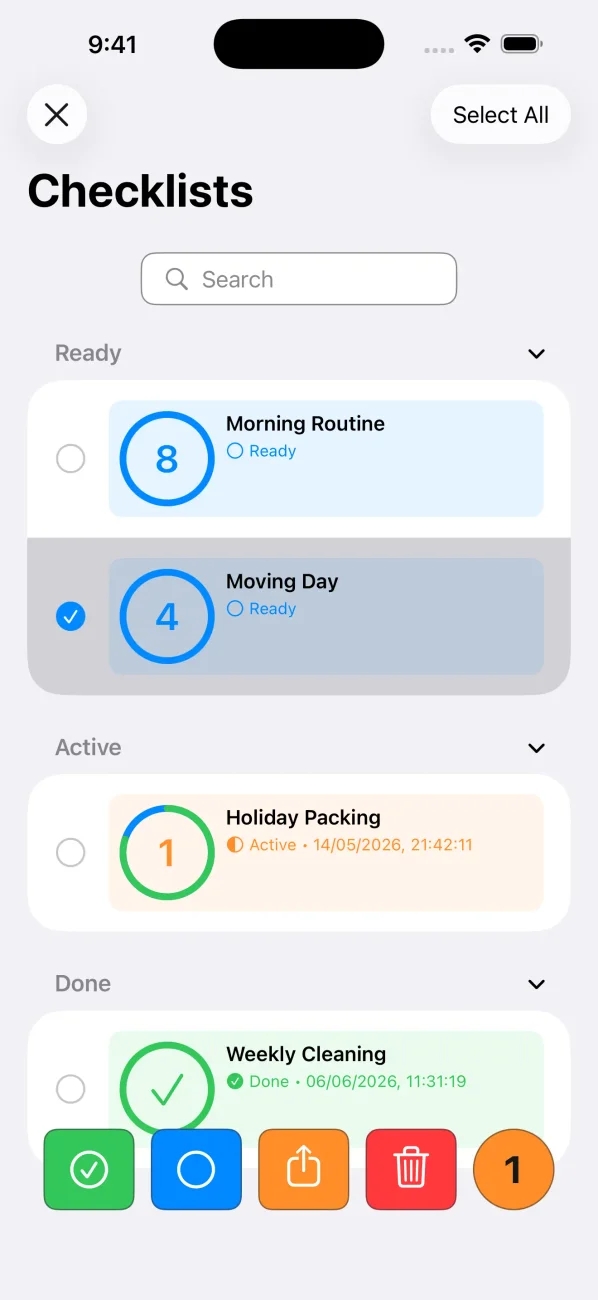
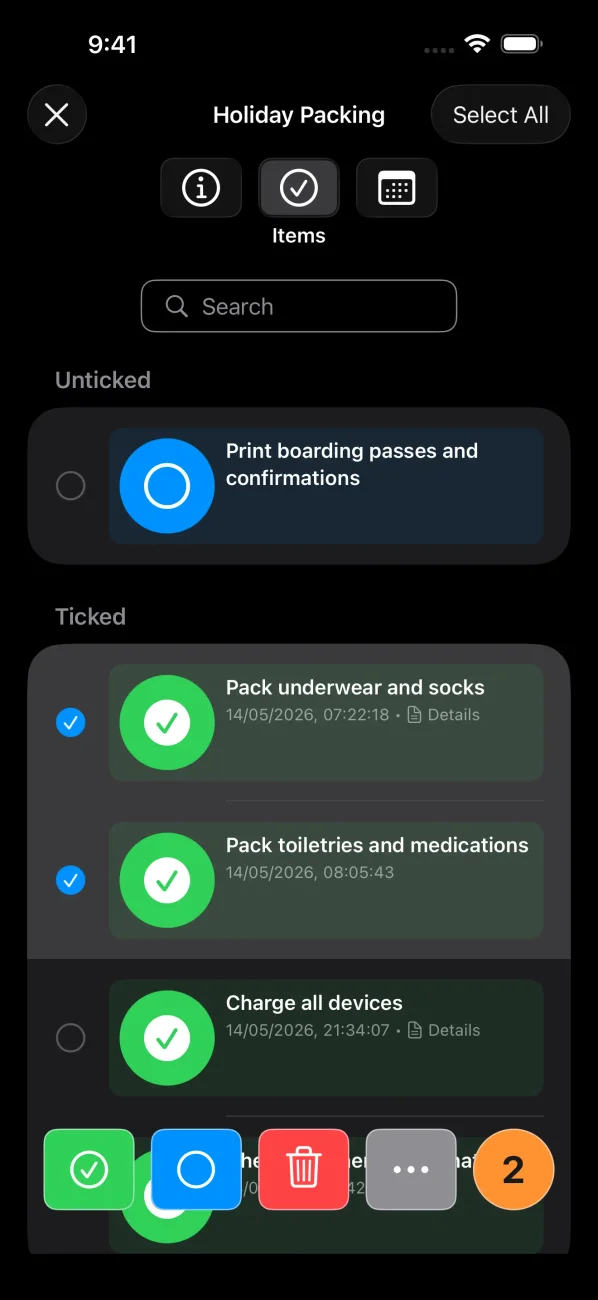
• Efficient Bulk Actions: Edit multiple checklists and items at once.
• Seamless Transfer: Move or copy items between different checklists effortlessly.
• Smart Item Import: Preview and selectively import specific items from external lists into your checklists.
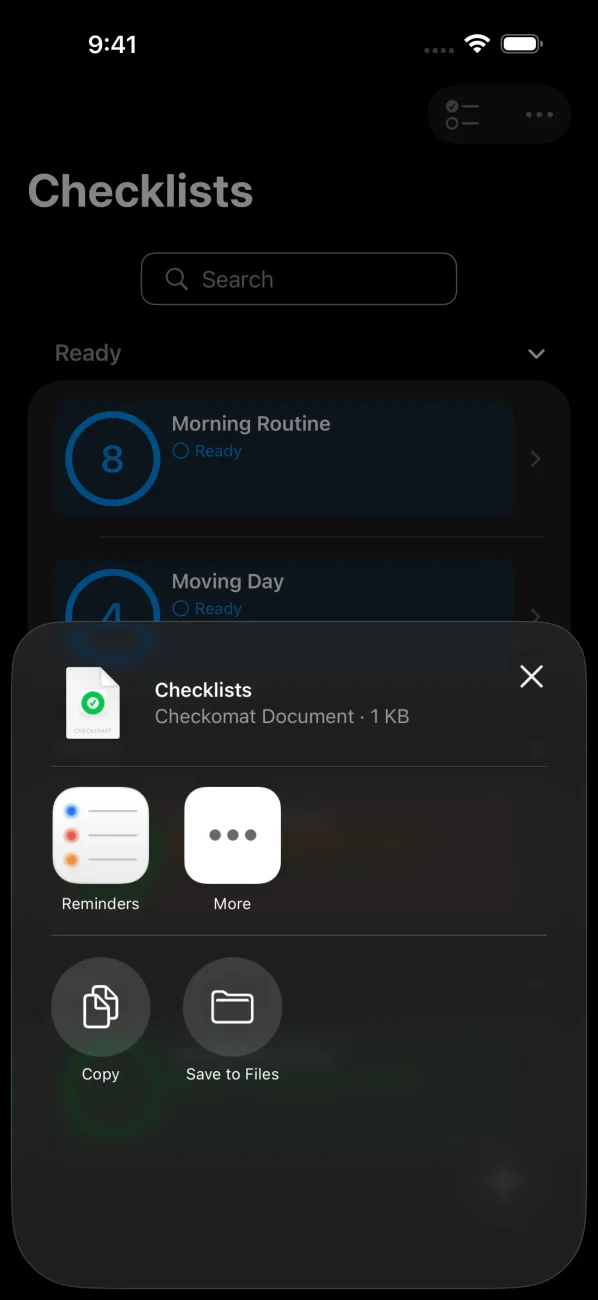
• Effortless Sharing: Share your checklists via email, Messages, AirDrop, and other apps with friends or colleagues.
• Secure Backup: Export your data for external backup or import ready-to-use checklists from others.
VERSATILE USE CASES
• Grocery & Shopping: Build weekly shopping lists and track your pantry essentials.
• Travel & Packing: Use it as a reliable packing list manager and travel planner for your next holiday or trip.
• Habits & Routines: Track daily habits and recurring activities to stay on top of your self-improvement goals.
• Inspection & Audit: Use the timestamp and log features for equipment checks, flat handovers, or simple safety verifications.
Whether you are managing daily chores, packing for a trip, or conducting an inspection, Checkomat is the ultimate checklist companion. It is the simple, private, and reliable way to track your tasks — on one device or all of them.
Download Checkomat today — the minimalist tool for your checklists, to-dos, and task plans.
What’s new
Version 1.7.0 · Oct 30, 2026
Checkomat is now on Apple Watch!
Take your checklists with you and tick items off right from your wrist, whether you are in the shop, on the go, or in the middle of an inspection.
NEW: APPLE WATCH APP
• Tap an item to tick or untick it; swipe right on a checklist to tick it off entirely, swipe left to untick it.
• One tap ticks or unticks all items of a checklist.
• Browse your checklists, items, and item details at a glance.
• Stays in sync with your iPhone and iPad through your private iCloud. No account, no login.
The Apple Watch app is an optional one-time in-app purchase, with no subscription. You can buy it on iPhone, iPad, or directly on your watch. On iPad, the purchase is available too, but the watch app needs an Apple Watch paired with an iPhone. Checkomat itself stays fully functional on iPhone and iPad without any purchase, and iCloud sync between your iPhone and iPad remains free.
GOOD TO KNOW
• Requires an Apple Watch paired with your iPhone, with iCloud enabled on the iPhone and iCloud sync turned on in Checkomat (Settings > Preferences > iCloud).
• Install the app on your watch via the Watch app on your iPhone (it may already have been installed automatically).
• Editing checklists and items is done on iPhone and iPad.
FIXES
• Fixed a crash on iPad when deleting a checklist or resetting all data while its details were displayed in the details pane.
• "Tick All" and "Untick All" now leave deleted items alone, so items keep their tick state when a deletion is undone.
• Deleting or restoring an item, or restoring a completed checklist (e.g., via Undo), no longer adds a bogus entry to the completion history.
App privacy
What Nils Anspach declares on the App Store about how this app handles data.
-
Data not collected
The developer does not collect any data from this app.
Privacy practices may vary, for example with the features you use or your age.
Information
- Seller
- Nils Anspach
- Category
- Productivity
- Version
- 1.7.0
- Updated
- Oct 30, 2026
- Released
- Jun 19, 2025
- Size
- 7.5 MB
- Requires
- iOS 26.0 or later
- Age rating
- 4+
- In-app purchases
- Yes
- Languages
- German, English
- Copyright
- © 2025–2026 Progressive Bytes
You might also like
-
 Today — Todos for EverydayTodos and Notes By Day
-
 roboscope2Automated Visual Inspections
-
 Luma OSProductivity
-
 Todollo: To-do list & CalendarTask Manager & Todois Planner
-
 HoradoProductivity
-
 BaustellenportalProductivity
-
 MojiDoEmoji reminders for any age!
-
 Checklisted – Smart TasksCreate. Assign. Complete
-
 Session Timer & AffirmationenProductivity