
Checkout - Server Tip Tracker
Log Income, Shifts & Earnings
Designed for iPhone, iPad
Free · In-app purchases
- Age rating4+
- CategoryFinance
- DeveloperFlowstate Industries LLC
- LanguagesEnglish
- Size17.1 MB
Links to the official App Store page
Download.org hosts no file of Checkout - Server Tip Tracker. The button opens its official App Store page, published by Flowstate Industries LLC. Listing last checked on Nov 23, 2026.
Screenshots



About
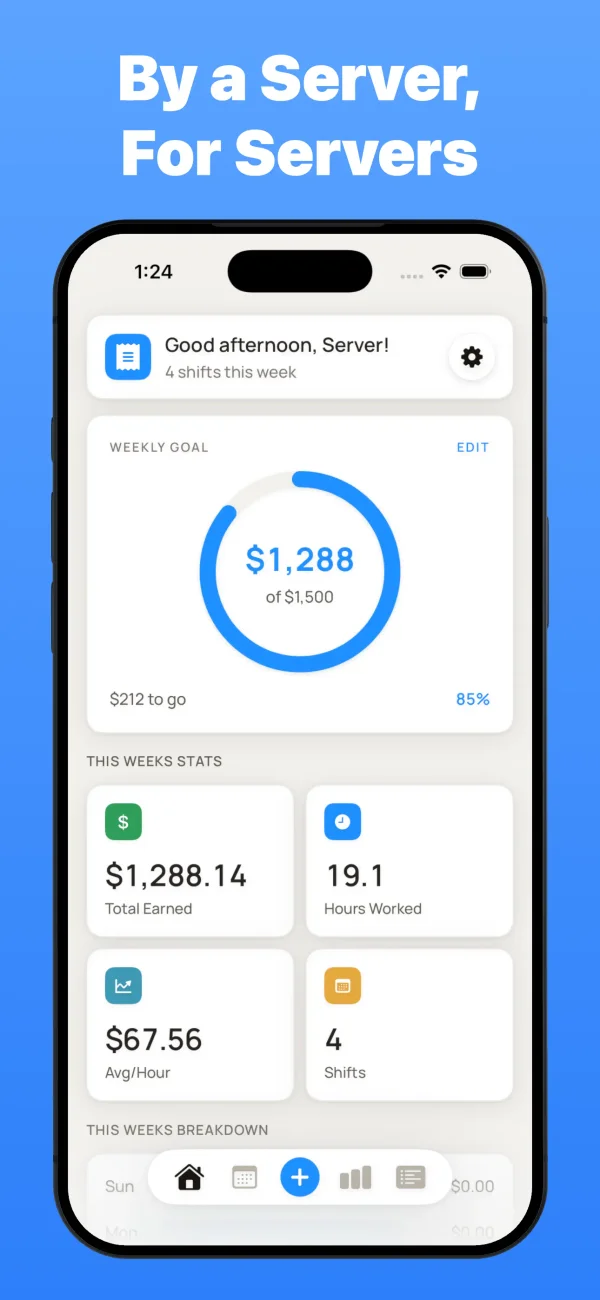
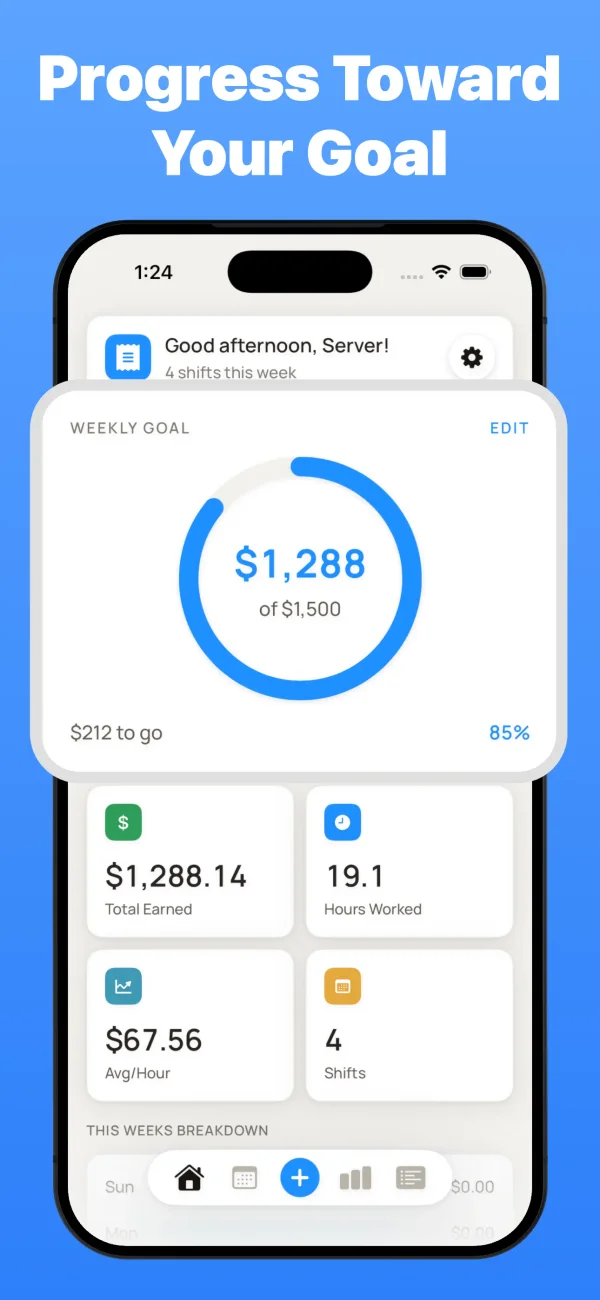
Stop guessing what you made last night. Checkout tracks your tips, calculates your real hourly rate, and shows which shifts actually pay. Know exactly what you made, every single shift.
Checkout is the tip tracker built for servers, bartenders, waitstaff, hosts, and food runners. Log a shift in seconds. See your real hourly rate. No account required, and your shifts stay on your device.
SIMPLE TIP TRACKING
Enter your hours, sales, and tips and Checkout calculates your tip share, net tips, and real hourly rate automatically. Handles midnight crossovers, custom tip out percentages, and tip in for bartenders. No math. Just your numbers.
OVERTIME THAT KNOWS TIPPED WORK, FREE
Tell Checkout how each job pays overtime, whether that is weekly, daily, or double time, with your own thresholds and payroll week start. If you are a tipped employee, your overtime is figured on full minimum wage instead of your cash wage, the way it is supposed to be. Every shift, total, and chart counts it from then on.
YOUR SHIFTS AS RECEIPTS
Every shift you log opens as a printed receipt, itemized line by line, with your total and hourly rate at the bottom.
WHY IS MY CHECK SO SMALL? (CHECKOUT PRO)
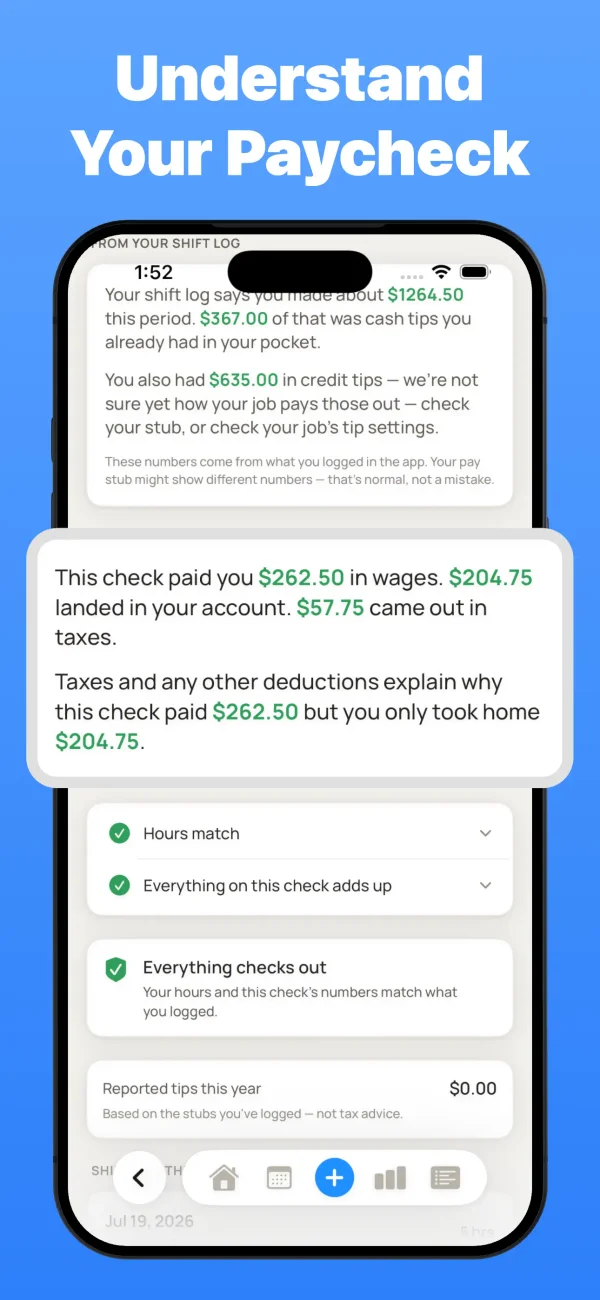
Enter your paycheck and Checkout explains it in plain English: how much was wages, how much was tips you already took home, what got taxed, and what actually hit your account. See it as a plain language breakdown or a line by line receipt, your choice with a tap. It works out on your phone, with no AI and no uploading your pay stub. If the numbers do not line up against the shifts you logged, you will know, and you will have the record to prove it.
BUILD YOUR OWN TRACKER
Choose exactly which fields appear on your shift form: tip out, tip in, total sales, covers, or anything custom. Create your own fields that add to, subtract from, or simply track alongside your earnings. Work two jobs? Give each one its own set of fields.
EARNINGS BREAKDOWN
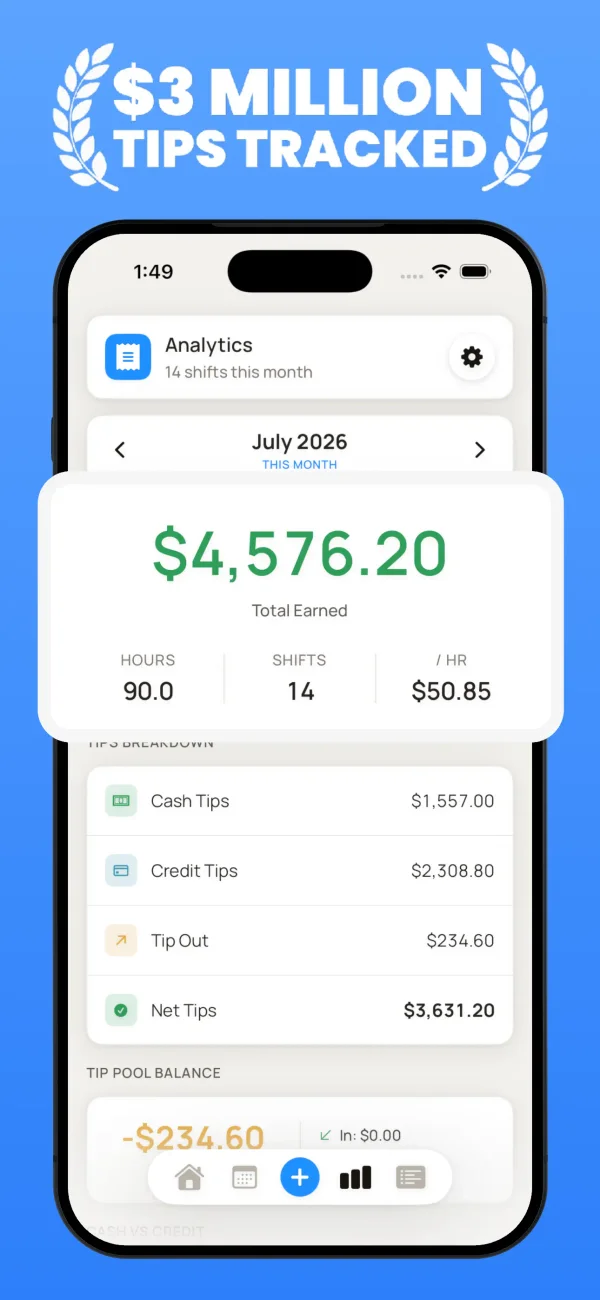
See where your money comes from: cash tips, credit tips, tip share paid out, net tips, base wage, and take-home pay, all calculated as you type.
YOUR SCHEDULE, ALREADY IN THE APP (CHECKOUT PRO)
Log shifts before you work them. If you work the same days most weeks, save that schedule as a template and drop it onto any week in a couple of taps. Your calendar fills itself in and all you do after the shift is add the numbers.
FULL HISTORY, ALWAYS FREE
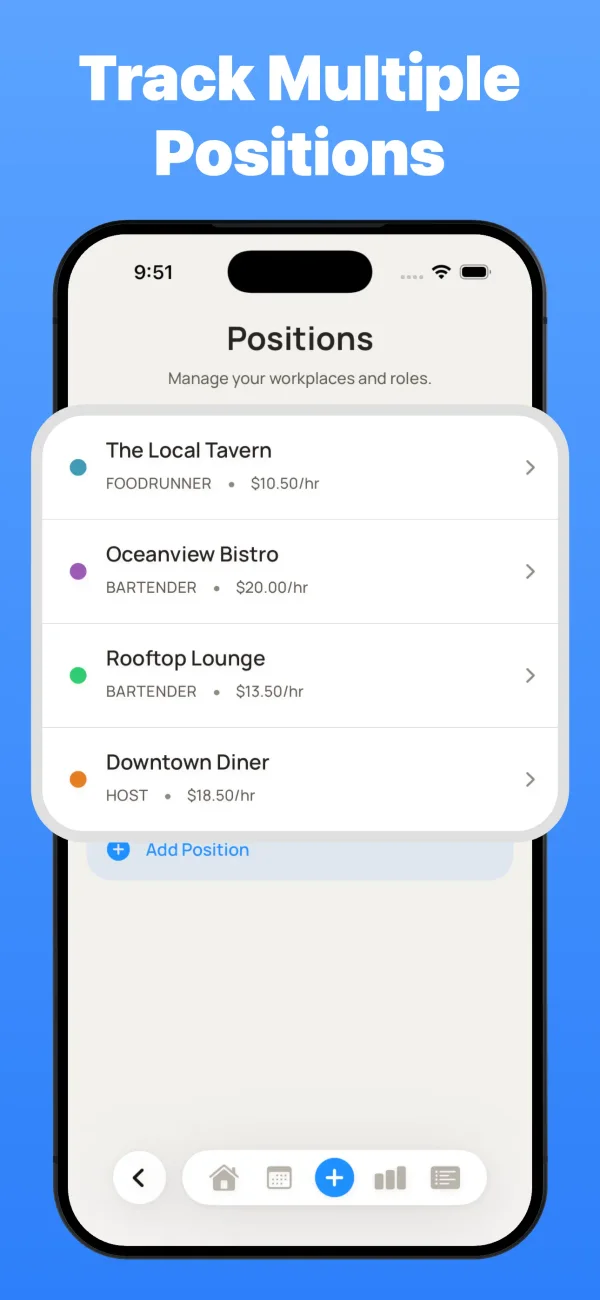
Every shift you have ever logged, available forever. No limits on your own data. One job and one role are free. Add as many as you work with Pro.
SWITCHING FROM ANOTHER APP?
Import your shift history from a CSV export in seconds. Positions, hours, and earnings map automatically. No starting over.
EXPORT ANYTIME
Export your complete tip history as a CSV for your records or your accountant. Works with Excel, Numbers, and Google Sheets. Always free.
PRIVACY FIRST
No account required. No cloud sync. Your shifts, paychecks, and earnings live on your device and are never uploaded. The only thing we collect is anonymous, aggregated usage data, so we know which features to build next.
EVERYTHING IN CHECKOUT PRO
- Explain My Paycheck: see exactly why your check is the size it is
- Paycheck reconciliation: match what you were paid against what you worked
- Scheduled shifts and weekly shift templates
- Shift calendar with heat mapped earnings
- Weekly goal tracking
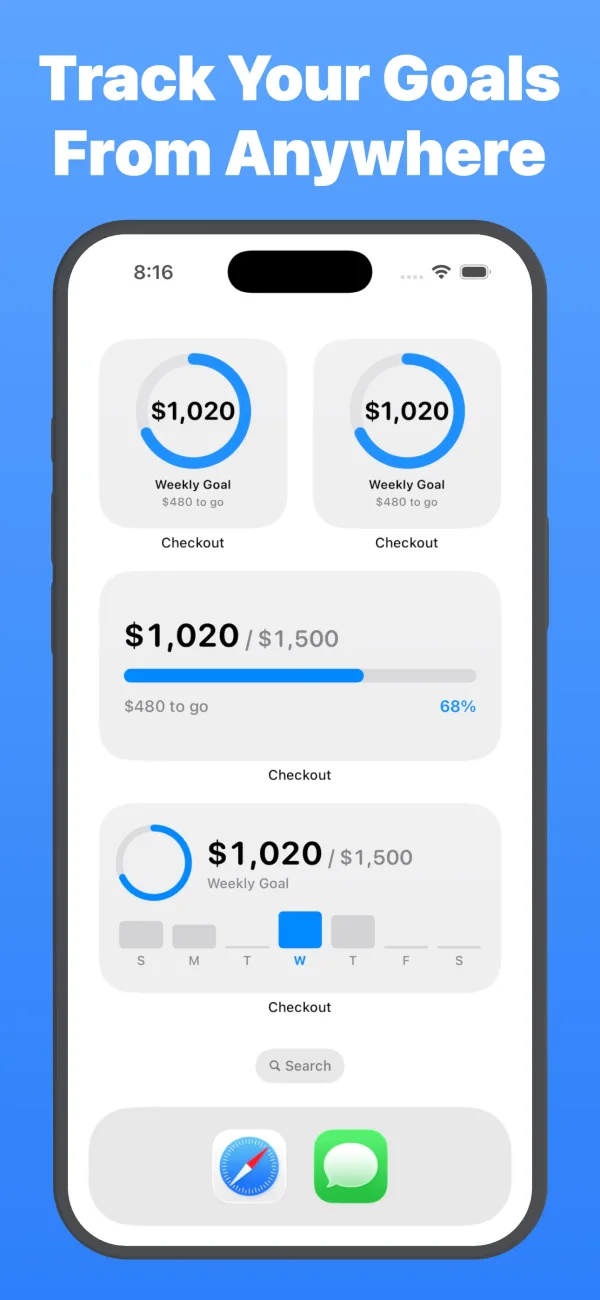
- Home screen widgets: your goal, your week, and your daily chart
- Unlimited jobs, and every role you work at each one
- Full analytics: tips breakdown, records, best days, projections, earnings stability
- Overtime insights: what the premium actually paid you, job by job
- Shift reminders before a shift starts, log reminders after it ends
$39.99 per year or $9.99 per month, both starting with a 7 day free trial. Save 66% with annual. Cancel anytime.
Download Checkout and stop guessing.
Privacy Policy: https://flowstateindustries.com/privacy
Terms of Service: https://flowstateindustries.com/terms
What’s new
Version 2.7.9 · Nov 19, 2026
Small bug fixes and improvements as well as:
- Added scheduled shifts to widgets (optional, toggle off in config)
If you're liking Checkout, a quick review goes a long way :)
App privacy
What Flowstate Industries LLC declares on the App Store about how this app handles data.
-
Data not linked to you
May be collected but is not linked to your identity.
- Usage data
Privacy practices may vary, for example with the features you use or your age.
Information
- Seller
- Flowstate Industries LLC
- Category
- Finance
- Version
- 2.7.9
- Updated
- Nov 19, 2026
- Released
- Mar 4, 2026
- Size
- 17.1 MB
- Requires
- iOS 18 or later
- Age rating
- 4+
- Price
- Free
- In-app purchases
- Yes
- Languages
- English
- Copyright
- © 2026 Flowstate Industries LLC
You might also like
-
 Server44 - Tip TrackerServer & Bartender Pay Hours
-
 TipOut: Server Tip TrackerTip Calculator & Income Log
-
 Tip Tally TrackerTrack Tips, Sales & Hours.
-
 Server Tip TrackerLog Shifts, Cash & Paychecks
-
 TipKeepr - Server Tip TrackerBartender, Waitress Income Log
-
 TipFlow: Cash Tip TrackerTip Tracker & Income Manager
-
 TipTrack: Server Tip TrackerTip & Shift Tracker
-
 Tip Tracker: TipThatTrack cash & credit per shift
-
 TipShare - Tip TrackerTrack Tips. Hit Your Goals.
-
 Tip Tracker CalculatorQuick log track daily earnings