
Chiipin: Events & Split Bills
Invites, RSVPs, flatmate bills
Designed for iPhone, iPad
In-app purchases
- Age rating4+
- CategorySocial Networking
- DeveloperWang Chi Or
- LanguagesEnglish+ 4 more
- Size30.6 MB
Links to the official App Store page
Download.org hosts no file of Chiipin: Events & Split Bills. The button opens its official App Store page, published by Wang Chi Or. Listing last checked on Nov 22, 2026.
Screenshots



About
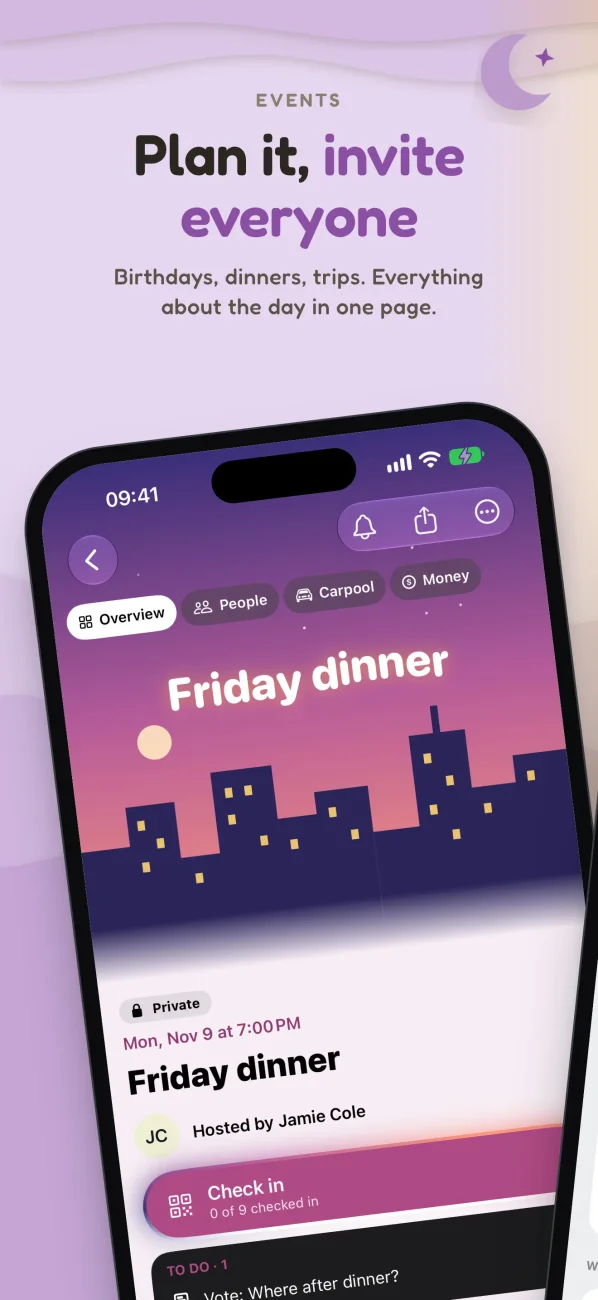
Chiipin takes a get-together from invitation to settled up. Plan an event, share a link, see who is coming, and split the bill afterwards. It also keeps the bills that come back every month.
PLAN AN EVENT
- Birthdays, dinners, trips and anything else you get people together for
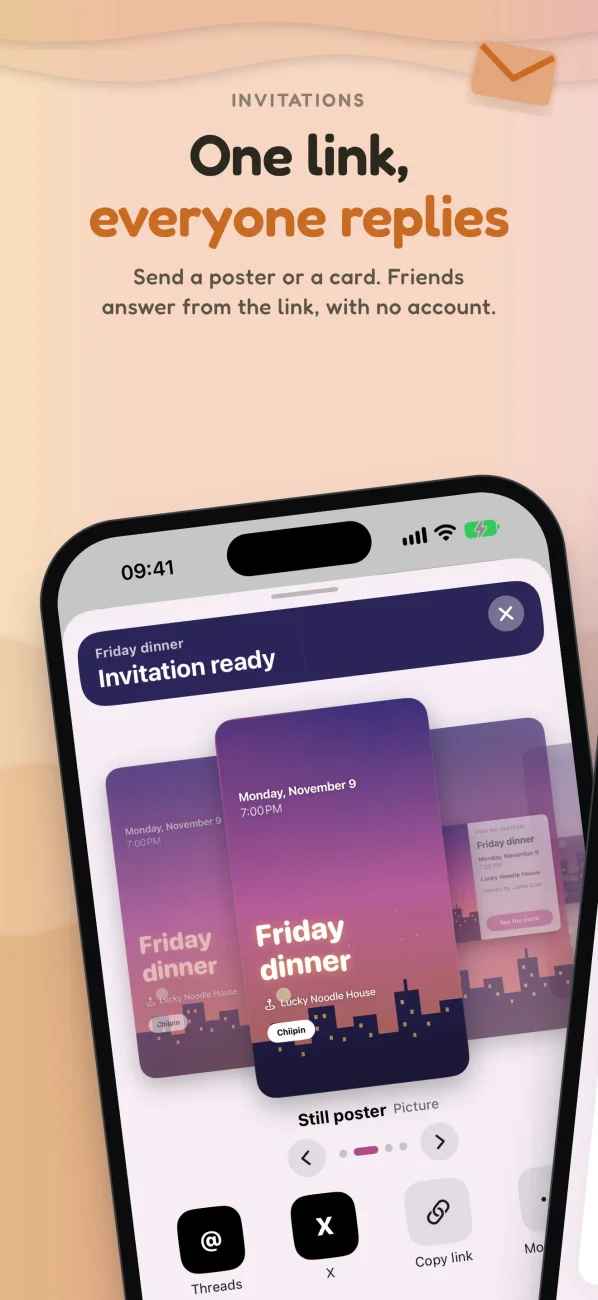
- Send an invitation as a poster or a card; friends reply from the link, with no account
- Guest list, waitlist, polls for the date or place, and updates to everyone who replied
- Public events: share them with anyone, or find ones near you
- Carpool with seats and an agreed cost
- Check people in at the door with a QR code
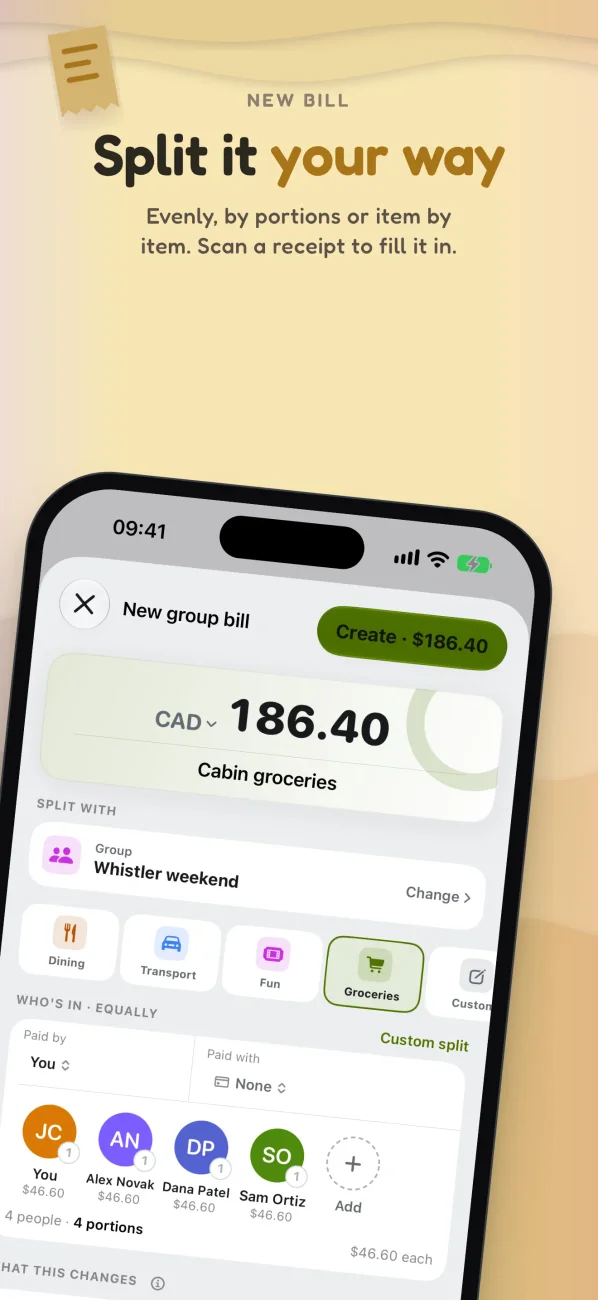
- Split the bill with the people who came
SPLIT ANY BILL - FREE
- Evenly, by exact amounts, or item by item
- Tax and tip handled properly, not estimated
- Scan a receipt and Chiipin reads the items for you
- Or say it out loud and let it fill the bill in
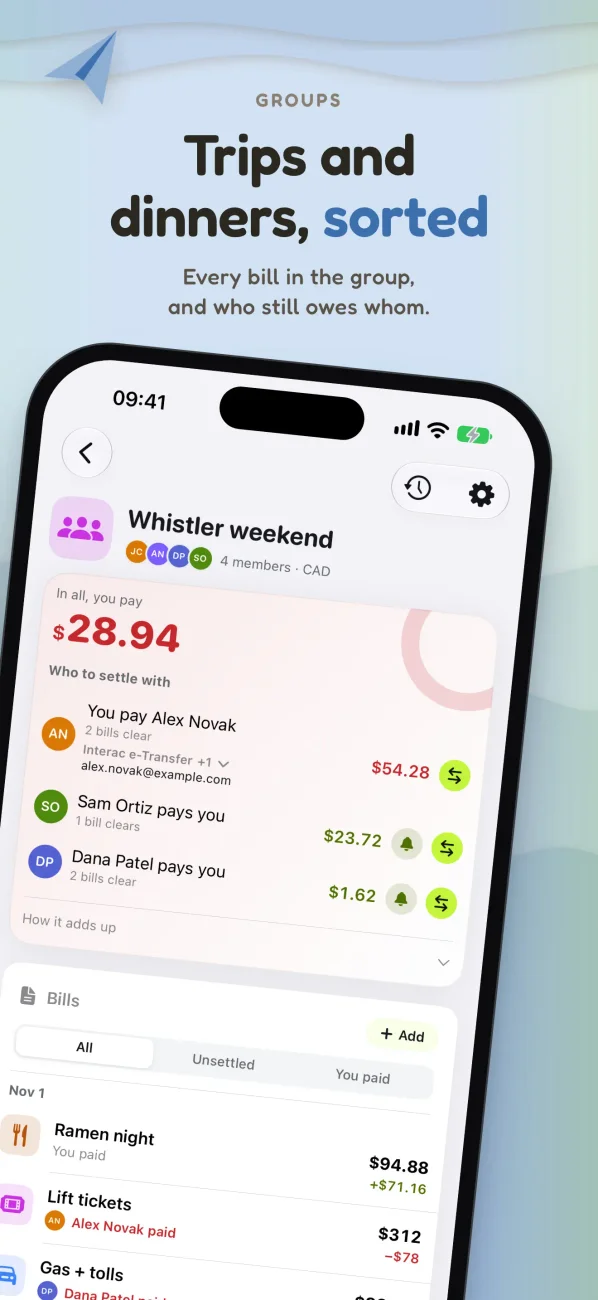
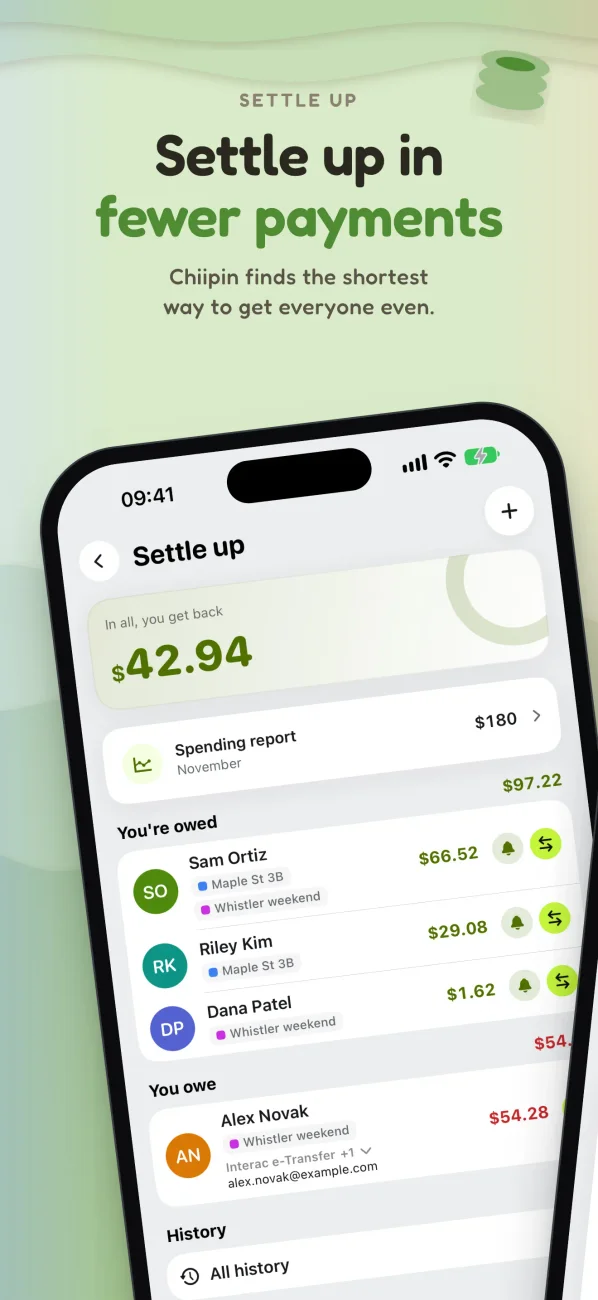
- See who owes what, and settle up with the fewest payments possible
- Groups for trips, dinners, and anything else shared
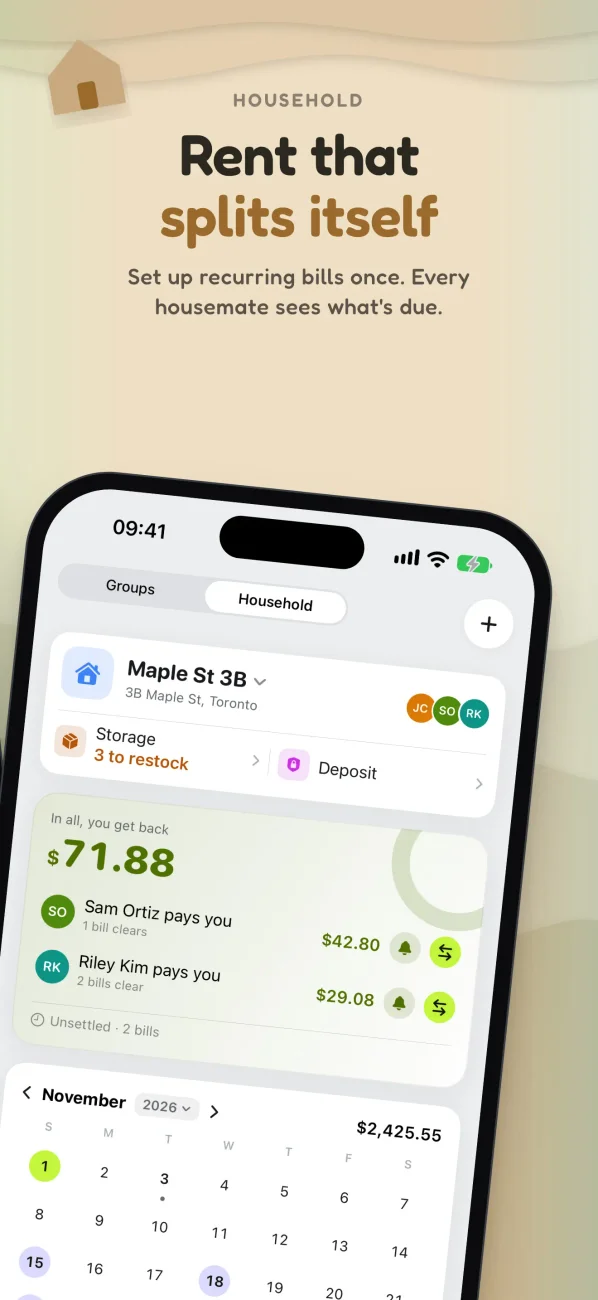
- One household, with its first recurring bill - set your rent up once and let it come back
- Widgets for the Home Screen, Lock Screen and Control Center, and a button that opens a new bill
WHAT THE HOUSE KEEPS - FREE
- Shared storage: what you have, how much is left, and who needs to buy more
- Mark something running low or out and the rest of the household is told
- Put the date from the packet on anything that has one, and choose how much warning you want
- Scan a barcode to find something you already have, or to add something you do not
- Read a product name off the packet instead of typing it, or let Apple Intelligence fill in the name, brand and size at once
- Pick what you are out of and Chiipin writes the shopping bill for you
- After that bill is split, put what you bought back in storage without typing it again
- See what a thing has cost you every time, how often you buy it, and roughly what that is a month
FOR PEOPLE WHO SHARE A HOME - CHIIPIN PRO
- Every recurring bill after the first: utilities, internet, parking, the variable ones
- More than one household, for a place you moved to or still share
- Split by who actually lived there, so a month someone was away is a month they do not pay for
- Move-out statements when someone leaves
- Search every bill by name, note, item, or who paid
- Spending reports by category and by month
- CSV export of your bills and settlements
- Your own categories, and photos for your profile and your groups
- In storage: more than five categories to file things under, a photo of the real thing instead of an icon, and barcodes on more than three items
PRIVACY
Receipt scanning runs on your device. A receipt it cannot read on its own is handled by Apple's Private Cloud Compute, which does not store it. The picture never reaches us.
CHIIPIN PRO
Chiipin Pro is an auto-renewing subscription, available monthly, every six months, or yearly. Subscriptions renew automatically until cancelled. Manage or cancel any time in Settings on your Apple Account.
Terms of Use: https://chiipin.chiiapp.com/terms
Privacy Policy: https://chiipin.chiiapp.com/privacy
What’s new
Version 1.0.17 · Nov 20, 2026
REPEATING EVENTS
- Set an event to repeat every week, every 2 weeks or every month. People reply to each date.
- Tap Follow on a repeating event to hear when each new date opens.
- See your events in your calendar app: Profile > Calendar > Subscribe in Calendar.
HOSTING
- Duplicate an event and invite last time's people.
- Ask questions when people reply, and read their answers.
- Talk with guests in Discussion on the event. Turn on Notify everyone to post an update.
- After the event, How it went shows how many came, no-shows and late cancellations.
- Make someone a co-host from the event's people list.
AFTER THE EVENT
- Rate an event you went to, with a note if you like. Hosts see ratings without names.
FIND EVENTS
- Search Nearby by keyword, date and category.
ALSO
- Reporting an event offers reasons that fit events.
App privacy
What Wang Chi Or declares on the App Store about how this app handles data.
-
Data linked to you
May be collected and linked to your identity.
- Purchases
- Financial info
- Contact info
- User content
- Identifiers
Privacy practices may vary, for example with the features you use or your age.
Information
- Seller
- Wang Chi Or
- Category
- Social Networking
- Version
- 1.0.17
- Updated
- Nov 20, 2026
- Released
- Sep 1, 2026
- Size
- 30.6 MB
- Requires
- iOS 18.0 or later
- Age rating
- 4+
- In-app purchases
- Yes
- Languages
- English, Japanese, Korean, Simplified Chinese, Traditional Chinese
- Copyright
- © 2026 C1 Tech
You might also like
-
 Cryptic SendPrivate Messages in iMessage
-
 StarWoofFandom Life in Your Pocket
-
 Bloo FamilySocial Networking
-
 傾到夜深 - 朋友版Social Networking
-
 Waduo: Dual Web MessengerManage Multiple Chat Accounts
-
 Second Me - Your Digital MindNever miss anyone again
-
 ぬい日和Social Networking
-
 LIHKG 討論區Social Networking
-
 Textr Go Unlimited Text & CallOTP Verification & SMS Texting
-
 M+ Messenger - 企業即時通,分機也能通Social Networking