Chinese Learning SC
Stroke order & PDF worksheets
Designed for iPhone, iPad, iPod touch
Free
- Age rating4+
- CategoryEducation
- DeveloperSecmenu Technology Limited
- LanguagesEnglish+ 2 more
- Size21.4 MB
Links to the official App Store page
Download.org hosts no file of Chinese Learning SC. The button opens its official App Store page, published by Secmenu Technology Limited. Listing last checked on Nov 17, 2026.
Screenshots


About
Watch the strokes. Practise writing. Create your own worksheets.
Chinese Learning SC helps students, parents and Chinese learners explore simplified Chinese characters. Look up a character, watch how it is written, practise on screen and create an A4 PDF worksheet for practice on paper.
Stroke-order data is prepared with reference to Stroke Orders of the Commonly Used Standard Chinese Characters (GF 0023-2020), published by the Ministry of Education.
STROKE ORDER ANIMATIONS
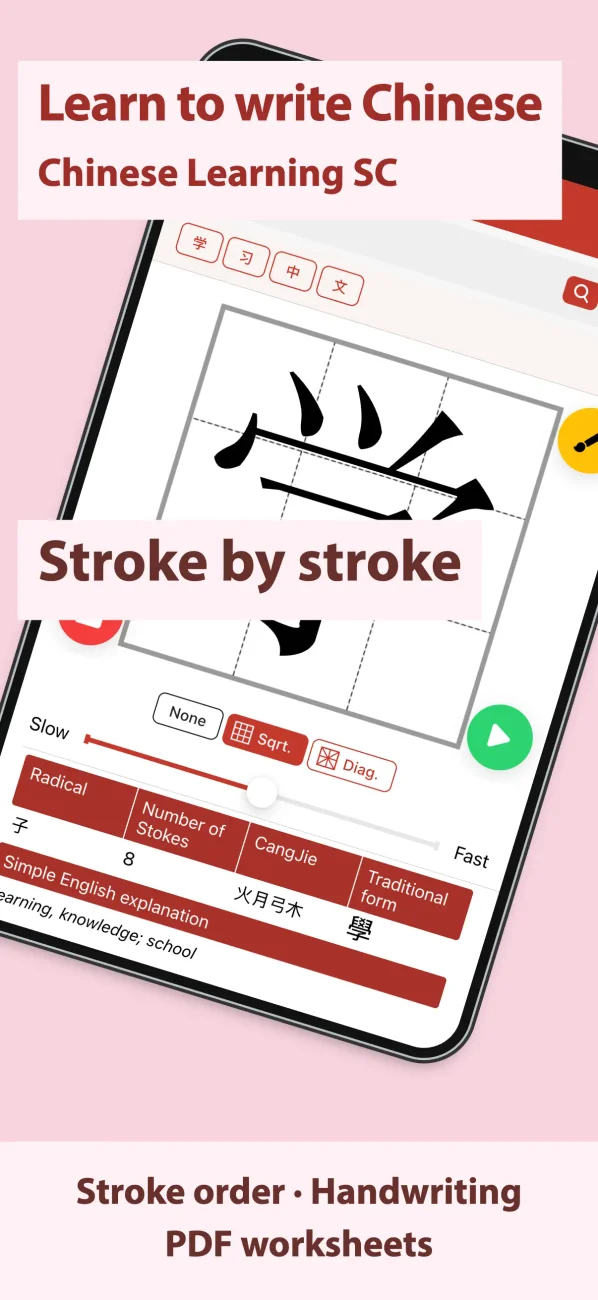
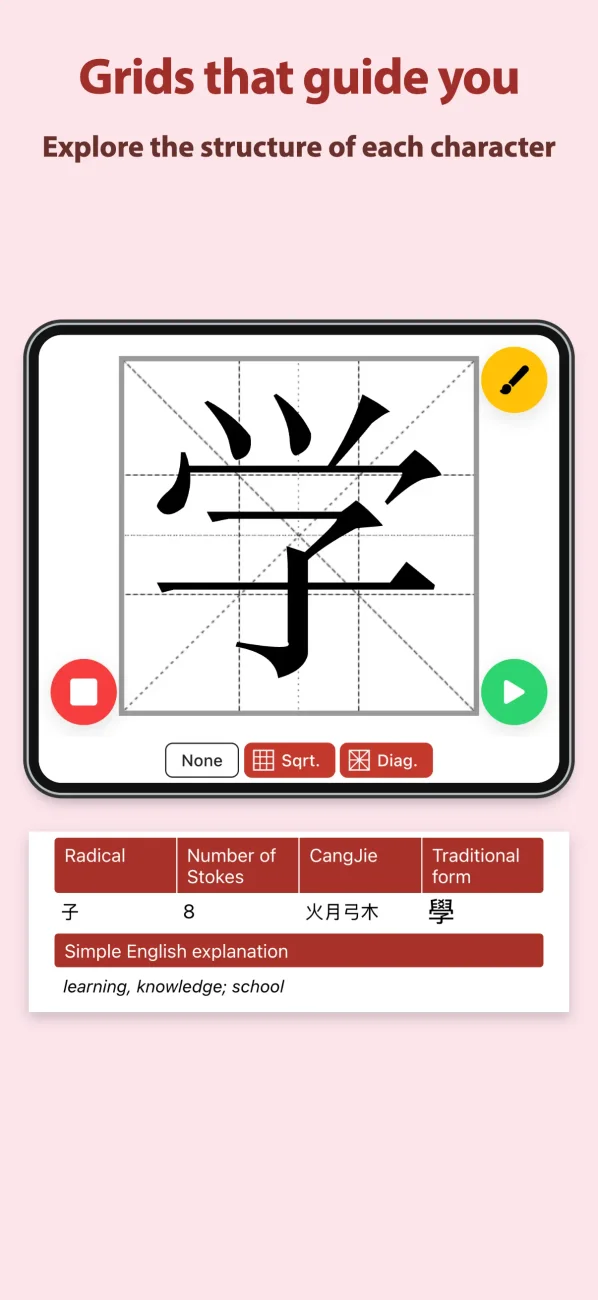
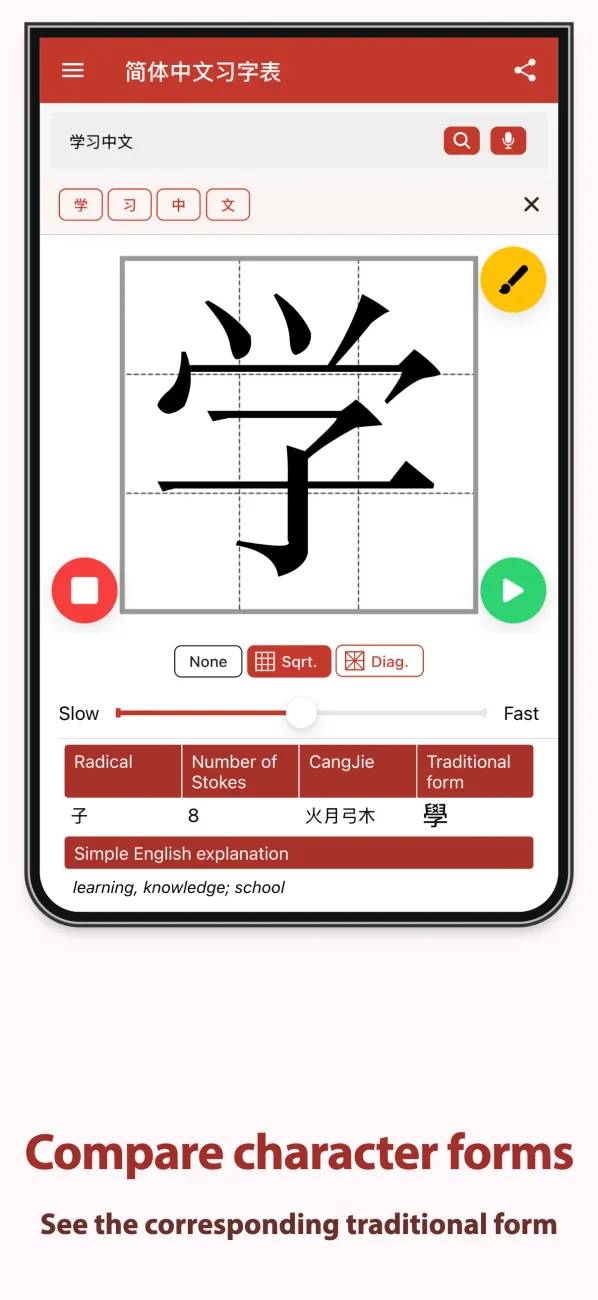
Watch characters take shape, stroke by stroke. Play, pause and adjust the speed. Use nine-square guides, diagonal guides or a plain background to study each character's structure.
WHITEBOARD AND GUIDED WRITING
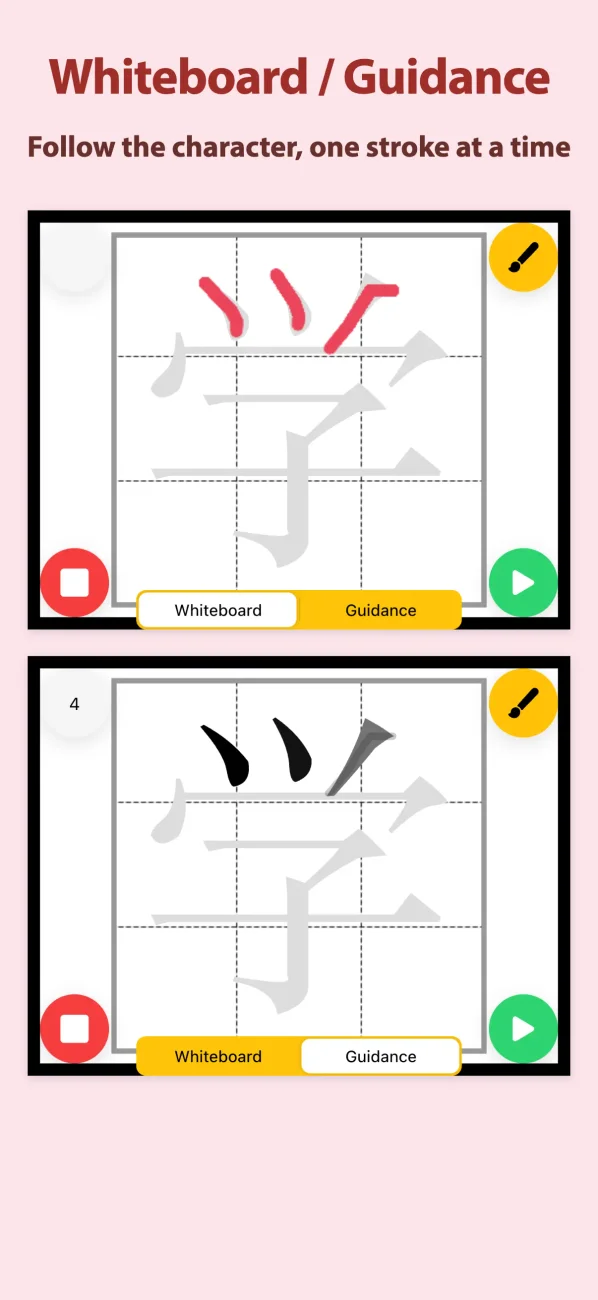
Trace the character on the whiteboard with a choice of ink colours and pen widths, or clear your writing and try again. Guidance mode offers stroke hints as you practise.
SIMPLIFIED AND TRADITIONAL FORMS
See the corresponding traditional form when it differs from the simplified character. Explore stroke counts and, where supplied by the dictionary, radicals, pinyin, Cantonese readings, English meanings, words and example sentences. Available information varies by character.
MANDARIN AND CANTONESE
Use your device's speech services to hear characters or enter text by voice. Review recognised text before searching. Pronunciation uses a synthetic device voice for reference; availability depends on your device and installed language services.
CUSTOM PRINTABLE WORKSHEETS
Enter the characters or words you want to practise. Choose 15, 25 or 30 mm cells, nine-square or diagonal guides, or cells without inner guides. Arrange writing horizontally or vertically, and optionally include progressive stroke references. Generate an A4 PDF on your device, then save or share it for printing.
THREE INTERFACE LANGUAGES
Switch between Simplified Chinese, Traditional Chinese and English. Character lookup and worksheets continue to teach simplified characters in every interface language.
PLEASE NOTE
• No account registration is required.
• Loading uncached character data requires an internet connection. Voice input may require a network connection and microphone permission.
• Traditional forms use single-character conversion. Some characters have other equivalents depending on context.
What’s new
Version 1.0.2 · Oct 20, 2026
Add example sentences and links for Traditional Chinese character lookups
App privacy
What Secmenu Technology Limited declares on the App Store about how this app handles data.
-
Data used to track you
May be used to track you across apps and websites owned by other companies.
- Identifiers
-
Data not linked to you
May be collected but is not linked to your identity.
- Identifiers
Privacy practices may vary, for example with the features you use or your age.
Information
- Seller
- Secmenu Technology Limited
- Category
- Education
- Version
- 1.0.2
- Updated
- Oct 20, 2026
- Released
- Oct 19, 2026
- Size
- 21.4 MB
- Requires
- iOS 14.0 or later
- Age rating
- 4+
- Price
- Free
- Languages
- English, Simplified Chinese, Traditional Chinese
- Copyright
- © Secmenu Technology Limited
You might also like
-
 單字練習紙Education
-
 Chinese Xie Zi -中文寫字板寫漢字,繁簡體,筆順,英文釋義與拼音發音 9000+
-
 UK LawyerConnect with UK Legal Experts
-
 Eye Level Belcher'sEducation
-
 No More Mommy ReadDictation Study Assistant
-
 BearLingoYour Path to Better English
-
 倾橙英语Education
-
 Tutor Wong 補習天王Photo homework grading & hints
-
 Chinese Learning for KidsBaby learning Chinese App
-
 Bible & Quran: HolyBooks AIStudy Torah, Tanakh & Psalms