Chordalyst Piano
MIDI Chords & Piano Practice
Designed for iPhone, iPad
Free · In-app purchases
- Age rating4+
- CategoryMusic
- DeveloperKoji Hasegawa
- LanguagesEnglish+ 9 more
- Size23.7 MB
Links to the official App Store page
Download.org hosts no file of Chordalyst Piano. The button opens its official App Store page, published by Koji Hasegawa. Listing last checked on Nov 25, 2026.
Screenshots

About
Chordalyst Piano helps you learn piano chords, scales, and accompaniment from chord symbols and beautifully engraved scores. Practice on the on-screen keyboard or with a Bluetooth/USB MIDI keyboard.
Hear chords with five playback modes and ten technique choices. Complete and edit MIDI chords, and reset learning records by topic.
Course Practice contains 61 sections—12 Beginner, 14 Intermediate, and 35 Advanced—covering keyboard and chord names, inversions, scales, progressions, two-hand playing, quarter- and eighth-note patterns, broken chords, arpeggios, and accompaniment patterns. Waltz, Octave, and Ballad patterns are included. Questions you do not pass return automatically for review.
Basic Practice lets you focus on chords, inversions, ten named scale types in all 12 tonics, progressions, two-hand playing, rhythm patterns, broken chords, arpeggios, and accompaniment. Broken-chord choices include Bass then Upper Chord, Alberti, Waltz, Octave, and Ballad patterns. Genre Practice offers representative progressions and scales for J-pop, Rock/J-rock, Anime/Game/Vocaloid, K-pop, Western Pop, Classical, Hip-hop/Rap, Jazz, Enka/Kayōkyoku, and R&B/Soul.
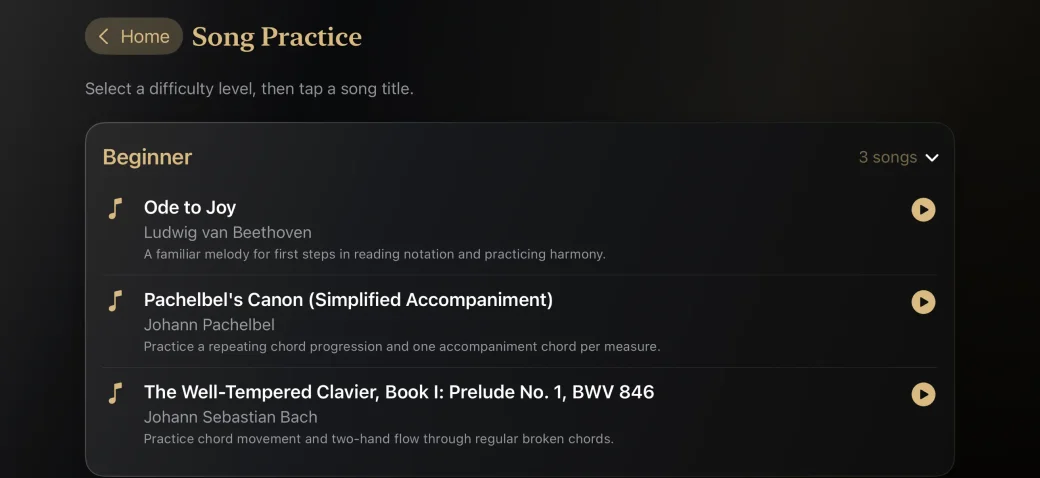
Song Practice includes nine pieces grouped by difficulty: Ode to Joy, Pachelbel's Canon, WTC Book I Prelude No. 1, Für Elise, Gymnopédie No. 1, The Entertainer, Turkish March, Clair de Lune, and Maple Leaf Rag. Auto Advance plays the melody from each correctly performed chord up to the next chord point.
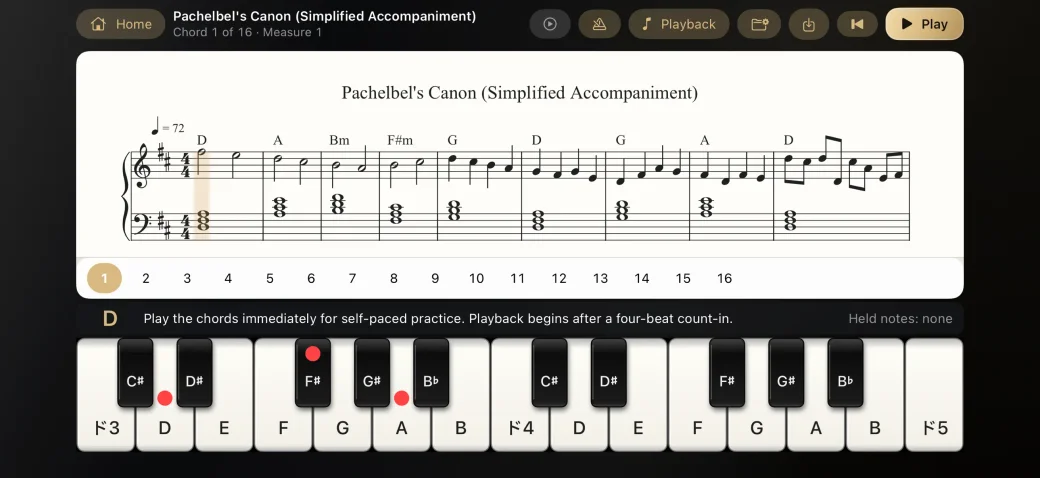
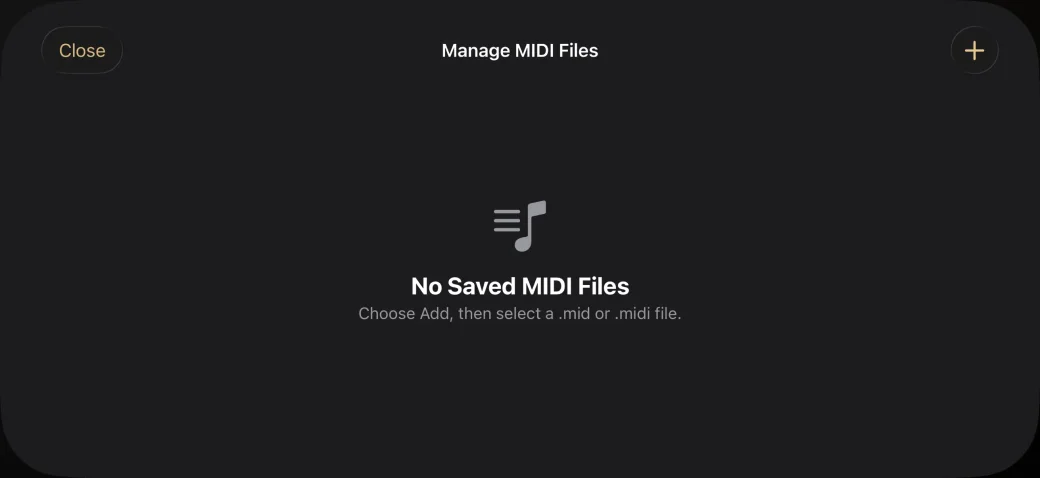
Import your own Standard MIDI Format 0 or 1 file, including directly from Files or another compatible app. Chordalyst Piano converts notes, durations, rests, chords, independent voices, beams, ties, and mid-song key, meter, and tempo changes into a MusicXML piano grand staff. If the MIDI contains no chord markers, chord names are inferred from its notes. Use piano playback, a gold position cursor, automatic scrolling, and separate melody, chord, and metronome volumes. Automatic conversion and chord inference may not reproduce every choice in a source score.
Import only MIDI files you created or are authorized or otherwise legally permitted to use. Saving, engraving, playing, or exporting does not transfer copyright or other rights; confirm any additional permissions required before publishing, distributing, or sharing the material.
Features
• On-screen keyboard and external MIDI keyboard input
• Automatically progressing courses from beginner through advanced
• Ten Basic Practice areas for chords, scales, accompaniment, and genres
• A wide range of chords, including major, minor, seventh, diminished, suspended, augmented, extended, and slash chords
• Practice material in all 12 chromatic roots, including sharps and flats
• Nine included pieces grouped by difficulty
• Import, save, engrave, infer chords from, and play your own MIDI files
• High-quality MusicXML grand staff with automatic position following
• Separate display controls for chord tones, keyboard guides, note names, piano notation, and recommended fingering
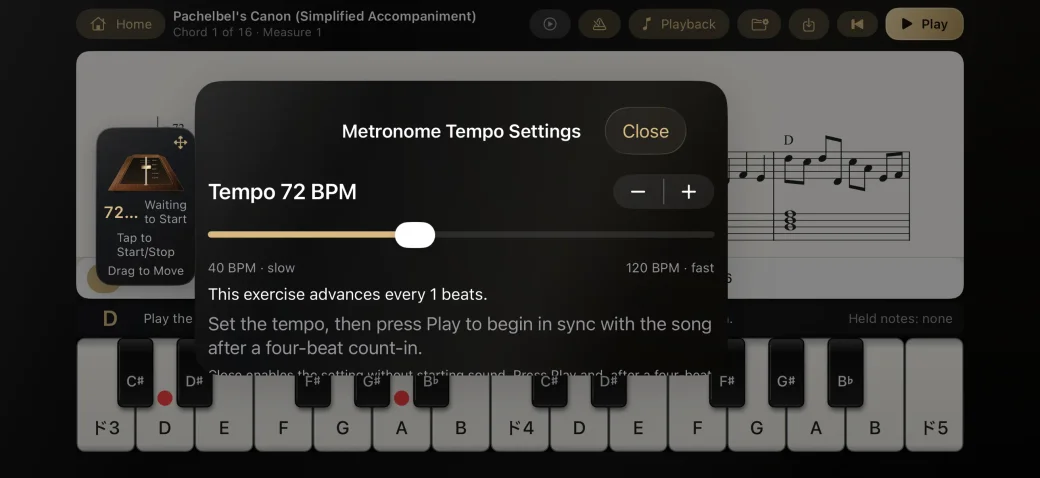
• 1 BPM tempo control and a song-synchronized metronome with an animated pendulum
• Progress tracking through mastery levels
• Learning records and practice settings saved on your device
All features are available for the first seven days. After the trial, Beginner Course, 01 Chord Practice, and Song Practice remain available. Purchase Full Access to unlock Intermediate and Advanced Courses and Basic Practice 02–10.
No user registration, ads, or third-party behavioral analytics are used. Learning records and settings are processed on your device and are not collected by the developer.
What’s new
Version 3.0 · Nov 24, 2026
• Added Back beside Home in Song Practice to return to song selection.
• In Basic Practice 01–10, Back beside Results reopens the setup window for the same item.
• Clarified result actions: Change Practice Method, Next Practice Section, Repeat Previous Section, and Repetitions. The repeat button and count now share one rounded frame.
• The repeat count stays selected across replays and next automatic sections within a Basic Practice run. It does not multiply the next section’s material or set count.
• Added Traditional Chinese for Taiwan, including the interface, Bluetooth text, Getting Started, all 19 manual chapters and all 61 course sections. Updated guidance in existing languages too.
App privacy
What Koji Hasegawa declares on the App Store about how this app handles data.
-
Data not collected
The developer does not collect any data from this app.
Privacy practices may vary, for example with the features you use or your age.
Information
- Seller
- Koji Hasegawa
- Category
- Music
- Version
- 3.0
- Updated
- Nov 24, 2026
- Released
- Oct 8, 2026
- Size
- 23.7 MB
- Requires
- iOS 17.0 or later
- Age rating
- 4+
- Price
- Free
- In-app purchases
- Yes
- Languages
- English, Dutch, French, German, Italian, Japanese, Korean, Simplified Chinese, Spanish, Traditional Chinese
- Copyright
- © 2026 Koji Hasegawa
You might also like
-
 Piano PlaygroundAn instrument that listens
-
 ChordLink Piano ChordsExplore Chords & Scales
-
 Piano: Identify ChordsMinimalist, Ad-free Piano App
-
 Scale Navi - Piano ScalesHanon 39 Scale Practice Tool
-
 UltimateScaleMusic scale learning assistant
-
 ChordFrog: Piano Ear TrainingChord Recognition Quiz Game
-
 Reflection: Piano+MIDI ChordsSee notes & scales as you play
-
 Riffloop: Stem & Vocal RemoverChord Finder & Backing Tracks
-
 DX-SQUARE - Classic FM synthePlay and Shape 80s FM Sounds
-
 Voice Analyzer: Vocal MonitorVocal Health & Pitch Tracker