- Age rating4+
- CategoryMusic
- DeveloperKyle Pointer
- LanguagesEnglish
- Size501.0 KB
Links to the official App Store page
Download.org hosts no file of Chordical. The button opens its official App Store page, published by Kyle Pointer. Listing last checked on Nov 15, 2026.
Screenshots

About
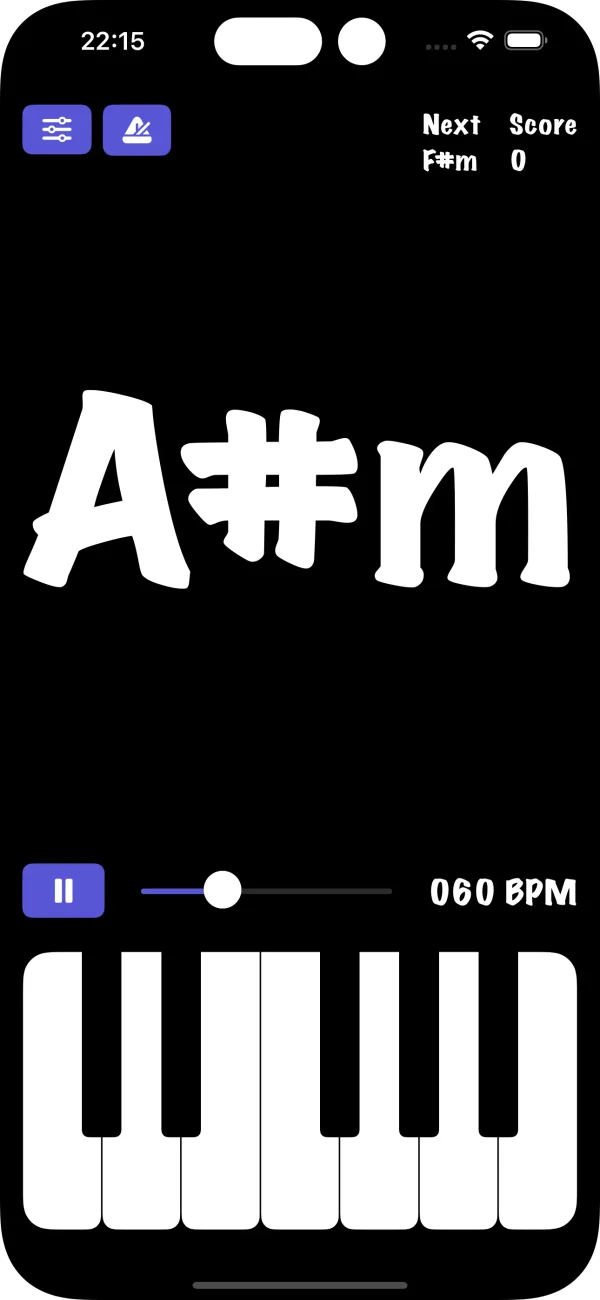
Chordical is a flashcard-style tool for helping musicians practice and memorize their chords. You can select individual chords and chord qualities you'd like to practice or you can even try the new diatonic chord mode that cycles between random chords in the keys you've selected. Chordical also supports MIDI input, so you can use any MIDI instrument to practice (as long as it supports playing a chord!). The app also supports MIDI clock input so you can sync a backing track from a DAW with the app while you practice so things are a bit more fun. :)
What’s new
Version 1.2.1 · Jun 10, 2024
- New Diatonic Chord Mode
- New Build-in Metronome
- Improved MIDI synchronization
- Small fix to make the metronome downbeat stand out more (otherwise it's easy to get lost!)
App privacy
What Kyle Pointer declares on the App Store about how this app handles data.
-
Data not collected
The developer does not collect any data from this app.
Privacy practices may vary, for example with the features you use or your age.
Information
- Seller
- Kyle Pointer
- Category
- Music
- Version
- 1.2.1
- Updated
- Jun 10, 2024
- Released
- Jun 4, 2024
- Size
- 501.0 KB
- Requires
- iOS 16.0 or later
- Age rating
- 4+
- Price
- Free
- Languages
- English
- Copyright
- © Kyle Pointer 2024
You might also like
-
 Harmonicc Chord Sequencer AUv3Chords with emojis!
-
 Piano FlashImprove memory of piano chords
-
 Linear PlayerMusic
-
 In Drones We JustDrones for intonation practice
-
 GlitchStep16 Step MIDI Sequencer AUv3
-
 HarmonicerHarmonic MIDI Generator
-
 MIDI PianoMusic
-
 Thereminator 2Touch Controlled Theremin
-
 ChordGenChords Generation
-
 Simple Arranger KeyboardEasy Music Arranger