- Age rating4+
- CategoryMusic
- DeveloperRobert Corbin
- LanguagesEnglish
- Size5.8 MB
Links to the official App Store page
Download.org hosts no file of Chordpeek. The button opens its official App Store page, published by Robert Corbin. Listing last checked on Nov 18, 2026.
Screenshots

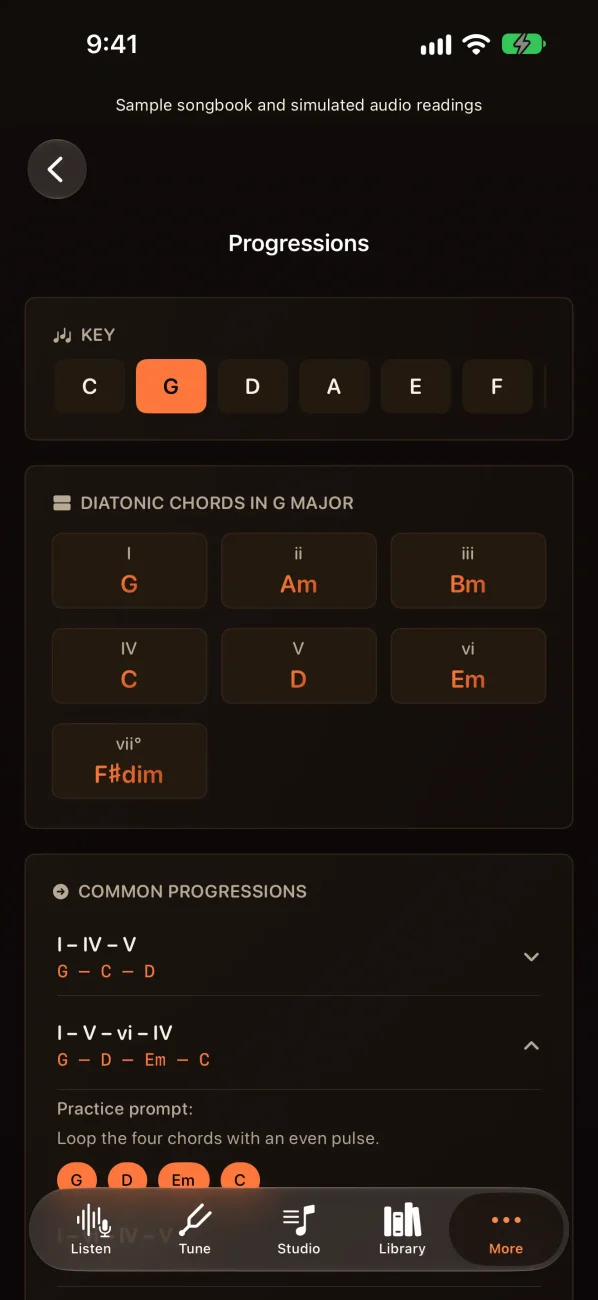

About
Turn guitar ideas into saved chord charts you can rehearse, back up and share.
NEW IN 4.0
• Export a portable songbook backup and preview a restore before importing. Identical charts are skipped; changed copies stay separate.
• Export an authored songboard as a MIDI chord track with its tempo, beat lengths and section markers.
• Export a printable PDF rehearsal sheet with chord names, beat positions, sections and guitar shapes.
• Keep your practice brief between launches, with safer songbook and practice-history storage.
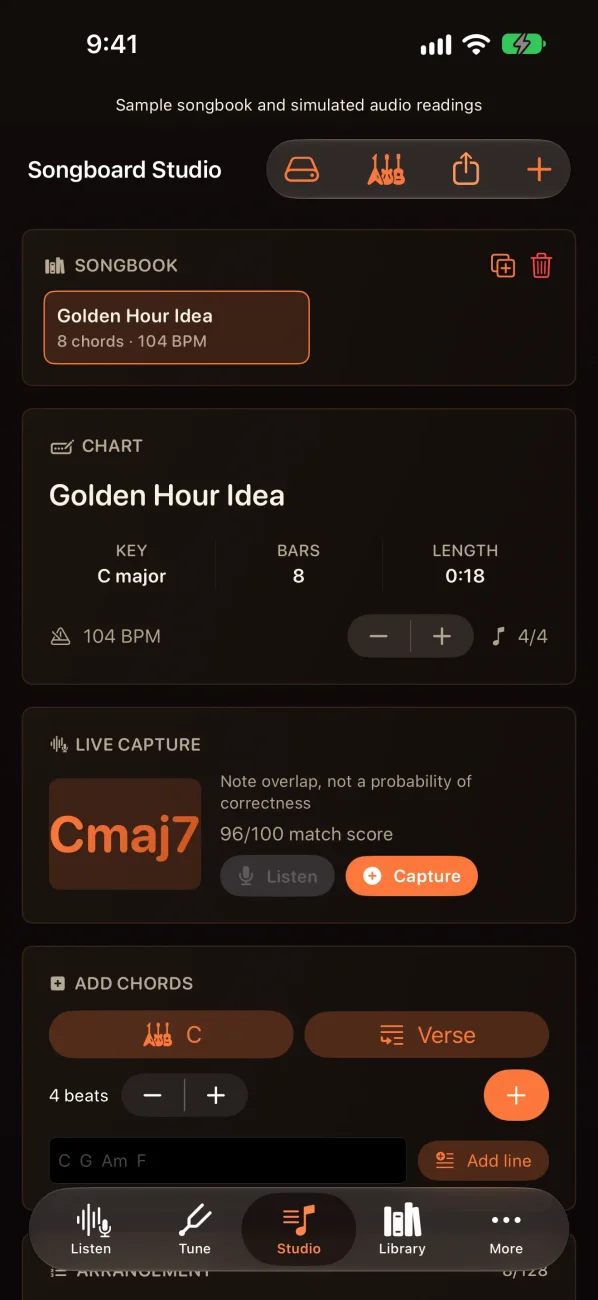
SONGBOARD STUDIO
Create charts, add chord events, organize sections, set tempo and meter, transpose and follow rehearsal cues. Use the chord library or capture a suggested microphone match, then check the chart before saving.
CAPO ARRANGER
Find a capo position for the whole song. Compare frets 0–7 by default, with an adjustable range up to fret 9. Read sounding chords, played shapes and six-string fingerings for each event, then share the arrangement as text. The saved songboard stays unchanged.
GUITAR TOOLS
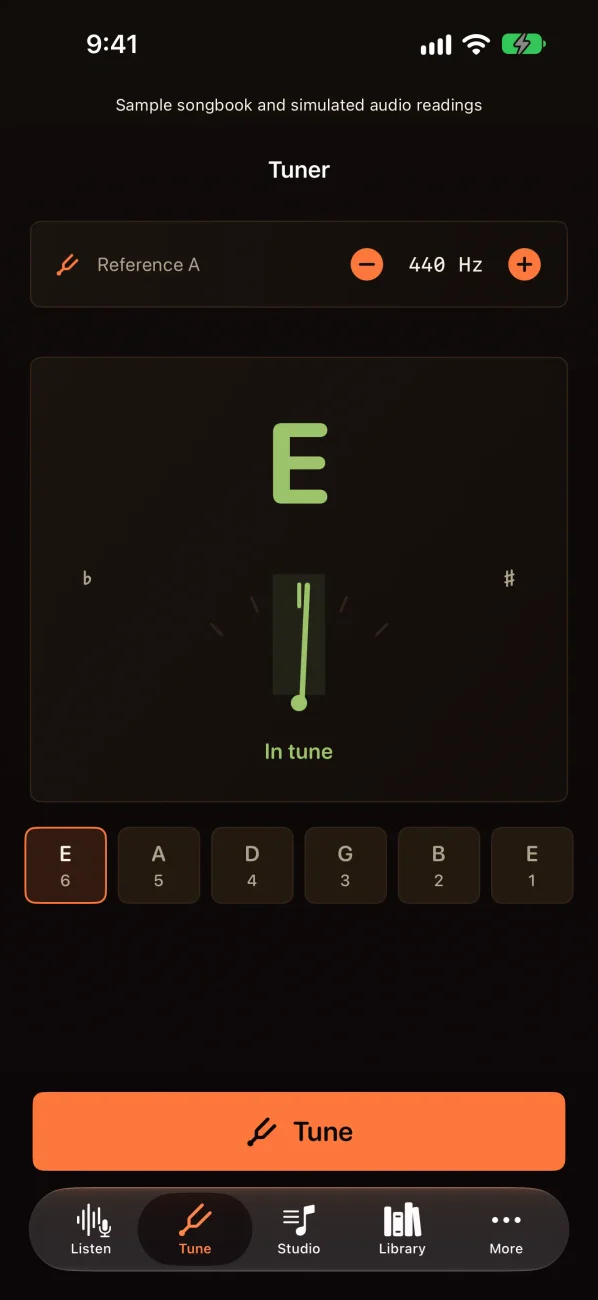
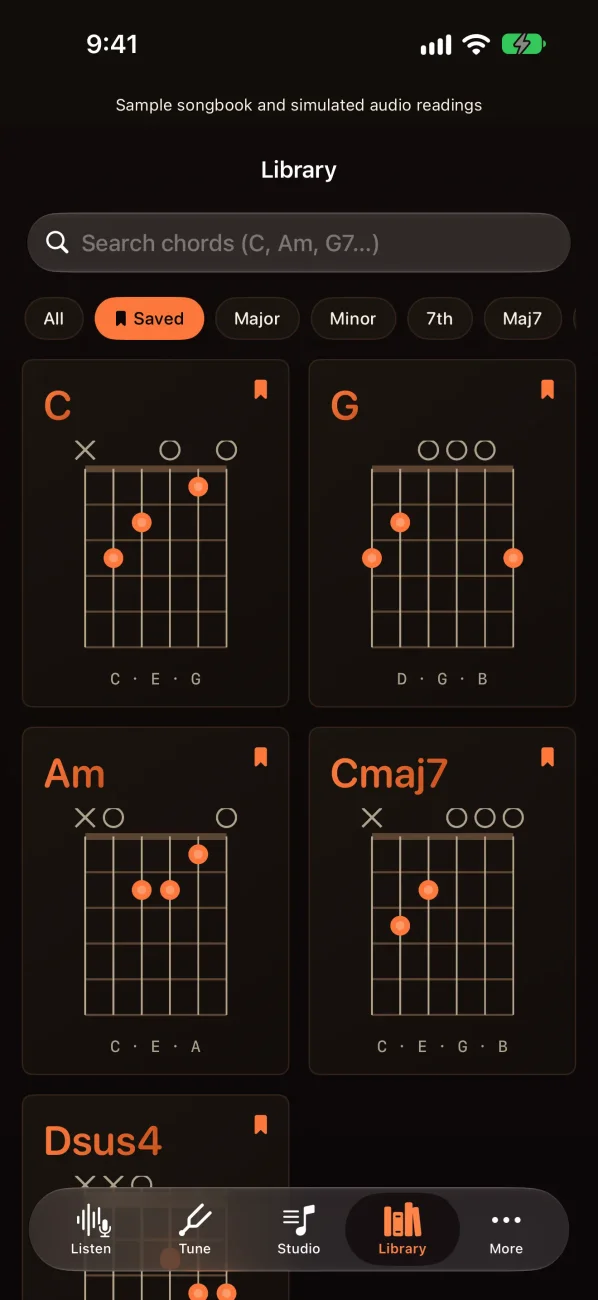
Explore the chord library, tuner, progressions, scales, ear training, metronome and practice tools. Live microphone processing stays on device; audio is not recorded or uploaded.
WHAT TO KNOW
Microphone chord matches and key suggestions are estimates. Note-match scores are not probabilities of correctness. Noise, tuning and playing style affect results.
Capo arrangements use standard EADGBE tuning. Shape rankings are effort heuristics, not guarantees of comfort. Check the shapes on your instrument; unavailable shapes are disclosed.
MIDI exports contain generated block chords, not recorded audio, strumming or the original guitar voicing. PDF sheets describe your authored chart rather than transcribing a recording.
Songbook backups include charts, events, sections and tempo, not favorites or practice history. Backup files are limited to 8 MB and 512 charts. New-chart creation is limited to 32 charts; existing and restored larger collections are retained. Each chart supports up to 128 events. Keep exported backups in a safe location.
No account, advertising or subscription. Built for iPhone and iPad.
What’s new
Version 4.0 · Nov 2, 2026
Songbook backup and restore: export JSON, preview additions and changed copies, then import without replacing existing charts.
MIDI chord tracks: export authored tempo, beat lengths and section markers as generated block chords.
PDF rehearsal sheets: print or share sections, beat positions, chord notes and guitar shapes.
Safer storage preserves unreadable songbooks and practice history, avoids silent chart eviction, and keeps separate practice sessions distinct. Practice briefs now persist between launches.
Improved microphone lifecycle handling, clearer match-score wording, large-text onboarding and export labels.
App privacy
What Robert Corbin declares on the App Store about how this app handles data.
-
Data not collected
The developer does not collect any data from this app.
Privacy practices may vary, for example with the features you use or your age.
Information
- Seller
- Robert Corbin
- Category
- Music
- Version
- 4.0
- Updated
- Nov 2, 2026
- Released
- Jun 8, 2026
- Size
- 5.8 MB
- Requires
- iOS 17.0 or later
- Age rating
- 4+
- Price
- $2.99
- Languages
- English
- Copyright
- © 2026 Shadowfetch
You might also like
-
 LoopemeMusic
-
 Setlist Manager - SongDeckChord Chart & Song Book
-
 Metronome Tempo BPM - BA2Tap Counter for Beats & Music
-
 MIDI Memos: Recorder + PlayerRecord, play, share MIDI
-
 TinyToneSimple Synth
-
 JAX Convolutor PE (Audio Unit)Reverb Effect [Preset Edition]
-
 Orbeat: Drum MachineBeat maker & sequencer
-
 Callback FreeverbStandalone and AUv3
-
 Nugget 02 - Series 9000Low-pass filter with drive
-
 ChordPondVisual Chord-Tile Sequencer