- Age rating4+
- CategoryEducation
- DeveloperTakumi Kanzaki
- LanguagesEnglish+ 4 more
- Size4.6 MB
Links to the official App Store page
Download.org hosts no file of ChoresLogs&Allowance. The button opens its official App Store page, published by Takumi Kanzaki. Listing last checked on Nov 14, 2026.
Screenshots
About
Make chore tracking fun and allowance management simple.
Helper & Allowance Log is an easy-to-use app that lets families record kids’ chores and track allowance payments.
----
◆ Key Features
• Quick Chore Logging
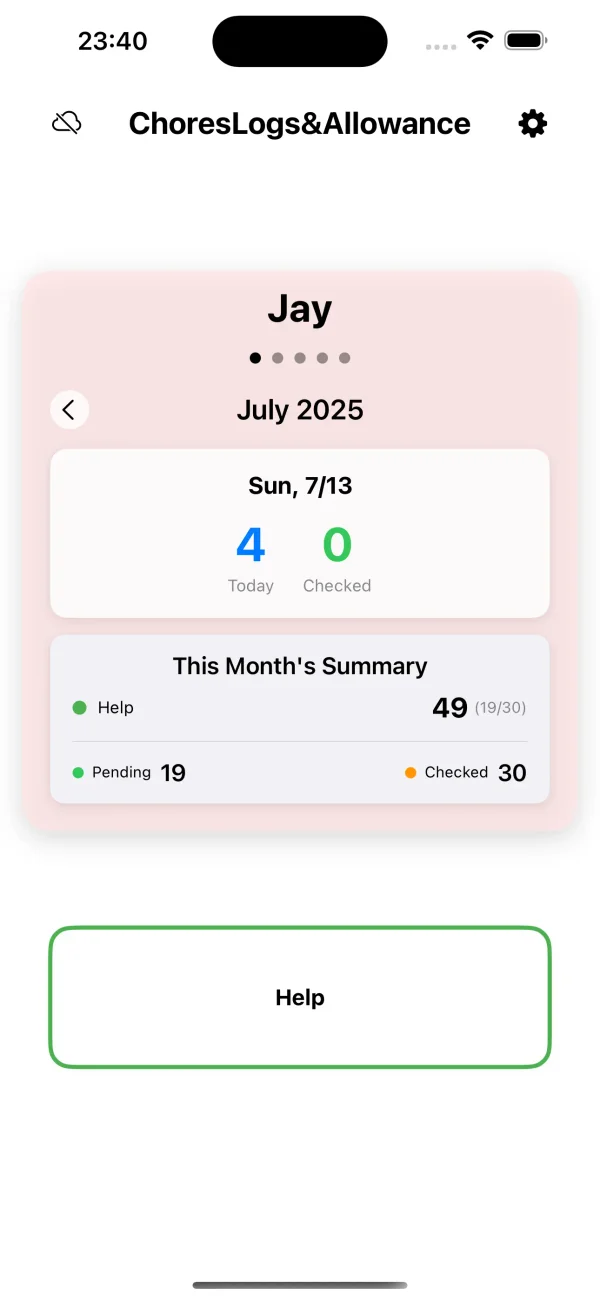
Just tap to log a chore. Entries appear in a monthly calendar view so kids can see their progress at a glance.
• Automatic Allowance Calculation
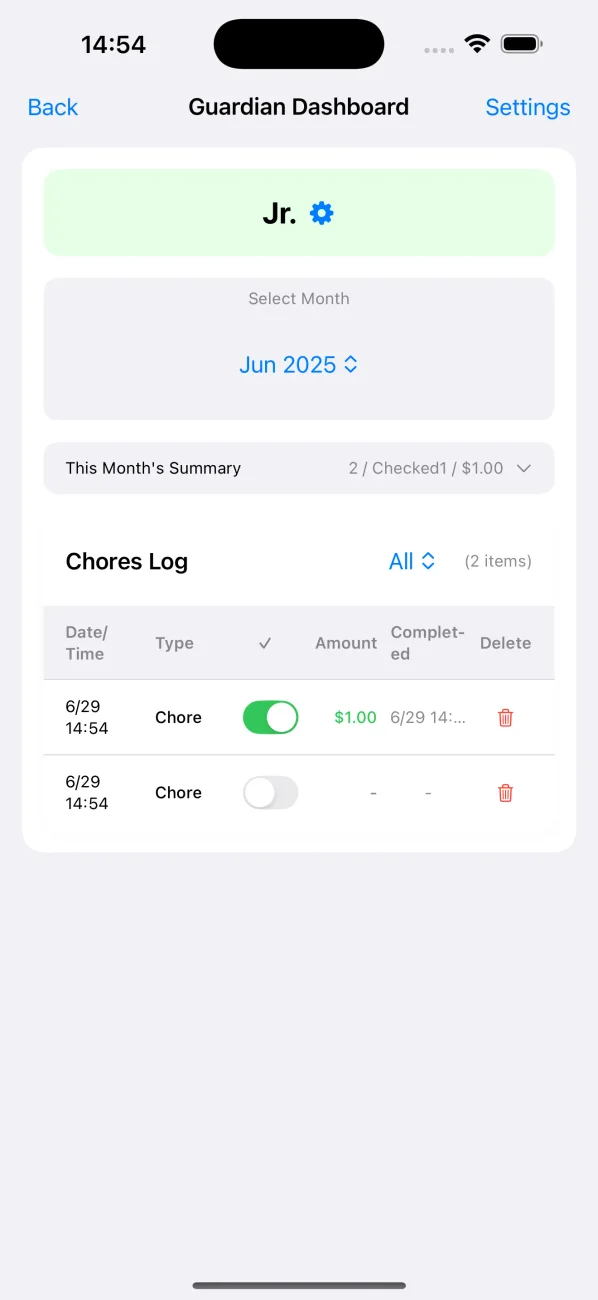
Allowances are calculated automatically based on completed tasks. Parents and kids can easily check balances.
• iCloud Sync
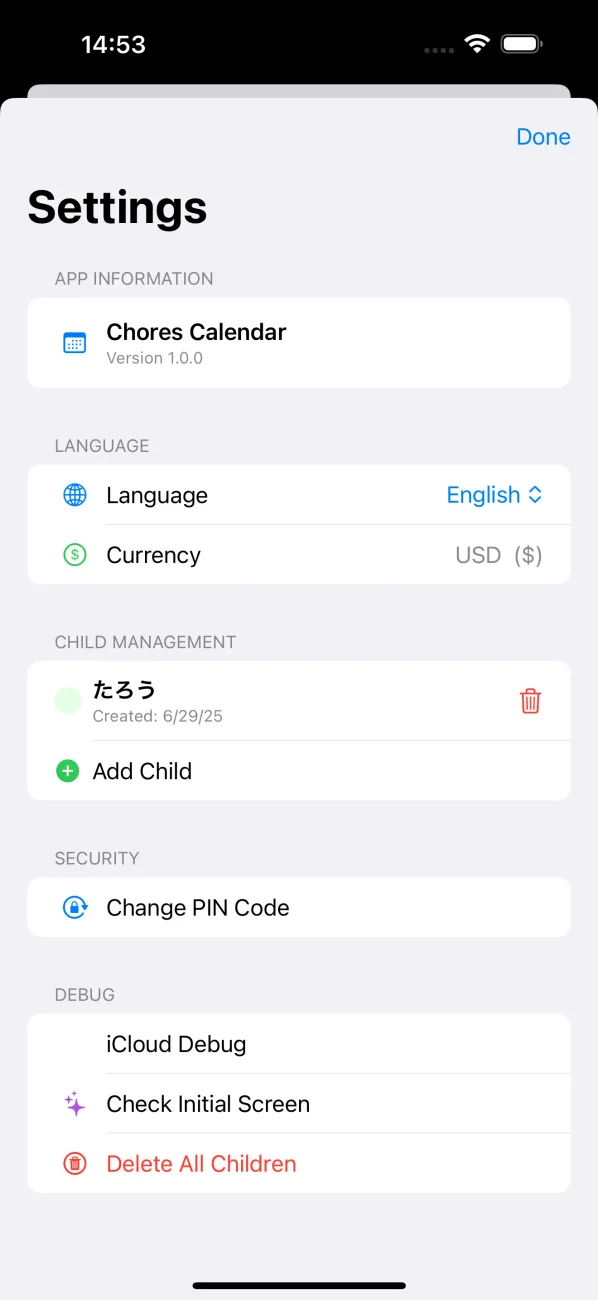
Data sync is available across devices that are signed in with the same iCloud account. Ideal for families sharing a single Apple ID.
• Multi-language & Multi-currency Support
Supports Japanese, English, Simplified/Traditional Chinese, and Korean. Currency display adjusts to region.
• PIN Protection for Parents
Settings are protected with a PIN so only parents can modify task lists or payout details.
• iPad Friendly
Optimized layout for larger screens makes it easy for families to use the app together.
----
◆ How It Works
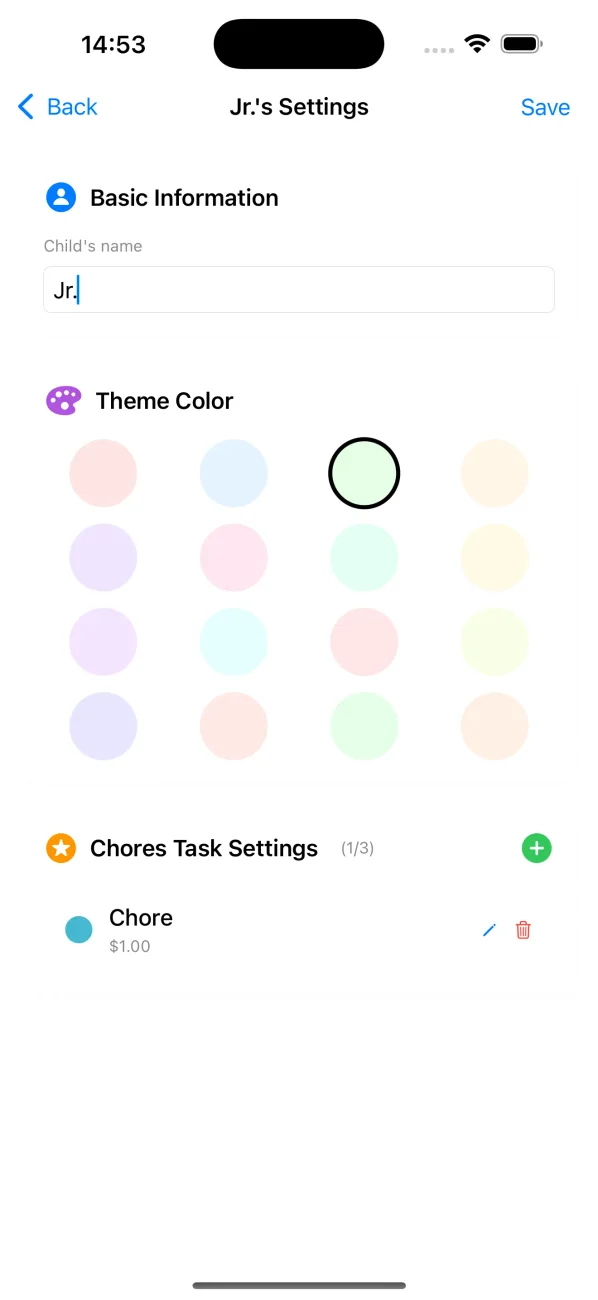
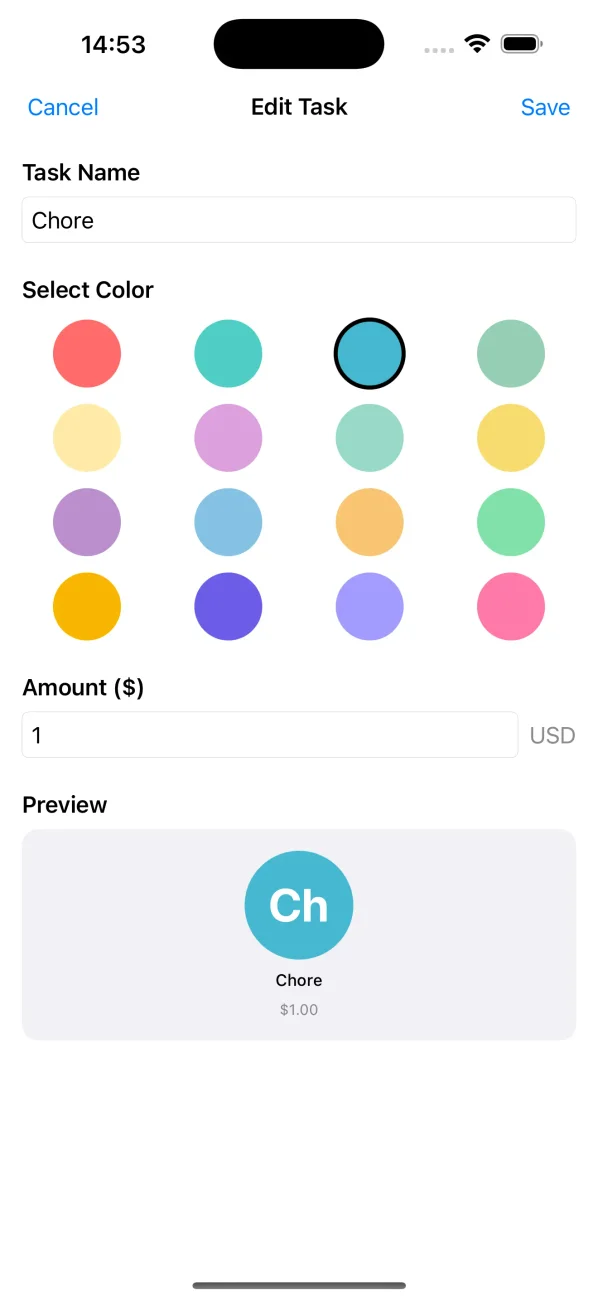
1. Register your child’s name and favorite color
2. Set up chore types and corresponding allowance amounts
3. Tap to log each completed chore
4. Parents review logs and confirm payment
----
◆ Requirements
• iOS 17.0 or later
• iPadOS 17.0 or later
• iCloud account (for syncing data)
What’s new
Version 1.6 · Nov 2, 2026
Ready for iPhone Duo. Open the inner display and your chores calendar switches to the full month view, just like on iPad. Close it and the outer display keeps the familiar today-at-a-glance layout for kids.
Improved
- The layout now adapts to the space available, so Split View and Slide Over on iPad show a view that fits a narrower width.
- The inner display of iPhone Duo works in every orientation, while the outer display stays in portrait for easy one-handed use.
App privacy
What Takumi Kanzaki declares on the App Store about how this app handles data.
-
Data linked to you
May be collected and linked to your identity.
- User content
- Identifiers
Privacy practices may vary, for example with the features you use or your age.
Information
- Seller
- Takumi Kanzaki
- Category
- Education
- Version
- 1.6
- Updated
- Nov 2, 2026
- Released
- Aug 1, 2025
- Size
- 4.6 MB
- Requires
- iOS 17.0 or later
- Age rating
- 4+
- Languages
- English, Japanese, Korean, Simplified Chinese, Traditional Chinese
- Copyright
- © tknzk.com