
Cinemore Player
HDR Video & Spatial Audio
Designed for iPhone, iPad, Mac
Free · In-app purchases
- Age rating4+
- CategoryEntertainment
- DeveloperShenzhen Youduohong Information Technology Co., Ltd.
- LanguagesEnglish+ 31 more
- Size132.3 MB
Links to the official App Store page
Download.org hosts no file of Cinemore Player. The button opens its official App Store page, published by Shenzhen Youduohong Information Technology Co., Ltd. Listing last checked on Nov 18, 2026.
Screenshots



About
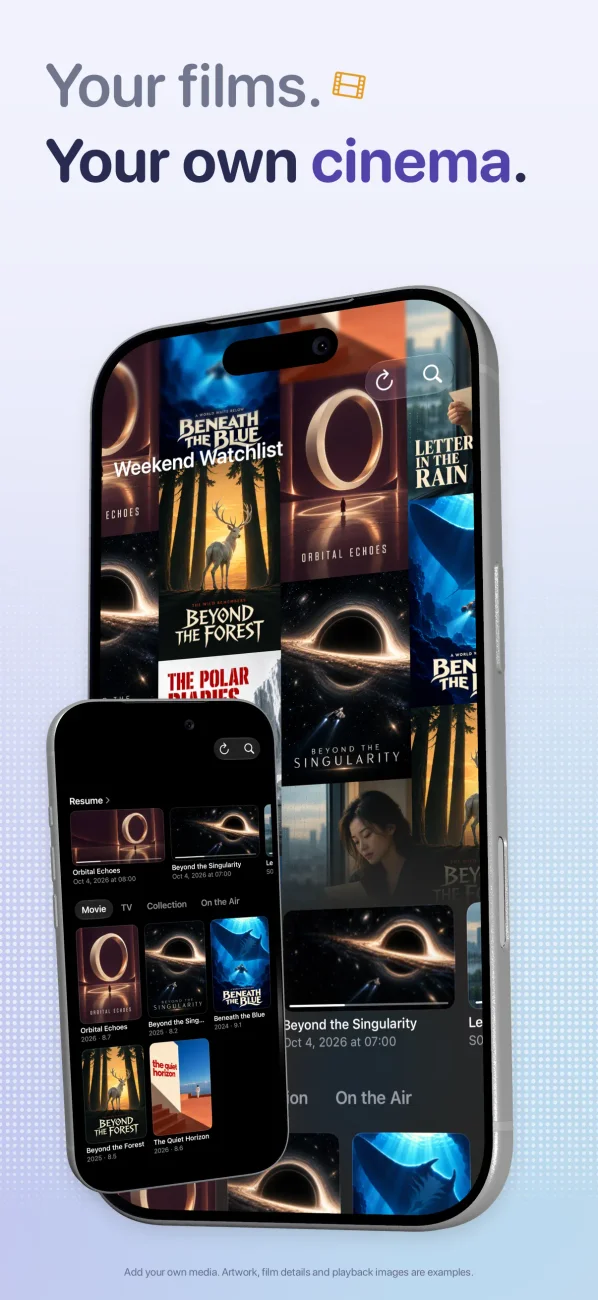
Bring videos from local storage, NAS and cloud drives into Cinemore. Automatically match posters and movie information to build your personal video library. Enjoy HDR video and spatial audio, with flexible subtitle controls and video enhancement that help you find and enjoy your collection.
Player:
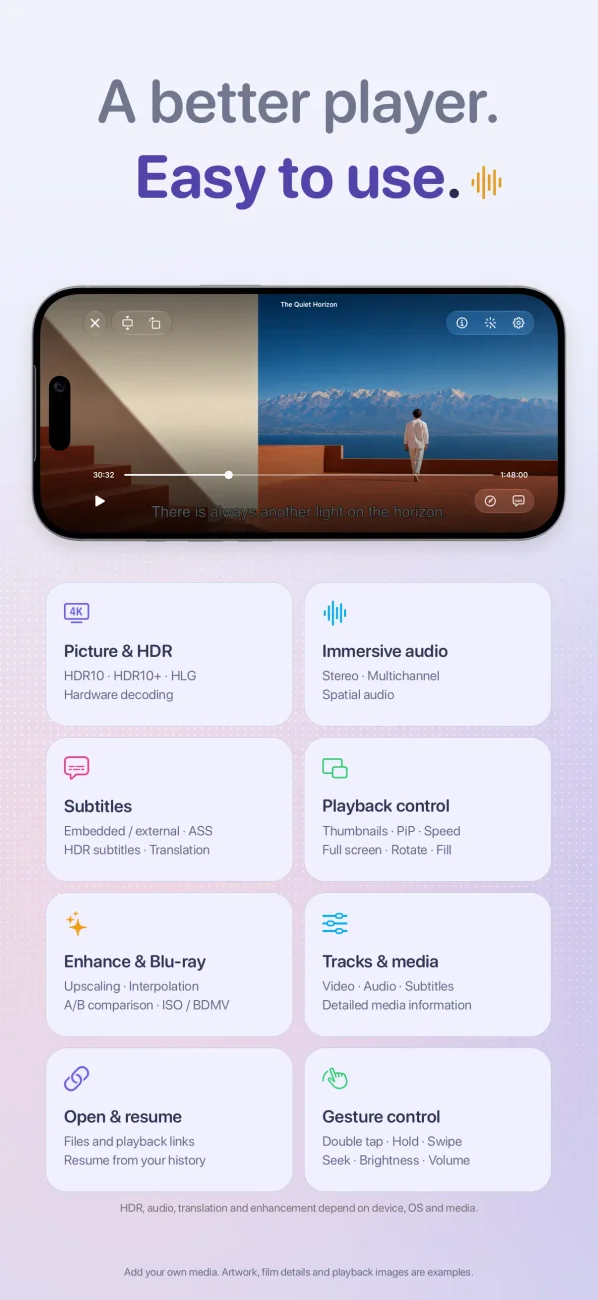
- Picture Quality: HLG, HDR10, HDR10+, Dolby Vision
- Audio: Stereo, multi-channel, spatial audio
- Full Format Playback: H.264, H.265, VP9, AV1 hardware decoding
- Gestures & Shortcuts: Fast forward/backward, play/pause, playback speed adjustment
- Subtitles: Embedded & external subtitles, fully customizable styles, HDR subtitles, subtitle translation
- Playback Experience: Progress bar drag with thumbnail preview, portrait/landscape orientation, picture fill, picture-in-picture, fullscreen, playback speed control
- Control Center: Now Playing control
- Blu-ray Disc: ISO, BDMV
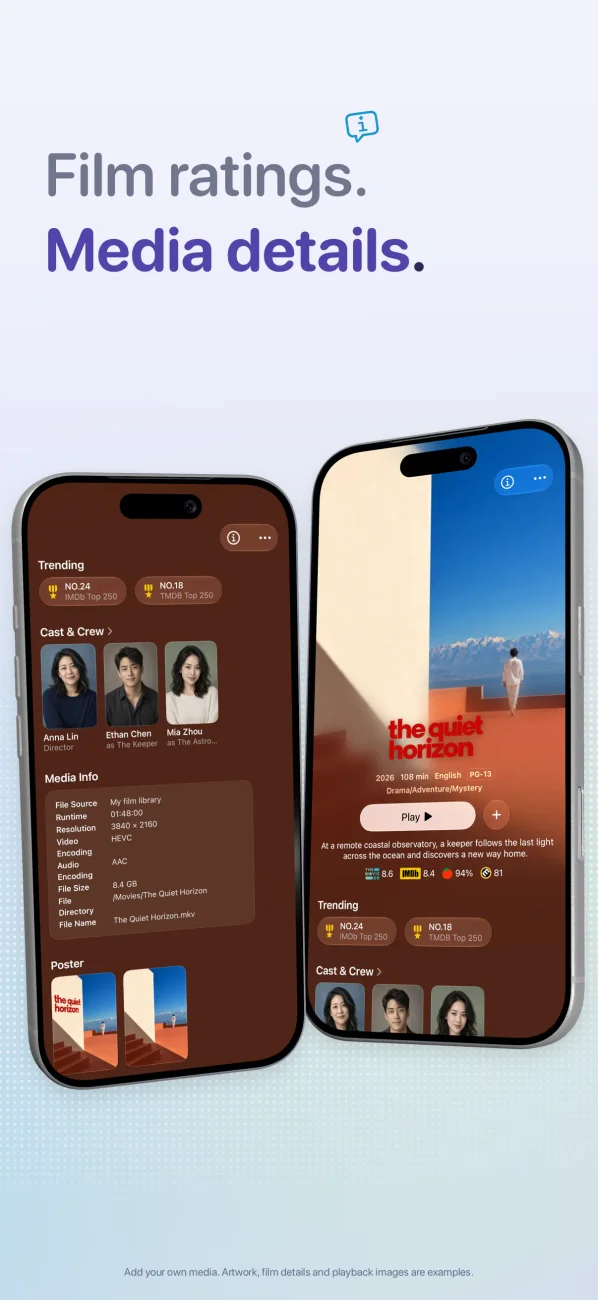
- Track & Media Information: Quick switching between audio/video/subtitle tracks; detailed media info card
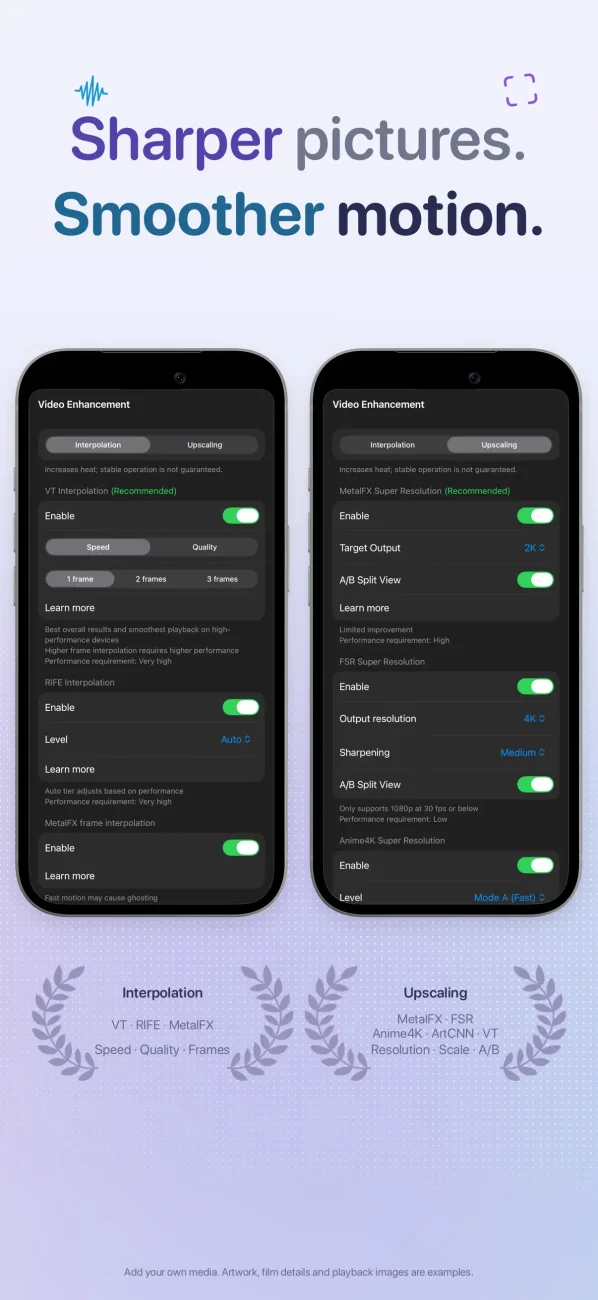
- Video Enhancement (Experimental): Anime4K and other super-resolution modes, plus frame interpolation, with A/B comparison in supported upscaling modes. Available modes vary by device and operating system.
- Playback Seeking: Use the progress bar to jump to the scene you want.
Media Library:
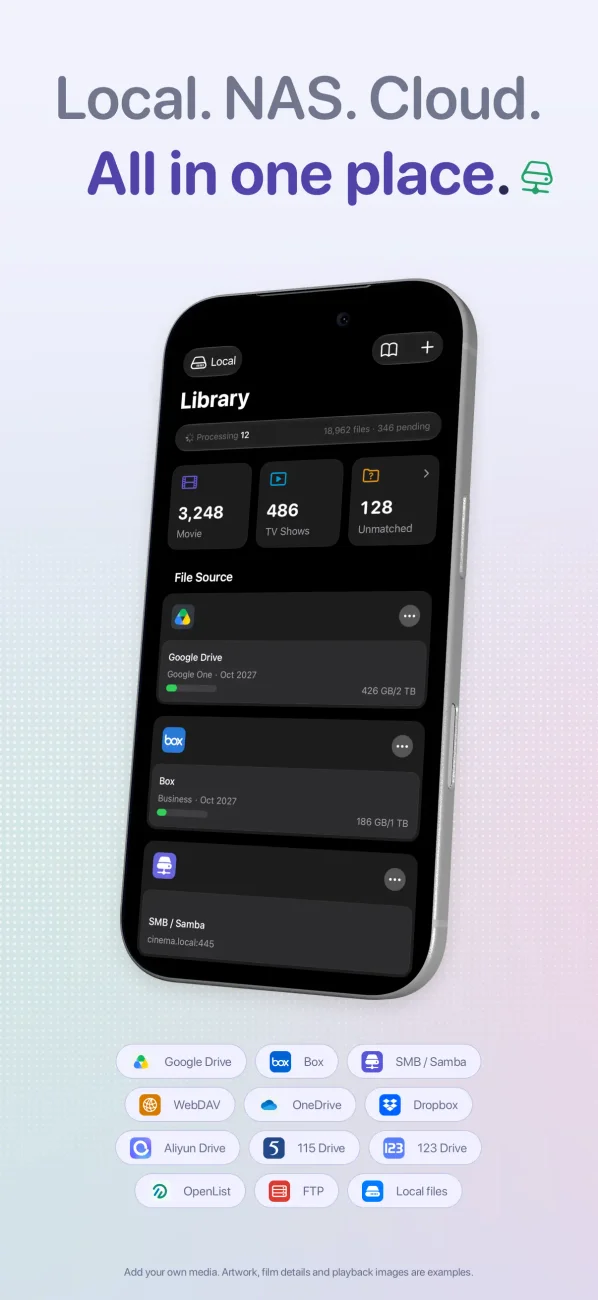
- Multi-Source Integration: Cinemore integrates videos from multiple storage locations including Mac, PC, NAS, and cloud services like Aliyun Cloud Drive and 115 Cloud Drive, displaying all media files in a unified library.
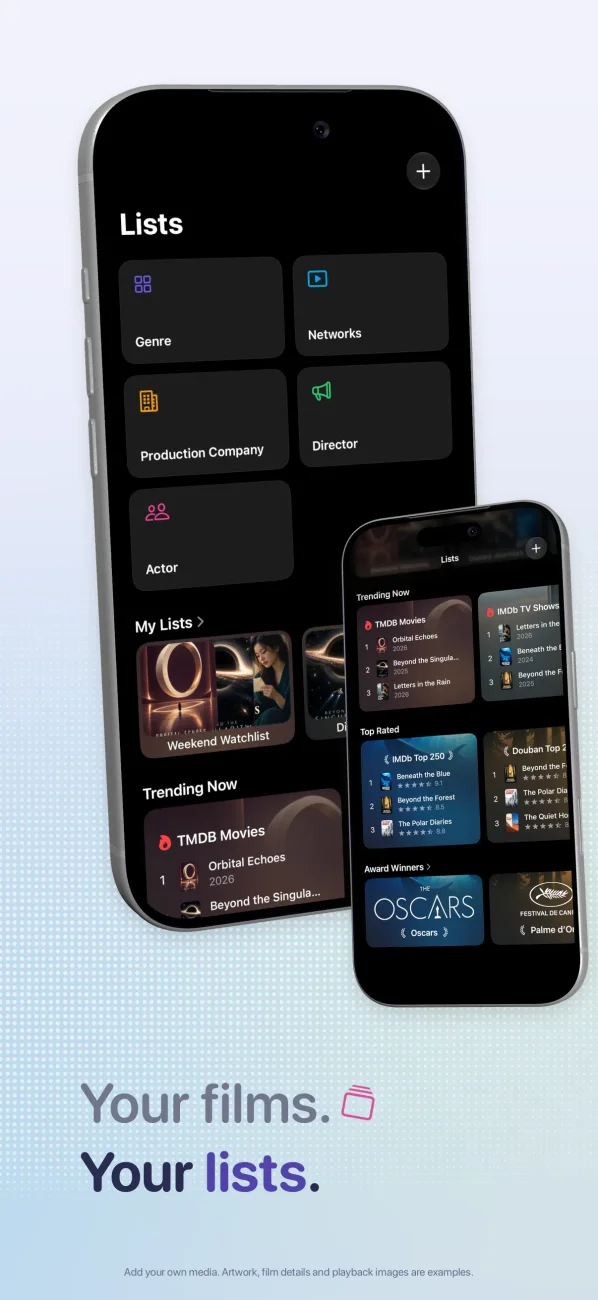
- Personal Movie Library: Uses file names to match movie and TV information, matching video files with poster and metadata information, automatically organizing by category. Movies and TV shows are displayed by season/episode/series. Supports global search by title and quick filtering by category, region, rating, and more — build your own personal movie library.
- Video Information: Reads video file headers to retrieve audio/video encoding, duration, resolution, and other information.
- History, Offline Caching, Watch Later
- Movie List: Not sure what to watch? Just open the Movie List
Video content must be added by the user. HDR, spatial audio and video enhancement availability varies by device, operating system and source media.
Terms of Use: https://www.apple.com/legal/internet-services/itunes/dev/stdeula/
Privacy Policy: https://cinemore.com.cn/privacy
Contact Us: https://cinemore.com.cn/en/support
What’s new
Version 2.0.0 · Nov 5, 2026
Cinemore 2.0 brings a major update to your library and playback experience.
A refreshed library
- Redesigned Home, detail, list and player screens, with layouts that adapt to different screen sizes.
- Choose posters with titles, without titles or with overlaid logos. Explore the new poster gallery and clearer ratings, awards and media details.
- See which series in your library are airing and browse upcoming episode dates.
Your library across devices
- New iCloud sync for source configurations, lists, Watch Later and other supported library data, with sync status and manual controls.
- Improved official authorization and playback integration for OneDrive, Google Drive, Dropbox and Box, with refreshed source icons.
More capable playback
- Remote Blu-ray ISO playback and thumbnails, plus richer chapter and media information.
- Improved Dolby Vision P7 / FEL compatibility, switching and fallback handling.
- Expanded experimental video enhancement with more upscaling, frame interpolation and tuning options, and improved A/B comparison in supported modes.
- Improved seeking, HDR thumbnails, buffering recovery and audio handling, along with HLS / WebVTT compatibility and bitmap subtitle updates after seeking.
More refinements
- Improved scrolling, pagination, rematching and sync status handling, with localization and light/dark appearance refinements.
Enhancement modes, HDR and Dolby Vision capabilities depend on the device, operating system and source media. iCloud sync requires an available iCloud account and does not upload video files.
- Layouts for iPhone, iPad and the different Duo display configurations, with improved orientation changes, playback controls and panels.
- Choose your own long-press playback speed. RIFE, VT and MetalFX enhancement options are available on supported devices.
App privacy
What Shenzhen Youduohong Information Technology Co., Ltd. declares on the App Store about how this app handles data.
-
Data not collected
The developer does not collect any data from this app.
Privacy practices may vary, for example with the features you use or your age.
Information
- Seller
- Shenzhen Youduohong Information Technology Co., Ltd.
- Category
- Entertainment
- Version
- 2.0.0
- Updated
- Nov 5, 2026
- Released
- Mar 11, 2025
- Size
- 132.3 MB
- Requires
- iOS 17.0 or later
- Age rating
- 4+
- Price
- Free
- In-app purchases
- Yes
- Languages
- English, Arabic, Catalan, Croatian, Czech, Danish, Dutch, Finnish, French, German, Greek, Hebrew + 20 more
- Copyright
- © 2025 深圳有多红信息科技有限公司
You might also like
-
 BeeJoyNAS & Blu-ray Video Player
-
 Reflix - Emby Video PlayerMovie & TV Tracker with Recaps
-
 EplayerX - Video PlayerAll your media. One player.
-
 BoxPlayer - 4K Video PlayerNAS, Cloud & Media Library
-
 Lenna - Video Library PlayerHDR Media Player
-
 HamHub - Your Personal CinemaCloud, NAS & Media Player
-
 DeePlayer -Create home theaterPlex/Emby/NAS/Local Video Play
-
 OopsPlayer - Media PlayerOne Player. All Your Media.
-
 Rex - All Your MediaYour shows. Ready when you are
-
 CapyPlayer - NAS Video PlayerUnify Libraries & Track Shows