CINEside | Shot List & Script
Visual Prep for Director & DP
Designed for iPad, Mac
Free · In-app purchases
- Age rating4+
- CategoryProductivity
- DeveloperMatthias Grunsky
- LanguagesEnglish
- Size17.7 MB
Links to the official App Store page
Download.org hosts no file of CINEside | Shot List & Script. The button opens its official App Store page, published by Matthias Grunsky. Listing last checked on Nov 23, 2026.
Screenshots

About
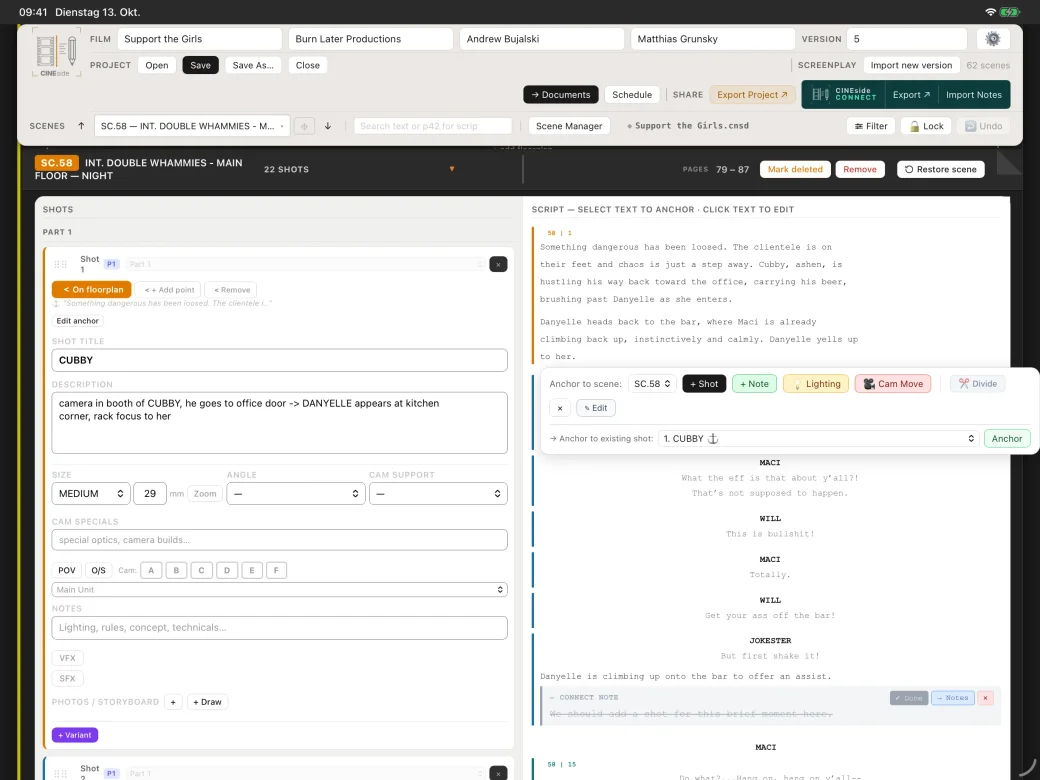
CINEside is for the conversation between cinematographer and director: how a screenplay becomes images. Every shot is anchored to the line in the script it comes from – not just to the scene – so the shot list never drifts away from the text, not even when the next draft arrives.
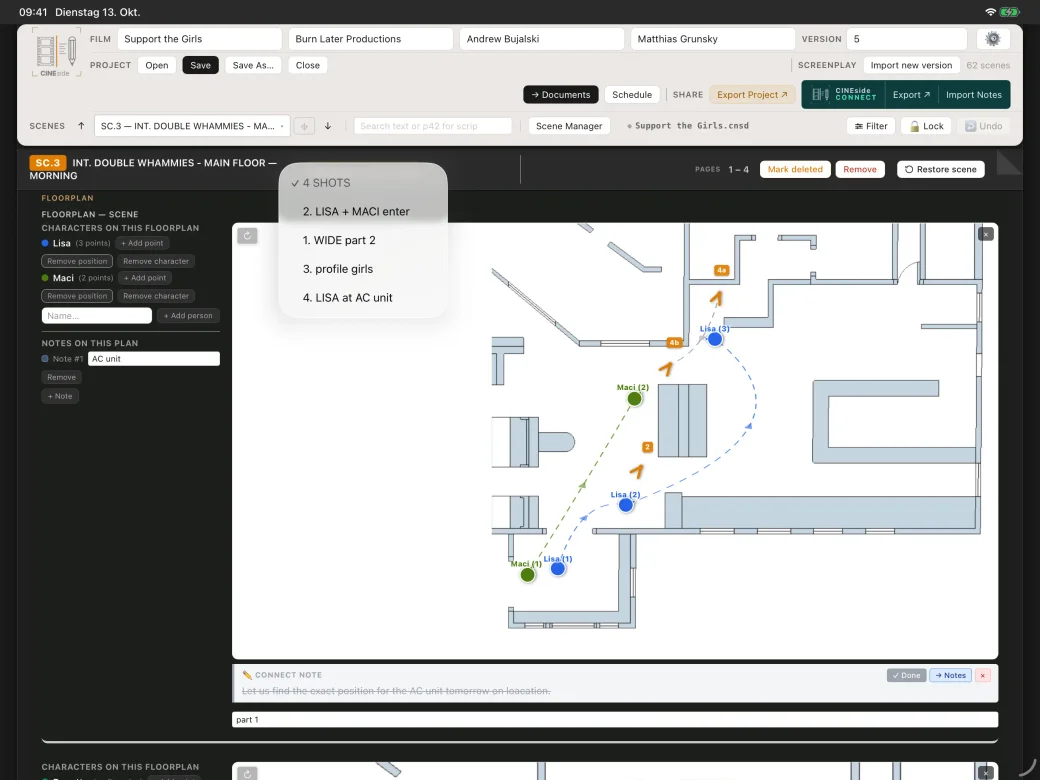
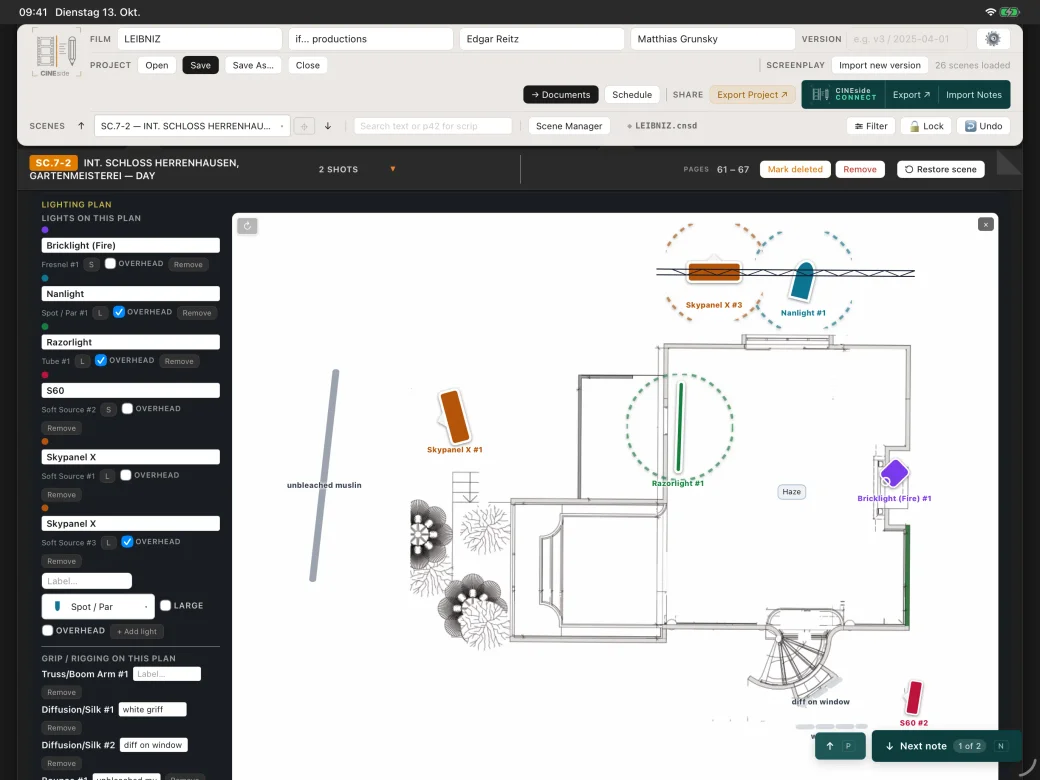
Import the screenplay, plan the shots, place camera and light on the floorplan, write your notes for each department, work out your preferred shooting order – and export a shooting script with the script on the right, shots on the left.
Made by a working cinematographer for narrative film.
WHERE IT HELPS MOST
- Revised drafts without starting over: import the new version and CINEside matches the scenes – your shots, notes, photos, and anchors stay attached. Anything it can’t match is flagged, and you re-anchor it in seconds.
- Every department gets its part: notes for Director, Gaffer, AD, Art Department, Costume, Key Grip, and more – each exported as its own PDF, plus a Location Dossier for tech scouts.
- Your director in the loop: send the project to the free CINEside CONNECT app – your director adds notes to shots, script passages, and images, and you import them back, highlighted in context.
- Your script stays on your device: CINEside works fully offline – nothing is uploaded anywhere unless you export or share it yourself.
CINEside doesn’t run your set live, sync your crew, or draw your storyboards – and it doesn’t replace the AD’s scheduling. Its schedule is the cinematographer’s tool for thinking through a shooting order and discussing it with the AD. It hands your departments what they need as documents – shooting order, notes, floorplans, lighting plans – and keeps the screenplay and the visual concept in one file, on your own device, from the first read-through to the last shooting day. No sign-up, no cloud, no subscription.
WHAT IT DOES
- Import screenplays as PDF – CINEside detects your scenes automatically, shows you uncertain cases, and lets you merge, split, or adjust scenes in the Scene Manager
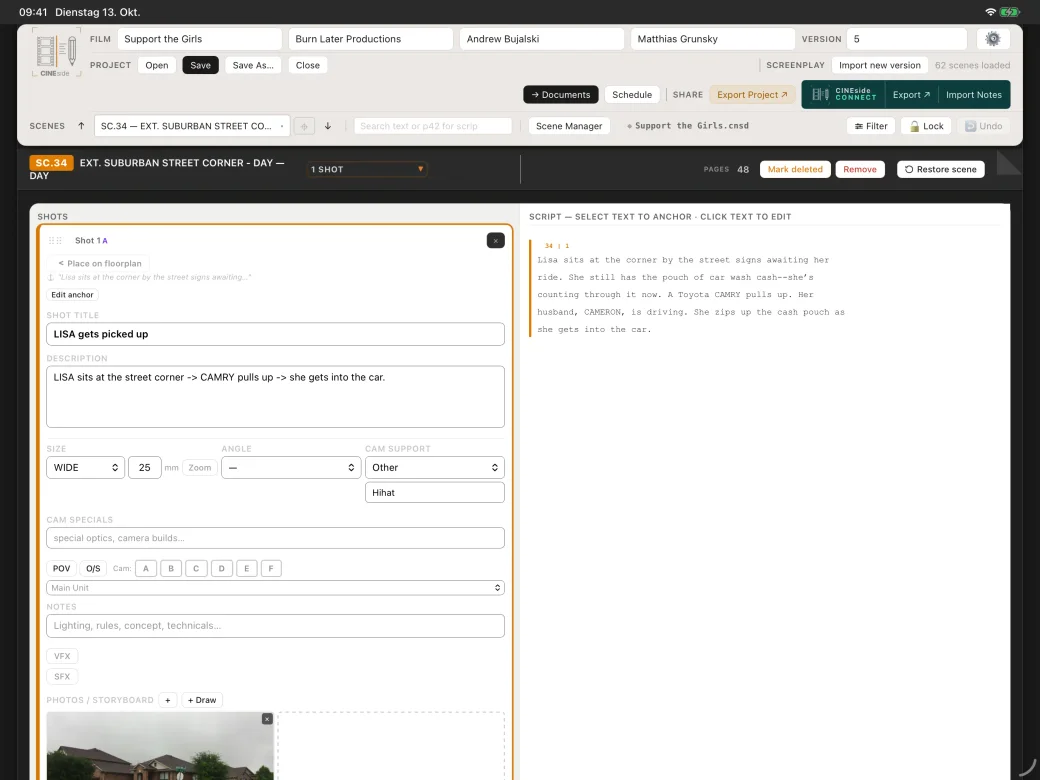
- Build your shot list with size, angle, lens, camera move, POV/OS, multi-camera setup, and unit assignment
- Anchor shots directly to passages in the script – and see them as colored lines in the margin
- Place camera, character, light, and grip positions right on floorplans and lighting plans, with position and rotation
- Sketch right inside a shot – with Apple Pencil or your finger
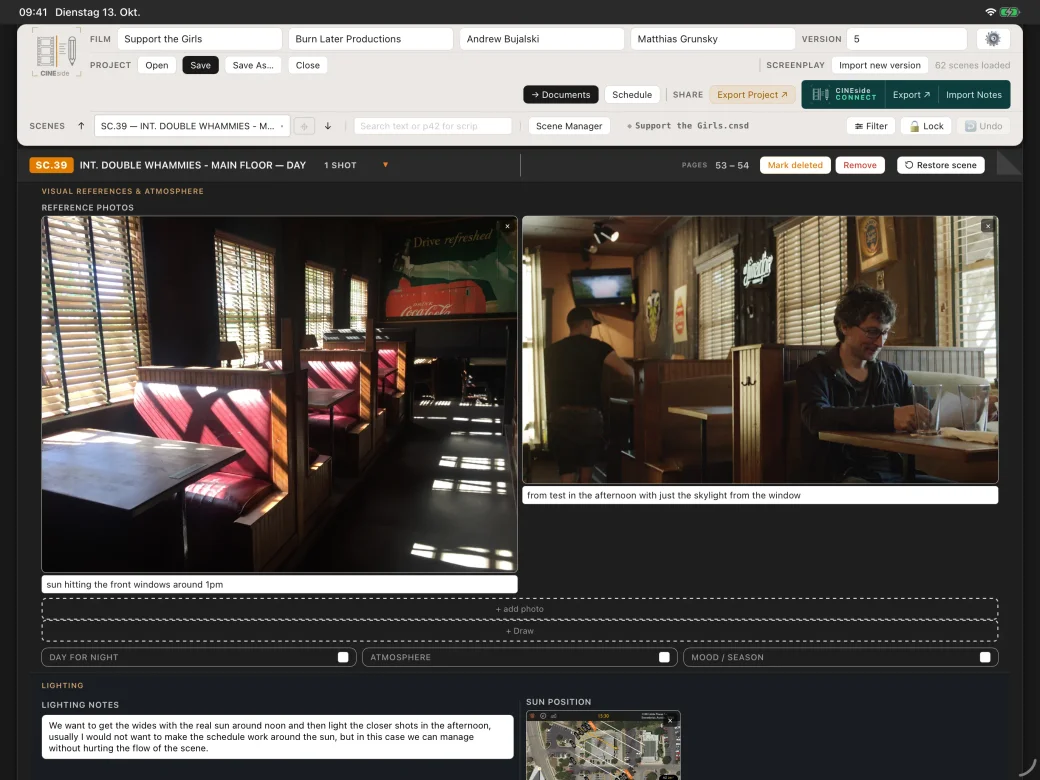
- Attach reference photos and location images – per scene, per shot, or per location – and floorplans per scene and per location
- Color-tag scenes across the project for time period, mood, or any other category relevant to you
- Flag VFX and SFX shots and export separate lists for post-production
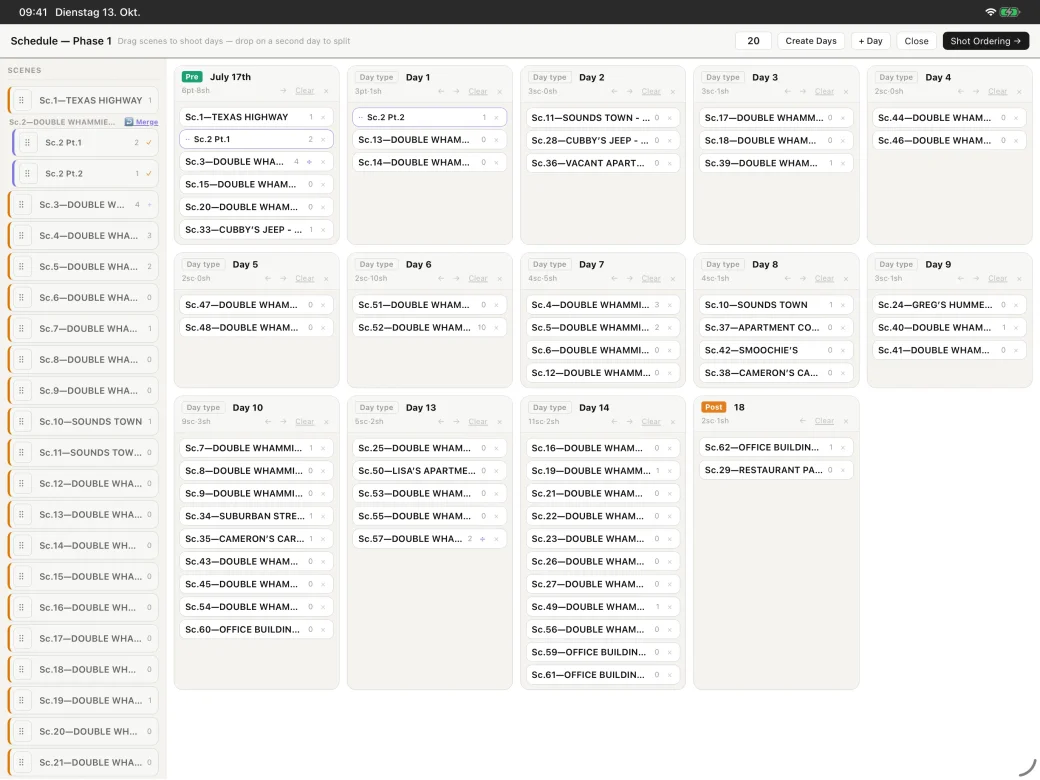
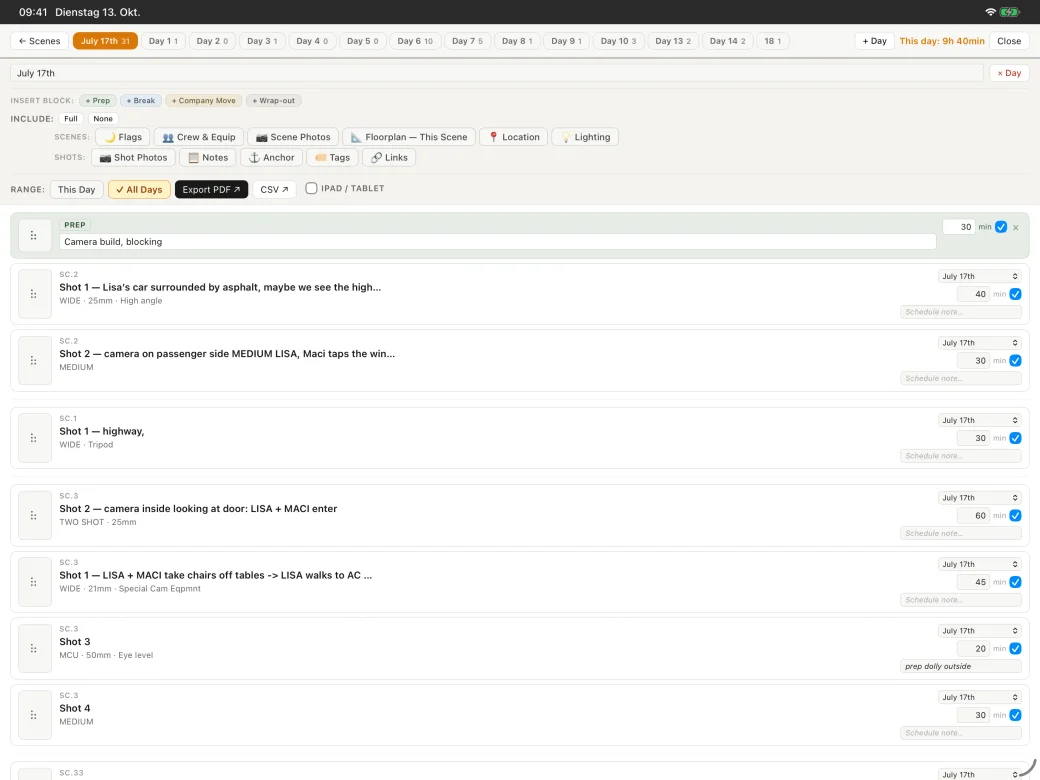
- Work out a shooting order across multiple days – drag scenes onto shoot days, order shots, and export it per day or for the whole shoot as the basis for your conversation with the AD
- Export a facing-pages shooting script, shot lists, and notes sheets as PDF
- Mark scenes as shot and filter for what’s still left to shoot
NO AI, NO MAGIC
CINEside doesn’t generate ideas, suggest shots, or have an opinion about your visual language – that’s entirely yours. It keeps your preparation organized: the script, the shots, the notes, the references, all in one place.
FULL VERSION
Try it free: a short sample project opens on first launch – or import your own screenplay right away. Saving your project, sharing, and CONNECT export are part of the full version; PDF exports in the free version are watermarked.
Unlock the full version with a one-time in-app purchase – one purchase covers both the iPad and the Mac App Store version. Already own a CINEside license from cineside.app? Enter your license key and the email you used when purchasing instead – it unlocks both platforms, at no extra cost.
CINEside for iPad is a companion to CINEside for Mac, sharing the same project format. Open a project started on your Mac right on your iPad, or vice versa.
What’s new
Version 1.2.26 · Nov 15, 2026
New: Shots show INSERT and IF NEEDED.
New: Shots marked as IDEA in CINEside appear in the app as ideas. They are not part of the PDF.
Fixed: Scenes with more shots than fit on one page now continue on the next left-hand page. The script always stays on the right-hand page.
Fixed: Very long shot cards continue on the next left-hand page with a "(cont.)" header.
Improved: Long anchor texts on the shot header wrap to two lines.
App privacy
What Matthias Grunsky declares on the App Store about how this app handles data.
-
Data linked to you
May be collected and linked to your identity.
- Identifiers
Privacy practices may vary, for example with the features you use or your age.
Information
- Seller
- Matthias Grunsky
- Category
- Productivity
- Version
- 1.2.26
- Updated
- Nov 15, 2026
- Released
- Aug 11, 2026
- Size
- 17.7 MB
- Requires
- iOS 15.0 or later
- Age rating
- 4+
- Price
- Free
- In-app purchases
- Yes
- Languages
- English
- Copyright
- © 2026 Matthias Grunsky
You might also like
-
 SmartBreakdownScreenplay breakdown, offline
-
 SuperScout: FIlm/TV LocationsUpload locations to SuperScout
-
 Scripty: Script SupervisorContinuity, Take Log & Lining
-
 Daily Cue: Voice Note ReminderSchedule Planner, Task Manager
-
 Cadrage StudioFilm & TV Preproduction
-
 Scenario mobileFilm diagrams, gear list, crew
-
 Callsheet ProThe callsheet, finally usable.
-
 CineFlo - Shot List & PlanCall Sheet, Breakdown & Budget
-
 Originals AccessProductivity
-
 KinopioThinking Canvas