
- Age rating4+
- CategoryUtilities
- DeveloperSerhat Cihangir
- LanguagesEnglish+ 7 more
- Size891.0 KB
Links to the official App Store page
Download.org hosts no file of Cipher Pixel. The button opens its official App Store page, published by Serhat Cihangir. Listing last checked on Nov 15, 2026.
Screenshots



About
Cipher Pixel: Hide Messages in Your Photos
With Cipher Pixel, you can securely send hidden messages or keep them safely hidden within images in your gallery.
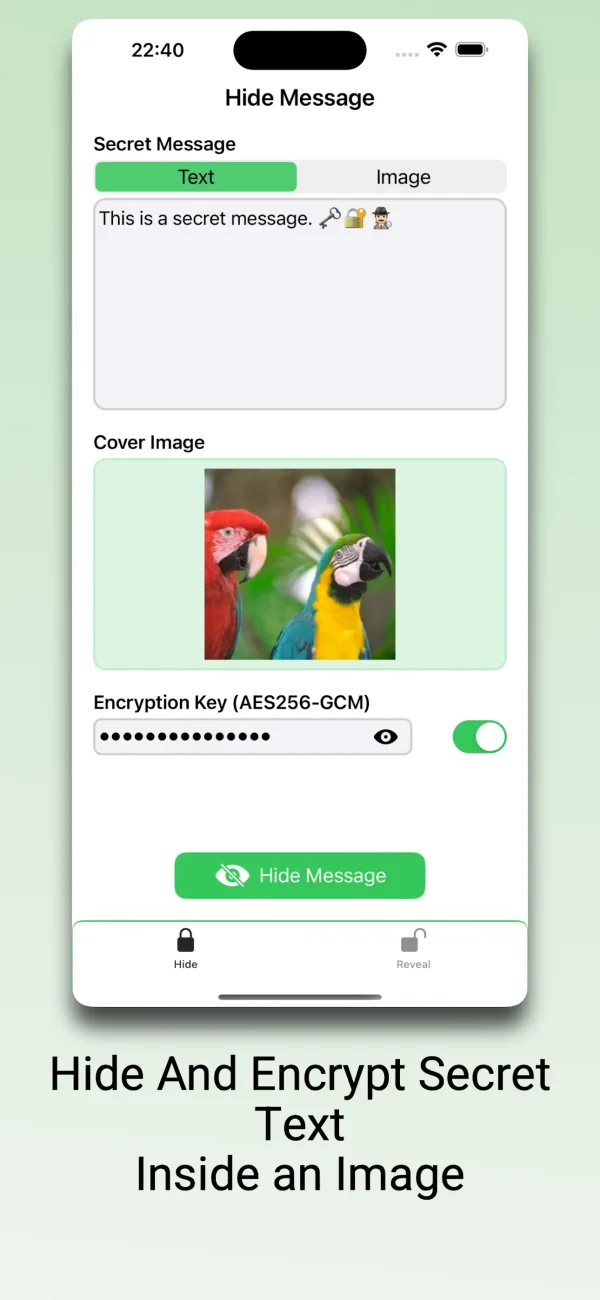
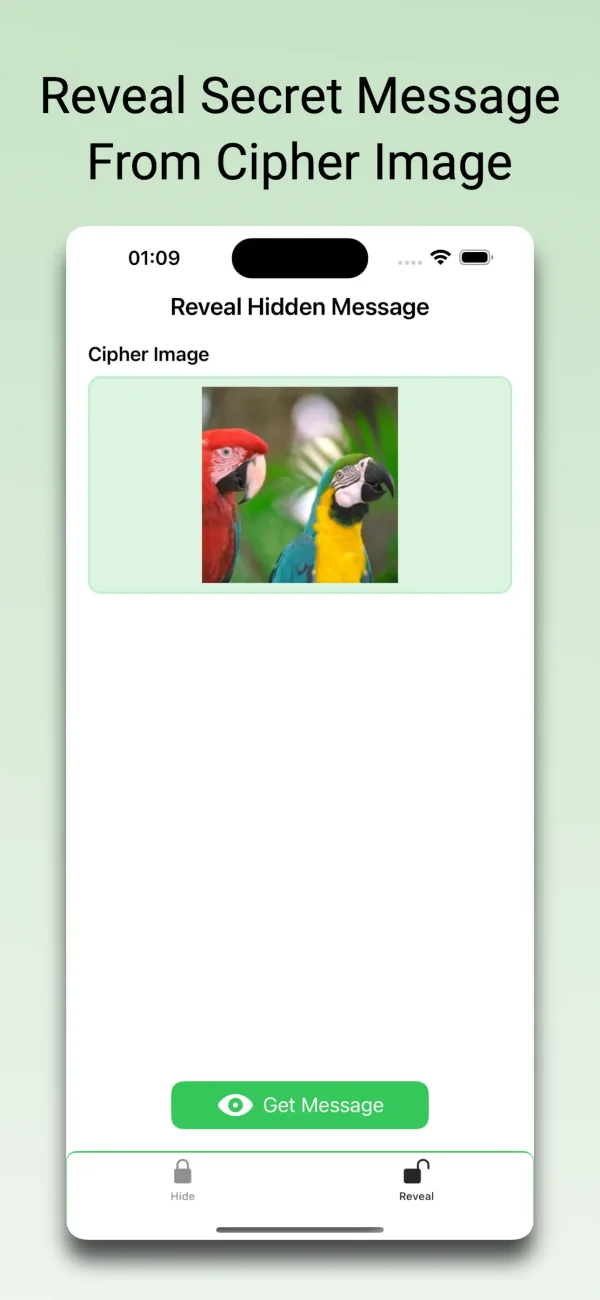
Cipher Pixel makes it easy to hide secret messages in your photos. Using the ancient technique of steganography, this app conceals information within the pixels of your images. Unlike cryptography, which scrambles data into unreadable text, steganography hides data in plain sight, ensuring secrecy without drawing attention.
Why Choose Cipher Pixel?
Seamless Integration: Effortlessly hide messages in your photos without changing their appearance.
User-Friendly Design: Encode and decode messages with ease using a simple interface.
Advanced Security: Encrypt your secret messages using the AES algorithm before embedding them in your photos, ensuring that your hidden data is protected with an extra layer of security.
How It Works:
Encode: Input your message, and Cipher Pixel transforms it into bits.
Encrypt: Secure your message with AES encryption before hiding it in the image.
Embed: Select a photo, and let Cipher Pixel discreetly hide your encrypted message within its pixels.
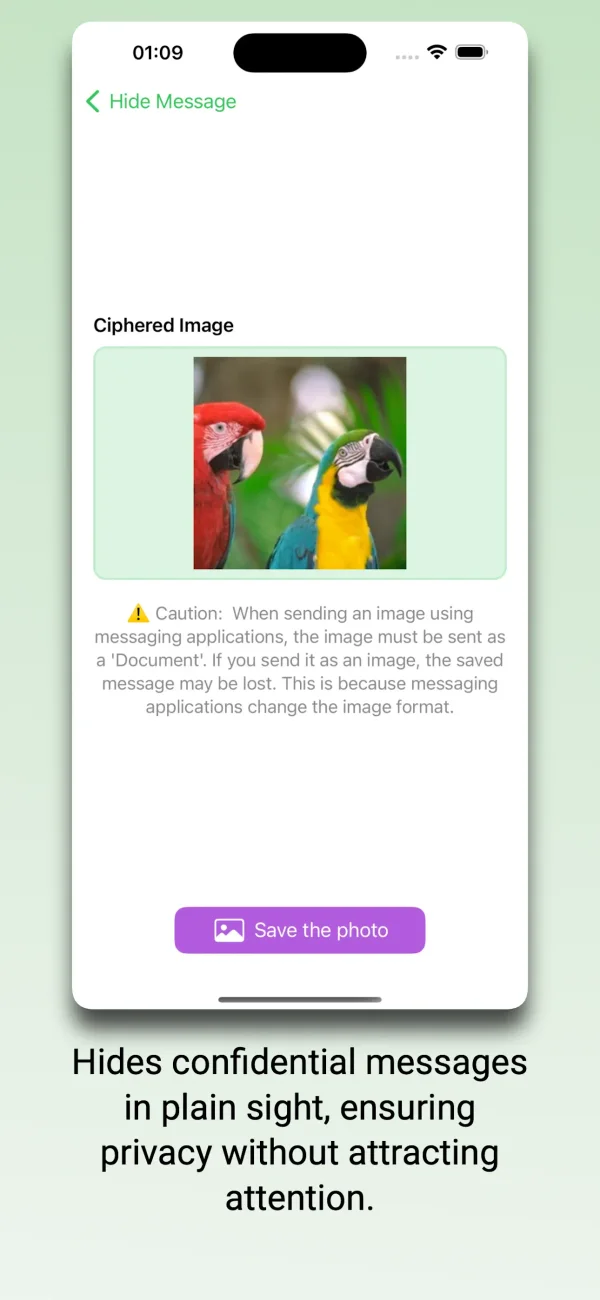
Share Securely: Share your photo confidently, knowing your hidden message is safe.
Additional Note:
Once you have created an image with a secret message hidden in the Cipher Pixel app, be careful not to resize or compress the image when sharing it. When sending an image using messaging applications, the image must be sent as a 'Document'. If you send it as an image, the saved message may be lost. This is because messaging applications change the image format.
What’s new
Version 1.3 · Aug 21, 2024
AES Encryption Added: Encrypt your secret image or text using the AES algorithm before hiding it in the cover image for enhanced security.
Bug Fixes: Improved stability and performance.
UI Improvements: Enhanced user interface for a better experience.
App privacy
What Serhat Cihangir declares on the App Store about how this app handles data.
-
Data not collected
The developer does not collect any data from this app.
Privacy practices may vary, for example with the features you use or your age.
Information
- Seller
- Serhat Cihangir
- Category
- Utilities
- Version
- 1.3
- Updated
- Aug 21, 2024
- Released
- Mar 17, 2024
- Size
- 891.0 KB
- Requires
- iOS 16 or later
- Age rating
- 4+
- Price
- Free
- Languages
- English, Danish, Dutch, French, German, Spanish, Swedish, Turkish
- Copyright
- © 2024 Serhat Cihangir
You might also like
-
 PixelMaskSecure Secrets in Every Pixel
-
 Stegg - Hide Photos & TextSecret Messages Inside Images
-
 Advanced PixelsSecure hide infos in image
-
 Steganography: Hidden MessageHide Secret Text in Photos
-
 Underlayer: Hide Text in PhotoSteganography made simple
-
 IMAFE – Hide Secrets in ImagesEncrypt your secrets in images
-
 Kryptos ToolsYour cryptography toolbox
-
 Sub CipherEncode &Decode Secret Messages
-
 Phasm: SteganographyHide Messages in Photos
-
 Paranoia Text Encryption Lite(encrypt notes, messages, …)