
Circuit: Focus & App Blocker
Screen Time & Stop Scrolling
Designed for iPhone, iPad
Free · In-app purchases
- Age rating4+
- CategoryProductivity
- DeveloperVasily Lukin
- LanguagesEnglish+ 32 more
- Size51.0 MB
Links to the official App Store page
Download.org hosts no file of Circuit: Focus & App Blocker. The button opens its official App Store page, published by Vasily Lukin. Listing last checked on Nov 28, 2026.
Screenshots

About
Your phone is built to keep you scrolling. Circuit is built to stop it.
Trip the breaker and the apps you can't put down stop opening. No negotiation, no notification to swipe away — the app just doesn't come up until your time is done.
THE BREAKER
Hold the dial and your apps close: 15 minutes, 30, an hour and a half, or a whole quiet day. Start it in the app, from Control Center, or by asking Siri. A Live Activity keeps the timer on your Lock Screen the whole time.
SCHEDULES
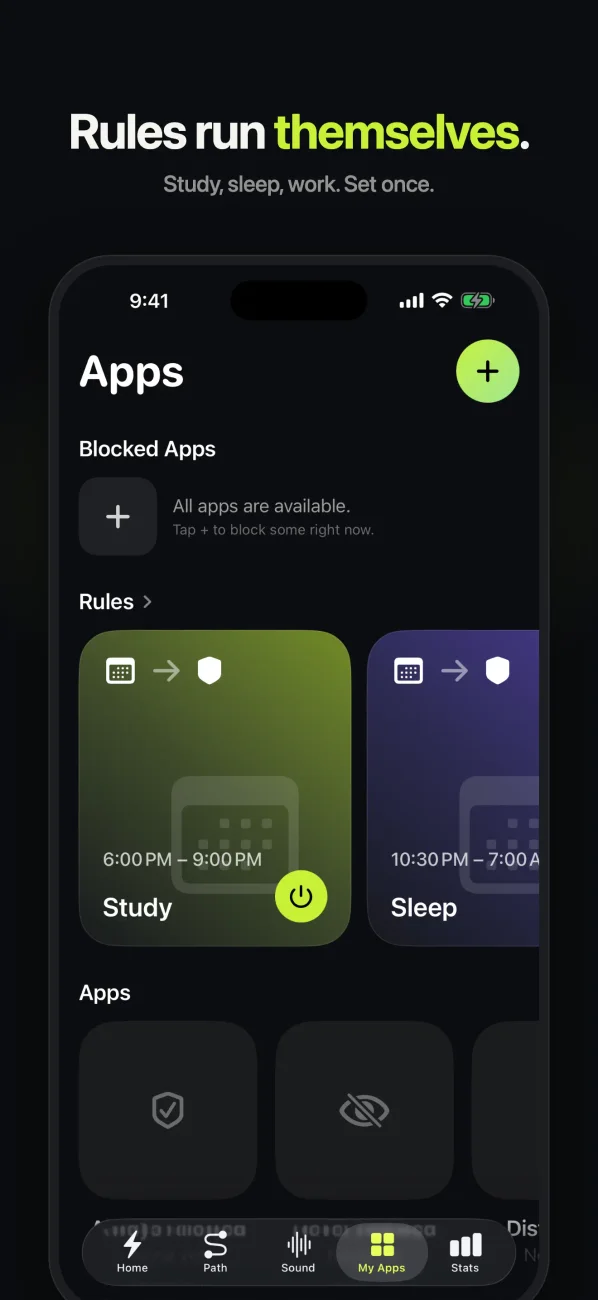
Name a set of apps and give it hours. Study on weekday evenings. Sleep from 22:30 to 07:00. Work nine to five. Schedules run themselves, so being disciplined stops being something you have to remember.
FRICTION, NOT WILLPOWER
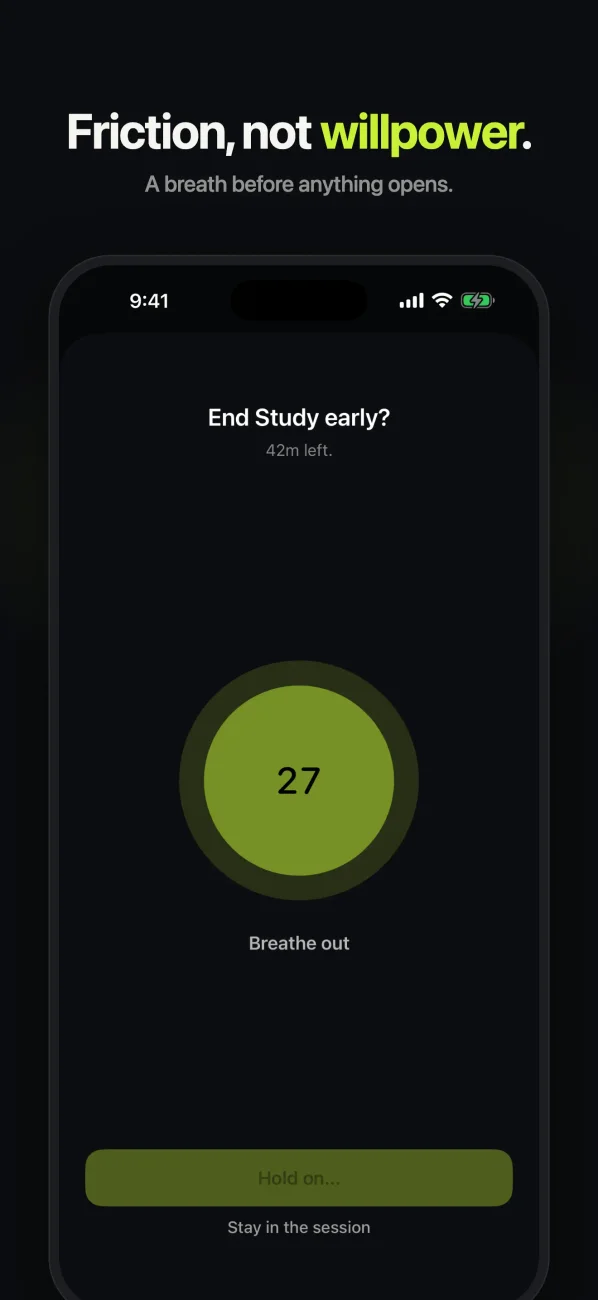
Reach for a blocked app and there's a breath to take, a countdown to sit through, or a sentence to type before anything opens. Usually the urge is gone before the timer is.
STRICT MODE
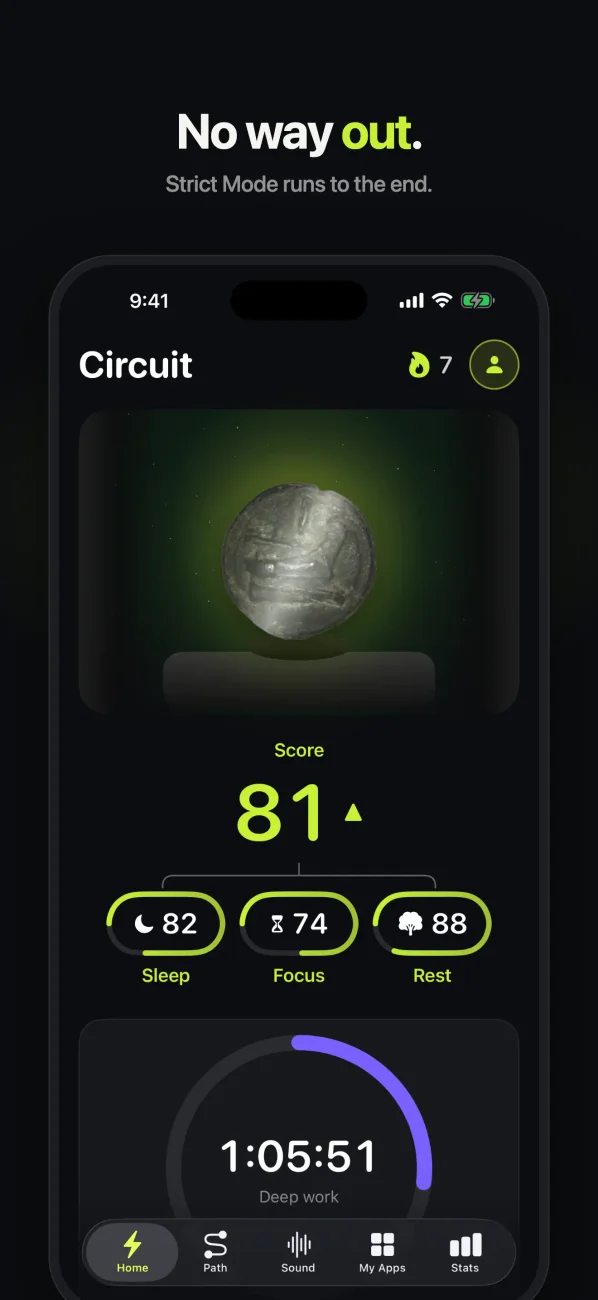
For the sessions that matter: no early exit, no five more minutes. You set it, and that's that.
DAILY LIMITS
Give one app a budget — thirty minutes of Instagram a day. When it's spent, it's spent until tomorrow.
ALWAYS ALLOWED
Some apps are never blocked, whatever else is running. Maps, your bank, whoever you'd need at 2am.
SOUND TO WORK TO
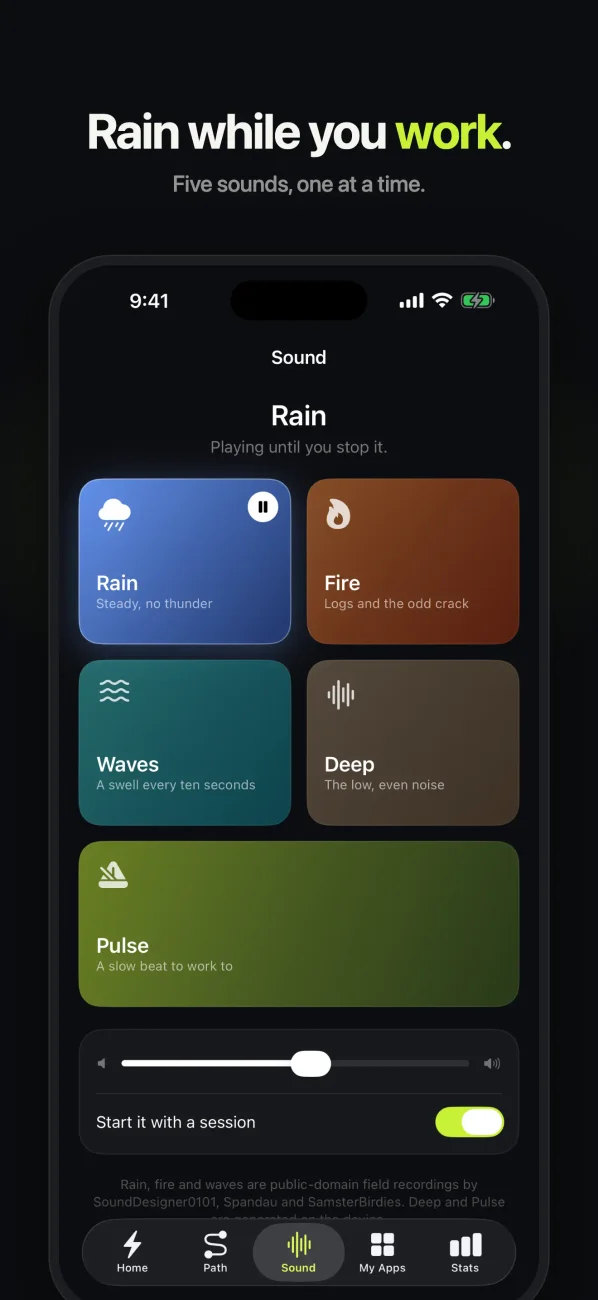
Rain, a fire, waves, brown noise, or a slow wordless pulse. One at a time, playing under whatever else you're listening to, and it keeps going with the screen off.
28 LEGENDARY COINS
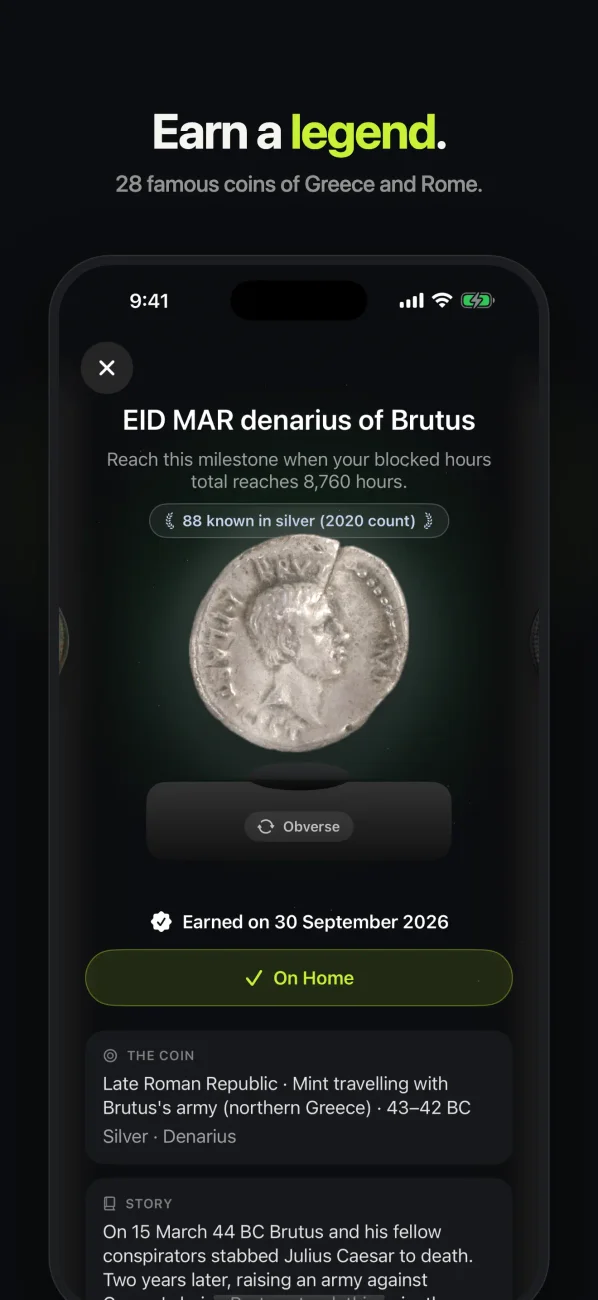
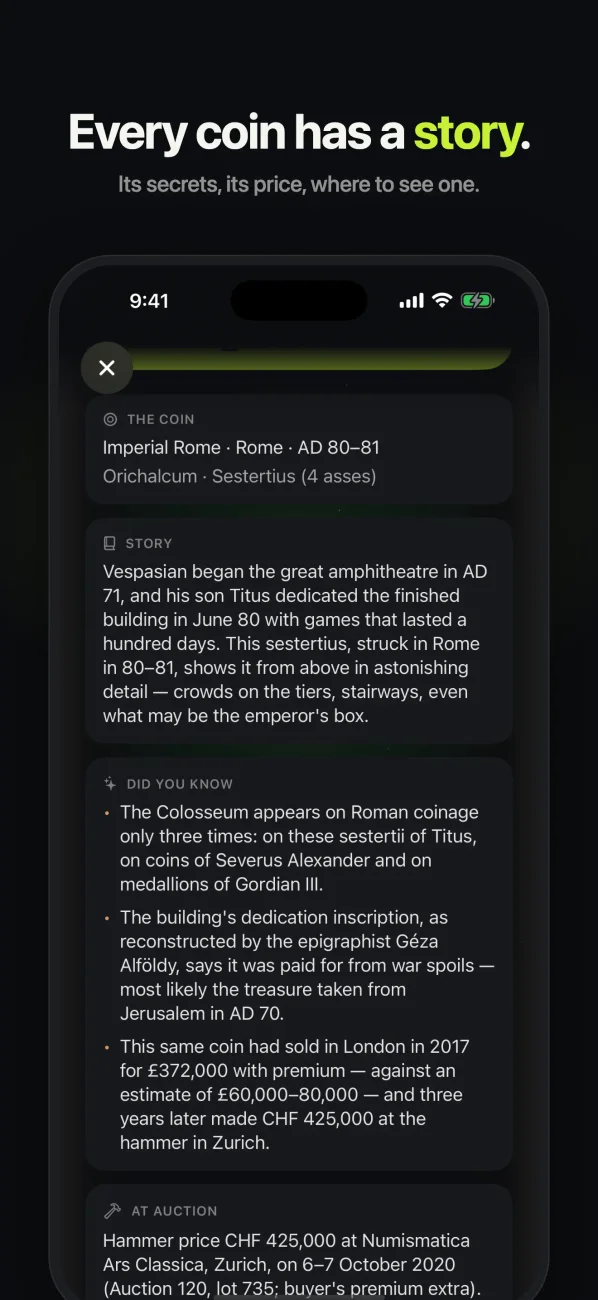
Every milestone earns a famous coin of ancient Greece or Rome: the owl of Athens for a schedule kept to the end, Caesar's elephant, the Colosseum of Titus, and for a thousand days in a row the gold EID MAR aureus of Brutus, one of three known. Tap the coin on Home to see all 28 and what each one takes. Every coin you earn opens its story, a few things most people don't know about it, what one sold for at auction, and the museums where you can see one. Real coins, every fact checked against museum and auction records.
HONEST NUMBERS
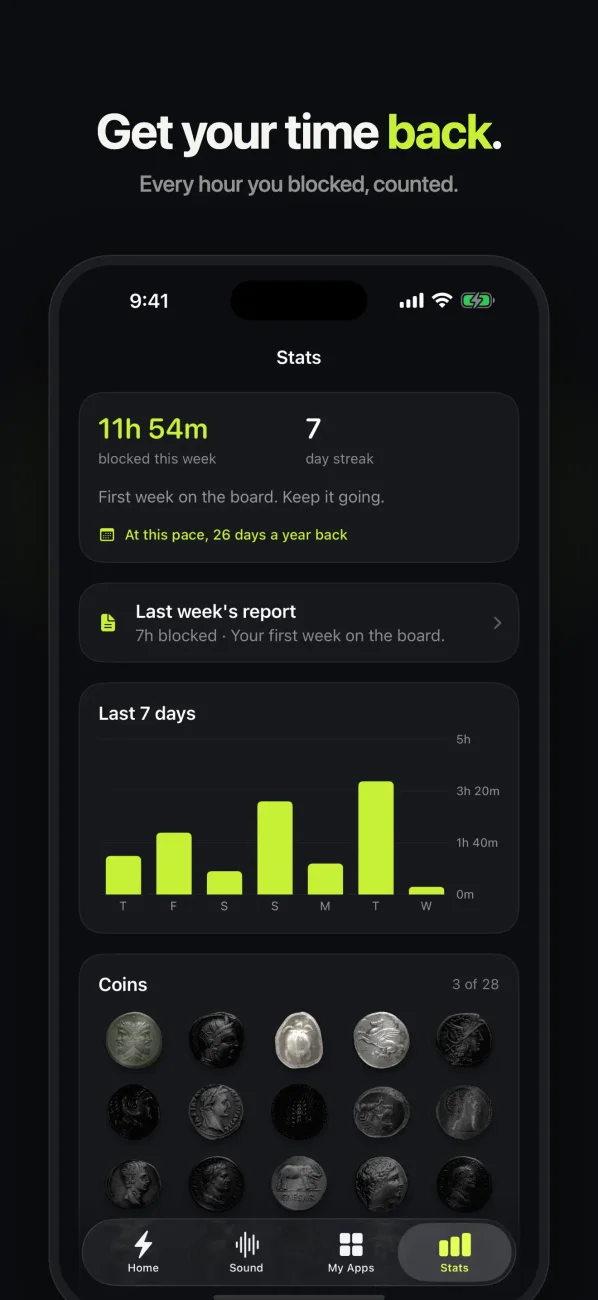
Time blocked each day, your streak, this week against last, and a report every Sunday. Your real Screen Time usage sits alongside it, drawn by Apple itself.
PRIVATE BY CONSTRUCTION
No account. Circuit blocks through Apple's Screen Time, which means it cannot see which apps you picked — only draw their icons. Your choices, schedules and stats stay on your phone. What leaves it is an anonymous count of which screens get opened — one switch in Settings stops it — and a crash report if Circuit falls over.
Circuit Pro is $59.99/year with a 7-day free trial, $12.99/month, or $4.99/week. One subscription covers your Family Sharing group. Payment is charged to your Apple Account at confirmation of purchase. The subscription renews automatically unless turned off at least 24 hours before the current period ends; manage or cancel it in App Store settings.
Terms of Use: https://www.apple.com/legal/internet-services/itunes/dev/stdeula/
Privacy Policy: https://circuitapp.app/legal#privacy
What’s new
Version 2.17 · Nov 27, 2026
Clearer from the first minute. Circuit sets up Screen Time before showing any price and tells you what to do if your iPhone has no passcode or is managed by Family Sharing. The subscription screen says exactly what Apple will charge, the shield tells you how long the pause lasts, and Home shows where to see your first block.
App privacy
What Vasily Lukin declares on the App Store about how this app handles data.
-
Data not linked to you
May be collected but is not linked to your identity.
- Purchases
- Identifiers
- Usage data
- Diagnostics
Privacy practices may vary, for example with the features you use or your age.
Information
- Seller
- Vasily Lukin
- Category
- Productivity
- Version
- 2.17
- Updated
- Nov 27, 2026
- Released
- Jun 29, 2026
- Size
- 51.0 MB
- Requires
- iOS 18.0 or later
- Age rating
- 4+
- Price
- Free
- In-app purchases
- Yes
- Languages
- English, Arabic, Catalan, Croatian, Czech, Danish, Dutch, Finnish, French, German, Greek, Hebrew + 21 more
- Copyright
- © Vasily Lukin
You might also like
-
 Aergia - Screen Time ControlPause before opening apps
-
 Lockify: App Blocker & FocusScreen Time Lock · Deep Work
-
 Dopamine Detox: App BlockerFreedom Digital Wellbeing
-
 DTox: Strict App Blocker LockStop Doomscrolling Study Time
-
 Doomblock – Strict App BlockerFocus without the loopholes.
-
 Screen Time Blocker - OtamaApp Blocker & ADHD Focus,Timer
-
 Screen Time Control — StillApp Blocker, Mindful Focus
-
 Tethered: App Blocker & FocusScreen Time Control & Habits
-
 Unscroll: AI Screen Time FocusAI app blocker, dopamine detox
-
 Awaytime: Screen Time BlockerStop Doomscrolling & Detox