- Age rating4+
- CategoryEducation
- DeveloperGyronimo, LLC
- LanguagesEnglish
- Size16.9 MB
Links to the official App Store page
Download.org hosts no file of Cirrus SR22. The button opens its official App Store page, published by Gyronimo, LLC. Listing last checked on Nov 14, 2026.
Screenshots




About
Gyronimo Performance Pad -Cirrus SR22-
The ultimate EFB computer for Mass & Balance and Performance.
*** now with 81/92 US Gal Fuel Tank Option to accommodate SR22 G1, G2 and G3 models. ***
For SR22 model with MTOW 3400 lbs
with Cirrus Perspective Avionics System (based on flight manual revision Sept. 2011)
The W&B and performance computations can be used
for all SR22 serial numbers (0002-3026 and subsequent).
++ TKS Anti Icing Fluid option.
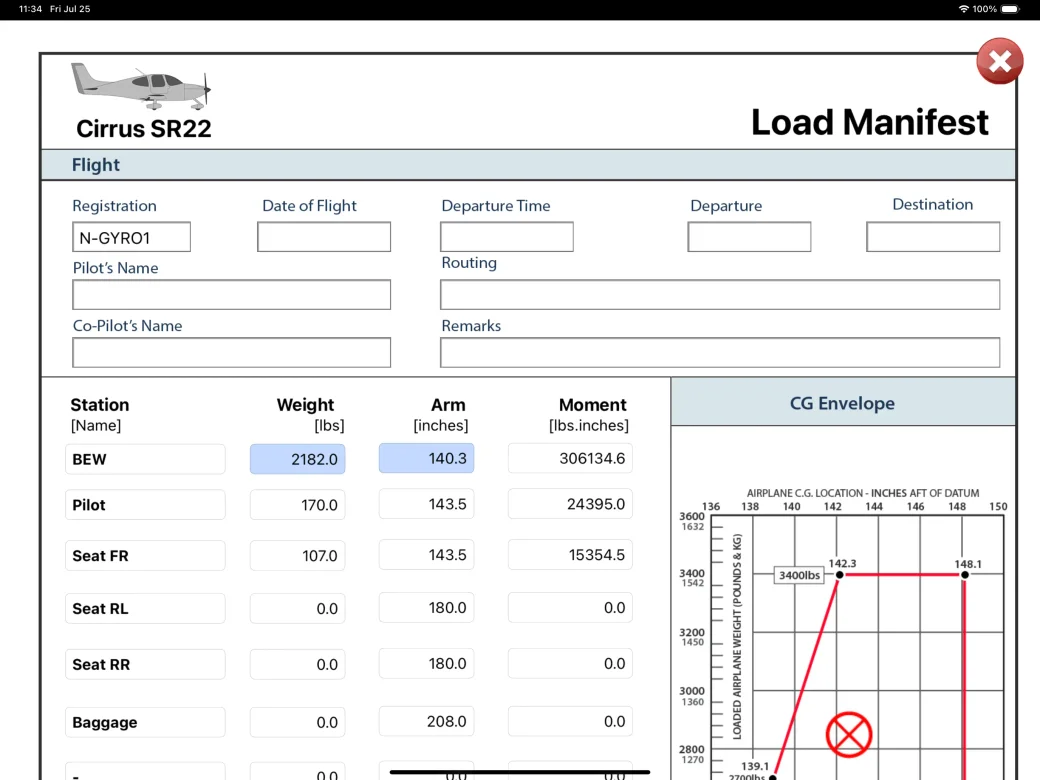
**** NOW WITH PROFESSIONAL LOAD MANIFEST *****
Sign the manifest on the iPad and send it via email.
Calculate and interpolate performance data using the actual values
from the Pilot's Operating Handbook (POH).
Finish your complete fight planning in just a few seconds.
Performance planning has never been easier and quicker.
Results are updated immediately and displayed in high resolution graphics,
enhanced for the iPad 2/3 and iPad Mini.
Change all important values using sliders.
Experiment with the results and create "what if" scenarios in no time.
Find your optimal cruise altitude, takeoff ground roll, landing distance,
climb data and stall speeds.
The Performance Pad has seven main pages:
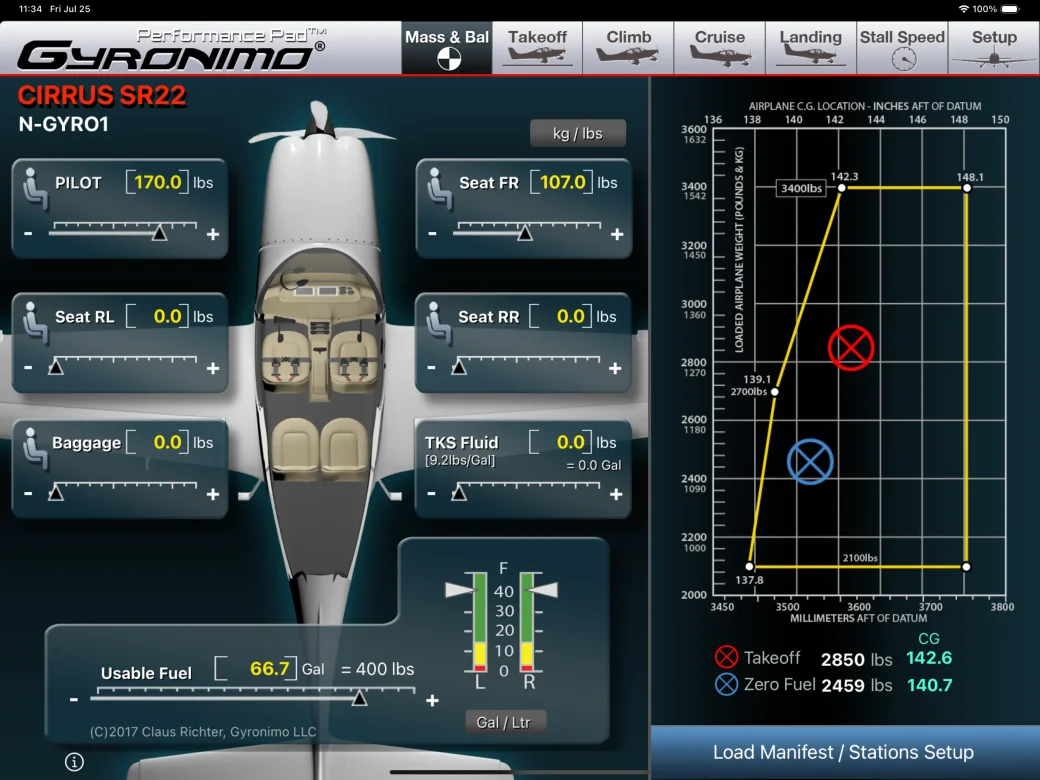
1. The Mass & Balance (or Weight & Balance) Page
Calculates Center of Gravity, Moments, Takeoff and Zero Fuel Mass.
Set person and baggage weights in seconds using the convenient sliders.
Check if the CG is within limits using three graphical displays
- Moment Envelope
- CG envelope
- Aircraft axis
2. The Takeoff Page
Using the actual data from the Operating Handbook
the Performance Pad calculates and displays Ground Roll and Landing Distance
based on:
- Aircraft Mass
- Takeoff Elevation in MSL (Pressure Altitude and Density Altitude will be computed)
- Outside Air Temperature (OAT)
- Altimeter Setting
- Runway Conditions (i.e. paved dry to long grass or snow)
- Runway Slope
- Wind Conditions
Wind Components Computer
- Use the Wind Components page to determine your headwind or tailwind component.
Rotate the wind dial to set wind direction, set windspeed and the results will be
transferred to your takeoff computations automatically!
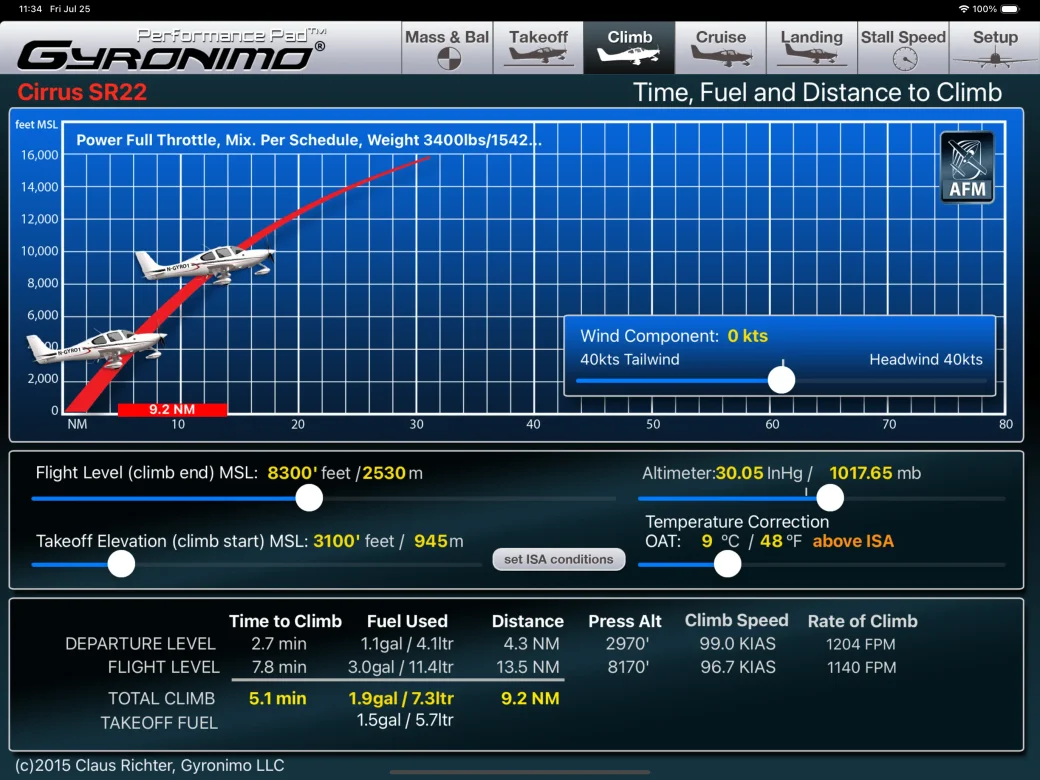
3. The Climb page
Calculates time, fuel and distance based on
- Difference between Takeoff Elevation and intended Flight Level
- Altimeter Setting
- Outside Air Temperature (OAT)
- Altimeter Setting
- Headwind or Tailwind Component
Also the Rate of Climb and Climb Speed will be displayed.
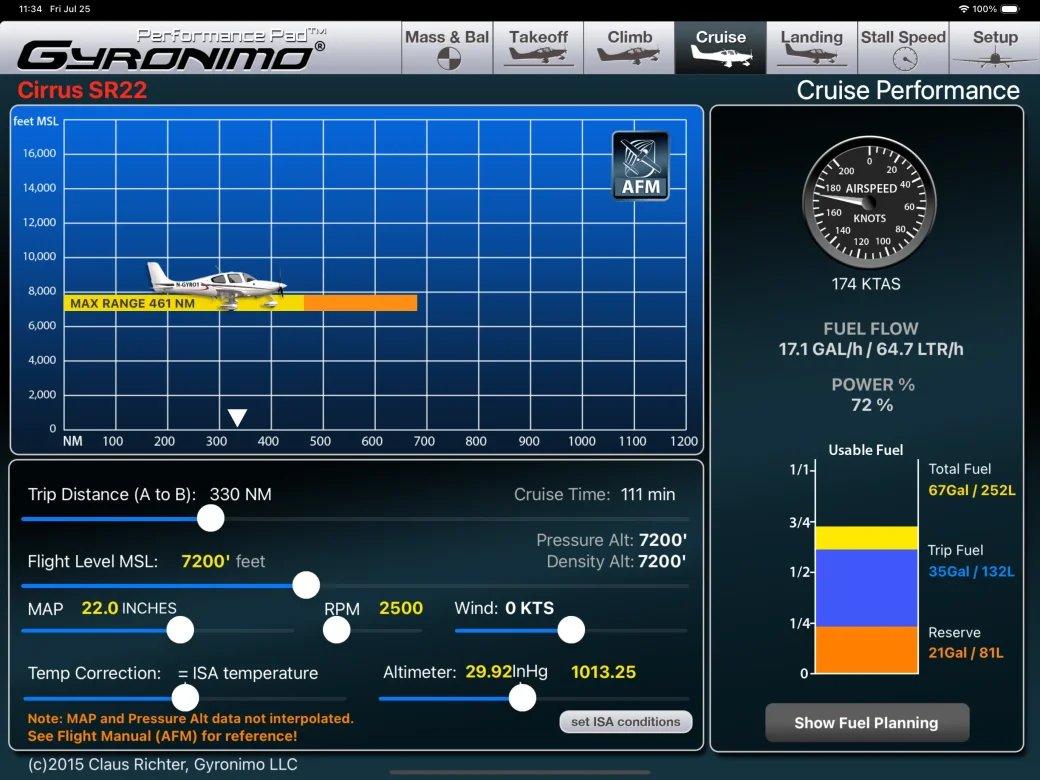
4. The Cruise Page
Using the actual data from the Pilot's Operating Handbook you can
determine the optimal cruise altitude based on
- Trip Distance
- Flight Level
- MAP / RPM
- Temperature
- Wind and Altimeter Setting
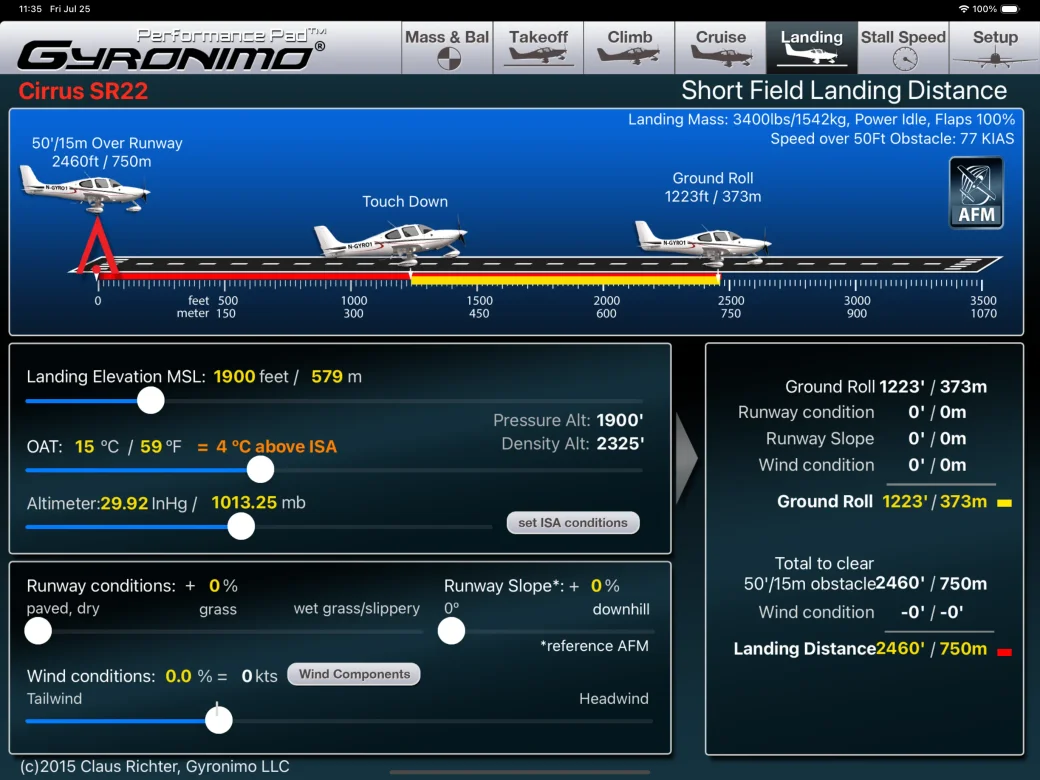
5. Landing Page
Calculates Ground Roll and Landing Distance based on wind, elevation, altimeter setting etc.
Like on the Takeoff Page you can use the Wind Components Computer to quickly determine head- or tailwind components
6. Stall Speed Page.
Calculates The Stall Speed based on Bank Angle and Flap Settings.
Stall Speed will be computed as KIAS and KCAS using the actual values from the POH.
7. Setup
- Load and Save up to five Aircraft Settings and Scenarios.
- Send a Mass & Balance Summary to your email address.
- Visit our video channel and watch tutorials and video manuals.
Mode Switch:
The Performance Pad can be used in two Modes:
"Individual Mode"
All calculations can be done independently from each other.
"Plan Mode"
Calculated values will be forwarded to the next page and an additional "Flight Summary Page" is available.
Gyronimo LLC is not affiliated with Cirrus Aircraft. All Gyronimo Performance Pads for Cirrus aircrafts are not sponsored or endorsed by Cirrus Aircraft.
The author disclaims any liability for any direct, indirect, incidental, or consequential losses or damages in connection with your access to or use of this software. The information contained in this software is for general information purposes only.
What’s new
Version 2.1 · Jul 27, 2025
General bug fixes and performance improvements. Update to latest iOS
App privacy
What Gyronimo, LLC declares on the App Store about how this app handles data.
-
Data not collected
The developer does not collect any data from this app.
Privacy practices may vary, for example with the features you use or your age.
Information
- Seller
- Gyronimo, LLC
- Category
- Education
- Version
- 2.1
- Updated
- Jul 27, 2025
- Released
- Apr 27, 2015
- Size
- 16.9 MB
- Requires
- iOS 15.6 or later
- Age rating
- 4+
- Price
- $24.99
- Languages
- English
- Copyright
- © Claus Richter
You might also like
-
 Cirrus EPCirrus SR Emergency Procedures
-
 King Air C90B ChecklistReference
-
 JetWright CE-525 CJCitation CE-525 Training App
-
 JetWright Citation CE-525 M2Citation M2 Training App
-
 CirrusProFlightCirrus SRxx, W&B, Performance
-
 iCIRRUS SR20/22 Aircraft AppsAIRCRAFT APPS LLC
-
 iCANADAIR Aircraft AppsCRJ-200, CRJ-700, CL300/350
-
 AeroVariationDetermine magnetic variation
-
 Cirrus Approachby Cirrus | Learn. Train. Fly.
-
 MyPilotsHandbookB777 Edition