Clank: Screen Time Blocker
Block apps with NFC or QR
Designed for iPhone, iPad
Free
- Age rating4+
- CategoryProductivity
- DeveloperDCTR s.r.o.
- LanguagesEnglish
- Size75.7 MB
Links to the official App Store page
Download.org hosts no file of Clank: Screen Time Blocker. The button opens its official App Store page, published by DCTR s.r.o. Listing last checked on Nov 23, 2026.
Screenshots


About
Clank is a free app blocker for iPhone and iPad, with a physical key.
Lock the apps and websites that take your time. Leave your key across the room: a compatible NFC tag, or a QR code that you print. To scroll again, you must walk back and tap it.
All features are free. No subscription. No account. No branded device to buy. You supply the NFC tag or the print.
HOW IT WORKS
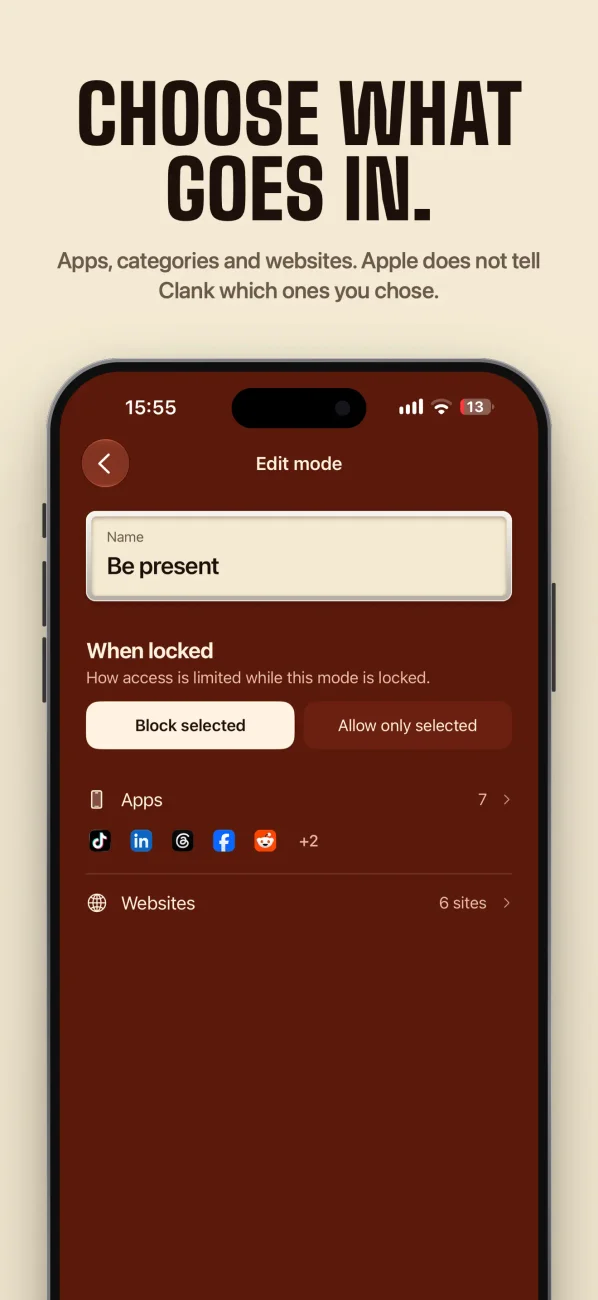
1. Choose the apps and websites to block, and save them as a mode.
2. Pair your key: a compatible NFC tag, or a QR code that you make in Clank and print.
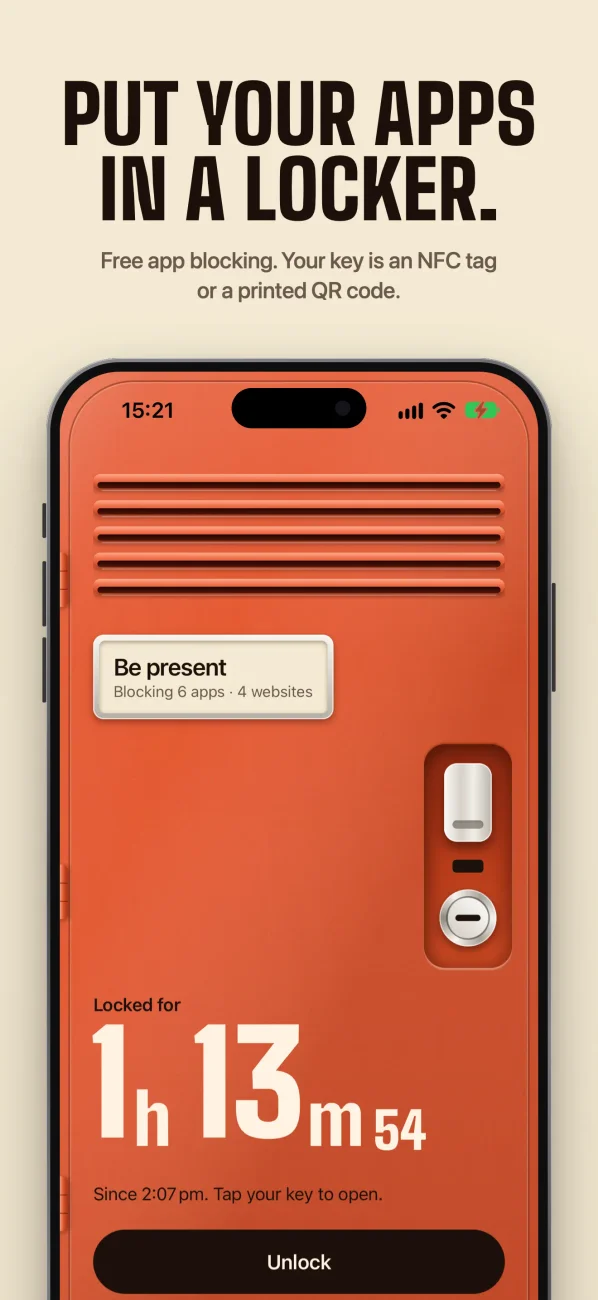
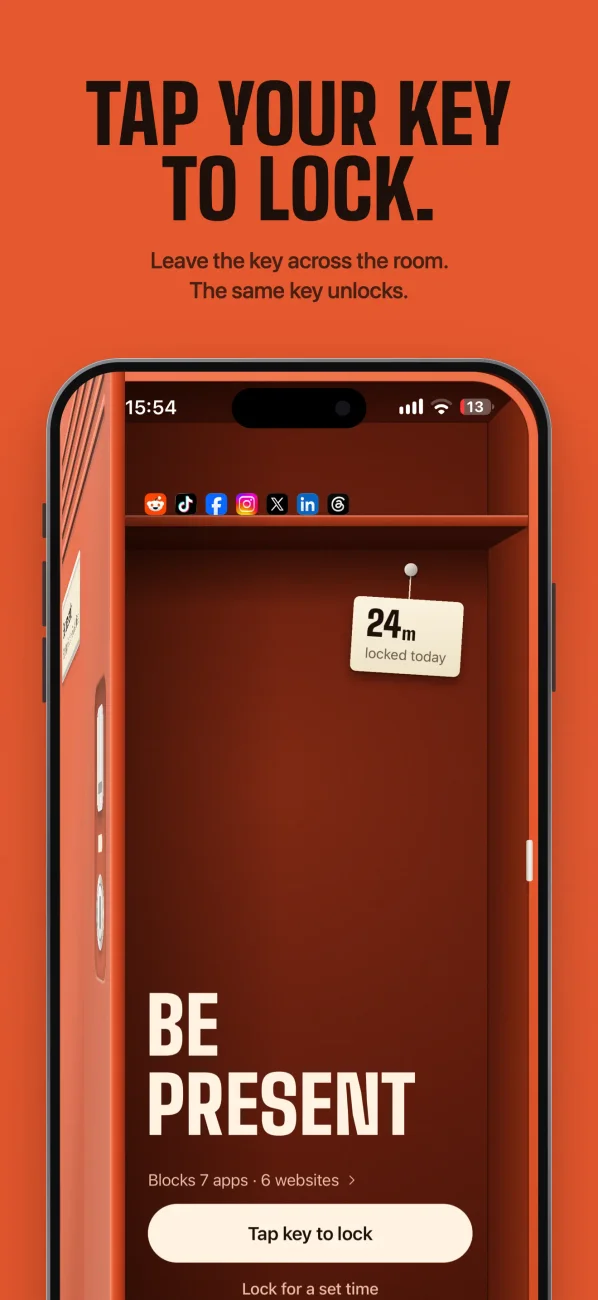
3. Tap your key in Clank to lock. The locker door shuts.
4. Tap the same key to unlock.
IPHONE, IPAD AND APPLE WATCH
- iPhone: tap a compatible NFC tag, or scan a printed QR code.
- iPad: Clank runs on iPad. Your key is a printed QR code, which the camera scans.
- Apple Watch: the companion app shows the lock and can start one. It needs a connection to your paired iPhone.
MODES
Make a mode for work, study, evenings or sleep. Block the apps that you choose, or allow only the apps that you choose. Leave Phone, Maps and Messages out, and they stay available.
SCHEDULES AND TIMED LOCKS
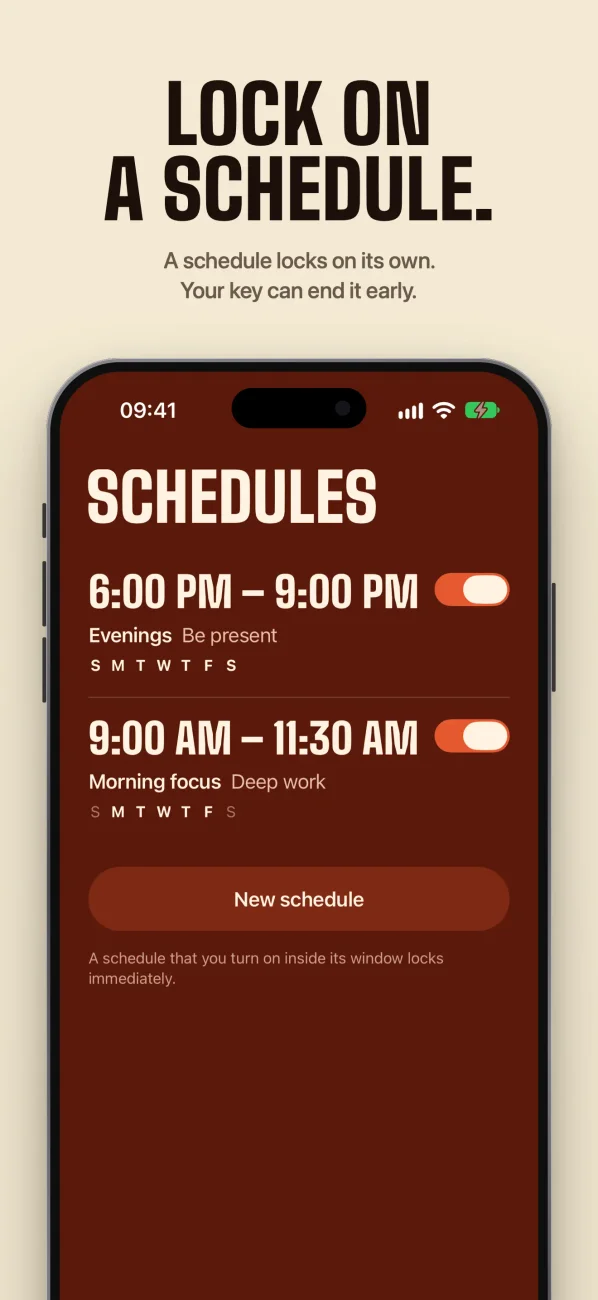
A schedule locks on the days and times that you set. A lock for a set time ends on its own. After you pair a key, both start without it.
STRICT MODE
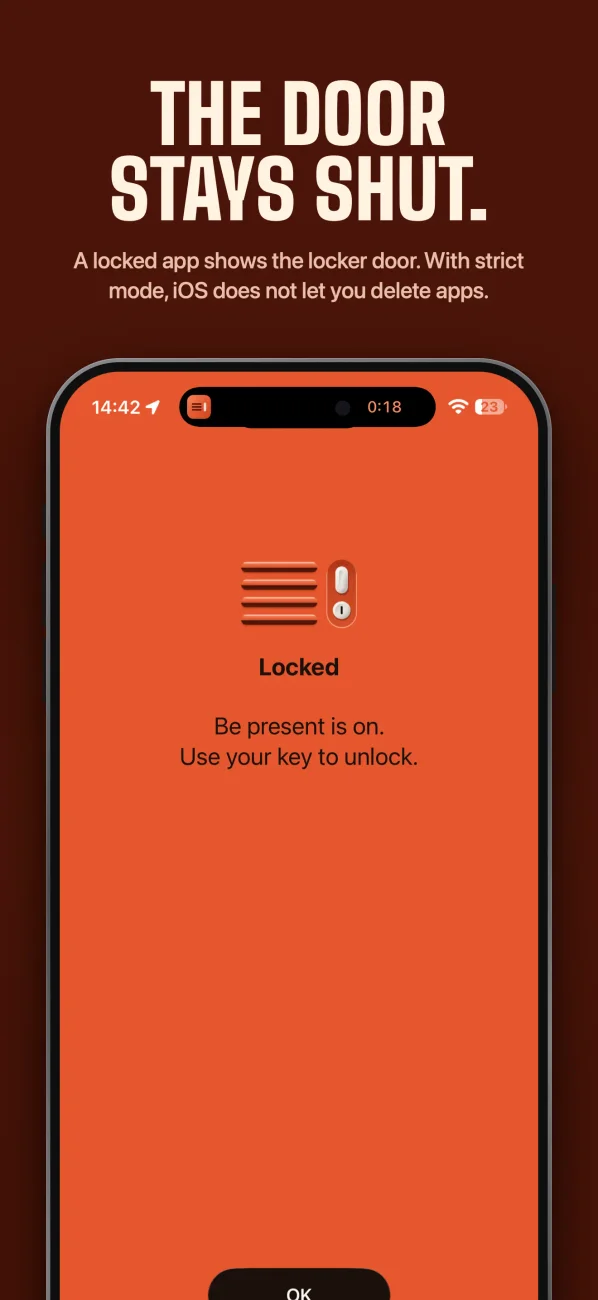
While the locker is locked, no app can be deleted or installed, including Clank. Five emergency unlocks are included for a lost key or urgent access.
SIRI, WIDGETS AND LIVE ACTIVITY
Say "Lock my apps with Clank", or use the Action button. See the lock on your Lock Screen, in the Dynamic Island and in widgets.
ACTIVITY
See your locked time by day and by week.
PRIVATE
Your modes, schedules and activity stay on your device. No account. No analytics.
GOOD TO KNOW
- NFC works on iPhone with a compatible tag, for example a blank NTAG213, NTAG215 or NTAG216 sticker.
- Apple Watch cannot scan an NFC tag.
- Screen Time permission and a paired key are necessary before your first lock.
- Scan a QR key with the scanner in Clank. A copy of the QR code works as the same key, so keep copies away from your device.
- Clank pairs one key.
What’s new
Version 1.1.0 · Nov 18, 2026
Clank has a new design: your apps go in a locker.
- The home screen is a locker. The door shuts when you lock and opens when you unlock.
- New app icon, widgets, Live Activity and Apple Watch design.
- A blocked app now shows the shut locker door.
- Siri: say "Lock my apps with Clank".
- A scan that ends with no key shows no alert.
- Fixed: your modes and your key stay after a restart of the phone.
- Fixed: a schedule that is running cannot be switched off, changed or deleted until you unlock.
App privacy
What DCTR s.r.o. declares on the App Store about how this app handles data.
-
Data not collected
The developer does not collect any data from this app.
Privacy practices may vary, for example with the features you use or your age.
Information
- Seller
- DCTR s.r.o.
- Category
- Productivity
- Version
- 1.1.0
- Updated
- Nov 18, 2026
- Released
- Sep 25, 2026
- Size
- 75.7 MB
- Requires
- iOS 16.4 or later
- Age rating
- 4+
- Price
- Free
- Languages
- English
- Copyright
- © 2026 DCTR s.r.o.
You might also like
-
 SlowPebble: AI Website BlockerThe blocker you never turn off
-
 Lucca: Voice AI. Do anything.Control Your Life With Voice
-
 Peace: App Blocker & FocusTap an NFC tag to block apps
-
 Today, OnlyOne-Day Focus App
-
 Do it! - Get Things DoneTask Planner & Smart Alerts
-
 Slot: Lock Your AppsLock away your distractions!
-
 Latch: Focus Lock & BlockerBlocks that hold. No account.
-
 Song: Journal & TasksQuick capture, private journal
-
 NoffGuard focus from distractions.
-
 apptokenQR & NFC App Blocker for Focus