Classly: Attendance Tracker
Bunk Calculator & Timetable
Designed for iPhone, iPad, iPod touch
Free
- Age rating4+
- CategoryEducation
- DeveloperThiem Nguyen
- LanguagesEnglish+ 13 more
- Size39.9 MB
Links to the official App Store page
Download.org hosts no file of Classly: Attendance Tracker. The button opens its official App Store page, published by Thiem Nguyen. Listing last checked on Nov 21, 2026.
Screenshots
About
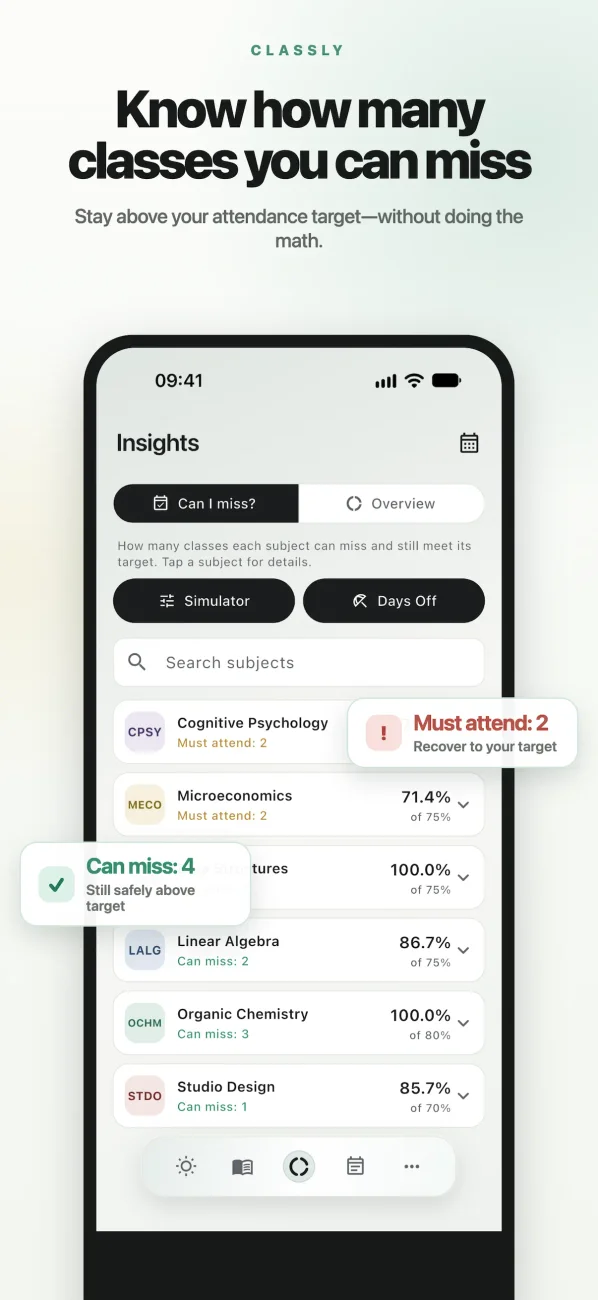
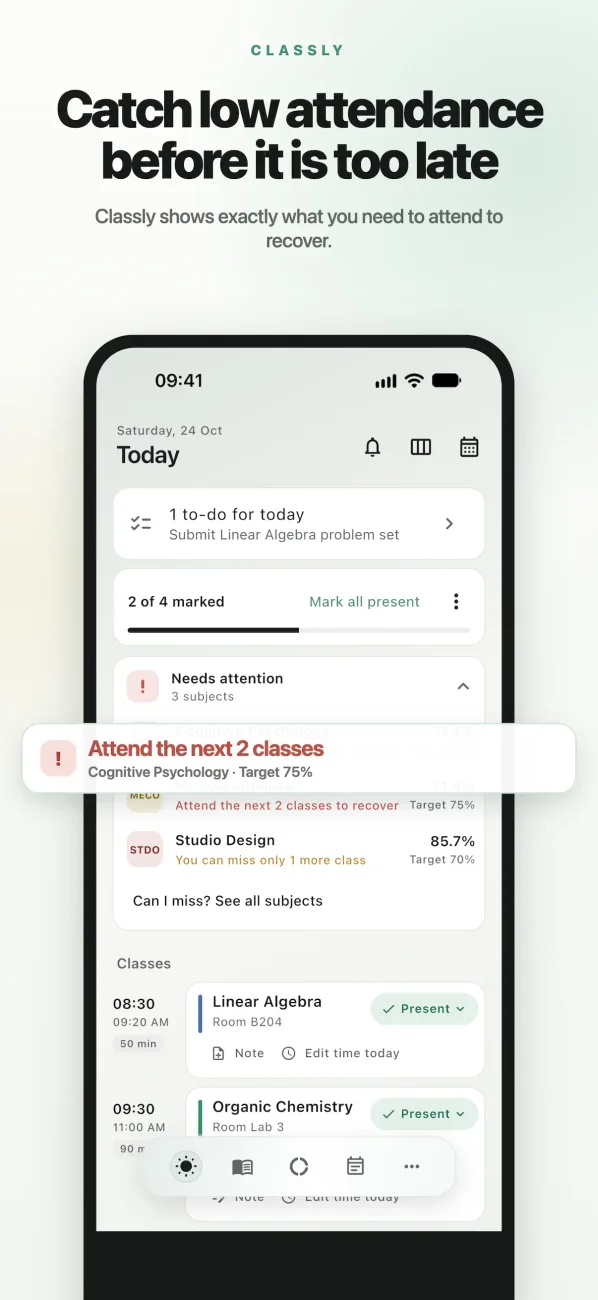
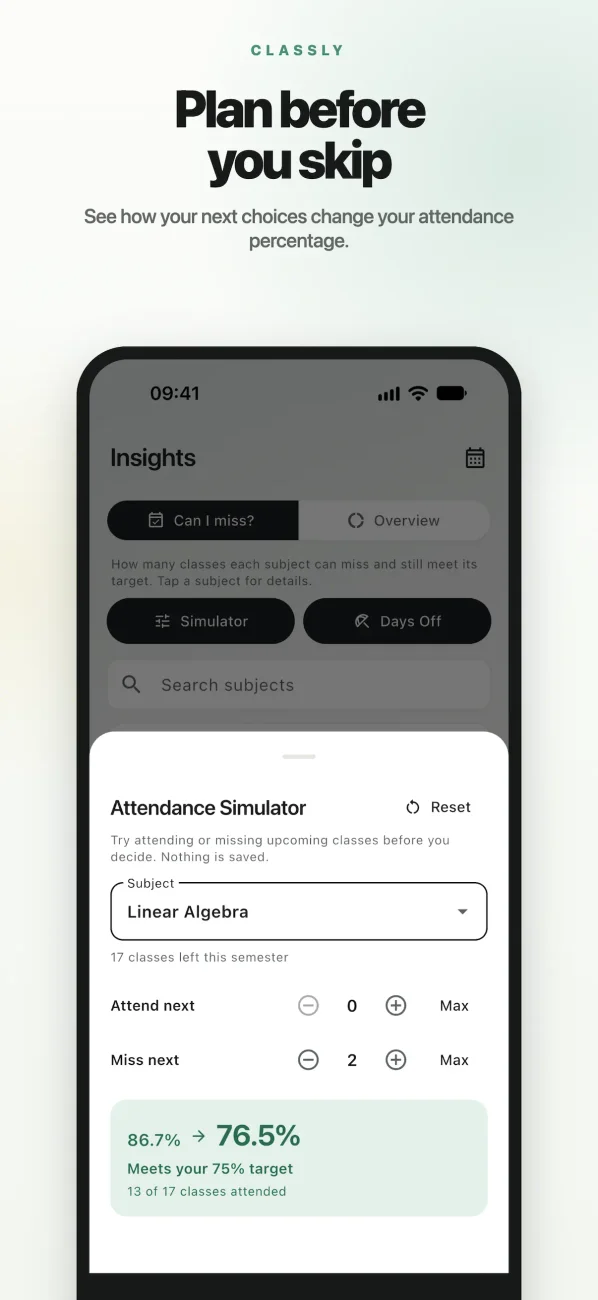
Classly is a free attendance tracker and bunk calculator for college students. See your attendance percentage in every subject, how many classes you can skip and still stay above 75%, and how many you must attend to recover — before you change your real record.
KNOW WHERE YOU STAND
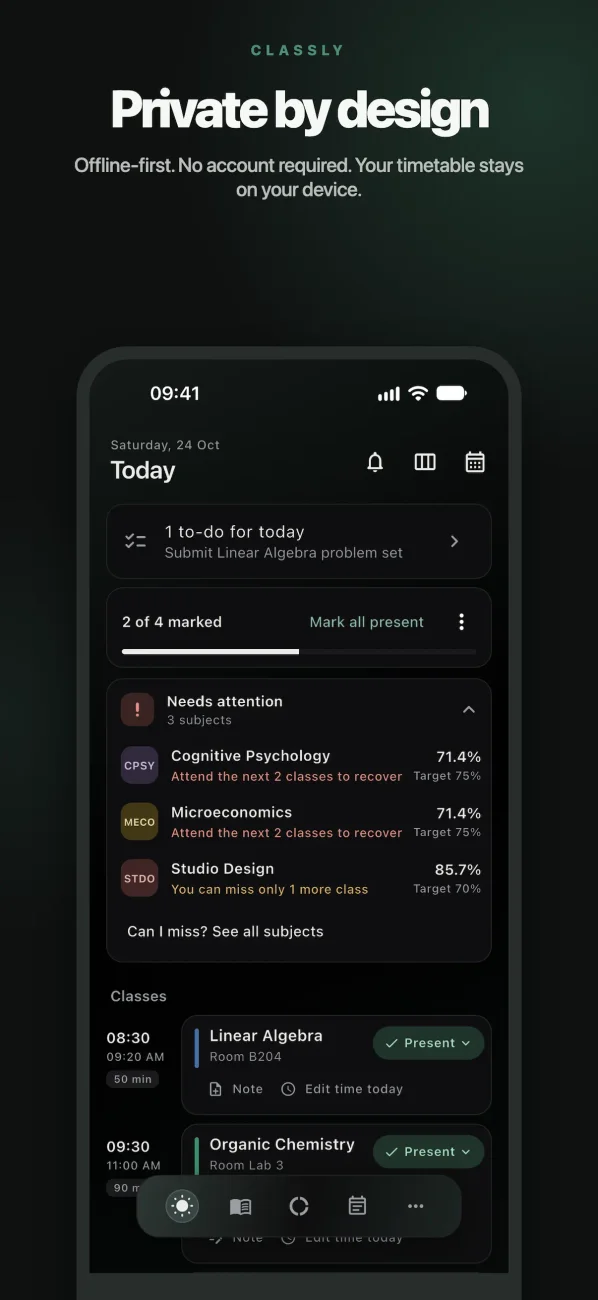
Set a target for every subject. Classly shows your current percentage, safe absence margin, classes left and the next action needed when attendance is low.
SIMULATE THE NEXT CLASSES
Use Attendance Simulator to try a sequence of attended or missed classes. Watch the projected percentage and remaining margin change instantly, then reset the simulation without touching your attendance history.
TODAY OR THE WHOLE WEEK
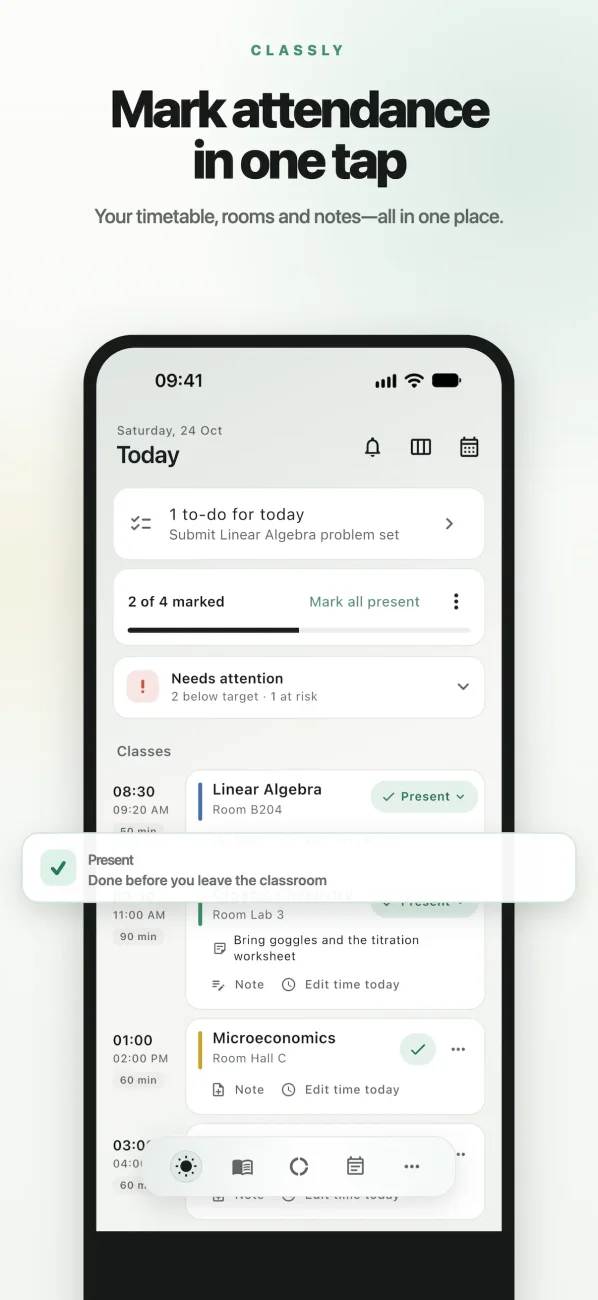
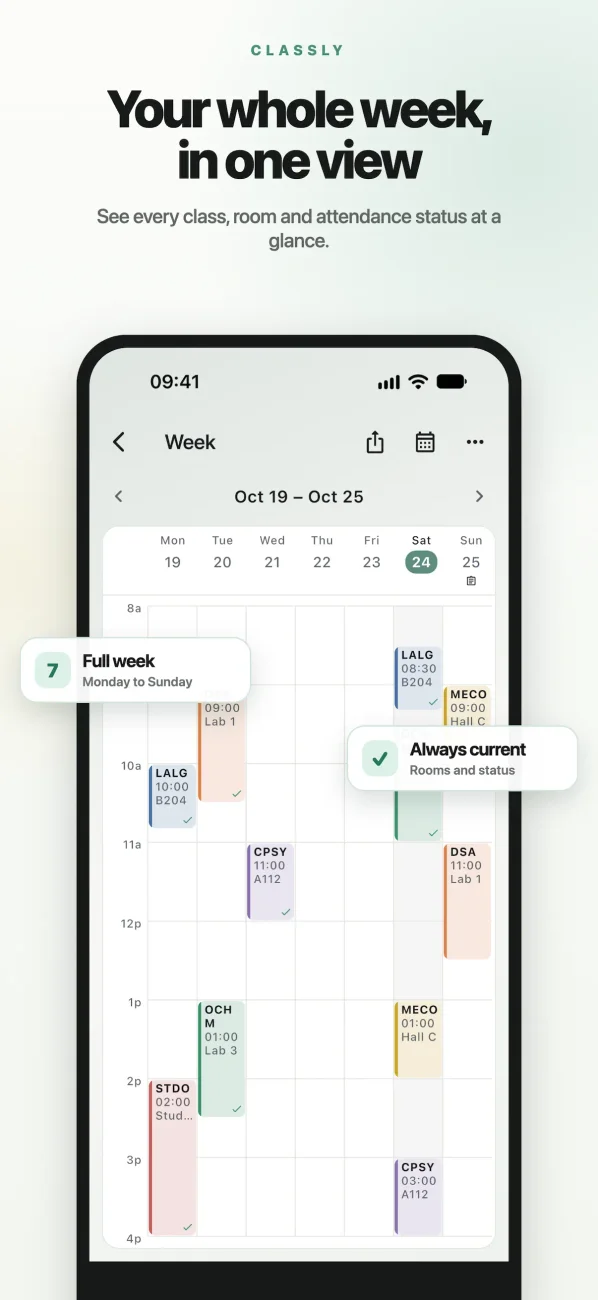
See today's classes in a focused timeline with times, rooms and notes, or switch to Week for the shape of your timetable. Mark attendance in one tap, swipe for another status, or finish the day with Mark all present.
A CALENDAR YOU CAN FIX
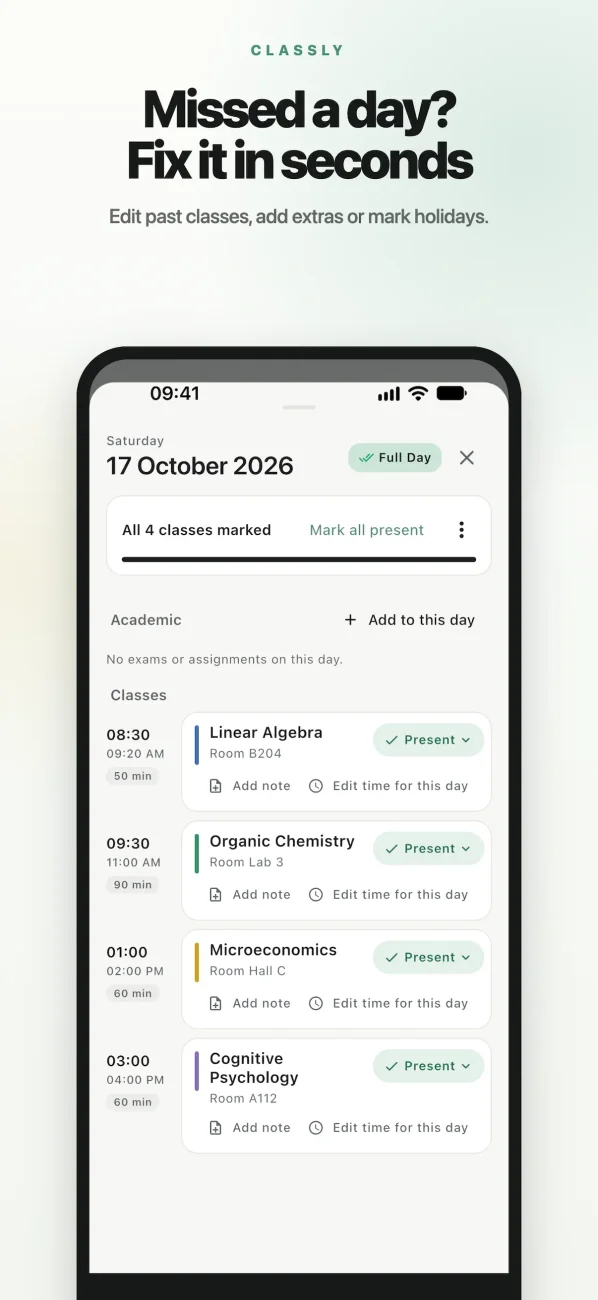
Correct any past day, cancel one class, add an extra meeting, change a single occurrence, use another day's timetable for a make-up day, or mark an official holiday. You can also schedule classes on specific dates instead of forcing every class into a weekly repeat.
TO-DO FOR STUDENT LIFE
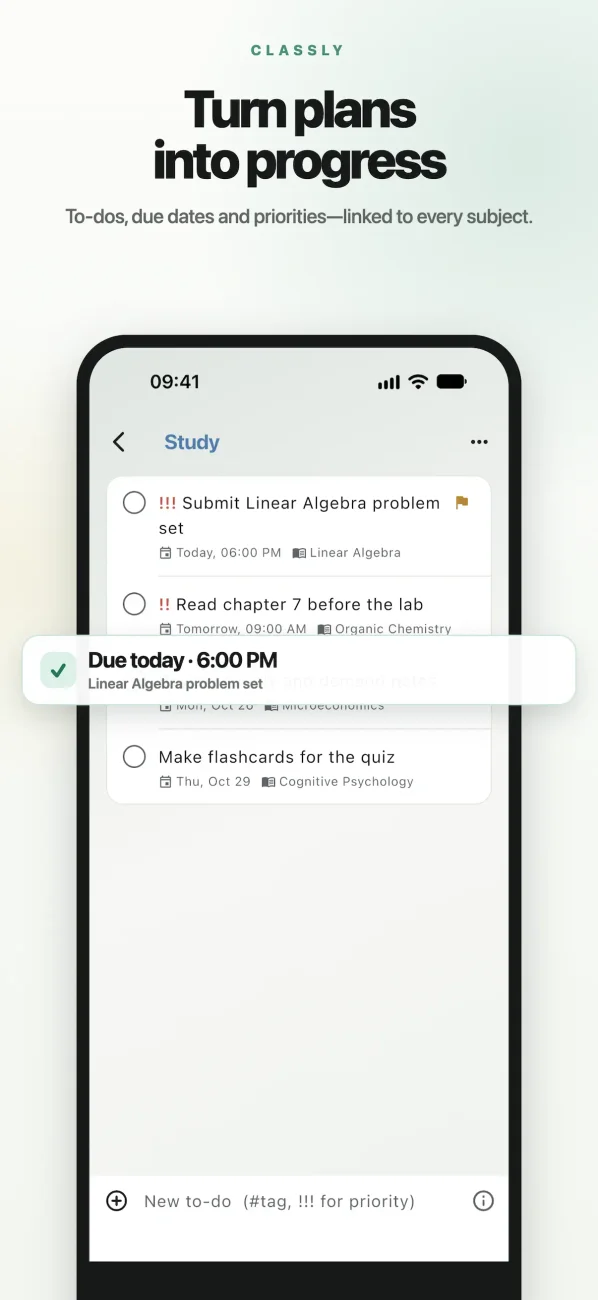
Keep study and personal tasks together with lists, reminders, repeats, subtasks and tags. Link a task to its subject when context matters, without mixing actions into your class timetable.
EXAMS AND ASSIGNMENTS
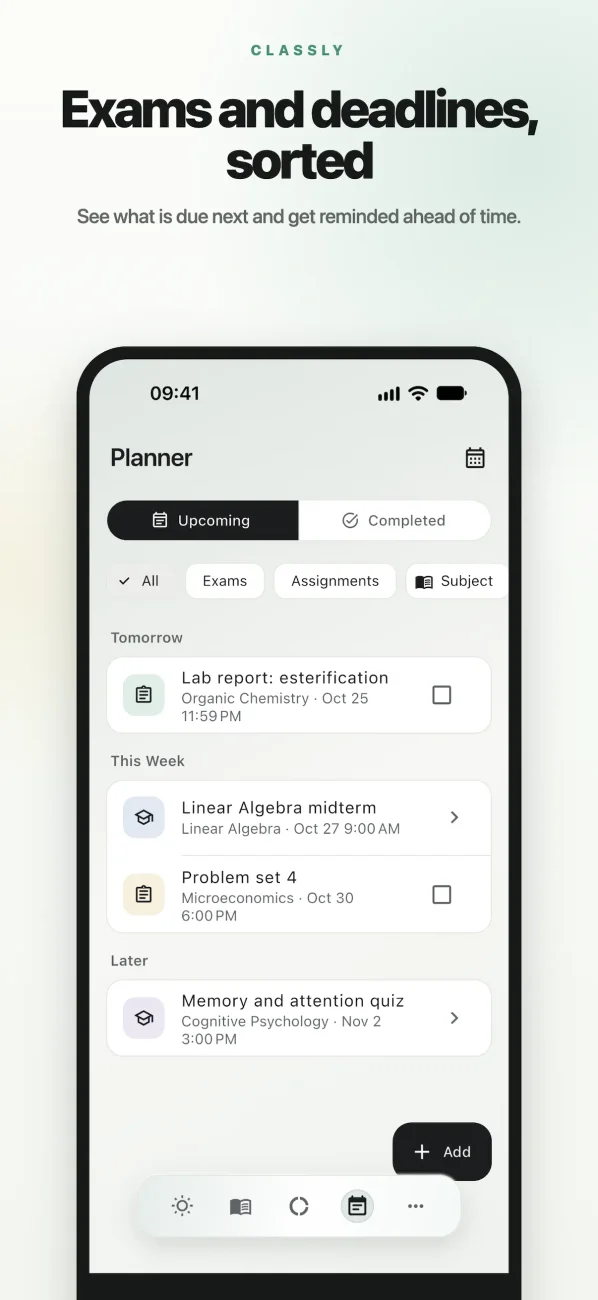
Keep fixed deadlines beside your schedule. Classly groups them by urgency, reminds you ahead of time and lets you tick completed assignments off.
REMINDERS THAT FIT YOU
Get a reminder before class and a prompt to mark attendance when it ends. Choose how early each reminder arrives, or turn it off.
REPORTS AND UTILITIES
Review weekly and monthly attendance trends. Customize the bottom bar so the tools you use most — including Calendar, Insights, To-do and Utilities — stay one tap away.
BACK UP ON YOUR TERMS
Create manual or automatic local backups, export a backup file, or optionally connect Google Drive and restore on another phone. No Classly account is required.
MORE INCLUDED
• Import a timetable from JSON or CSV
• Export as JSON, CSV or PDF
• Google Calendar Sync
• Home Screen widget
• Per-class notes
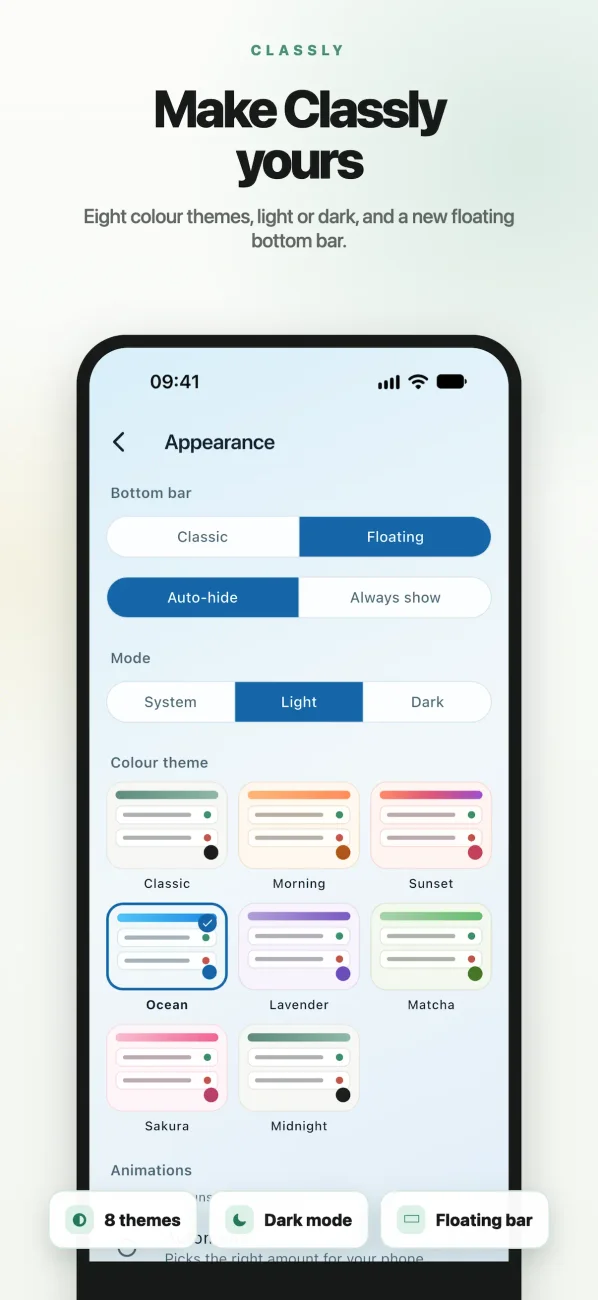
• Light, dark or system appearance
• 12- or 24-hour time
PRIVATE AND OFFLINE-FIRST
Core attendance, timetable, notes and tasks work offline and are stored on your device. Classly does not use your location. Data leaves your device only when you choose features such as export, Google Calendar Sync or Google Drive backup.
Classly is free. Your institution remains the official source for attendance requirements, accepted absences and examination eligibility.
Classly began from an MIT-licensed open-source project and has been independently developed since. Details are available in the app under More → Licenses & Attribution.
What’s new
Version 4.3.0 · Nov 18, 2026
Classly 4.3: plan your days off with confidence.
• Days Off now also shows each subject's attendance on the day you're back, counting only the classes held by then. You get a warning if it drops below your target, even when the semester still ends above it.
• Search in More now answers "how do I…": try holiday, exam, extra class or semester dates, and it takes you straight there.
• New in What do you study?: BBA – International Business, with its own subject suggestions.
• Planner: an exam from an earlier day that you never marked done no longer sits under This Week. It moves to a Past group at the end of the list.
• Fixed: changing only the name of a day off and saving kept the old name.
• Classly starts more smoothly: screens no longer flash "Please create a semester" while your semester is loading, and links that open Classly go straight to the right screen.
App privacy
What Thiem Nguyen declares on the App Store about how this app handles data.
-
Data linked to you
May be collected and linked to your identity.
- Contact info
-
Data not linked to you
May be collected but is not linked to your identity.
- User content
- Identifiers
- Usage data
- Diagnostics
Privacy practices may vary, for example with the features you use or your age.
Information
- Seller
- Thiem Nguyen
- Category
- Education
- Version
- 4.3.0
- Updated
- Nov 18, 2026
- Released
- Mar 23, 2026
- Size
- 39.9 MB
- Requires
- iOS 15.0 or later
- Age rating
- 4+
- Price
- Free
- Languages
- English, French, German, Hindi, Indonesian, Italian, Japanese, Korean, Polish, Portuguese, Russian, Spanish + 2 more
- Copyright
- © 2026. ThiemJason
You might also like
-
 MyCollegeMate: AttendanceStudent Attendance Tracker
-
 Bunk Planner: Attendance, CGPA75% Tracker, GPA & Deadlines
-
 College Buddy: AttendanceTracker, planner & bunk calc
-
 Absence-Track your Attendance.Chase your Lecture&Semester.
-
 MARK: Student AttendanceTrack Bunks, Classes & Tasks
-
 BunkBarTrack Attendance, Stay Safe
-
 Attendance Tracker • CollegeManage academic life
-
 all-attendStreamline Attendance
-
 LMS PortalBuilt for SVKM and NMIMS
-
 Fovea MedEducation