
ClassPlan
Every syllabus, one plan
Designed for iPhone, iPad
Free · In-app purchases
- Age rating4+
- CategoryEducation
- DeveloperForge Lab, Inc.
- LanguagesEnglish
- Size7.1 MB
Links to the official App Store page
Download.org hosts no file of ClassPlan. The button opens its official App Store page, published by Forge Lab, Inc. Listing last checked on Nov 16, 2026.
Screenshots
About
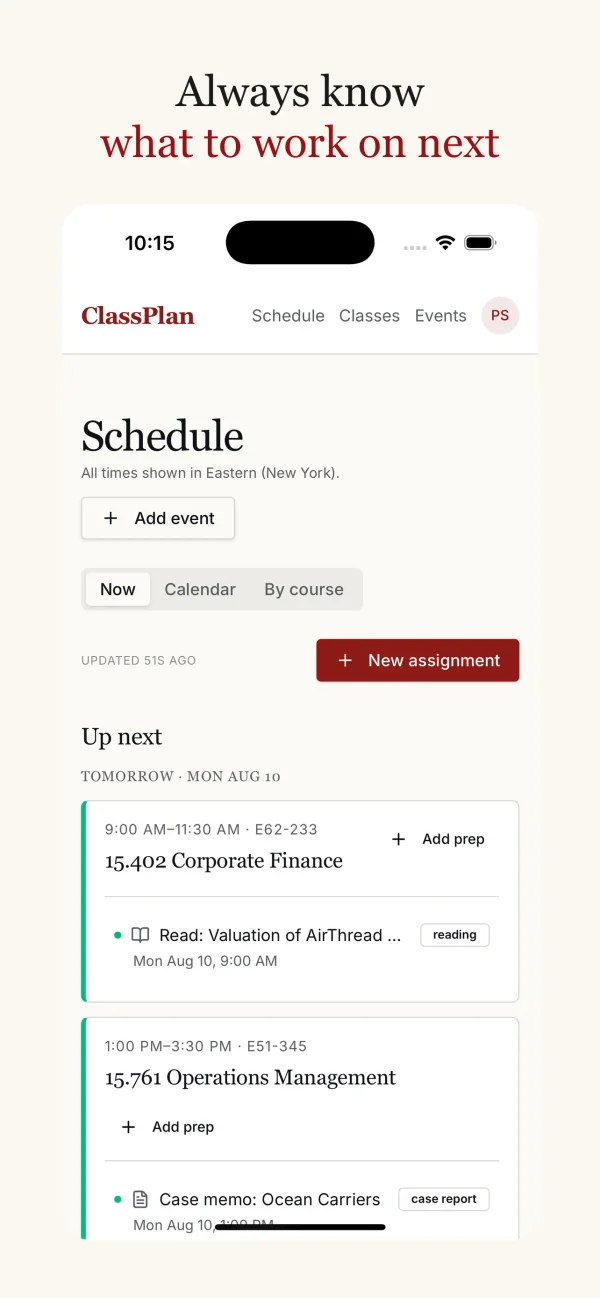
Always know exactly what to work on next.
Every term starts the same way: multiple syllabi, disconnected systems, and no single place that tells you what's actually due. ClassPlan reads them and turns the pile into one ranked plan.
WHAT YOU GET
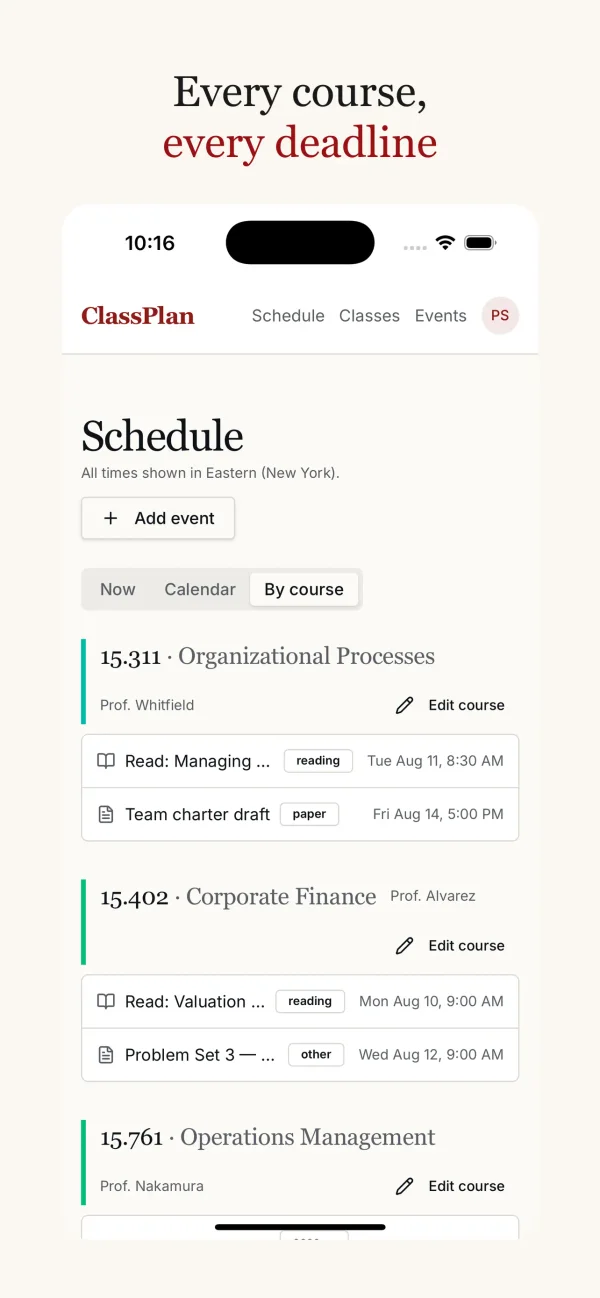
Up next — the one screen that matters. Your next classes and the readings, problem sets and papers due before them, in the order you should do them. No sorting, no cross-referencing.
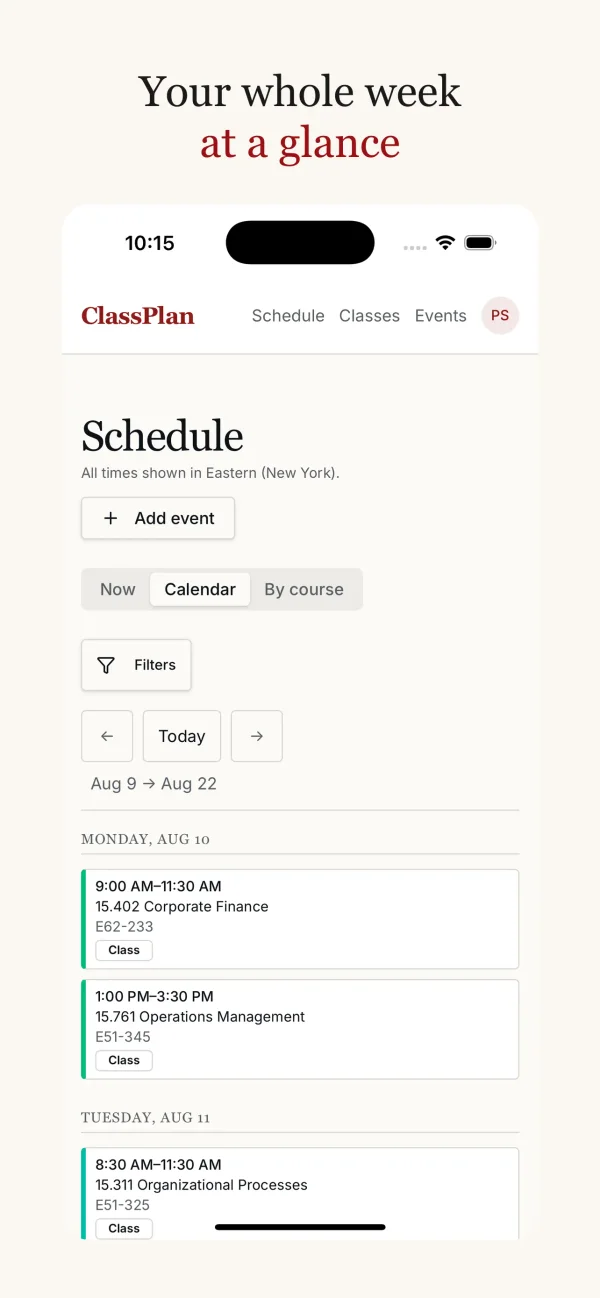
Your week at a glance — every class, room and deadline on one calendar. Switch to By course when you want to see a single subject end to end.
Add a class in seconds — upload the syllabus and ClassPlan pulls out the assignments, due dates and class times for you.
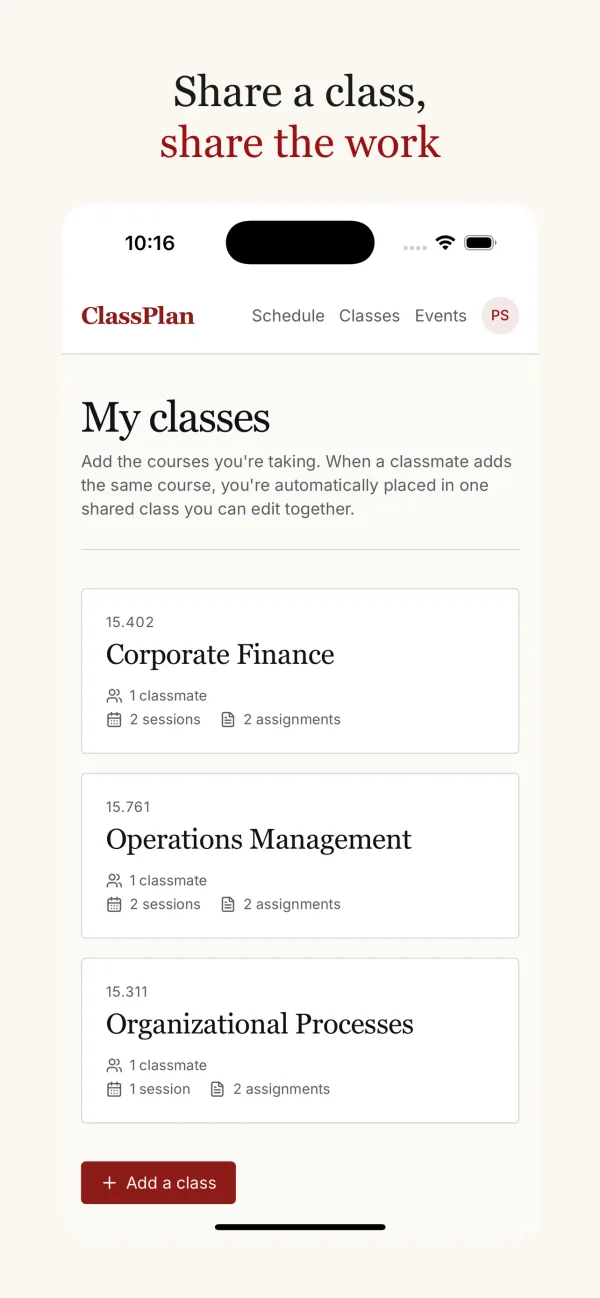
Shared classes — when a classmate adds the same course, you're automatically placed in one shared class you can edit together. Someone corrects a due date, everyone gets it. No group chat archaeology.
In the calendar you already use — subscribe once and every class, room and due date shows up in Google Calendar, Apple Calendar or Outlook, staying current all term. No new app to remember.
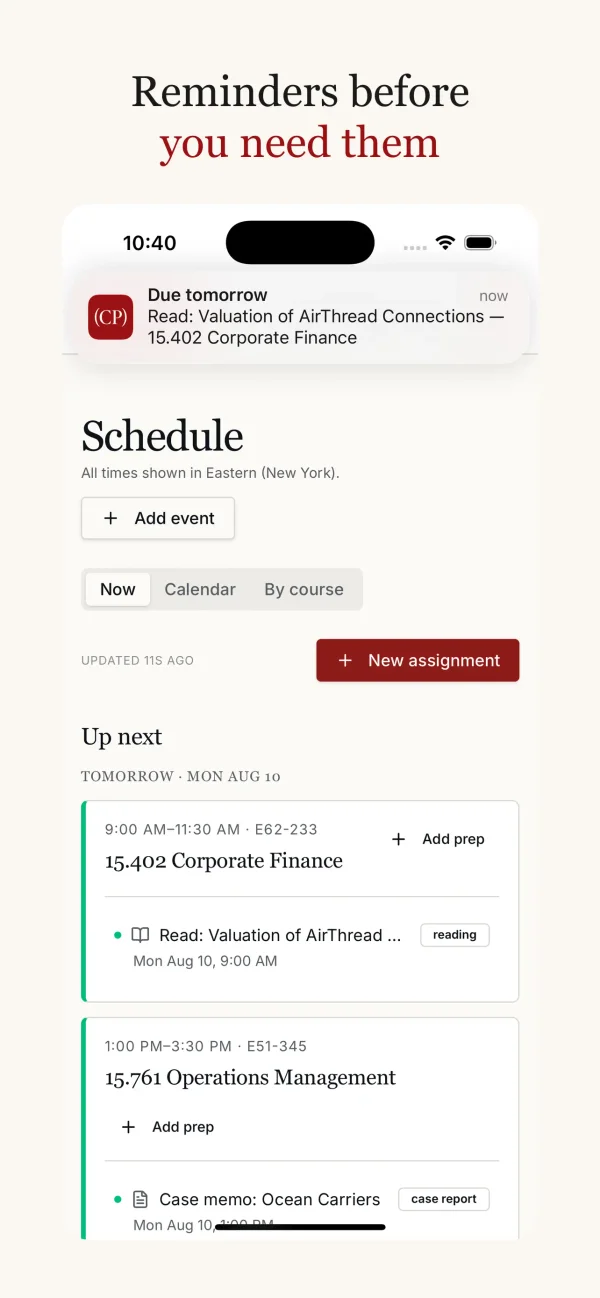
Reminders that land before you need them — a nudge the day before something is due, a heads-up half an hour before class with the room number, and an alert when a classmate changes something in a class you share.
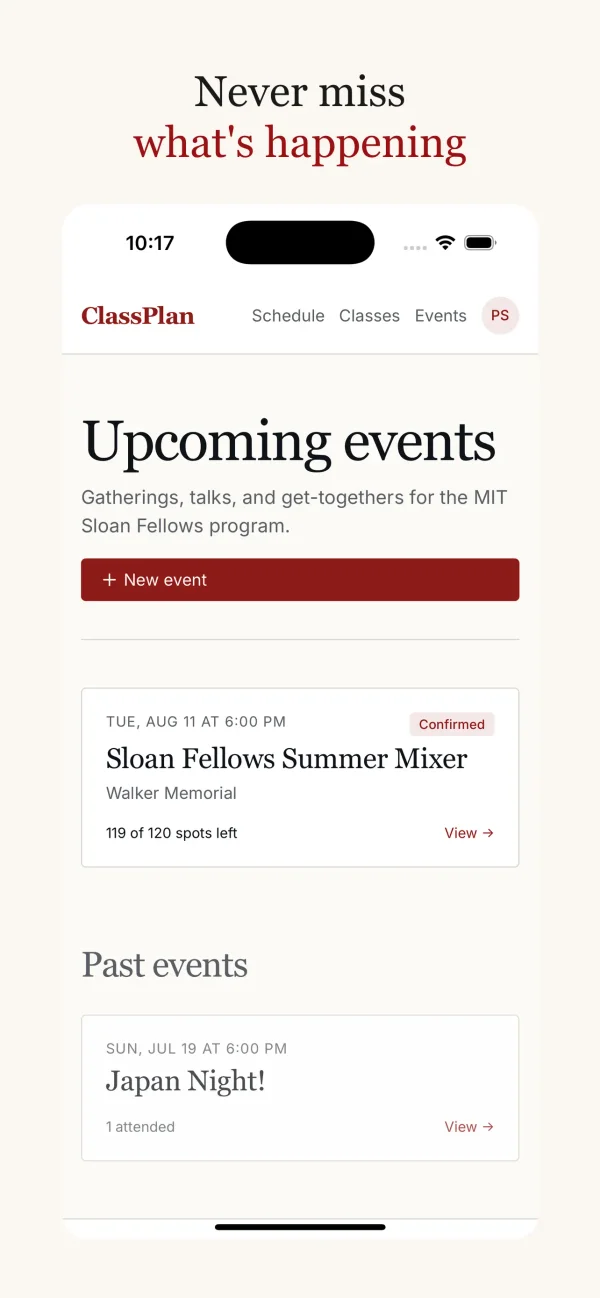
Events — talks, mixers and get-togethers for your program, with RSVPs in the same place as everything else.
BUILT BY A STUDENT
ClassPlan was built by an MIT Sloan Fellow who was tired of rebuilding the same spreadsheet every term, and it's used daily by hundreds of classmates. It's now open to students at any university with a school email.
PRICING
Join your first class and your first 30 days are free — no card required to start. Subscriptions purchased in the app are billed through your Apple ID and renew automatically until cancelled in Settings.
Privacy Policy: https://classplan.xyz/privacy
Terms of Use (EULA): https://www.apple.com/legal/internet-services/itunes/dev/stdeula/
Questions or feedback? We read everything.
What’s new
Version 1.1 · Sep 15, 2026
ClassPlan now runs full screen on iPad.
- Your whole week on one screen. The week view lays out all seven days side by side, so every class, room and deadline is visible at once instead of scrolling sideways.
- Two columns of classes. My classes uses the full width rather than a single narrow stack.
- Any orientation, and alongside another app. Rotate the iPad however you like, and keep your schedule open.
App privacy
What Forge Lab, Inc. declares on the App Store about how this app handles data.
-
Data linked to you
May be collected and linked to your identity.
- Financial info
- Contact info
- User content
- Identifiers
-
Data not linked to you
May be collected but is not linked to your identity.
- Diagnostics
Privacy practices may vary, for example with the features you use or your age.
Information
- Seller
- Forge Lab, Inc.
- Category
- Education
- Version
- 1.1
- Updated
- Sep 15, 2026
- Released
- Sep 13, 2026
- Size
- 7.1 MB
- Requires
- iOS 16.4 or later
- Age rating
- 4+
- Price
- Free
- In-app purchases
- Yes
- Languages
- English
- Copyright
- © 2026 Forge Lab, Inc.
You might also like
-
 MIT SloanHubEducation
-
 SloanGroups at MIT SloanMIT Sloan School of Management
-
 Project TrailheadMilitary transition guide
-
 The Harvard SchoolEducation
-
 MIT MobileEducation
-
 RocketBlocksEducation
-
 MIT AtlasNavigating your MIT world
-
 The Framework AppEducation
-
 Stage Master: Speak, ImpressPractice Speaking & Fluency
-
 GRE Math Calculator 2025Same behavior as ETS PowerPrep